




Hosting virtual meetings on Zoom and Microsoft Teams is easy enough when it comes to weekly team meetings, quick check-ins, and brainstorming sessions. But when the stakes are higher – a client webinar, a product launch, an all-hands, a fundraiser – chances are that your usual DIY virtual event setup starts showing cracks. What feels “simple enough” in rehearsal can turn into corporate live streaming issues when it matters most.
After producing hundreds of virtual and hybrid events, we’ve seen the same DIY virtual event problems appear again and again. So, in this guide, we break down the five most common pitfalls, why they happen, and how smart businesses avoid them with professional virtual event production.
Pitfall #1: Poor Audio
Audio problems are like that one squeaky shopping trolley wheel. Once you notice it, you can’t focus on anything else. In a virtual event setting, bad audio quality is the fastest way to lose your audience and tank engagement.
The Problem
DIY virtual event problems often start with audio because it’s the one thing people underestimate most. You get echo bouncing around like someone’s calling from a bathroom, tinny laptop microphone sound caused by high-pitched frequencies, background noise, or software issues, and speakers cutting in and out.
On top of all that, presenters with wildly different volume levels often make attendees ride their volume button like it’s a rollercoaster. Overall, the stream becomes a constant fight with audio quality and volume.
The Quick DIY Fix
To DIY a quick fix for your audio issues, every speaker should ideally use an external USB microphone and headphones. This is the simplest “how to improve Zoom event” hack out there. Once everyone plugs in an external microphone, do short sound tests with each presenter individually and check for background noise.
The Professional Solution
The most effective way to fix your audio during a Zoom or Microsoft Teams meeting is to get professional audio equipment hire.
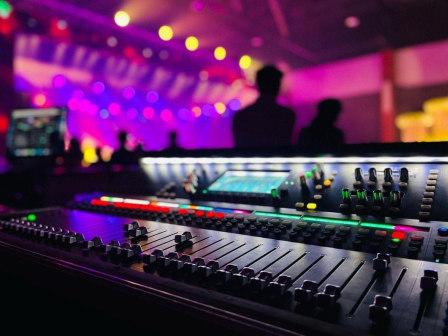
At NextGenAV, we have dedicated audio engineers who use broadcast-grade lapel, lectern, and headset mics, all feeding into a digital sound mixer. We run full technical rehearsals and monitor levels live, adjusting in real-time. We’ve done this countless times, giving our clients crisp, consistent audio from every speaker every time.
Pitfall #2: Unstable Connection
If audio is the squeaky trolley wheel in a supermarket, unstable internet is the whole trolley collapsing in the aisle. No virtual or hybrid event can be successful if the stream keeps breaking up.
The Problem
Things like pixelated presenters, frozen frames, audio desync, and the dreaded “your internet connection is unstable” message are all factors that can turn your virtual or hybrid event into a total disaster.
Unstable connection is one of the most common DIY virtual event problems because home or office Wi-Fi simply isn’t built for high-quality video production or corporate live streaming, especially when you’re hosting it for hundreds of attendees. A single person watching Netflix in another room can derail your event. And once the stream drops, you lose trust, fast.
The Quick DIY Fix
The quickest DIY fix is to have all speakers connect directly to their modem using an Ethernet cable instead of Wi-Fi. Also, run a speed test an hour before going live to check for unstable internet. It won’t solve all corporate live streaming issues, but it strengthens the weakest link in most DIY setups.
The Professional Solution
Your best bet to avoid unstable connection issues during a high-stakes live stream is to hire a professional virtual event production team. At NextGenAV, we’re always prepared, and we never rely on one connection.
Our team uses dedicated streaming encoders and bonded internet solutions that merge multiple networks, like 4G, 5G, and wired, into one rock-solid, redundant signal. Even if one line drops, the audience won’t feel a thing.
Pitfall #3: Low Audience Engagement
Another one of the most painful DIY virtual event problems is a silent audience. When no one engages with your live stream, it can feel empty and awkward. Luckily, with a few fixes, it’s totally avoidable.
The Problem
The reality of Zoom and Microsoft Teams meetings is that as soon as people tune in, they immediately start doing something else. They’re only half-listening, and they don’t ask any questions or engage with the meeting in any way. For marketing and comms teams, this is a nightmare. A disengaged audience equals wasted effort and subpar results.
Video conference tools like Zoom and Microsoft Teams have the bare minimum features to create engagement, but they can’t create a dynamic, interactive experience on their own. This is where live-streaming mistakes happen quietly: the content is fine, but the delivery can’t hold attention.
The Quick DIY Fix
One thing you can do immediately to improve engagement during your Zoom and Teams meetings is to leverage their built-in polling and Q&A features.
To do this effectively, assign a dedicated moderator to watch the chat, encourage questions, and remind attendees they’re part of the experience. It’s one of the most basic webinar production tips, but it’s better than nothing.
The Professional Solution
Hiring a professional AV team means you get advanced engagement tools baked right into your run of show: branded live polls, dynamic Q&A overlays, on-screen comments, virtual breakout workflows, and planned engagement moments.
At NextGenAV, our producers manage it all while you deliver your presentations, so your audience stays active during the entire stream without you having to worry about it.
Pitfall #4: Disorganised Meeting Flow
Awkward transitions, unprepared presenters, and no meeting agenda are the signature look of DIY virtual event problems. If your meeting isn’t structured, rehearsed, and executed with intention, your audience will feel confused, lost, and secretly praying for the “Leave Meeting” button to set them free.
The Problem
Five seconds of dead air. Someone sharing the wrong screen. Slides in the wrong format. A presenter fumbling with buttons. In a high-stakes event, these tiny slip-ups accumulate into a messy audience experience that erodes trust.
Without a structured meeting agency, things quickly unravel. And because these mistakes seem small, many teams don’t realise they’re making classic live streaming mistakes until after the event, when the replay looks like patchwork.
The Quick DIY Fix
Before any high-stakes meeting, build a detailed agenda with clear timings, transitions, and ownership of each segment. Clarify the meeting’s purpose and what attendees should walk away with. List all presenters and their responsibilities. Then run at least one full rehearsal where everyone practices screen sharing, cues, and handovers. This dramatically reduces DIY virtual event problems, although it still can’t eliminate surprises.
The Professional Solution
To eliminate a disorganised meeting flow, bring in a professional meeting producer. At NextGenAV, our producers manage every detail from behind the scenes using a professional vision switcher. We preload slides, run screen shares, design branded graphics, cue videos, and execute seamless transitions. With a dedicated technician running the show, your meeting flows like a polished broadcast that it was meant to be.
Pitfall #5: No Backup Plan
In a high-stakes virtual event, things rarely fail at a convenient moment. They fail when you least expect it – right when your keynote steps up or your CEO appears on screen. And that’s exactly where most DIY virtual event problems become catastrophic.
The Problem
When you’re running virtual meetings, technical hiccups are expected. Laptops freeze, software updates pop up mid-presentation, mics cut out, and home Wi-Fi decides today is the day it won’t cooperate. That’s how you end up with choppy audio, delayed slides, and presenters who look like they’re broadcasting from underwater.
With a DIY setup, there’s no safety net. No second device, no secondary feed, no dedicated technician to jump in. Every failure is a single point of failure, and one glitch can derail the entire experience.
The Quick DIY Fix
To avoid any kind of DIY virtual event problems, always have a backup host ready to take over if your computer fails. Also, store all slides in a shared cloud folder so anyone can access them quickly. This won’t fully prevent all possible live streaming mistakes, but it gives you a fighting chance if something goes wrong mid-event.
The Professional Solution
It may feel redundant to have a backup setup for a virtual meeting, but when it comes to professional virtual event production, redundancy is key. It’s better to be safe than sorry, and having backup options means you’ll always be safe.
At NextGenAV, we bring backup for everything: laptops, microphones, encoders, and multiple internet connections. Plus, our dedicated technician will be monitoring everything in real time, so we can switch to a backup system in seconds, often before your audience realises anything happened.
Is a DIY Virtual Event Really Worth the Risk?
DIY setups have their place for low-stakes meetings, like internal syncs, quick team updates, and anything where it’s okay if someone glitches into a pixelated ghost. But when the stakes go up, and your clients are watching, executives are presenting, and employees are tuning in worldwide, the room for error shrinks to almost zero.
In a high-stakes context, DIY virtual event problems aren’t just technical hiccups. They become brand-damaging moments that instantly shape how your organisation is perceived. And often, risking damaging your reputation is more costly than investing in professional virtual and hybrid event solutions.
A professional production team eliminates this gamble. They run technical rehearsals, monitor every feed in real time, manage backup systems, and stitch everything together into one seamless, polished experience. That means you don’t stress, your presenters don’t panic, and your audience stays focused on the content, not the chaos behind the scenes.
So don’t bet your brand’s big moment on unstable internet, untested equipment, or a laptop with a flair for dramatic exits. If you’re planning an important virtual or hybrid event in Melbourne, let us handle everything. Contact NextGenAV for a free consultation.
Discover Valuable Insights
Unlock Expert Tips and Advice
Our blog is packed with valuable information to help you stay ahead. Whether you’re looking for expert advice, industry trends, or practical tips, you’ll find everything you need. Reach out today to learn more or get in touch with us for personalised support!