
Yes, event lighting can be synchronised with music, using changes in colour, movement and intensity to reinforce the soundtrack and shape the room’s energy. With corporate event lighting hire in Melbourne, the best approach depends on your event format, venue and the experience you want guests to have. Plan music cues as part of the overall lighting design, not as an afterthought.
A considered lighting plan does more than brighten a space. It can shift the mood from polished presentations to a lively celebration while keeping the experience cohesive. Match the equipment and technical support to the programme, venue and audience.
This guide explains how music-synchronised lighting works, what to consider when choosing dry hire or a supported production, and how equipment options and event packages can suit corporate and private events in Melbourne and Sydney. You’ll also get a clear sense of how lighting, audio and staging can work together, helping you plan an event that feels seamless from the first cue to the final moment.
Key Takeaways
- Choose dry hire when you have the crew and technical plan to manage setup and operation; consider production support when cueing and coordination need expert oversight.
- Plan lighting alongside LED screens and audio so visual cues, music and presentations work together as one event experience.
- Use distinct lighting zones to guide guests from the entrance and networking areas to the dance floor, with each area serving a clear purpose.
- Match moving heads, strobes, lasers and pix bars to the music and atmosphere, then plan their cues as part of the event programme.
- For events in Melbourne or Sydney, shape the lighting plan around the venue, schedule and audience, then bring in technical direction when the production has multiple elements to coordinate.
Do you dry hire equipment?
Dry hire means hiring lighting equipment without an operator or production crew. Choose an arrangement based on who will install, programme and run the lighting at your venue.
Lighting equipment bookings
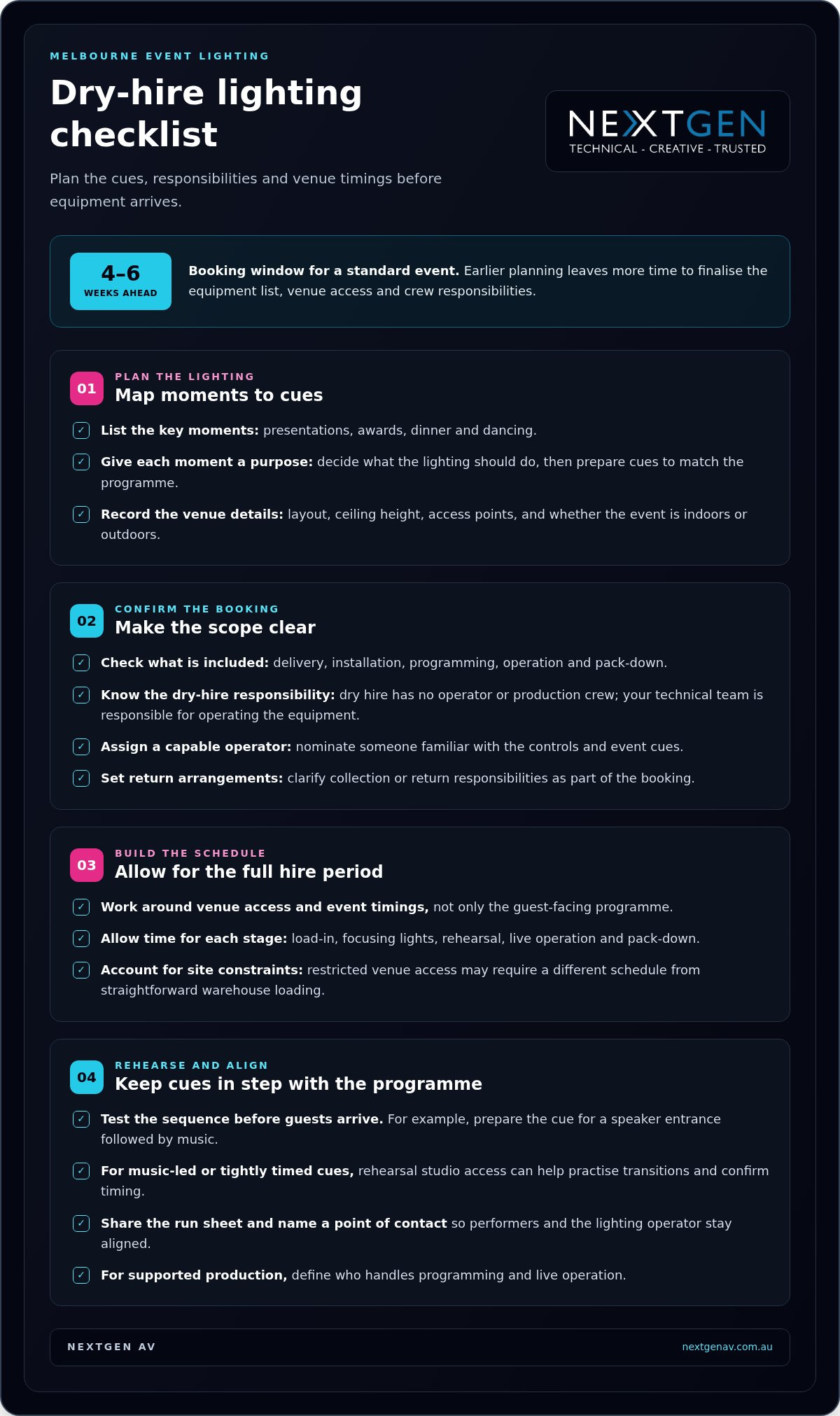
Start by listing key moments in the event, such as presentations, awards, dinner and dancing. Match each moment to a lighting purpose, then note the venue layout, ceiling height, access points and whether the event is indoors or outdoors. These details help determine the equipment and control needed, rather than relying on a generic list.
Before booking, clarify whether the hire includes delivery, installation, programming, operation and pack-down. With dry hire, your technical team is responsible for operating the equipment, so assign someone familiar with the controls and event cues. If a speaker entrance is followed by music, for example, prepare the lighting cues and test the sequence before guests arrive.
Hire periods and lead times
Set the hire period around venue access and event timings, not just the guest-facing programme. Allow time to load in, focus lights, rehearse, operate the event and pack down. A venue with restricted access may need a different schedule from a warehouse with straightforward loading. Include collection or return arrangements in the booking.
For a standard event, plan the booking 4-6 weeks ahead. Earlier planning gives you more time to finalise the equipment list, venue access and crew responsibilities. Share the event date, location, run sheet and lighting requirements together, so the booking reflects the complete production rather than an isolated equipment request. For outdoor events, include the event area and any schedule changes in the production plan.
Rehearsal studio bookings can help when lighting needs to follow music or tightly timed stage cues. Arrange studio access around the performance material, then use rehearsal time to practise transitions and confirm cue timing. A prepared run sheet makes each test purposeful, while a clear point of contact helps performers and the lighting operator stay aligned.
For dry hire, assign someone to receive and manage the equipment, and allow time for them to learn the control setup. For supported production, define who handles programming and live operation. This distinction matters when an event includes several mood changes, presentations or a dance floor: a clear plan keeps technical tasks from disrupting the programme.
Lighting, LED screens and audio equipment hire
A coordinated plan links lighting, LED screens and audio to the event programme. For a Melbourne event, start by matching each element to the venue, audience and key moments.
Lighting equipment hire options
For a Melbourne conference, list the areas that need light: the stage, speaker lectern, networking space and entrance. Then choose equipment for each purpose, such as uplighting to add colour to a room or floodlights for a larger feature. This gives the hire plan a clear scope and connects equipment choices to the audience experience.
Lighting hire ranges from simple room effects to moving fixtures, strobes and lasers. Every visual effect needs a purpose: consider whether it supports a presentation, draws attention to a product or changes the atmosphere for a reception. Match the fixture type and control plan to that goal.
Choosing a corporate lighting hire company
Corporate teams, event organisers and venues hire event production companies for lighting, screens and audio. Choose a production plan that covers the equipment, setup, operation and pack-down your programme requires. A product launch with timed reveals, for example, needs different coordination from a conference with steady stage lighting.
Ask for a clear breakdown of what any equipment hire minimum covers, including whether it applies to equipment alone or also to labour and delivery. Compare the booking scope, not just fixture names. Before finalising arrangements, clarify access times, venue constraints and who will operate the system.
Lighting types for corporate events
Common options include uplights for adding colour to walls, floodlights for larger surfaces, pendant and festoon lights for decorative ambience, and moving heads for dynamic effects. Strobes and lasers create sharper visual accents. Choose each type for the event’s purpose and audience, not just its visual impact.
LED screens and professional audio systems also shape lighting decisions. A bright screen can become the visual focus during a presentation, while clear audio keeps attention on the speaker. Plan the screen’s position and content, and decide how lighting will change between presentations and social periods.
To avoid booking surprises, map the full delivery sequence: venue access, equipment unloading, setup, testing, live operation and pack-down. Limited loading access can affect when equipment reaches the room, while late programme changes may require revised cues. Include each task and responsibility in the event schedule.
Lighting packages for dance floors, ambience and entrances
A Melbourne event lighting hire package should suit the venue, event schedule and intended atmosphere. It can specify fixture selection and placement, control, and the setup or operation required for each event space.
Dance floor and entrance lighting
Give the entrance and dance floor distinct roles in the lighting plan. Entrance uplighting can mark the arrival point, while moving party lights can energise the dance area as the programme shifts from speeches to music. Consider sightlines, guest movement and the dance floor’s position before finalising fixture placement.
For a reception, map the guest journey from doorway to tables and then to the dance floor. Use brighter or more defined entrance lighting to guide arrivals, then transition to colour and movement for dancing. If the event includes a product reveal, reserve a clear visual focus rather than competing with it through effects.
Mood lighting and venue ambience
Mood lighting shapes how guests experience a room, from a formal awards dinner to a relaxed networking reception. Uplighting can add colour to walls, while festoon lighting can create a softer decorative effect. Festoon light hire is supplied in a 10m length, giving planners a defined section to consider when mapping a venue.
Table lamps and ambient lighting can soften the dining area without making the room uniformly bright. Place lamps where guests need comfortable table lighting, then balance them with wall or architectural lighting. View the room from the entrance, tables and stage to check that each area supports the event’s vision.
Event lighting package inclusions
Check that the package description identifies the fixtures, their intended locations and how lighting changes across the programme. A Melbourne gala, for example, might need an arrival look, a dinner setting and a distinct dance-floor scene. The schedule should show who controls each change and when transitions happen.
Clarify the practical scope, including delivery, installation, programming, operation and pack-down. These are separate tasks, so a fixture list alone does not explain how the room will be transformed. For an event with speeches and dancing, match the control plan to the run sheet and assign responsibility for each cue.
Before confirming a package, compare its layout with the venue plan and note areas needing attention, such as the entrance, stage, dining tables or dance floor. This room-by-room review links each light to a purpose and keeps the atmosphere coherent, rather than filling the space with effects.
Moving heads, strobes, lasers and pix bars
Moving heads, strobes, lasers and pix bars create distinct effects for Melbourne events. Choose them for a clear purpose, such as building atmosphere during a gala entrance or adding movement to a dance-floor sequence.
Moving heads can change direction and colour during programmed cues, guiding attention across a stage or room. For a product launch, a focused movement sequence can lead into a reveal. At a conference, more restrained movement can support an awards segment without competing with presenters or screen content. Tie every change to a moment in the run sheet.
Strobes produce brief flashes that add intensity to selected music cues. Use them deliberately rather than as constant background lighting, and consider the event’s audience and overall atmosphere. A gala dance-floor sequence, for example, might use a short strobe cue during a high-energy track, followed by steadier lighting for announcements.
Laser lighting creates defined beams and patterns that can become part of a room’s visual design. Haze or smoke helps make laser and beam-light effects visible, so consider the venue, event format and desired look when planning. Keep the effect aligned with the performance area, and avoid visual accents that distract from a speaker or presentation.
UV lighting can add contrast to suitable surfaces and materials, while pix bars create linear patterns or colour effects across a stage or event space. At an exhibition stand, pix bars can frame a display; at a private function, UV effects may suit a specific dance-floor moment. The result depends on placement, surrounding light and how the audience moves through the room.
Before selecting fixtures, map the event into zones: stage, entrance, dining area and dance floor. Identify the purpose of each effect and when it appears. This prevents moving heads, strobes, lasers and pix bars from competing along the same sightline. A cue plan also lets the lighting operator coordinate transitions with music, speakers and screen content.
For a Melbourne venue, include the room layout, ceiling structure, access and programme timings in the lighting plan. These details inform fixture positions and the direction of effects. For an outdoor event, consider how open space and ambient light affect the intended look. A technical rehearsal lets the team refine cues in the event environment.
Precision matters most when effects are combined. Start with one visual focus, such as a moving-head sequence for an entrance, then add supporting elements only where they strengthen the moment. A clear hierarchy keeps every cue purposeful, so high-impact lighting complements rather than overwhelms the event.
Corporate, wedding and private-event lighting hire in Sydney and Melbourne
Corporate, wedding and private events in Melbourne need lighting plans shaped around their venue, schedule and audience. For temporary lighting, coordinate the venue’s requirements, equipment placement and power plan before confirming the production.
Venue rules and event approvals vary by site. Plan around access, electrical distribution, rigging and the event footprint, and document the crew’s safety responsibilities.
Event types and service locations
A corporate conference in Melbourne may need controlled stage lighting for speakers and presentations, then a different look for networking. A local wedding may prioritise the ceremony, reception tables and dance floor. Private celebrations can call for flexible transitions that suit speeches, dining and music without interrupting the programme.
For your venue, begin with the layout, event schedule and intended atmosphere. Identify the key moments, such as a product reveal, first dance or awards presentation, and mark where each happens. This gives the lighting plan a practical structure and helps coordinate equipment placement with guest movement.
Venue and power requirements
Power needs depend on the selected equipment and how it will be used. Share the lighting plan with the venue’s technical contact, confirm available power points and circuit arrangements, and identify cable routes that do not obstruct guest or crew access. The venue floor plan helps clarify equipment positions and cable paths.
Temporary lighting may require venue approval for equipment placement, event rigging or changes to shared spaces. For an outdoor event, include the site layout and exposure to changing weather in the setup plan. Assign responsibility for installation, operation and pack-down, and record the agreed controls in the event documentation.
Safety planning should address the actual setup, not rely on a generic checklist. A Job Safety Analysis can record task hazards and controls; Test and Tag supports equipment inspection, while a circuit breaker helps manage electrical protection. Where event rigging is involved, a qualified rigger and the relevant High-Risk Work Licence are important planning considerations.
For a practical site review, provide the production team with the venue address, floor plan, access details, event schedule and equipment requirements. This information helps align lighting positions with the room and programme. If a haze machine is part of the visual design, include its intended location and operating cues in the plan.
Bring the venue layout, event timings and power details together before finalising your Melbourne production. Plan event lighting and production around the atmosphere you want guests to experience and the practical needs of the site with NextGen AV.
NextGen AV: LED Video Walls
NextGen AV can bring lighting, screens, audio and staging together in one coordinated event plan. Turn to the team when a presentation, product reveal or gala needs visual content and lighting to work together rather than compete for attention.
LED Video Walls can anchor presentations and display event content, while Professional Audio Systems support clear communication across the room. Lighting Design and Equipment can shape the atmosphere around key moments, with Staging and Rigging helping define the event space. Coordinating these elements aligns technical decisions with the run sheet, venue layout and audience experience.
When multiple production elements need to work as one, contact NextGen AV to discuss your event plans.
Shape the experience from the first cue
Before finalising your event plan, decide how the room should feel at each stage, from guest arrival to the final track. This creative direction gives your production team a clear brief and helps every technical choice support the experience. For corporate event lighting hire in Melbourne, bring your run sheet, venue layout and visual priorities together as a practical next step.
NextGen AV can coordinate Lighting Design and Equipment with LED Video Walls and Professional Audio Systems, so lighting cues, screen content and sound work as one considered production. This is useful when your event moves between presentations, brand moments and celebration, and you want each transition to feel intentional.
Contact NextGen AV about your event to discuss the experience you’re planning. With a clear creative brief and technical direction, you can move into production with focus and give your guests an event that feels distinctly yours.
Frequently Asked Questions
Can the lighting be synchronised with music?
Yes, lighting cues can be programmed to follow music and planned event moments. A corporate awards night, for example, could use a measured look during presentations, then shift into moving effects when the dance-floor track begins. Provide the event music or cue list, mark key transitions and schedule a rehearsal so changes align with the soundtrack and stage action.
Do you offer delivery, setup, and pack-down for lighting products?
Setup, operation and pack-down can be managed as part of event production support. Arrange delivery around venue loading access, the event schedule and the equipment plan. Include when the room becomes available, when guests arrive and when the space must be cleared, so technical work fits the venue timetable without interrupting the event.
Do you offer lighting design for shows?
Yes, lighting design can be tailored to a show’s format and performance cues. A product launch, for instance, may need a focused transition for a reveal, while a live performance may use changes that follow its running order. Share the stage plan, show content and cue sequence so the design supports performers and audience sightlines.
Do you offer lighting for both indoor and outdoor events?
Yes, lighting can be planned for indoor and outdoor events. A ballroom reception and an open-air corporate activation have different layouts, surrounding light and audience movement, so the design should suit the setting. Include the venue plan, event timings and key visual moments in the production brief to shape the lighting approach.
Do you offer site visits or venue assessments?
Venue requirements can be assessed during pre-production planning, using details such as the floor plan, access arrangements, stage position and event schedule. A venue assessment helps identify where lighting should focus and how it fits the room. Share venue information early so it can inform the technical plan and setup.
Does the lighting come with stands and cables?
Stands and cables depend on the lighting configuration and fixture positions your event requires. The equipment schedule should identify the supporting items needed for the setup, including how fixtures will be positioned around a stage or room. A clear schedule helps the crew understand the full arrangement and plan the installation in context.
How much does corporate event lighting hire cost in Melbourne?
The lighting scope depends on the event’s creative and technical requirements. Start by identifying the spaces that need lighting, such as a stage, entrance or dining area, then note the moments that call for a change in look. Share the event schedule and venue layout so the equipment plan suits the programme and audience experience.
How far in advance should I book event lighting in Melbourne?
Book once your event date and venue are set, particularly if the production includes several spaces or timed lighting cues. Early planning gives you time to align the equipment plan with the run sheet, venue access and rehearsal schedule. Share programme changes promptly so the technical plan stays aligned with the event.
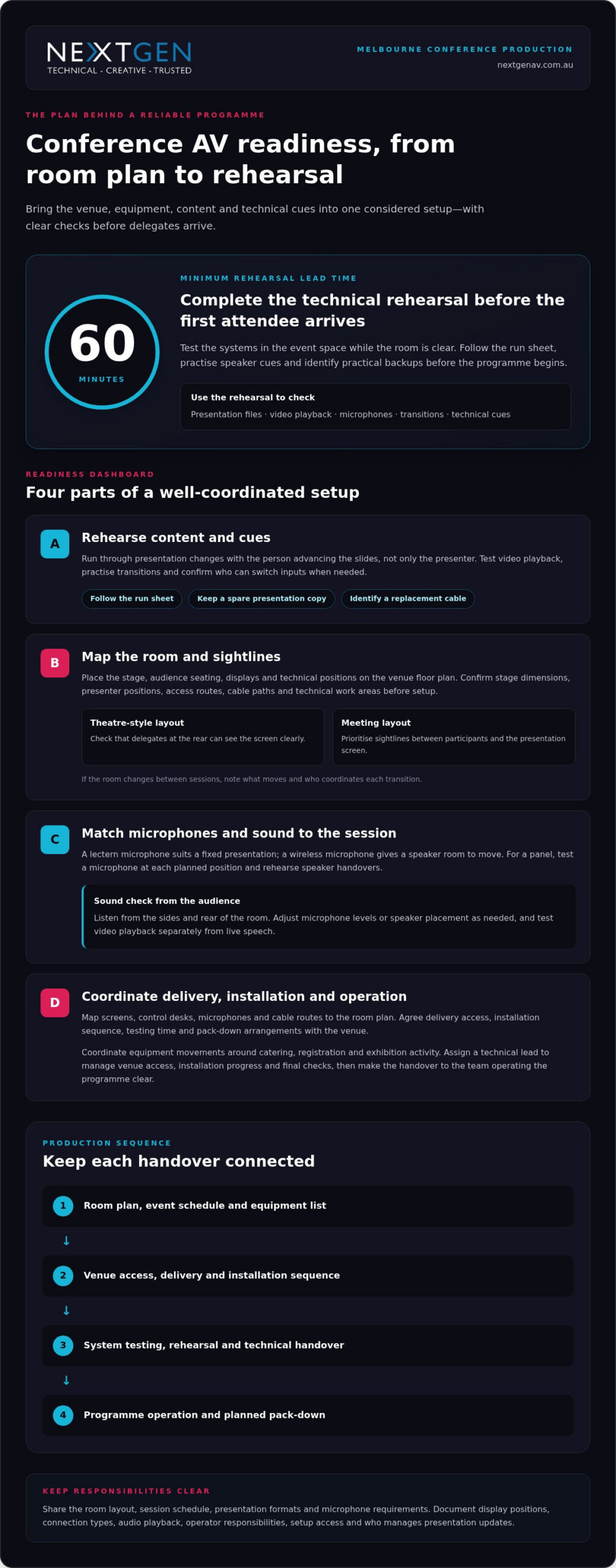
A conference’s AV is only as reliable as the plan behind it. A Melbourne conference centre AV supplier coordinates the equipment, delivery, setup and technical support that bring projection, sound and PA systems together for your event. Schedule a full technical rehearsal at least 60 minutes before the first attendee arrives, so the team can test the systems before the room fills.
You already know that clear presentations and consistent sound shape how delegates experience a conference. But coordinating venue requirements, content, microphones and technical cues can add pressure to an already demanding event plan. The right production approach brings those moving parts together in one considered setup, with technical support to keep the programme on track.
This guide explains what conference AV services can include, how delivery and setup work, and what to consider when planning projection, sound and PA systems in Melbourne. You’ll also learn how technical support fits into an event and how to assess your venue and programme requirements, so you can make informed decisions with the audience experience in mind.
Key Takeaways
- Map the event programme, venue layout and audience needs before selecting AV equipment, so each technical choice serves a clear purpose.
- Coordinate delivery, installation and technical direction as one production plan to keep setup organised and transitions smooth.
- Match projection or LED display choices to the room, content and viewing positions for clear, engaging visuals.
- Plan microphones, mixing and PA systems around the speakers and audience, with sound checks built into production.
- Consider how LED Video Walls, professional audio, lighting and staging can work together to create a cohesive conference experience.
Audio-visual equipment and technical support
Conference AV brings visual displays, sound, staging and technical operation into one event plan. Your room, programme and audience determine which equipment and support will work best.
Technical rehearsals and backup equipment
Use a rehearsal to test presentation files, video playback, microphones and transitions in the event space. Follow the run sheet so each speaker can practise their cues. Test the primary signal path and identify practical backups, such as a spare presentation copy or replacement cable. Record who can switch inputs and respond to technical issues during each session.
For a panel discussion, test every microphone from its planned position and rehearse speaker handovers. Check presentation changes with the person advancing the slides, not just the presenter. This can reveal unclear cues before delegates arrive. Keep backup files accessible to the technical operator, and agree how to switch to them without interrupting the session.
Flexible spaces and staging equipment
Room configuration affects sightlines, screen placement and sound coverage. Before choosing equipment, map the stage, audience seating, displays and technical positions onto the venue floor plan. A theatre-style layout, for example, needs clear views from the rear seats. A meeting layout may instead prioritise sightlines between participants and a central presentation screen.
Confirm stage dimensions, presenter positions, access routes and locations for lighting or displays. Include cable paths and technical work areas in the layout rather than leaving them until setup. If the room changes between sessions, note what needs to move and who will coordinate each transition. A precise floor plan helps keep the event space functional and visually coherent.
Conference audio equipment
Conference audio equipment can include microphones, mixing consoles, amplifiers and sound systems. Match the microphone to each session: a lectern microphone suits a fixed presentation, while a wireless microphone allows the speaker to move. A panel may need a microphone for each speaker and a clear handover plan. Test speech from the positions speakers will actually use.
Check how sound reaches delegates at the sides and rear of the room. During rehearsal, listen from audience seats and adjust microphone levels or speaker placement as needed. Test video playback separately from live speech, since each source has different cues. These checks help keep spoken content intelligible without distracting changes in volume.
Technical requirements and hire considerations
Give a Melbourne conference centre AV supplier the room layout, session schedule, presentation formats and microphone requirements. Confirm display positions, connection types, audio playback, operator responsibilities and setup access. These details help align the equipment plan with the venue systems and event programme. Document who is responsible for each technical decision.
Common risks include incompatible connections, unclear responsibilities and rushed setup. List what the production plan covers, who handles each task and how changes will be recorded. For example, document whether the organiser or operator manages presentation updates. Written inclusions and exclusions make scope changes clear before approval and give the event team a useful reference during delivery.
AV delivery, installation and technical support
Delivery and installation planning connects venue access, equipment placement and technical operation. In Melbourne, coordinate these details with the venue team before finalising the event schedule.
AV delivery and installation
Start with the room plan, event schedule and equipment list. Map each item to its position, including screens, control desks, microphones and cable routes. Then agree on delivery access, installation sequence, testing time and pack-down arrangements with the venue. This helps prevent equipment movements from clashing with catering, registration or exhibition activity.
At Melbourne Convention and Exhibition Centre, a full HD platform was designed and installed for the plenary. This shows why installation planning must account for the room’s technical setup, not just the equipment arriving onsite. Assign a technical lead to coordinate venue access, installation progress and final checks. Keep the current schedule and room plan available to the event team.
Melbourne venues can have different room layouts and operating arrangements. At the Melbourne Marriott Hotel, event spaces have modern AV technology, including projection equipment. Build the plan around the selected room and event content rather than assuming every space uses the same configuration. Include a clear handover between installation and operation so the team running the programme knows which systems are ready.
Approved convention centre suppliers
At Melbourne Convention and Exhibition Centre, the in-house AV team is the venue’s AV support point, and the Plenary has sound equipment and projection systems. Treat the venue team as the reference for how external production work will connect with installed systems. Agree on responsibilities, access arrangements and equipment connections as part of the event plan.
There is no single Melbourne-wide AV supplier rule or booking deadline for every venue. Access and scheduling depend on the venue, room, event timetable and installation requirements. Put the delivery window, installation sequence, operating roles and pack-down plan in writing with the venue. Confirm who can access each space, when equipment can arrive and which technical tasks each team will manage.
For an exhibition or a conference across several rooms, coordinate equipment movements with the venue schedule. A named technical lead can track room readiness, resolve handover questions and keep the production plan current. If you need help shaping that plan, event AV planning can connect technical requirements with the event schedule.
Melbourne Convention and Exhibition Centre is surrounded by 10,000 hotel rooms. This setting can help organisers consider accommodation alongside delivery and installation planning, while keeping venue access, equipment movements and technical handovers coordinated.
Conference projection and sound systems
Projection choices should suit the conference venue, content and audience sightlines. In Melbourne, compare the room’s installed systems with the event’s visual and audio requirements before finalising the production plan.
Match displays to the room
Melbourne Convention and Exhibition Centre has four LED walls around its main foyer. These serve a different purpose from a presentation screen inside a meeting room. Consider whether delegates need to read detailed slides, view video or follow event information from a distance. Let the content and viewing position guide your display choice—for specialised events such as clinical symposia requiring diagnostic-level image accuracy, providers such as synergymedco.com offer dedicated medical display and video distribution systems.
Projectors and screens can suit presentations when controlled lighting and a clear projection surface are available. Check screen position against the stage and seating plan, then make sure sightlines remain clear from the sides and rear. Room lighting also affects image visibility, so plan how lighting cues will change during slides, video and speaker presentations.
Plan projection and content
Before an event at Crown Melbourne’s Palladium, match the presentation format to the venue’s projection setup. Check file types, aspect ratio, playback audio and connection needs with the technical team. Organise presentation files by session and test videos from the device intended for the live programme. This helps catch display or playback issues before delegates enter.
Pullman Melbourne on the Park’s conference spaces have high-definition projectors and sound systems. If your venue has projectors, decide whether one screen gives every seat a clear view or whether the room needs additional displays. Place screens to support the speaker, not compete with the stage. A consistent visual plan helps delegates follow both slides and the live presentation.
Coordinate sound with visuals
Video sound needs to reach the room through the conference audio system, not just the presenter’s laptop speakers. Confirm the playback source, audio connection and operator cue for each video. For a panel, keep speaker microphones clear of the screen and presentation area. This helps delegates follow spoken content and visuals without competing signals.
At Crown Melbourne’s Palladium, the venue has sound systems and projection capabilities. Treat both as parts of one show plan: list each visual cue beside its related audio cue in the run sheet. For example, a product video may need a screen change, playback audio and a lighting adjustment. A technical operator can coordinate these transitions smoothly.
Check the complete signal path
Finish by checking slide text, video playback and audio levels from audience positions. Melbourne conference organisers can use rehearsal to confirm that every screen shows the intended content and spoken material remains clear. This final, joined-up check brings projection and sound together for the audience.
PA systems, mixers and amplifiers
A PA system shapes how speech and playback reach a conference audience. Its design starts with the programme: a keynote, panel and audience discussion each have different demands. Plan speaker positions and microphone handovers before assigning inputs. This helps the operator keep voices distinct and the session moving smoothly.
The mixing console brings those sources together. Give each microphone and playback device a clearly labelled channel, then organise channels in run-sheet order. For a panel, labels such as “chair” and “panellist” are more useful than generic channel numbers. The front-of-house engineer can follow changes more easily.
Set input levels carefully so speakers sound consistent without pushing the system into distortion. Check a wireless microphone for handling noise and level changes as the speaker moves. Keep microphones muted when they’re not in use, especially during transitions. If the console has onboard effects, use them carefully so speech stays natural and clear.
- Keynote: Set the lectern microphone for a natural speaking level and give the presenter a clear mute and unmute process.
- Panel: Label each microphone by speaker role and agree who manages handovers.
- Audience questions: Plan how a microphone reaches the questioner and returns to its holding point.
- Playback: Give video or walk-on audio a separate channel and a named cue in the run sheet.
Amplifiers support loudspeakers in a PA system, while some loudspeakers have amplification built in. System design and speaker placement should suit the room, not simply produce more volume. Uneven coverage can make speech difficult to follow in some seats. Consider how the stage position, audience layout and room surfaces affect sound.
Lighting cues can affect the sound operator’s view of the stage and timing of audio changes. Include transitions in the run sheet, such as lowering music before a speaker begins or restoring it after a presentation. Clear cues help the audio and lighting teams work in sequence without competing for the audience’s attention.
Before the event, prepare an input list showing each source, its channel label and the person responsible. Keep the latest version with the run sheet, and update it when speakers or session formats change. This gives the operator a reliable reference and helps the PA system support the programme without distracting from it.
Conference and meeting production
Conference production aligns the programme, room layout and technology for delegates onsite and online. In Melbourne, start by defining how speakers, in-room attendees and remote participants will share each session.
There isn’t one fixed AV package for every Melbourne conference, hybrid event or livestream. Build the setup around the format: an in-room meeting may need presentation visuals and microphones, while a hybrid session also needs camera coverage, streaming and a way to manage remote contributions.
Start with the run sheet. Mark each speaker, presentation, video, panel and audience question, then assign a technical cue to each moment. For example, a panel may need microphone handovers and a camera change, while a keynote may require slide playback and a live stream feed. A cue-by-cue plan gives operators a shared reference during delivery.
The Melbourne Convention and Exhibition Centre Plenary can be configured as one theatre accommodating over 5,000 seats. A large audience changes production priorities: stage visibility, sound coverage and camera positions must work together. For a smaller meeting, a more contained layout can keep speakers and visuals prominent without making the room feel impersonal. Match the technical plan to the intended audience experience.
Hybrid production adds a second audience to each session. Plan how remote delegates will hear presenters, view slides and take part in questions. Assign someone to monitor online contributions and pass them to the room moderator. For a streamed panel, rehearse camera framing, speaker handovers and transitions between live discussion and presentation content.
- Before production: Share the agenda, room plan, speaker order and presentation materials with the technical team.
- During setup: Test the stream, microphones, slides and camera views in their planned positions.
- At each transition: Use the run sheet to cue speakers, visual content and remote participation.
Melbourne Town Hall is a heritage-listed venue updated with AV technology. In a venue with distinctive architecture, plan production to respect the room while maintaining practical camera views, clear audio and useful screen positions. Confirm how each session will use the space, then rehearse transitions in the chosen layout.
For meetings with changing formats, build one production plan covering plenary sessions, breakouts and online access. Keep the agenda, operator cues and speaker materials aligned as changes arise. This coordination helps the event run smoothly and gives every participant a clear way to follow the programme.
NextGen AV: LED Video Walls
NextGen AV can bring a conference’s visual direction into focus with LED Video Walls. They suit events where presenters need a strong visual backdrop or key content should remain visible across the room. Shape the display plan around your programme, stage layout and audience sightlines.
Consider the role of each screen before finalising the event design. A clear content hierarchy helps delegates distinguish speaker visuals from supporting information, while coordinated placement keeps the stage composed and purposeful.
Shape the experience from the first cue
Turn your event brief into a production plan: define the audience experience, identify moments that need visual or audio emphasis, and map those decisions to the venue layout. A Melbourne conference centre AV supplier can connect those priorities with the technical direction needed to bring each session together.
NextGen AV provides LED Video Walls, Professional Audio Systems and Lighting Design and Equipment for events. These elements can be coordinated around your content and room design, creating a considered experience rather than a collection of separate technical components.
Bring your event concept, programme and venue details into the conversation, then explore the production approach that best supports your goals. Contact NextGen AV about your event and take the next step towards a polished conference experience.
Frequently Asked Questions
Which conference centres in Melbourne have in-house or preferred AV suppliers?
Melbourne Convention and Exhibition Centre has an in-house AV team. Other Melbourne venues, including the Melbourne Marriott Hotel and Pullman Melbourne on the Park, have AV equipment in their event spaces, but this does not establish whether they have preferred suppliers. When shortlisting venues, compare installed systems and ask how external production teams coordinate with venue technical staff. This helps you choose a space suited to your programme.
What AV equipment and services do Melbourne conference centre suppliers provide?
Conference AV suppliers can coordinate displays, projection, microphones, PA sound, lighting, staging and technical operation. The right combination depends on the event format: a board meeting may need clear presentation visuals and discussion audio, while a product launch could call for a stronger visual focus. For a hybrid programme, include the equipment and technical direction needed to connect in-room speakers with remote participants.
Can event organisers use an external AV supplier at Melbourne conference centres?
External AV arrangements depend on venue policies and event requirements. Melbourne Convention and Exhibition Centre has an in-house AV team, so establish how any external production crew will coordinate with venue systems and staff. Set out responsibilities for equipment connections, room access, installation and operation in the production plan. This gives each team a clear role and supports a coordinated setup.
What are the risks and extra fees when hiring AV for a Melbourne conference venue?
Risks include incompatible connections, unclear responsibilities and rushed setup. Confirm the written scope, task owners, access, installation sequence and pack-down plan; no extra-fee information is provided.
How do Melbourne conference centre AV suppliers compare on service, equipment and pricing?
MCEC has an in-house AV team, and its Plenary has sound equipment and projection systems. Crown Melbourne’s Palladium has sound and projection, while Pullman Melbourne on the Park has high-definition projectors and sound systems; no pricing comparison is available.
What if a better event experience begins before anyone chooses a screen, microphone or lighting cue? Knowing how to brief an av company effectively means starting with what your audience needs to see, hear and feel, then giving your production team the details to make it happen. You don’t need to arrive with technical answers. You do need a clear picture of the event and the experience you want to create.
An incomplete brief can affect planning, timing and delivery. A useful one connects your goals with practical production decisions early, giving your AV partner the context to plan around the programme, venue and audience instead of filling gaps at the last minute.
This guide explains what to include about your event format, run sheet, audience experience, venue and safety requirements, and how those details shape sound systems, LED displays, lighting, staging and technical direction. NextGen AV manages the production details behind the scenes, so you can focus on delivering an event that feels polished and runs with confidence.
Key Takeaways
- To understand how to brief an av company effectively, start with your event’s purpose and the experience you want the audience to have.
- Give your production team a clear sequence of event details, including the audience, programme, venue and key delivery contacts.
- Describe what each event moment should achieve rather than trying to specify technical solutions yourself.
- Share Melbourne venue information, access details and event timings early to support precise production planning.
- Use your brief as the starting point for a coordinated plan that aligns content, cues, crew and audience experience.
Why an effective AV brief starts with the event experience
An AV brief connects your event goals, the experience you want attendees to have and the production requirements that can bring it to life. It gives your production team a clear basis for technical decisions, from how speech is heard across the room to how key content appears on screen. For a foundational overview of the technology involved, see What is Audiovisual (AV)?.
Begin with the outcome, not a shopping list. Asking for screens and microphones identifies some equipment, but doesn’t explain how it should support the programme or audience. A conference might need delegates to follow presentations, take part in live questions and stay connected to a hybrid session. Those goals guide decisions about professional audio systems, visuals, lighting and technical direction. The result is a coordinated production plan, not a collection of disconnected items.
A strong AV brief turns your event purpose and audience needs into clear production decisions, so the technical plan supports every important moment. That’s the practical heart of how to brief an av company effectively: describe what success should look and feel like, then give your production partner the context to plan precisely.
Start with the audience, not the equipment
Describe what attendees should see, hear, understand or do. Note the expected audience size and whether the event is in person, hybrid or designed for active participation, such as polling or audience questions. Connect those details to an objective: for example, help conference delegates understand a new strategy, or give product-launch guests a clear view of a reveal. If attendance or format is still being finalised, label it as provisional.
Give the brief a clear purpose
State the event type, purpose, date and planned Melbourne location, then identify the decision-makers and main production contact. Separate confirmed details from items still in development, such as a draft programme or pending speaker list. This gives the brief practical value from the outset without presenting early assumptions as final instructions.
Make the purpose specific enough to guide decisions. “Annual conference” names the format; “bring members together to share industry updates and take part in discussion” describes the intended experience. Add what attendees should take away and flag moments that need particular focus, such as a keynote, award presentation or launch reveal. Your AV partner can use that direction to prioritise technical planning while keeping the wider event coherent.
How to build an AV brief step by step
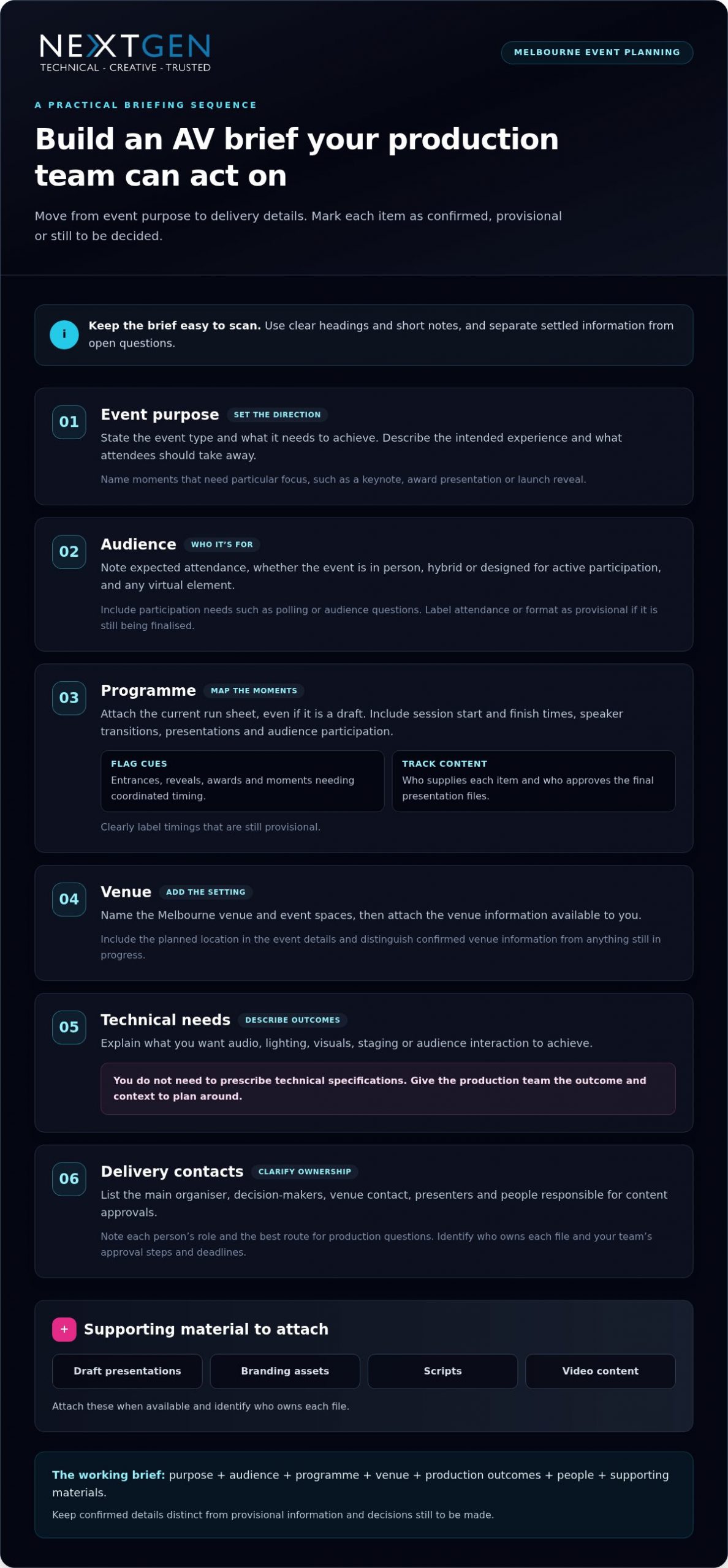
Turn your event information into a working document the production team can act on. A practical brief moves from the reason for the event to the people, timings and materials needed to deliver it. If you’re working out how to brief an av company effectively, label each detail as confirmed, provisional or still to be decided. This gives the team useful direction without treating open questions as final instructions.
- Event purpose: State the event type and what it needs to achieve.
- Audience: Note expected attendance, format and participation needs, including any virtual or hybrid element.
- Programme: Attach the current run sheet, even if it’s a draft, and highlight moments requiring close coordination.
- Venue: Name the Melbourne venue and event spaces, then attach available venue information.
- Technical needs: Describe intended outcomes for audio, lighting, visuals, staging or audience interaction. You don’t need to prescribe technical specifications.
- Delivery contacts: List the main organiser, decision-makers, venue contact and people responsible for content approvals.
Keep the document easy to scan. Use headings, short notes and clear labels rather than burying an important change in an email chain. The AACP’s Principles of Effective Brief Writing offers useful guidance on concise, evidence-led briefing. For event production, that means stating what matters, what action or decision is needed, and which supporting material will help the team plan.
Set out the programme and key moments
Include session start and finish times, speaker transitions, presentations and audience participation. Flag entrances, reveals, awards or other cues that need coordinated timing. For each key item, note who supplies the content and who approves the final presentation files. Label provisional timings clearly so technical planning can progress as the programme develops.
Share the people and materials involved
List organisers, presenters, venue contacts and relevant suppliers, along with each person’s role and the best route for production questions. Attach draft presentations, branding assets, scripts or video content when available, and identify who owns each file. Note your team’s approval steps and deadlines. This gives the production team a clearer view of dependencies and helps keep content, cues and delivery aligned.
A useful AV brief brings together the event purpose, audience, programme, venue, production outcomes, people and supporting materials, with confirmed details distinguished from decisions still in progress. As the plan takes shape, your production partner can turn that information into a coordinated approach. For Melbourne event production planning, work with NextGen AV to connect your programme and creative direction with precise technical planning.
Describe AV requirements through outcomes, not jargon
You don’t need to specify equipment models or technical settings to give your production team useful direction. Describe what should happen for the audience at each important moment, then let technical direction shape the production approach. A clear priority, such as making every speaker easy to hear or ensuring guests can follow a product reveal, helps coordinate sound systems, lighting, staging and visuals around one intended experience.
Use a simple table to turn those priorities into practical planning notes. This example describes the result you want without prescribing the technical solution:
| Event moment | Audience outcome | Content or cue | Open questions |
|---|---|---|---|
| Keynote | Delegates hear and follow the speaker | Presentation and speaker introduction | Is audience Q&A planned? |
| Product reveal | Guests focus on the reveal and its key details | Video, reveal cue or presenter narration | Is the content final? |
| Networking | Guests can talk comfortably and move around | Background music | Which areas need coverage? |
Mark unresolved details as open questions rather than leaving the production team to interpret gaps. If speech clarity is a priority, describe the room, audience and speaking format. A professional sound system hire guide can also help explain the audio considerations behind a clear, comfortable listening experience.
Brief sound, visuals and lighting by purpose
For sound, note whether the programme includes speeches, music playback, video audio, audience questions or a mix. For visuals, explain what attendees need to see, such as a presentation, close-up detail or video during a key moment. Describe the atmosphere and visibility that lighting should support, from an energetic arrival to a focused presentation. These outcomes help your production team coordinate the elements rather than plan them in isolation.
Flag staging, rigging and content dependencies
Share any stage plans, set design concepts, suspended equipment plans or known access constraints. Include relevant structural information or a structural engineering certificate with the venue material so it can inform planning. Identify who supplies each presentation, video or script, and where it sits in the programme. Mark content still being developed and note approval responsibilities to help align final material with production cues.
The more clearly you describe the audience outcome, the more precisely the production team can shape its response. That’s how to brief an av company effectively without technical shorthand: connect each event moment to what people should experience, provide the content and context you have, and flag what remains undecided. Your technical partner can bring audio, visuals, lighting and staging into a coherent plan, with each decision serving the event.
Prepare Melbourne venue and delivery details early
A venue name alone won’t tell the production team how an event space will work on the day. Share the exact Melbourne venue and rooms in use, plus access information, known site constraints and the schedule for bringing production in and out. These details help shape a practical plan around the space as well as the creative vision.
Include timings that affect production: bump-in, setup, rehearsal, doors-open, programme start and pack-down. If timings are still being coordinated with the venue, label them as provisional and identify who is managing that discussion. Changes to room access or rehearsal time can affect the production schedule, so share updates as soon as they arise.
Give the production team useful venue context
Attach available floor plans, room layouts, site photographs and venue guidelines. Mark the event spaces in use, outdoor areas, audience layouts and planned movement between rooms. Note known access windows and venue coordination requirements, along with questions still awaiting an answer. This helps the production team plan for how people, content and technical elements will move through the event.
Separate practical details from assumptions. Identify a confirmed loading access window, for example, or note that access arrangements are still being finalised. Share information about power locations or staging restrictions provided by the venue. Don’t guess technical specifications; pass on what you know so the production team can assess requirements and coordinate the next steps.
Make safety and responsibilities visible
State who coordinates venue approvals and site access, who can make event-day decisions, and where production questions should go. Include relevant Job Safety Analysis, Test and Tag or rigging information with the venue material. If planned work involves event rigging, flag whether a qualified rigger or a High-Risk Work Licence is relevant so safety and technical planning can account for it.
- Venue: Name the location and each event space in use.
- Access: Share known loading, setup and pack-down windows, plus any access questions.
- Schedule: Provide bump-in, rehearsal, doors-open and pack-down timings, marking provisional items clearly.
- Site material: Attach available plans, photographs, venue guidelines and relevant safety documents.
- Responsibilities: Identify venue and organiser contacts for approvals, access and event-day decisions.
Melbourne venue experience helps make these details actionable. NextGen AV has more than 30 years of experience navigating Victorian event venues, bringing local knowledge to production planning. A clear site picture also helps align access, staging and technical delivery. For a closer look at local production considerations, explore this audio visual hire in Melbourne guide.
Knowing how to brief an av company effectively includes sharing the venue plan early, with confirmed details and open questions clearly marked. Share your venue information and schedule with NextGen AV’s production team to shape a precise, coordinated plan for your Melbourne event.
Turn the brief into a confident production partnership
A useful brief is the starting point, not the finished production plan. Your production partner can review your event goals, audience priorities, programme and venue details, then shape them into a coordinated technical approach. Technical direction brings the moving parts together, aligning content, crew, cues and production decisions so the event feels intentional from the first moment to the last.
The first review should turn assumptions and open questions into clear next steps. The team can identify dependencies, such as a presenter change affecting a cue or content approval affecting rehearsal planning. This is how to brief an av company effectively without arriving with technical answers: bring the context, then work through the production implications together.
Use the first production conversation well
Bring the event purpose, key audience outcomes, major programme moments and venue information to the discussion. Highlight decisions needing early attention and raise dependencies, such as who supplies a video or approves a final cue. You don’t need to know AV jargon. Agree how updates will be shared, who owns each action and when revised materials should be circulated.
A practical review sequence keeps planning focused:
- Review the brief: Align on event objectives, audience experience and the moments that matter most.
- Resolve open decisions: Assign an owner and next step to each item that could affect content, timing or delivery.
- Shape the production plan: Coordinate technical direction, crew, content handovers and programme cues.
- Confirm the working version: Record agreed responsibilities, current timings and the process for sharing changes.
This shared review gives everyone a clear reference point. If plans change, record what changed, who approved it and which programme or production details it affects. One current version helps prevent presenters, organisers and production crew from working from different information.
Keep the plan aligned through event day
Before the event, confirm who communicates programme changes, how presenters hand over content and when rehearsals or cue checks take place. Make sure responsibilities are clear to the organiser, presenters and production team. Defined communication points help the crew respond in step with the running order and keep the audience experience at the centre of each decision.
NextGen AV manages production complexity behind the scenes, bringing technical planning and event delivery together so you can focus on your guests and programme. If you’re planning a Melbourne event, discuss your event brief with NextGen AV and turn it into a coordinated production plan. You can also explore full-service event production to see how creative intent and technical delivery work together across an event.
Make your next event plan with confidence
A strong production partnership keeps the event’s purpose in view as details evolve. Treat the brief as a working reference: update it when decisions change, make ownership clear and keep the latest version accessible to the people delivering the event. This lets the team assess new ideas against the experience you want to create, instead of dealing with last-minute surprises.
Knowing how to brief an av company effectively isn’t about having every technical answer at the outset. It’s about giving your production partner a clear direction and making room for expert collaboration. NextGen AV’s Melbourne-based team supports events throughout Australia, coordinating production details behind the scenes so you can focus on the impact you want your event to make.
Ready to move from event vision to a considered production plan? Plan your next event with NextGen AV and take the next step with confidence.
Frequently Asked Questions
What should I include in an AV brief for an event?
Alongside the core event details, include anything that could affect production, such as accessibility considerations, language needs or a sensitive announcement that requires careful timing. If you’re drawing on a previous event, note what worked well and what caused difficulty rather than assuming the same approach will suit this one. This context helps the production team shape a considered plan.
How detailed does an event AV brief need to be?
Make it easy to review, with a short overview supported by relevant attachments rather than a long document that buries key decisions. Add a date or version label so everyone can identify the current file, and keep background material separate from actions requiring a response. If a detail is unknown, say who is investigating it and when you expect an update. That keeps planning moving without suggesting the answer is settled.
Can I brief an AV company if I do not know the technical terms?
Yes. Use everyday language and share references that explain your intent, such as a marked-up image, sample video or feedback from a previous event. If something was difficult before, describe what happened and who it affected. This gives your production team a useful starting point for focused questions and a suitable solution, without requiring you to diagnose the technical cause.
When should I brief an AV production company?
Bring production into the conversation before locking in choices that could shape the event experience, such as a room layout, stage concept or hybrid format. This gives the team an opportunity to consider technical implications while there’s still room to adjust the plan. If those decisions are already made, share them promptly with the current event information so the team can work from the actual constraints.
What venue information should I send with my AV brief?
Include the source and date of venue documents, especially if you’ve received more than one version. Point out discrepancies you’ve noticed, such as a room name that differs between the venue schedule and your event plan, rather than trying to resolve them yourself. This helps prevent planning against outdated or mismatched information and directs questions to the right venue contact.
How do I brief an AV company for a hybrid event?
Describe how remote attendees will join and take part, who will welcome them, and how their questions or contributions will reach the in-room programme. Identify any presenters joining remotely and who is responsible for communicating with them. If the online component has its own agenda or host, include that alongside the event schedule. These details help the production team coordinate the experience for both audiences.
What happens if my event programme changes after I send the brief?
Send the revised programme with changes clearly marked, then flag anything that could affect sequence, duration or a planned transition. A change to a speaker’s title may only need a content update, while moving a session can affect cue order and rehearsal priorities. Distinguishing a minor edit from a running-order change helps the production team focus its review where it matters most.
The room is ready, the speaker is introduced, and the opening video stays black. Troubleshooting video playback issues at events can feel like a race against the audience’s patience, but changing equipment at random can add confusion instead of restoring the picture.
A misplaced image, stretched format or frozen screen doesn’t automatically mean the file has failed. The fault could sit anywhere along the playback chain, from the source device and video processor to the connection or display. A calm, methodical check helps pinpoint the cause and limit disruption while the programme continues.
This guide explains how to trace common playback faults, check content and signal settings, and restore planned visuals with precision. You’ll also learn how pre-event testing and a clear recovery plan can reduce risk before guests arrive. With technical direction and careful signal checks, NextGen AV helps Melbourne event teams manage complexity behind the scenes and keep attention on the experience in the room.
Key Takeaways
- Record what appears on screen and when the fault occurs to give your troubleshooting a clear starting point.
- Trace the playback route from media file to display, changing one setting or connection at a time.
- Use the symptom to narrow down the likely fault area and decide what to check or escalate next.
- Keep the programme moving with a planned holding slide or presenter-led transition while the team checks the affected route.
- Effective troubleshooting video playback issues at events starts before doors open, with clear file handover, cue order, rehearsal and assigned operator roles.
Troubleshooting video playback issues at events: start with the symptoms
A black screen, frozen image or missing video can each point to a different fault. Stay calm and observe before changing settings or swapping equipment. Note exactly what appears on screen, whether the problem starts immediately or part-way through playback, and whether anything changes when the video is cued again. These details give the playback operator a useful starting point and help avoid changes that obscure the original cause.
The event playback signal chain is the route a video takes from its source file and playback device, through settings, connections and a video processor, to the final display. A fault can arise at any point along that route, so the symptom helps narrow down where to investigate.
What does the screen behaviour tell you?
For a black screen, first check whether the display is powered and what it shows. An input or signal message suggests the screen is active but may not be receiving the expected feed. A completely dark display calls for a different check. Record any message rather than guessing at its meaning.
If playback freezes or stutters, establish whether the file itself is paused or the playback device is struggling to keep it moving. Check whether the playback controls respond and whether the same issue appears at the same point when the clip is cued again. Visible video with no sound is a separate audio-path symptom, not proof that the video signal has failed. Keeping the observations separate helps the technical team direct checks to the right system.
For streamed content, the platform and delivery method add another part of the route to consider. This overview of Online Video Platform (OVP) technology provides background on how online platforms deliver video.
What changed just before playback failed?
Think back to the last successful cue. Was the source device, cable, input selection, content file or display configuration changed? Even a small change can help locate the fault, particularly if the issue began straight afterwards. Record what changed and when, without making several new adjustments at once.
Next, establish the scope: does the fault affect one screen, one input or every display? A single affected screen can point towards its connection or display route, while a fault across all displays may call for attention further upstream. These are clues, not conclusions. The next section traces the route systematically.
Pass the observations to the person managing event playback in a calm, concise handover: what the audience sees, when it happens, which screens are affected and what changed beforehand. This symptom-led approach makes troubleshooting video playback issues at events more controlled and gives the operator a clearer path to restore the planned visuals with minimal disruption.
Trace the event video signal from media source to display
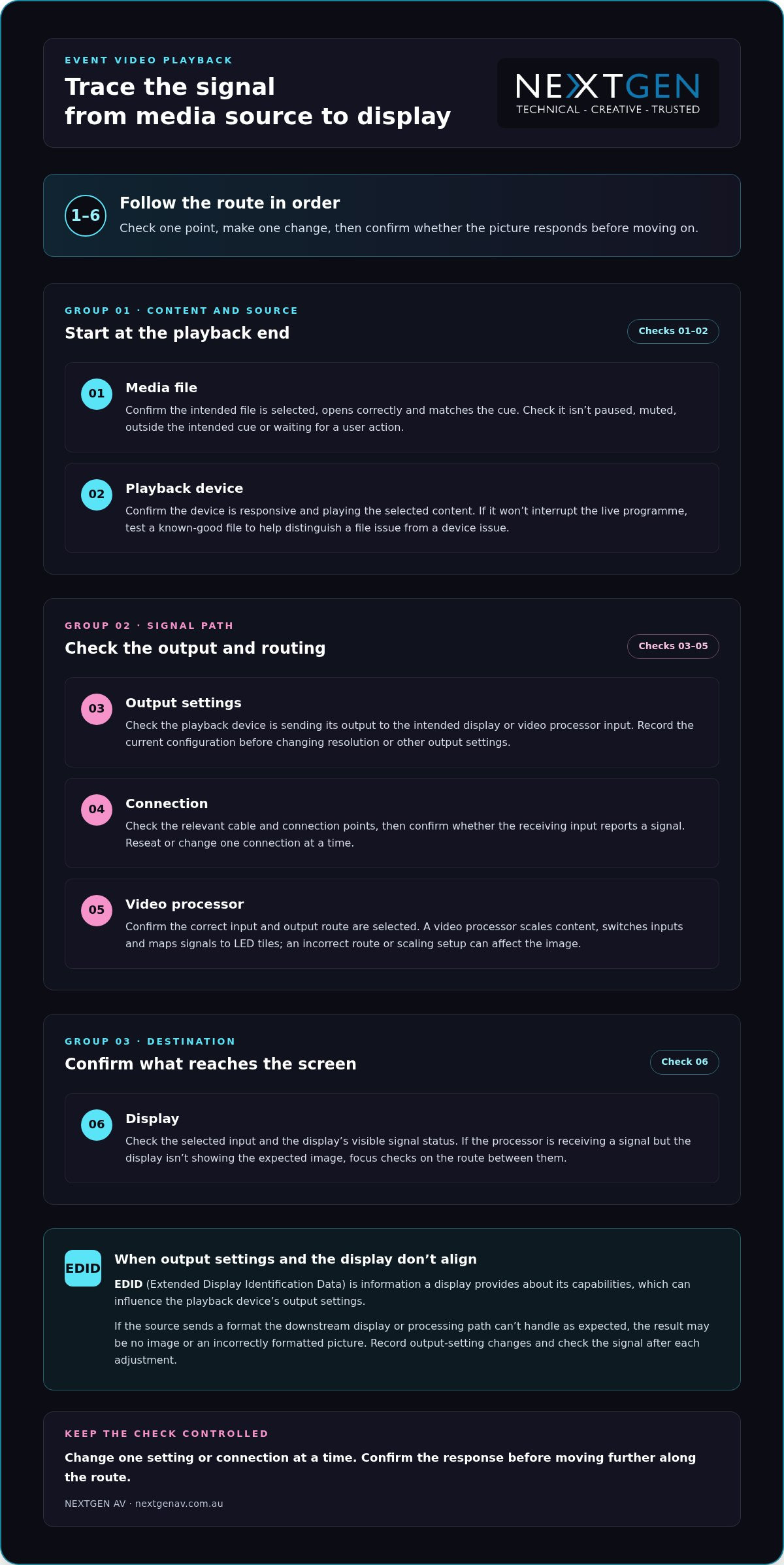
Once you’ve identified where the fault appears, trace the signal route in order. This keeps troubleshooting video playback issues at events controlled: check one point, make one change, then confirm whether the picture responds before moving on. Avoid changing several settings at once, or you may lose the clue that identifies the cause.
- Media file: Confirm the intended file is selected, opens correctly and matches the cue. Check that it isn’t paused, muted, outside the intended cue or waiting for a user action.
- Playback device: Confirm the device is responsive and playing the selected content. If it can be done without interrupting the live programme, test a known-good file to help distinguish a file issue from a device issue.
- Output settings: Check that the playback device is sending its output to the intended display or video processor input. Avoid changing resolution or other output settings until you’ve recorded the current configuration.
- Connection: Check the relevant cable and connection points, then confirm whether the receiving input reports a signal. Change or reseat one connection at a time.
- Video processor: Confirm the correct input and output route are selected. A video processor scales content, switches inputs and maps signals to LED tiles, so an incorrect route or scaling setup can affect what appears on screen.
- Display: Check the selected input and the display’s visible signal status. If the processor is receiving a signal but the display isn’t showing the expected image, focus checks on the route between them.
EDID, or Extended Display Identification Data, is information a display provides about its capabilities, which can influence the playback device’s output settings. If a source sends a format the downstream display or processing path can’t handle as expected, the result may be no image or an incorrectly formatted picture. Record any output-setting changes and check the signal again after each adjustment.
Keep the route clear
For an LED wall, distinguish the signal arriving at the video processor from the image mapped across the display. This helps the operator narrow down whether to investigate the source, input selection, scaling or display route, rather than resetting the whole system. For planning considerations specific to this display type, read the guide to LED video walls for events.
A clear signal path is easier to test when technical direction and content routing are planned together. For Melbourne event teams, NextGen AV’s event technical direction brings those details into the production plan, helping keep the audience experience in focus while the team resolves the fault.
Match common playback faults to the right corrective action
Symptoms narrow the search, but they don’t prove the cause. Use the checks below to guide the next step, changing one thing at a time and recording the original setting before you adjust it. This makes troubleshooting video playback issues at events more precise and gives the playback operator a clear point for escalation.
| Symptom | Likely fault area | First check | Escalation point |
|---|---|---|---|
| No picture or a black screen | Source output, selected input, connection, video processor or display | Check that the display is powered, note its signal status, then confirm the source is routed to the intended input. | If the input and route are correct but no signal reaches the display, have the playback operator trace the connection and processor path. |
| Picture is on the wrong display, cropped or incorrectly formatted | Output routing, scaling, aspect ratio or processor mapping | Compare the source output settings with the intended display or processor configuration. | If the source is routed correctly but the image remains wrong, escalate to the person managing video processing and display mapping. |
| File won’t play or playback is unsupported | Content file, playback device or compatibility along the signal path | Confirm the intended file is selected and check whether it plays on the same device outside the live cue, if the programme allows. | If a known-good file plays but the event file doesn’t, escalate for a content and playback compatibility check. |
| Playback freezes, stutters or drops in and out | File or playback device performance, connection or signal route | Check whether the issue repeats with a known-good file on the same device, and inspect the relevant connection and signal status. | If it continues across files or affects more than one display, ask the technical operator to trace the shared signal route. |
Check before changing settings
For a black screen or misplaced image, confirm the selected input and signal status before restarting equipment. Then verify that the source output is routed to the intended display or video processor input. If only one display is affected, compare its route with a working display where practical. That comparison can help isolate the affected path without changing the whole system.
For freezing, stuttering or an incorrect format, compare playback using a known-good file on the same device when it won’t disrupt the programme. Check the source output against the intended display and processor configuration. Don’t alter several settings at once: note the original values, test a single adjustment and confirm the result.
HDCP and EDID can affect compatibility between content sources, processing and displays, but they aren’t automatic explanations for every fault. Treat them as controlled checks: record the current configuration and involve the playback operator before making changes, particularly during a live programme. If the symptom persists after the relevant route has been checked, escalate with a concise report of what you observed and tested.
Restore playback during the event without adding disruption
A live fault needs a measured response, not a flurry of resets. Repeatedly restarting devices or changing several settings at once can interrupt the cue further and make the original problem harder to identify. Keep the response coordinated: protect the programme, isolate the affected route, test one change, then confirm the picture before resuming.
Use a controlled live recovery sequence
The event lead should communicate with the presenter and playback operator before changing the programme. If the event plan allows, move to a prepared holding slide or a presenter-led transition while the operator investigates. This gives the audience a clear point of focus and creates space for a controlled check behind the scenes.
- Protect programme flow: agree on the holding slide or transition with the presenter.
- Identify the affected route: confirm which source, input or display is involved.
- Test one change: use a known working source or planned alternate input if it’s available in the production setup.
- Confirm the picture: check that the image is stable on the intended display before returning to the planned cue.
If the first adjustment doesn’t resolve the fault, pause before trying another. Tell the operator what changed and what the screen now shows. That concise handover keeps troubleshooting video playback issues at events focused on evidence, rather than adding uncertainty through untracked changes.
Plan backups before doors open
Recovery is faster when the team has rehearsed the fallback. Test the final media files on the actual playback setup during event preparation, following the planned cue order and checking the complete source-to-screen route. This can expose a file or routing issue before it reaches the audience.
Where it suits the event plan, prepare duplicate content or an alternate playback route. Make sure the operator knows which option to use and how the presenter will be briefed if the programme needs a short transition. For the wider production picture, see this guide to full-service event production.
Coordinated technical support brings playback, content cues and programme decisions together, so the team can resolve faults without losing sight of the audience experience. Talk with NextGen AV about event technical direction for a considered approach to live playback planning and support.
Prevent event video playback issues with precise production planning
The most effective response to a playback fault often begins before the venue fills. Turn troubleshooting video playback issues at events into a practical pre-show plan: agree how files are handed over, confirm cue order, test the complete route and make sure every operator knows their role. A clear escalation path means the right person can act without delaying decisions or disrupting the audience experience.
Rehearse the complete playback path in the Melbourne venue
A full signal-path rehearsal checks every handover, from the media file and playback device through connections and processor routing to each event display, before audiences arrive. Use the planned configuration in the Melbourne venue, rather than relying on a check of the file alone.
- File handover: identify the final approved versions and make sure the playback operator can locate each one.
- Cue order: run presentation changes and video cues in programme order with the relevant event team.
- Source-to-screen test: confirm each final file plays through the intended device, connections, processor route and display.
- Operator notes: record the working input, routing and agreed recovery approach for the team running playback.
Testing in sequence helps reveal handover issues, such as the correct file being available but assigned to the wrong cue, before they reach the stage. Working with professional media production teams such as The Photography Co also ensures visual assets are rendered in standard, compatible formats well before showtime.
Coordinate the people behind a seamless visual experience
Technical preparation also depends on clear responsibilities. Establish who cues content, who monitors the displays and who communicates with the event lead if a fault appears. Set out an escalation path in advance, including who makes the call to switch to an alternate source or adjust the programme. This keeps updates concise and avoids multiple people making conflicting changes.
Experienced technical direction brings the content, signal route and programme team together. NextGen AV’s technical direction and on-site production management help coordinate the details behind the scenes, so any issue is handled with precision and the event remains focused on its audience.
Make the playback plan part of the wider production process, not a last-minute equipment check. Plan your next event with NextGen AV.
Make playback reliability part of the plan
Reliable event visuals come from a clear process: read the symptoms, trace the signal from source to screen, and make one controlled change at a time. If a fault occurs live, protect the programme while the playback team checks the affected route. Before the event, test final files in the planned setup and agree on operator roles and a recovery path. That preparation makes troubleshooting video playback issues at events more manageable and helps keep attention where it belongs, on the experience in the room.
NextGen AV brings more than 30 years of industry experience to event production, managing 1,200+ events annually from a Melbourne-based warehouse and supporting events throughout Australia. With technical direction and production management coordinating the details behind the scenes, your visuals can serve the wider event with precision and confidence.
Plan your next event with NextGen AV and create a considered production plan for a seamless audience experience.
Frequently Asked Questions
Why is there no picture from my laptop at an event?
A blank screen can result from the display being on the wrong input, the laptop sending output to another screen, a connection issue or incompatible output settings. Check whether the display shows an input or signal message, then confirm the laptop’s output is routed to the intended processor or display. Note what you observe before adjusting settings. If other screens work, compare their signal routes with the affected one.
What should I check when a video freezes during an event?
First check whether playback is paused, waiting for a cue or stuck at a specific point in the file. Confirm the playback device is responding, then see whether the problem repeats with a known-good file if testing won’t interrupt the programme. If it does, the device or signal route may need attention. If not, the content file or cue may be involved. Change one thing at a time and tell the operator what you’ve tested.
Can an HDMI connection cause event video playback problems?
Yes. A loose or damaged HDMI cable, an incorrect input selection or a connection that isn’t carrying the expected signal can contribute to playback problems. Check the cable and the selected input, then confirm whether the receiving device reports a signal. If the route includes a video processor, verify that its selected input matches the connected source. Avoid changing multiple connections at once, so the team can identify which check affects the picture.
How do you troubleshoot an LED display that is showing the wrong image?
Start by confirming which source and input are selected, then check whether the source is routed to the intended display. If the issue affects one screen, compare its route with a working display where practical. For an LED wall, the video processor scales content, switches inputs and maps signals to LED tiles, so its routing or mapping may need review. Record any changes and confirm the image on the intended display before continuing.
What is EDID, and how can it affect video playback?
EDID, or Extended Display Identification Data, is information a display provides about its capabilities. That information can influence the output settings selected by a connected source, such as a laptop. If source and display settings don’t align, the image may not appear or may display in an unexpected format. Treat EDID as one possible compatibility factor, not an assumed cause. Record current settings and make controlled checks with the playback operator.
How can event organisers prevent playback issues before guests arrive?
Test the final media files using the actual playback device, connections, video processor and displays in the planned event configuration. Run presentation changes and video cues in programme order, and confirm the image reaches each intended screen. Agree who cues content, who monitors displays and who escalates a fault. For Melbourne events, a venue-based rehearsal helps the team check the complete route and document working inputs and a recovery approach before guests arrive.
What should a team do if video playback fails during a live presentation?
Protect the programme first. The event lead should coordinate with the presenter and playback operator, using a prepared holding slide or presenter-led transition if the plan allows. The operator can identify the affected route, test one controlled change and confirm the image is stable before returning to the cue. Avoid repeated restarts or several simultaneous setting changes. This measured approach to troubleshooting video playback issues at events helps limit disruption and keep the audience experience in focus.
A graduation ceremony can look effortless on stage while depending on precise coordination behind the scenes. University graduation AV production brings sound, screens, lighting, staging and technical direction together so graduates and guests can see, hear and follow every moment.
You already know the running order leaves little room for missed cues. Speeches, presentations and processions must flow smoothly, while stage activity remains visible throughout the venue. Clear audio and well-planned transitions make the occasion easier to experience and easier to manage.
This guide explains how to connect your ceremony goals with the technical plan, from sound systems and LED video walls to sightlines, lighting and cue coordination. Thoughtful pre-production and on-site management help keep venue requirements, crew and production elements aligned, without adding unnecessary planning stress.
With more than 30 years of experience in Melbourne event production and Victorian venues, NextGen AV manages the technical detail from planning through pack-down. The result is a well-paced ceremony that feels polished in the room and memorable for everyone gathered to celebrate.
Key Takeaways
- Plan university graduation AV production around the running order so speeches, presentations and procession cues stay aligned.
- Plan professional sound systems around the room and audience, with a front of house engineer managing the mix guests hear.
- Use LED video walls to extend stage content and help guests follow key moments when sightlines are distant or obstructed.
- Map the production sequence from brief and venue planning through rehearsal, live operation and pack-down to keep transitions on track.
- Work with a production partner experienced in Melbourne events to coordinate the technical details behind the ceremony.
University graduation AV production: what a polished ceremony needs
University graduation AV production is the coordinated technical delivery of a live ceremony. It connects sound, screens, lighting, staging and technical direction to the running order. Each element serves a clear purpose: graduates need to hear their names, and guests need to follow speeches, presentations and stage activity from across the venue.
These elements work best as one planned experience, not as separate equipment choices. Professional sound systems carry spoken moments, LED video walls extend what’s happening on stage, and lighting and staging create a clear visual focus. This coordination reflects the core components of live event support, where production disciplines work together to serve the event and its audience.
From running order to live experience
The running order is the foundation for the technical cue plan. Entrances, speeches, graduate presentations and stage transitions each give the crew a moment to anticipate and support. Mapping these cues in advance clarifies what needs to happen, and when, so transitions feel deliberate rather than disruptive.
A useful definition is: Graduation AV production turns a ceremony schedule into a coordinated live experience, keeping technical cues in step with the people on stage. Technical direction connects those cues across the production, helping the ceremony maintain its pace while attention stays on the graduates.
The audience experience comes first
Clear speech audio matters when a graduate’s name is called or a speaker shares a message. Visible stage activity matters when guests want to follow each presentation. The production plan needs to consider how sound and visual content reach people throughout the room, not just how the stage looks.
Adding equipment alone doesn’t create that connection. The sound mix, screen content, lighting and staging need to support the same ceremony flow. During pre-production, align these choices with the schedule and venue. On the day, on-site management coordinates the technical operation as the event unfolds. This preparation gives the university events team more space to focus on guests and graduates while the crew manages production details behind the scenes.
The AV elements that make a Melbourne graduation ceremony work
A graduation venue can bring together a large audience, long sightlines and a programme with distinct live cues. Plan each technical element around the room and its audience, so speeches remain intelligible and the stage feels connected to every seating area.
Sound and screens for every seat
Plan professional sound systems around the room layout and audience arrangement, not simply the position of the stage. A front of house engineer manages the mix heard by guests, balancing speech levels so a name called at the lectern can be understood across the venue. Microphone planning should also account for how speakers move through the ceremony and where they need to address the audience.
LED video walls extend stage content for guests with a distant or obstructed view. They can carry presentation visuals and ceremony content, helping the audience follow what’s happening without shifting focus from the graduates. Plan screen placement and content together: consider sightlines from different seating areas and make sure on-screen information is easy to follow. For more guidance, read our LED video wall planning guide.
Lighting, staging and technical direction
Lighting gives the stage a clear visual focus, helping graduates, speakers and key moments stand out. Set design and staging shape how the ceremony appears to the audience, while considered lighting supports visibility without distracting from the proceedings.
Staging and event rigging need technical oversight that accounts for the planned layout and production requirements. NextGen AV’s safety processes include Job Safety Analysis, qualified riggers and a structural engineering certificate. Technical direction connects these practical considerations with the creative plan, coordinating equipment and live cues so each transition supports the ceremony’s pace. Explore our stage and lighting hire guide for further planning insight.
When sound, screens, lighting and staging are designed as connected parts of the experience, guests can follow the ceremony while graduates remain at the centre of attention. For a Melbourne event, NextGen AV’s graduation production team coordinates the technical detail from planning through live operation.
How coordinated production keeps graduation day on track
A detailed ceremony schedule can involve processions, speaker changes, graduate presentations and multiple technical cues. Coordinated university graduation AV production turns that schedule into a workable live plan, so the production team can anticipate transitions and respond in step with the ceremony. Your university events team has a technical partner managing the production detail behind the scenes.
Build the production plan around the ceremony
Planning begins with the ceremony format, running order, venue layout and the experience you want for graduates and guests. The production team can then map each scheduled moment to the relevant microphones, screen content, staging and transitions. Venue coordination helps align the plan with practical details such as access, room configuration and technical setup.
Safety planning is part of that preparation. NextGen AV incorporates Job Safety Analysis into its event production processes, bringing technical work and event requirements into the planning conversation.
- Production brief: Set out ceremony objectives, format and key moments.
- Venue planning: Review the room layout, stage position, access and technical requirements.
- Cue planning: Match processions, speaker changes, presentations and transitions to the schedule.
- Rehearsal and checks: Prepare speakers, content and technical handovers before guests arrive.
- Live operation and pack-down: Coordinate cues during the ceremony, then manage the production wrap-up.
Coordinate the live cues
During the ceremony, technical direction gives the crew a shared reference for what happens next. A speaker change, procession or presentation can trigger several actions, so clear cueing helps the team coordinate those changes without pulling focus from the graduates. Rehearsal and checks also give speakers and crew the chance to become familiar with microphones, content and transitions.
Sound checks help the team identify and address audio issues before the ceremony begins. For more detail on planning event audio, see the professional sound system hire guide.
Production cues connect the running order to live delivery, giving every person on the crew a clear role in keeping the ceremony moving. Carrying the plan through rehearsal, live operation and pack-down lets your team focus on the occasion while technical details stay coordinated. Explore NextGen AV event production for support that brings each stage of the plan together.
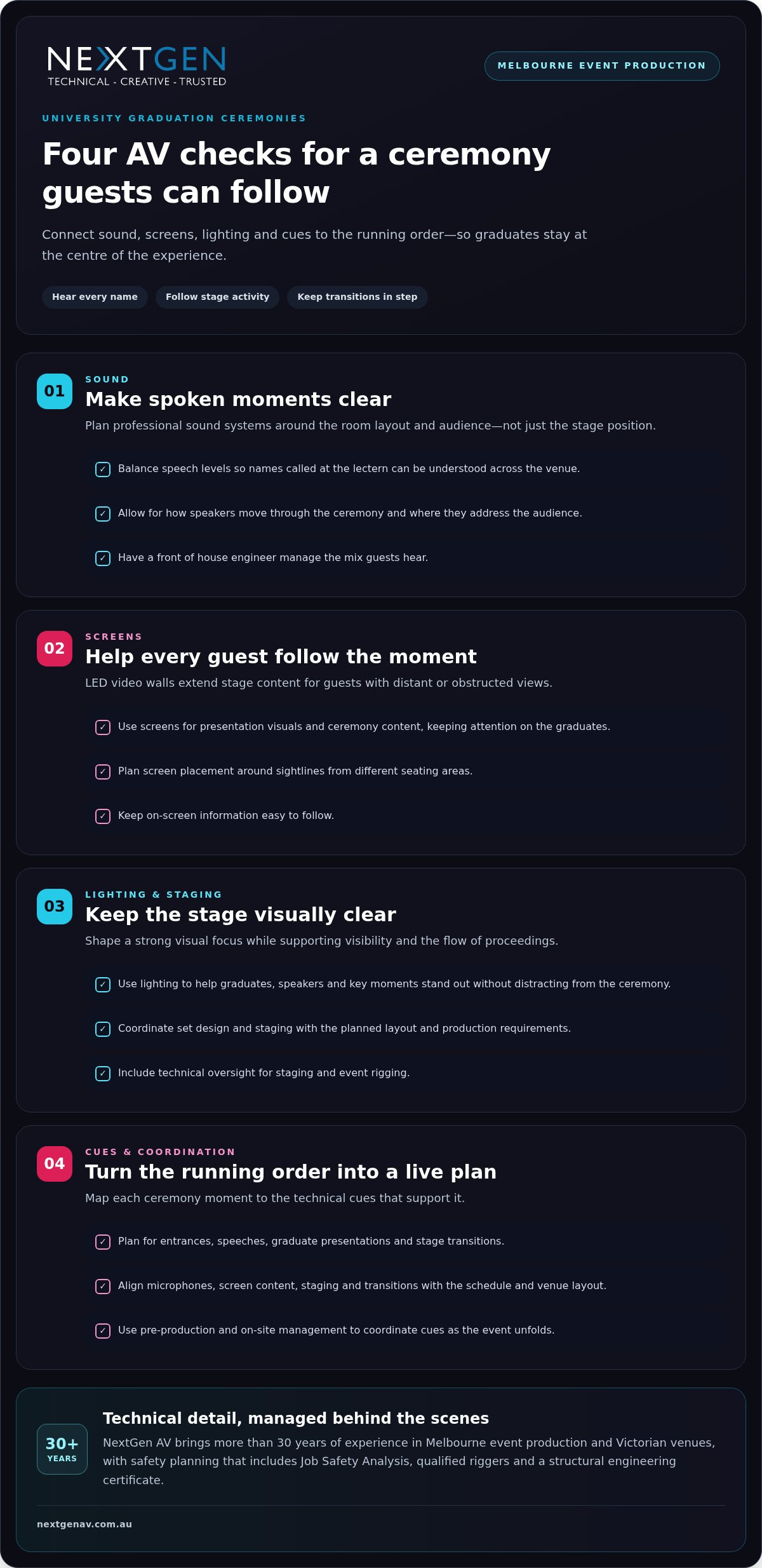
Planning university graduation AV production in Melbourne
Strong planning starts with the ceremony’s purpose and the experience you want graduates and guests to have. Shape university graduation AV production around the format, running order and venue, connecting technical decisions to the moments that matter instead of treating sound, screens and staging as separate requirements.
Set the brief and venue requirements
Begin by identifying the ceremony format, key moments and presentation content. Consider how graduates enter and move across the stage, where speakers will address the audience, and what guests need to see and hear. These details form a practical brief for the production team and guide choices across sound systems, LED video walls, lighting and staging.
Next, align the brief with the venue layout. Review the audience arrangement, stage position, sightlines and production access with the event team. For example, plan screen positions with both rear seating sightlines and presentation content in mind. Clear coordination at this stage helps the production plan fit the room and ceremony, while keeping venue requirements visible to everyone involved.
Bring production and event teams together
Before event day, establish who is responsible for each part of the running order, where key communication points sit, and how production cues relate to the schedule. This shared understanding helps the event team and technical crew work from the same plan, especially as speakers, graduates and presentations move through the programme.
Technical direction brings the production elements together. It connects creative intent with the practical coordination of sound, screens, lighting and staging, so each supports the audience experience and ceremony flow. NextGen AV brings more than 30 years of experience in Melbourne event production and Victorian venues to this planning process, helping university teams manage technical detail with confidence.
A proactive production partner can keep decisions and responsibilities aligned from the first brief through on-site coordination, rather than leaving the university team to join up every technical detail alone. Plan your event production with NextGen AV.
Deliver a memorable university graduation with NextGen AV
A polished graduation comes from technical decisions working together, from the first production brief to the final pack-down. NextGen AV partners with university event teams to shape ceremony objectives into a clear production plan, then coordinates the people and technical elements that bring it to life. The aim is a confident, well-paced event where production supports the occasion and graduates remain at the centre.
A production partner behind every moment
With more than 30 years of experience in Melbourne event production and Victorian venues, NextGen AV plans around the venue as well as the ceremony. Pre-production brings the brief, schedule and technical requirements into alignment. On the day, technical direction and on-site management coordinate professional sound systems, LED video walls, lighting, staging and rigging as one live operation.
That joined-up approach matters across every phase. The production team prepares the technical plan, coordinates cues during the ceremony and manages pack-down afterwards, while keeping communication clear with the university events team. NextGen AV manages more than 1,200 events annually, bringing production experience to the practical details. Your event plan can reflect its own format, venue and priorities.
From maintaining the ceremony’s pace to supporting a considered visual and audio experience, each production choice has a purpose. Technical coordination works quietly in the background, giving organisers more space to focus on graduates, guests and the significance of the day.
Take the next step
Start with your ceremony format, venue and key production goals. Sharing these priorities helps the production team understand the experience you want to create and shape the technical approach around it. With sound, screens, lighting, staging, rigging and technical direction coordinated through one plan, the complexity stays behind the scenes while your team focuses on welcoming guests and celebrating graduates.
For university graduation AV production in Melbourne, bring your event brief and production requirements to NextGen AV. Discuss your university graduation production.
Make the ceremony flow with confidence
A memorable graduation depends on more than a running order. University graduation AV production brings sound, LED video walls, lighting, staging and technical direction into one coordinated plan, so graduates are heard, stage activity is visible and transitions feel seamless. Early venue planning, considered sightline decisions and a clear cue plan connect each technical choice to the guest experience.
With more than 30 years of experience in Melbourne event production and Victorian venues, NextGen AV coordinates technical detail from pre-production through on-site delivery and pack-down. The team manages more than 1,200 events annually, bringing practical production experience to ceremonies with distinct formats and requirements. You can focus on graduates and guests while the crew manages the operation behind the scenes.
Share your ceremony format, venue and production goals with NextGen AV to start shaping a plan around your university’s needs. Discuss your university graduation production. Your graduates deserve a day that feels as significant as their achievement.
Frequently Asked Questions
What does university graduation AV production include?
University graduation AV production coordinates the technical elements that support a live ceremony, including professional sound systems, LED video walls, lighting, staging, rigging and technical direction. Planning connects these elements to the running order, venue layout and audience needs. The production team can manage preparation, on-site operation and pack-down, helping speeches, presentations and procession cues flow smoothly while graduates remain the focus.
How do you make sure guests can hear graduation speeches?
Clear speech audio starts with planning around the venue layout, audience arrangement and how speakers will use microphones. A front of house engineer manages the sound mix heard by guests, balancing levels to support intelligible speech throughout the room. Checks and rehearsal help prepare microphones and speakers before the ceremony begins. This is especially valuable when speeches and graduate name announcements need to remain clear across the venue.
Are LED screens useful for a university graduation ceremony?
Yes. LED video walls can extend stage content for guests with a distant or obstructed view. Screens can display presentation material and other ceremony visuals, helping guests follow key moments without relying on a direct view of the stage. Plan screen placement and content alongside the room layout and running order so visuals support the ceremony and remain easy to follow. If you are producing tailored video segments or dynamic visual media to feature on screen, creative production studios like darkfalconproductions.com illustrate how compelling storytelling can captivate an audience.
How far in advance should a university plan its graduation AV production?
Begin planning as soon as the ceremony format, venue and running order are taking shape. This gives the production team time to consider the room layout, stage position, sightlines, access, content and technical cues together. The planning timeline depends on the event’s requirements, so share the brief and key dates early. For Melbourne universities, coordination between the venue and production team helps keep responsibilities and technical details aligned.
Who manages AV cues during a live graduation ceremony?
A technical director coordinates production cues with the running order and keeps the technical crew aligned during live moments. Cues can cover processions, speaker changes, presentations and stage transitions, with each action planned to support the ceremony’s pace. Rehearsal and technical checks help the team prepare before guests arrive. On the day, clear coordination lets university organisers focus on graduates and guests.
Can university graduation ceremonies include live streaming?
Yes. A university graduation can include live streaming as part of a virtual or hybrid event plan, extending the ceremony to people who can’t attend in person. The production approach should connect the in-room programme with the experience for remote viewers, including how speech audio and presentation content are delivered. For institutions exploring how international campuses manage commencement broadcasts, reviewing how a specialist video production company New Haven CT captures academic milestones shows the value of high-calibre camera work and multi-angle coverage. NextGen AV provides virtual and hybrid event solutions, with technical planning tailored to the ceremony format and audience.
What if an AV quote looks complete but leaves key event responsibilities unclear? Learning how to read an AV quote means looking beyond the equipment list to understand what happens before, during and after your event. A screen or sound system is only part of the picture. Planning, technical direction, crew, safe installation and pack-down all shape the result.
Comparing proposals can be difficult when each describes a different scope or uses technical line items without explaining their purpose. To compare them fairly, identify what’s included, who owns each task and how the production supports your event goals.
This guide explains how to assess AV proposals in plain language, compare equivalent deliverables and responsibilities, and spot details that can reduce event-day risk. We’ll cover production scope, technical roles, safety planning and the link between equipment choices and audience experience. With more than 30 years of experience navigating Victorian event venues, NextGen AV understands why access, timing and site requirements belong in the conversation from the start. The result is a clearer basis for choosing a production partner and a smoother path from planning to a polished event.
Key Takeaways
- Learn how to read an av quote by focusing on the production outcome, deliverables and responsibilities behind each line item.
- Separate equipment provision from the planning, crew and operation needed to bring the production together.
- Compare proposals against the same event brief, weighing suitability and audience coverage rather than equipment counts alone.
- Factor Melbourne venue access, schedules and site requirements into your assessment of production readiness.
- Use a clear approval sequence to align scope, resolve assumptions and establish who manages each stage of delivery.
How to Read an AV Quote: Start with the Event Outcome
An AV quote should describe the production solution your event needs, not just name the gear being supplied. An AV quote is a scoped proposal that sets out the technical deliverables, event requirements and responsibilities needed to deliver the planned experience. Start by checking whether it explains how the production supports your event, from the first presentation to the final pack-down.
Begin with the event format, audience and programme. A conference with keynote presentations, panel discussions and audience questions has different audio and screen needs from a product launch built around a reveal moment. The proposal should connect each major element, such as sound systems, lighting or LED video walls, to a specific purpose. For a useful overview of how staging, sound, lighting and video fit together, see this guide to live event support.
Match the scope to the event brief
Compare the proposal with your event brief. Does it reflect the format, running order and experience you want the audience to have? For a conference, microphones and screens should support clear presentations and smooth speaker transitions. For a launch, lighting and visuals may focus attention on a key moment. Each major technical choice should serve a defined part of the programme.
Read beyond the equipment list
Equipment names alone don’t explain who plans the setup, installs and operates the systems, or packs them down. Look for responsibilities across each stage, including who coordinates technical requirements before the event and who manages live delivery. Clear ownership helps prevent gaps between a list of supplied equipment and a working production.
When planning and technical direction sit alongside equipment, crew and delivery responsibilities, the quote gives you a clearer picture of the complete production. You can then assess whether the proposal is built to support the event outcome you’ve briefed.
Decode AV Quote Line Items, Labour and Responsibilities
Line items are easier to assess when you group them by the work they represent: equipment, crew, planning, operation and logistics. Equipment describes the technical tools; labour and responsibilities explain how those tools are prepared, installed, operated and packed down. To understand how to read an av quote in practical terms, trace each item to the task it supports and the person or team responsible.
| Line item | What it means | Scope question it answers |
|---|---|---|
| Sound systems, screens, lighting or staging | Technical elements that support audience audibility, presentation visibility, atmosphere or the event environment. | What part of the programme or audience experience does each element serve? |
| Pre-production and technical direction | Planning and coordination that shape how technical elements work together. | Who develops the production plan and coordinates requirements? |
| Setup and pack-down crew | Labour to install, connect and remove equipment at the venue. | Are installation and pack-down responsibilities included? |
| Live technical operation | On-site expertise to manage systems during the programme. | Who operates the production as the event unfolds? |
| Logistics and access | Coordination of equipment movement and venue timing. | Are access arrangements and bump-in timing accounted for? |
Separate equipment from labour
A screen in the scope doesn’t, by itself, explain its installation, content feed or live operation. Sound systems support clear speech, while lighting and staging help shape the room and focus attention. A front of house engineer is a distinct role from the equipment: they manage the sound mix heard by the audience. Clear labour roles connect technical provision with a well-run programme. AVIXA’s audiovisual industry standards provide context for the professional standards that can inform system design.
Check assumptions and dependencies
Read for venue access, bump-in timing and pack-down arrangements, as these affect how the production can be delivered on site. Note dependencies on supplied presentation content, venue facilities or other event suppliers, and identify who coordinates each handover. The scope should also explain how changes to the programme or production requirements are recorded, so responsibilities remain clear as plans develop.
This framework helps you see whether the proposal connects equipment, people and logistics into a managed production. For a broader view of how planning and technical delivery work together, explore NextGen AV’s AV production guide.
Compare AV Quotes Fairly by Scope, Not by Equipment Count
A longer equipment list doesn’t automatically mean a stronger production. The real test is whether each proposal can deliver the same event outcomes, with suitable technical choices and clear responsibility for delivery. Proposals are comparable only when they define equivalent deliverables, crew, planning and responsibilities against the same event brief.
Start with one shared brief that records the event format, venue, audience, programme and intended experience. Assess each proposal against the same requirements. A conference with keynote presentations and panel discussions, for example, needs a technical plan that supports clear speech, visible content and smooth speaker transitions, not simply a larger quantity of equipment. Considering AV alongside event objectives is part of strategic event planning.
Build a like-for-like comparison
Create a comparison sheet and mark each requirement as included, excluded or dependent on another party. Record the assumptions beside each item. If one proposal relies on venue-provided facilities while another includes them in its scope, they aren’t equivalent until that difference is clear.
- Deliverables: What technical outcomes and systems are covered?
- Crew: Which roles are assigned to the production?
- Planning: What pre-event coordination and technical direction are described?
- Operation: Who manages the systems during the programme?
- Logistics: Are delivery, access, setup and pack-down responsibilities defined?
- Exclusions: What is outside the scope, or depends on the venue or another supplier?
This structure makes gaps visible and prevents different assumptions from being treated as matching deliverables. It also gives you a practical record of what each proposal commits to support.
Assess technical fit and accountability
Consider suitability, not just quantity. Do the audio, visual, lighting and staging choices fit the venue and programme? Will they support the audience throughout the event, including transitions between presentations, panels or other segments? A system’s value lies in how effectively it serves its role, not in how many line items describe it.
Look for clear coordination of technical decisions and live delivery. The proposal should show how planning connects the elements, who manages the production on the day, and how the team accounts for timing changes or contingencies. If a quote describes equipment but leaves operation or transitions undefined, record that as a difference in scope. Comparing on this basis helps you select a coordinated production solution, not simply the longest list.
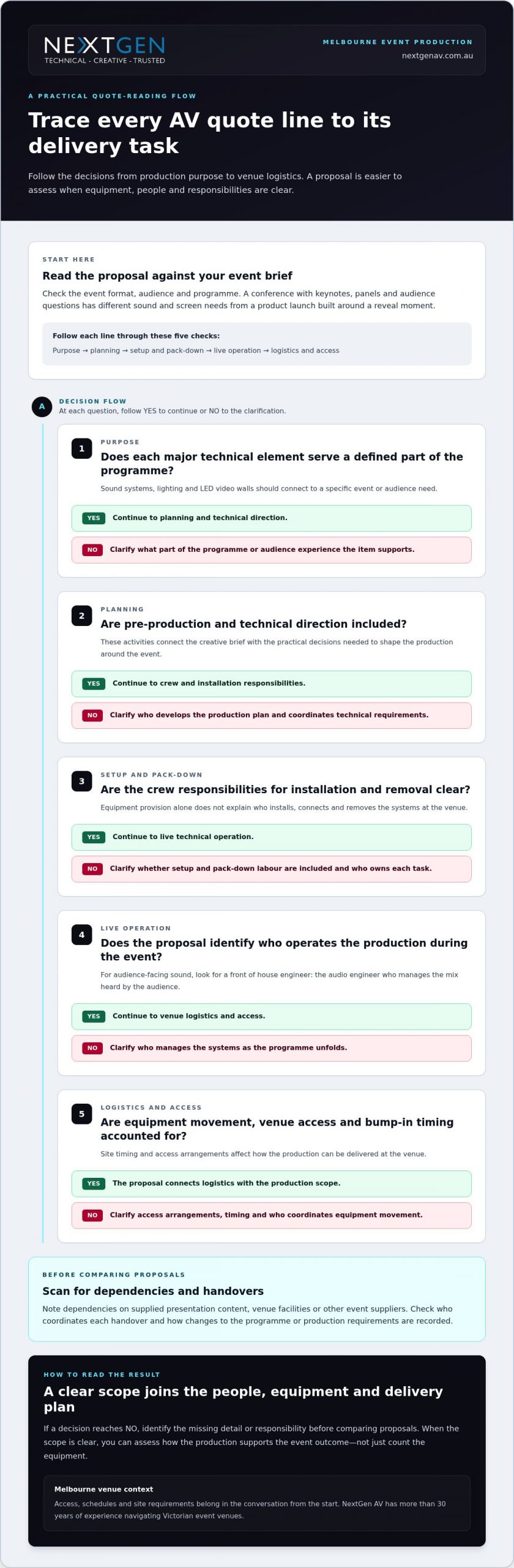
Check Melbourne Venue Logistics, Safety and Production Readiness
A production plan has to work in the venue, not just on paper. When learning how to read an av quote, check that the scope accounts for site access, timing, safety planning and the people coordinating delivery. This is especially relevant for Melbourne CBD events, where venue arrangements and access windows can shape how equipment and crew reach the event space.
Review site logistics and timing
Trace the schedule from arrival through pack-down. The proposal should make clear how its production plan accounts for:
- Access: How the AV team coordinates entry and equipment movement with the venue and organiser.
- Bump-in: When setup can take place, and how that timing fits the event schedule and venue requirements.
- Live operation: Who manages technical delivery during the programme.
- Pack-down: How equipment removal is planned within the agreed site schedule.
Check that the quote reflects known venue requirements and the event running order. Identify coordination points between the AV team, venue and organiser, including who shares schedule updates and site information. With more than 30 years of experience navigating Victorian event venues, NextGen AV understands how early coordination helps align production plans with venue conditions.
Look for safety planning and technical oversight
Safety responsibilities should be visible in the production scope. Look for relevant Job Safety Analysis and Test and Tag arrangements, along with clear ownership of the associated planning and checks. Where staging or event rigging is part of the production, the proposal should identify qualified personnel and applicable structural documentation.
A structural engineering certificate provides documented evidence that a structure has been independently assessed for compliance and safety. Where relevant to the proposed structure, it clarifies the engineering documentation included in the production plan. These details connect the technical design with safe, considered delivery rather than leaving important responsibilities implicit.
Before approval, align the venue schedule, access arrangements, site requirements and named production responsibilities. This gives the venue and event teams a shared picture of how the technical plan will be delivered, from setup to pack-down.
For ideas on coordinating staging and lighting as part of a complete event environment, explore our stage and lighting production guide.
Turn the AV Quote into a Confident Production Decision
Once you’ve compared the proposals, make your decision through a clear sequence: align the scope with your event outcomes, resolve assumptions, assign responsibilities and confirm the final brief. This turns quote review into a practical production plan, with everyone working towards the same result.
Prepare a clear AV production brief
Bring the essential details into one place so technical planning starts with the right context. Include:
- Event format and audience: Describe the type of event and who will be attending.
- Programme: Outline key sessions, transitions and important moments.
- Venue and schedule: Share the location, known site requirements and timing details.
- Intended experience: Explain what you want guests to see, hear and feel.
- Deliverables and open decisions: Separate confirmed requirements from elements still being developed.
A clear brief helps connect technical choices to the event experience. It also makes it easier to resolve remaining assumptions before the scope is agreed.
Move from proposal to managed delivery
With the brief aligned, confirm who owns each part of the agreed scope, from pre-production planning and technical direction through on-site management and pack-down. NextGen AV coordinates these stages so equipment, crew and production decisions work together, supporting precise delivery for the audience rather than leaving separate tasks disconnected.
Melbourne venue experience can bring added confidence to local planning, where site requirements and schedules need careful coordination. NextGen AV also delivers events throughout Australia, bringing a consistent production approach to events across the country.
To make the decision, confirm the scope, document resolved assumptions, assign responsibilities and approve the event brief. You’ll then have a shared plan to guide delivery from preparation through pack-down.
Make Your Next Production Decision with Confidence
The clearest way to read an AV quote is to look past the equipment count and assess the full production picture: whether the scope supports your event brief, responsibilities are assigned, and venue logistics and safety planning are accounted for. Knowing how to read an av quote helps you compare proposals on equivalent deliverables and choose a partner focused on both the audience experience and technical execution.
NextGen AV brings more than 30 years of experience navigating Victorian event venues, with a Melbourne-based team delivering events throughout Australia. Production planning can include Job Safety Analysis, Test and Tag and qualified riggers, connecting technical decisions with considered delivery from setup through pack-down.
Your event deserves a production plan built around its purpose, not a generic equipment list. Plan your event production with NextGen AV to move forward with a team ready to manage the technical detail behind a seamless experience.
Frequently Asked Questions
What should an AV quote include?
An AV quote should set out the production scope, deliverables, responsibilities and event requirements, not just list equipment. Look for the technical systems, planning, crew, setup, live operation, logistics and pack-down relevant to your event. Each major item should support a clear programme need, such as clear speech, visible presentations or a planned lighting atmosphere. This makes it easier to understand what the proposal will deliver and how the work will be managed.
How do I compare two AV quotes fairly?
Compare both proposals against the same event brief and required outcomes. Use consistent categories such as deliverables, crew, planning, operation, logistics and exclusions, then mark each as included, excluded or dependent on another party. Consider whether the technical choices suit the venue and programme, and who coordinates decisions and live delivery. A longer equipment list doesn’t necessarily mean a stronger production if responsibilities or audience needs are left unclear.
Why does an AV quote list labour separately from equipment?
Equipment and labour describe different parts of production. Systems such as sound, screens, lighting and staging provide technical capability, while crew plan, install, operate and pack down those systems. Live operation also requires relevant technical expertise. For example, a front of house engineer manages the sound mix heard by the audience. Clear labour details show how equipment will become a coordinated event experience, rather than simply being supplied to the venue.
What does an AV quote exclusion mean?
An exclusion identifies work, equipment or responsibility that sits outside the proposal’s stated scope. It may also show that part of the delivery depends on the venue, organiser or another supplier. Read exclusions alongside included items to spot gaps and dependencies. For example, if a proposal relies on venue facilities or supplied presentation content, establish how that handover fits the production plan before approving the scope.
Should an AV quote cover event safety documentation?
The quote should make relevant safety planning and documentation responsibilities clear for the proposed production. Depending on the work, this may include Job Safety Analysis, Test and Tag arrangements, qualified riggers and applicable structural documentation. Where a structure requires it, a structural engineering certificate records that it has been independently assessed for compliance and safety. Clear documentation and ownership help connect technical planning with considered event delivery.
What details should I provide for an AV quote in Melbourne?
Provide the event format, audience, programme, venue, schedule and intended audience experience. Include known venue requirements, access arrangements, bump-in and pack-down timing, and details of other suppliers or content handovers that affect production. For Melbourne events, local venue coordination and CBD access can shape site planning, so sharing those details early gives the technical team useful context for developing a suitable scope.
Can an AV quote include technical direction and on-site management?
Yes. An AV production proposal can include pre-production planning, technical direction, on-site management and post-event pack-down alongside equipment and crew. NextGen AV coordinates these elements to connect the agreed scope with live delivery. With more than 30 years of experience navigating Victorian event venues, a Melbourne-based team and events delivered throughout Australia, NextGen AV supports a coordinated production from planning through pack-down.
Ready to turn your event brief into a coordinated production plan? Discuss your event with NextGen AV.
A single flickering LED tile or a sudden burst of audio feedback can instantly shatter the prestige of a high-stakes corporate gala. In an era where the Australian event management market has reached a staggering USD $20.7 billion, the pressure to deliver a technically perfect experience is immense. You feel the weight of these expectations every time you review a complex quote. It’s exhausting to manage multiple technical vendors while worrying about hidden costs or the structural safety of a lighting rig. Finding the best audio visual companies in victoria is about more than just hiring equipment. It’s about securing a proactive partner who treats technical execution as a dedicated craft.
We understand that you want your technology to be invisible so your message can take centre stage. This guide will show you how to vet and select premier AV partners to ensure your 2026 event is both technically flawless and visually prestigious. We’ll examine the essential criteria for professional production, from navigating strict Victorian safety regulations to identifying the technical mastery required for seamless sound, vision, and lighting. By the end, you’ll have a clear roadmap to achieving a spectacular result that impresses every stakeholder.
Key Takeaways
- Understand how the 2026 Victorian event market demands immersive technology and why technical reliability is the foundation of brand prestige.
- Learn to identify the best audio visual companies in victoria by evaluating inventory depth, real-time troubleshooting skills, and strict compliance with local safety standards.
- Discover the specific technical requirements for different event types, from crystal-clear audio at corporate AGMs to cinematic LED backdrops for high-impact galas.
- Master the logistical nuances of Victorian venues, including managing tight Melbourne CBD bump-in windows and the technical hurdles of regional hubs like Geelong or Bendigo.
- Recognise the value of a proactive technical partner who manages complex rigging and staging behind the scenes, allowing you to focus entirely on your event’s vision.
The 2026 Victorian Event Landscape: Why Your AV Choice is Critical
Victoria’s major events calendar continues to set global benchmarks, establishing Melbourne as a premier destination for high-profile gatherings. Audiences attending corporate conferences or high-stakes product launches now expect immersive experiences that captivate them instantly. Because audiovisual (AV) is electronic media that directly shapes human emotion and engagement, standard equipment configurations no longer suffice. A single technical glitch, such as a flickering conference LED screen or an unexpected burst of audio feedback, can instantly dismantle months of meticulous planning. This high-stakes environment means selecting from the best audio visual companies in victoria is a critical decision that directly impacts your brand’s prestige.
The Shift from Equipment Rental to Technical Orchestration
Modern event planners are actively moving away from the stress of managing multiple technical vendors. Relying on basic dry hire, where a supplier simply drops off equipment, leaves your production vulnerable to critical integration failures on site. You don’t just need gear; you require comprehensive technical orchestration. A dedicated technical director acts as the proactive engine behind the scenes, unifying sound systems, event lighting, and high brightness LED displays into a single, synchronized execution. With recent advancements like AI-driven audio optimization becoming the baseline for professional production, you need an elite partner who treats production as a dedicated craft rather than a transactional rental service.
The High Stakes of Victorian Corporate and Government Events
Corporate, association, and government sectors in Melbourne demand absolute precision and flawless compliance. Victorian venues enforce stringent safety standards, meaning your production partner must handle complex compliance logistics like structural engineering certificates, High-Risk Work Licences, and Job Safety Analyses seamlessly behind the scenes. When you partner with seasoned veterans who possess over 30 years of experience navigating Victorian event venues, you eliminate the logistical friction that frequently derails less experienced operators. Flawless technical execution reflects directly on your organisation’s reputation. Rest assured that your event is in capable hands, allowing you to move past the logistical grind and focus entirely on delivering a high-impact experience.
The Gold Standard: 5 Criteria for Top AV Companies
Identifying the best audio visual companies in victoria requires looking past glossy brochures and focusing on technical precision. You need a framework that separates basic equipment hire from true technical excellence. In 2026, the gold standard is defined by five critical pillars: inventory depth, technical mastery, meticulous pre-production, absolute compliance, and proactive partnership. These elements ensure your event follows industry recognized best practices, transforming a simple presentation into a prestigious brand experience that stakeholders won’t forget.
Assessing Inventory and Technology Mastery
Inventory quality isn’t just about having the latest gear; it’s about rigorous maintenance and specific performance capabilities. For 2026, broadcast-quality LED walls must feature a fine pixel pitch and high refresh rates to prevent on-camera flickering during live streams or recordings. Professional sound systems must offer multi-zone coverage to ensure every attendee hears a consistent mix, regardless of their seat. Don’t be afraid to ask about equipment redundancy. The most reliable partners always have on-site backups for critical components like video processors and mixing consoles to ensure the show continues no matter what.
Vetting the Human Element: Technical Direction and Crew
Even the most sophisticated lighting rig is useless without an expert at the helm. The lead technician is the engine of your event, managing the front of house sound and complex visual cues under high pressure. In Victoria, you should look for a dedicated project manager who understands local logistics, such as the strict bump-in windows of Melbourne CBD venues. This human element is what prevents technical failure and ensures your vision is realised without compromise. When the crew takes personal pride in seamless execution, you’re free to focus on your guests.
Safety and compliance are equally vital when evaluating a partner’s technical mastery. In Victoria, any rigger performing work on concert stages must hold a High-Risk Work Licence issued by WorkSafe Victoria. All crew members entering an event site must possess a valid construction induction card, commonly known as a white card. Verified companies will proactively provide a structural engineering certificate for staging and a detailed Job Safety Analysis before a single cable is laid. This level of precision protects your organisation from liability and ensures a safe environment for everyone involved.
Choosing a partner who anticipates these needs before they become problems is the hallmark of elite production. If you’re ready to move past the stress of logistics, exploring integrated technical direction solutions is the first step toward a flawless event. By prioritising proactive problem-solvers over simple order-takers, you ensure your event remains technically flawless from the first sound check to the final pack-down.
Top Categories of AV Excellence: Finding Your Niche Specialist
Not every technical partner is equipped to handle every environment. The best audio visual companies in victoria differentiate themselves by mastering specific niches, from the sterile precision of an AGM to the cinematic energy of a gala dinner. Selecting a specialist who understands the unique pressure points of your category ensures that the technology serves your objectives rather than complicating them. Whether you are launching a new automotive model or hosting a government forum, your choice of partner must reflect the specific technical demands of the space.
Best for High-Stakes Corporate Productions
Corporate conferences and AGMs demand a zero-failure approach to communication. Your message must reach every attendee, whether they are in the front row of a Melbourne ballroom or joining virtually from another continent. This level of reliability requires a sophisticated professional sound system hire strategy that prioritises keynote clarity and eliminates dead zones. In these environments, technical direction becomes the cornerstone of success. It’s the difference between a series of disconnected slides and a cohesive brand experience that flows effortlessly. A dedicated technical director manages the complex interplay between audience engagement software and live streaming feeds, ensuring your presentation remains uninterrupted. Rest assured that when the audio is engineered for precision, your stakeholders can focus entirely on the vision.
Specialists in Immersive Visual Environments
Gala dinners and awards nights require a complete transformation of space to evoke prestige. Creative lighting design can turn a standard Victorian hotel ballroom into a cinematic environment, using texture and colour to guide the audience’s focus. Integrating high-resolution LED video walls creates those high-impact “wow” moments that capture attention and look spectacular on social media. Beyond the visuals, the structural integrity of your environment is paramount. Elite partners provide festival-grade staging and engineered rigging to ensure that every suspended light and screen meets Victorian safety standards. This behind-the-scenes mastery allows the prestige of the final result to take centre stage.
Trade shows and exhibitions demand a different kind of mastery. It’s about high-traffic visibility and seamless screen integration that survives a rigorous three-day schedule. For outdoor community events, the best audio visual companies in victoria deploy weather-rated equipment and large-scale PA systems that maintain audio fidelity against wind and ambient noise. This ensures that even in regional hubs, your production standards remain uncompromising and your audience stays engaged from start to finish.
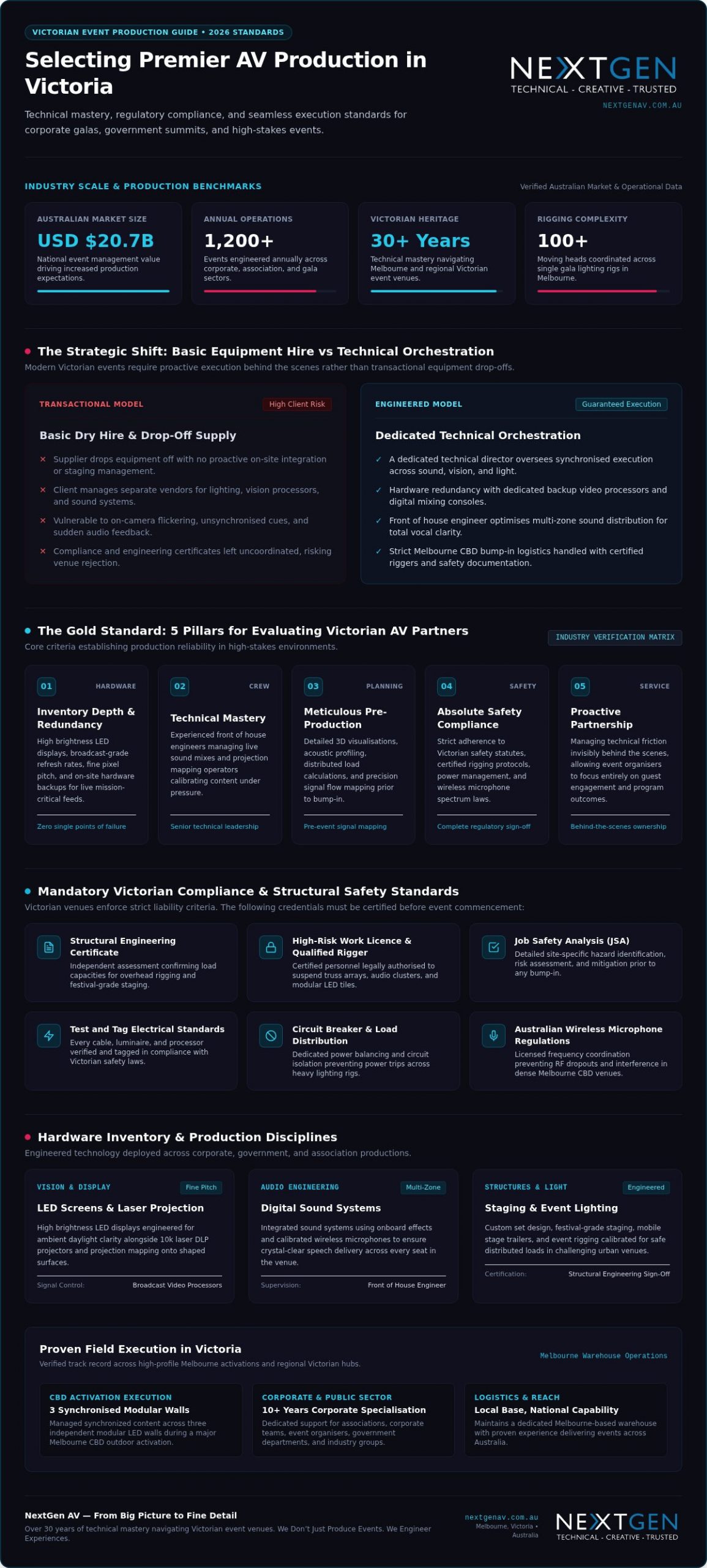
Navigating Victorian Venues: Local Logistics and Technical Hurdles
Execution is dictated by the environment. The best audio visual companies in victoria prove their worth not in the warehouse, but in the loading docks of the CBD and the paddocks of regional hubs. Navigating these spaces requires a proactive partner who understands that a heritage ballroom in the Mornington Peninsula has vastly different power constraints than a purpose-built plenary. Technical mastery involves anticipating these site-specific hurdles long before the first truck arrives, ensuring that the venue’s architecture enhances your event rather than hindering it.
Melbourne CBD and MCEC Logistics
Managing the Melbourne Convention and Exhibition Centre (MCEC) or high-rise CBD ballrooms involves a complex dance of timing. Strict bump-in and pack-down windows mean there’s no room for error. You need a team that coordinates seamlessly with venue-contracted providers to ensure full service event production that respects the venue’s technical specifications. A deep understanding of Melbourne’s traffic and parking constraints prevents delays that could otherwise derail your schedule. This includes managing heavy vehicle access to loading docks and ensuring all crew members are briefed on the specific entry protocols of each precinct.
Regional Victoria: Technical Execution Beyond the City
When your event moves to Geelong, Bendigo, or Ballarat, the logistical stakes change. Working far from a main warehouse requires absolute equipment reliability and a provider with a genuine Victoria-wide service footprint. Regional outdoor locations introduce variables like unpredictable wind loads for staging and unstable power connectivity. Proactive technical direction involves bringing redundant power sources and ensuring all festival-grade staging is secured with the correct ballast and structural engineering certificates. We also account for connectivity hurdles, deploying dedicated satellite or high-gain cellular arrays to ensure your live stream remains stable even in remote areas of the Mornington Peninsula.
Heritage venues present a unique challenge. Delicate architecture and limited power circuits require a light touch and technical mastery. Selecting from the best audio visual companies in victoria means choosing a team that ensures every cable run is discreet and every lighting rig is safely suspended without compromising the venue’s integrity. By strictly adhering to WorkSafe Victoria regulations for event rigging and staging, we protect your brand from liability. Our team handles the Job Safety Analysis and High-Risk Work Licences so you can focus entirely on your vision. If you’re planning a complex activation, you can enquire about our Victorian venue expertise to ensure a flawless execution.
Partnering for Success: NextGen AV Leads Victoria in 2026
True technical orchestration requires a partner who treats live production as a dedicated craft. With over 30 years of experience in Melbourne event production, NextGen AV has engineered solutions for the most prestigious corporate, government, and association gatherings across the state. We don’t just supply gear from a warehouse; we manage the complete technical lifecycle from pre-production CAD drawings to the final pack-down. Our philosophy centers on absorbing the complex logistical stress of staging, rigging, and compliance so that you can remain focused on your event’s core message and your stakeholders.
The NextGen AV Advantage: Mastery and Precision
Our technical directors act as the invisible engine behind your success, working meticulously to ensure a seamless front-of-house execution. We have heavily invested in 2026-standard elite inventory, including high brightness LED displays and AI-integrated audio processing systems that eliminate environmental noise. This commitment to precision is why major corporate teams and government departments trust us with their high-stakes reputation. Having supported everything from complex CBD outdoor activations to massive Melbourne galas involving over 100 moving heads, our seasoned crew possesses the technical mastery required to handle high-pressure live environments without a single glitch.
Start Your Journey to a Flawless Event
Securing a flawless execution begins long before the live audience arrives at the venue. Engaging a professional AV consultation during your early planning stages allows us to map out technical specifications, power distribution loads, and frequency coordination requirements. This proactive approach eliminates hidden costs and ensures your production complies fully with WorkSafe Victoria standards from day one. Whether your project requires a massive conference LED screen setup or a tailored corporate layout, we customize every solution to deliver an unforgettable audience experience.
Your event deserves a technical execution that elevates your brand and leaves a lasting impression on every attendee. For comprehensive solutions tailored to your unique audio visual hire Melbourne requirements, partner with an elite team that takes personal pride in perfection. You can enquire with NextGen AV for your next Victorian event to experience how we translate complex technical logistics into absolute brand prestige.
Elevate Your Vision with Technical Mastery
In 2026, the success of your event hinges on more than just equipment. It requires a partner who understands that technical execution is a dedicated craft. By prioritising inventory depth and rigorous safety compliance, you ensure your brand remains prestigious and protected. Navigating the unique logistical hurdles of Victorian venues demands a team with deep local expertise and a proactive approach to technical direction. As you evaluate the best audio visual companies in victoria, look for a partner that takes personal pride in seamless execution.
NextGen AV brings over 30 years of flawless Victorian event execution to your project. As a preferred partner for major Australian government and corporate bodies, we specialise in Red Dot-standard production and high-resolution LED technology. We meticulously manage the complex logistics behind the scenes so you can focus entirely on your guests. Rest assured that your event is in capable hands, as we engineer an experience that leaves a lasting impression.
Partner with Victoria’s elite AV orchestrators at NextGen AV to transform your next activation into an unforgettable experience. Your vision deserves nothing less than perfection.
Frequently Asked Questions
What is the difference between AV equipment hire and full-service event production?
AV equipment hire is the simple rental of hardware like speakers or screens, often requiring you to manage the setup. Full-service event production is a comprehensive technical orchestration that includes pre-production planning, technical direction, and on-site management. This approach ensures all components like LED video walls and sound systems work in perfect synchronisation. It shifts the technical risk from the organiser to the production partner, ensuring a flawless result.
How much does it cost to hire a professional AV company in Melbourne for a corporate event?
Professional AV costs in Melbourne vary significantly based on venue size, technical complexity, and the duration of your event. Rather than focusing on a single figure, planners should consider the value of technical mastery and risk mitigation. Factors that influence the final quote include high-resolution LED requirements, the number of technical crew needed, and whether you require custom festival-grade staging or rigging. Always request a detailed breakdown to avoid hidden costs.
Do I need to hire a technical director for my conference in Victoria?
A technical director is essential for conferences involving multiple speakers, live streaming, or complex visual transitions. They act as the central orchestrator, managing the front of house engineer and visual cues to ensure a seamless flow. Without this single point of contact, you risk technical silos where sound and vision don’t align. The best audio visual companies in victoria provide this expertise to maintain the prestige of your brand throughout the event.
Can Victorian AV companies handle events in regional areas like Geelong or Ballarat?
Elite production partners maintain a Victoria-wide service footprint, frequently delivering high-impact events in Geelong, Ballarat, and Bendigo. These regional activations require meticulous logistical planning to ensure equipment reliability far from the main warehouse. We account for regional variables such as local power constraints and weather-rated gear for outdoor community festivals. This ensures that your production standards remain uncompromising, regardless of the geographic location within the state.
What are the most common AV mistakes to avoid at high-stakes events?
The most frequent errors include inadequate power distribution, failing to coordinate wireless microphone frequencies, and underestimating bump-in times. Many planners also overlook the importance of equipment redundancy for critical systems like a video processor. Choosing from the best audio visual companies in victoria helps you avoid these pitfalls through proactive site visits and detailed Job Safety Analyses. This technical precision prevents glitches like audio feedback or flickering LED tiles from disrupting your presentation.
How far in advance should I book an AV company for a major Victorian event?
For major corporate galas or large-scale conferences, you should ideally engage a technical partner six to twelve months in advance. This lead time is critical for securing high-demand elite inventory and allowing for thorough pre-production, including CAD drawings and structural engineering assessments. Early booking also ensures that technical directors can collaborate with your team to integrate audience engagement software and creative lighting concepts into the event’s core design.
What technical certifications should a Victorian AV crew hold?
A professional Victorian crew must hold several legal certifications to ensure safety and compliance. Any staff performing event rigging or operating boom-type platforms must possess a High-Risk Work Licence issued by WorkSafe Victoria. Additionally, all workers on an event site must hold a valid construction induction card, or white card. Verified partners will also provide a structural engineering certificate for staging to confirm the structure meets Australian safety standards for a distributed load.
Does NextGen AV provide on-site technical support during the entire event?
NextGen AV provides dedicated, end-to-end technical support from the initial bump-in until the final pack-down is complete. Our team includes technical directors and specialist engineers who remain on-site to manage every cue and troubleshoot in real-time. This proactive presence ensures that your technology remains invisible, allowing you to focus on your vision while we handle the technical precision required for a flawless, high-impact event experience.
What technical AV setup guarantees zero dropouts when institutional investors are scrutinising your balance sheet? When you are presenting high-stakes forecasts across Melbourne boardrooms and interstate stops, leaving presentation execution to unvetted venue staff invites immediate risk. An audio dropout during an analyst Q&A or a stuttering video stream to offshore fund managers doesn’t just interrupt momentum; it chips away at executive polish. Securing specialised financial roadshow av services ensures your mission-critical slides display with absolute clarity while your executive team maintains uninterrupted presentation uptime.
You already recognise that a successful roadshow demands total consistency, precision timing, and freedom from logistical distractions. In this guide, discover how to evaluate and select technical production partners to execute flawless investor roadshows across every boardroom and conference centre. Ahead, we outline the technical standards, redundancy protocols, and compliance benchmarks required to safeguard your delivery from the opening slide to the final question.
Key Takeaways
- How to evaluate dedicated financial roadshow av services to eliminate single-point failure risks and protect executive credibility.
- The exact video processor and display specifications required to render fine-print financial models with absolute visual clarity.
- Critical compliance safeguards, including hot-swappable hardware redundancy and strict alignment with Australian wireless microphone regulations.
- Strategic coordination methods to master Melbourne CBD loading dock constraints and tight multi-venue setup windows.
- Why certified technical direction behind the scenes frees your leadership team to focus entirely on investor engagement.
Technical Demands of Financial Roadshow AV Services
High-stakes deal tours leave zero margin for technical hesitation. When an executive team pitches an initial public offering or debt refinancing, enterprise credibility hinges directly on absolute presentation uptime. In the high-pressure environment of strategic investor relations, a single blacked-out display or muted executive mic can derail weeks of pitch preparation. Selecting purpose-built financial roadshow av services replaces the uncertainty of unvetted venue equipment with engineered stability, ensuring that every financial forecast lands with authority.
High-Stakes Investor Presentations and Zero Failure Tolerances
Corporate access demands immediate responsiveness. Standard hotel meeting gear frequently buckles under multi-source video switching, complex audio feeds, and simultaneous live streaming. If a boardroom monitor loses sync during an earnings projection, the resulting delay fractures the presenter’s focus and tests analyst patience. Precision technical direction manages these risks proactively behind the scenes. Dedicated production specialists oversee signal paths, coordinate backup systems, and protect your leadership team so the CEO and CFO can address institutional investors with complete confidence.
Visual Precision for Complex Financial Modelling and Data
Dense financial tables, waterfall charts, and valuation models demand extreme visual clarity. Standard corporate projectors wash out under daytime ambient lighting, blurring decimal points and distorting vital data. Delivering seamless financial roadshow av services requires high-resolution display infrastructure engineered to present complex spreadsheets legibly from the front row to the back of the room.
- Ultra-High Contrast: Using high brightness LED displays eliminates ambient wash from floor-to-ceiling boardroom windows, preserving sharp contrast across numerical models.
- Pixel-Perfect Resolution: Fine-pitch LED panels render intricate multi-column balance sheets and font sizes down to single points without blur or colour fringing.
- Aspect Ratio Locking: Synchronised video processors preserve uniform 16:9 or custom wide formats across disparate Melbourne venues, ensuring graphic charts never stretch or crop unexpectedly.
- Instant Source Switching: Seamless hardware switchers let operators alternate between dynamic valuation models and live executive feeds without blank screens or latency spikes.
Multi-stop schedules across Melbourne also demand rapid technical deployment and teardown cycles. As executive itineraries move between Collins Street boardrooms and dockside conference facilities, consistent hardware packaging ensures setups complete smoothly within narrow access windows. Concurrently, enterprise-grade hybrid connectivity links international fund managers directly to the room, giving offshore capital equal, latency-free access to executive leadership.
Essential Technical Specifications for Executive Roadshow Production
Procuring production infrastructure for an investor tour requires moving beyond basic conference equipment checklists. Tier 1 financial roadshow av services treat signal distribution, speech reinforcement, and broadcast encoding as an integrated, fail-safe ecosystem. Aligning your procurement specifications with established audiovisual industry standards protects your roadshow against embarrassing audio dropouts and latency mismatches across every presentation stop.
Speech Intelligibility and Controlled Acoustic Reinforcement
Muffled audio ruins investor confidence during rapid-fire question times. Clear dialogue requires premium wireless microphone transmitters paired with miniature omnidirectional capsules, allowing executives to move naturally without voice fade. In reflective hotel suites lined with glass and polished timber, compact column sound systems direct acoustic energy straight at the audience while avoiding reverberant boundaries. A dedicated front of house engineer actively manages the gain structure and frequency response, suppressing sudden feedback spikes the moment an analyst asks an unamplified question from the floor.
Frequency management requires strict legal compliance. Australia’s LIPD Class Licence strictly prohibits operating wireless gear within the 694-820 MHz band. A further spectrum reallocation finalized in early 2026 makes equipment operating in the 620-694 MHz range progressively illegal as grace periods expire. Professional production crews deploy multi-channel wireless microphone receivers strictly within legal bands (such as 520-526 MHz or 1785-1800 MHz), using live RF scanners to coordinate channels around local television broadcasts and ensure full compliance with Australian wireless microphone regulations.
Display Technologies and Advanced Signal Distribution
Standard venue switchers often introduce a jarring black flash when alternating between presenter laptops. To maintain visual polish, roadshow kits route synchronised primary and secondary playback machines through a broadcast-grade video processor. This ensures seamless cutaways, instant source redundancy, and customized multi-window layouts for simultaneous executive video feeds and data slides.
- Modular Video Walls: Deploying ultra-fine pitch led video wall configurations delivers uniform brightness, wide viewing angles, and deep black levels across compact executive dining rooms or expansive ballrooms.
- Digital Comfort Monitors: Low-profile downstage displays mirror presentation slides, presenter notes, and show clocks, allowing your C-suite to reference metrics naturally without turning their backs on analysts.
- Active Signal Distribution: Shielded, professional-grade signal extenders deliver uncompressed 4K video across long cable runs without packet drop or colour compression.
Secure Hybrid Infrastructure and Compliance
Connecting offshore fund managers requires more than standard video calling apps over unmanaged hotel networks. Professional delivery incorporates secure hybrid event staging solutions using enterprise streaming hardware with hardware-level encryption. These encoders support bonded network connections, aggregating hardwired venue ethernet with private cellular uplinks to prevent packet loss during confidential market-sensitive announcements. If you are structuring your upcoming national tour, consulting the technical specialists at NextGen AV ensures every venue is surveyed and equipped with the correct infrastructure well before your opening presentation.
Evaluating Technical Reliability: Redundancy and Safety Frameworks
Relying on built-in hotel equipment introduces unacceptable operational vulnerability. Most in-house conference suites route presentations through unmonitored consumer splitters and single laptops, creating obvious points of failure. If an operating system freezes or a display cable faults mid-pitch, the entire room goes dark. Engaging dedicated financial roadshow av services replaces standard venue unpredictability with mirrored fail-safe engineering across every link in the technical transmission chain.
Hardware Redundancy and Instant Fail-Safe Protocols
Mission-critical investor meetings require complete hardware duplication. Production teams run synchronised primary and secondary presentation laptops into a professional switcher. If the master playback machine crashes, the operator switches to the backup input in milliseconds without visual disruption. Continuous online uninterruptible power supplies protect core processing hardware, isolating your show from building voltage sags or an overloaded circuit breaker. Audio distribution adopts the same standard, pairing split-line analogue channels alongside digital network routes so executive dialogue stays live even if a primary console channel drops.
As modern capital raisings increasingly connect to virtual presentation platforms, maintaining rock-solid local fail-safe architecture prevents remote feeds from dropping offline while analysts evaluate your transaction.
Australian Compliance and Structural Rigging Integrity
Tier-one Australian venues enforce strict safety and risk governance. Bringing unverified production hardware into a premier Melbourne hotel can result in venue managers halting setup on the spot. Professional production partners mitigate these risks through methodical on-site safety management:
- Current Test and Tag Validation: Every single power cable, distribution board, and active device carries documented proof of electrical safety testing.
- Job Safety Analysis: Structured hazard identification protocols safeguard crew, hotel facilities, and executive attendees during rapid bump-in schedules.
- Certified Event Rigging: Any overhead lighting trusses or suspended sound arrays must be hung by a qualified rigger holding a current High-Risk Work Licence.
- Structural Engineering Certificate: Heavy ground-supported video walls require documented verification to confirm distributed floor load stability across commercial ballroom staging.
This disciplined approach to technical compliance removes logistical friction across every stop, giving corporate access teams total confidence in their production partner.
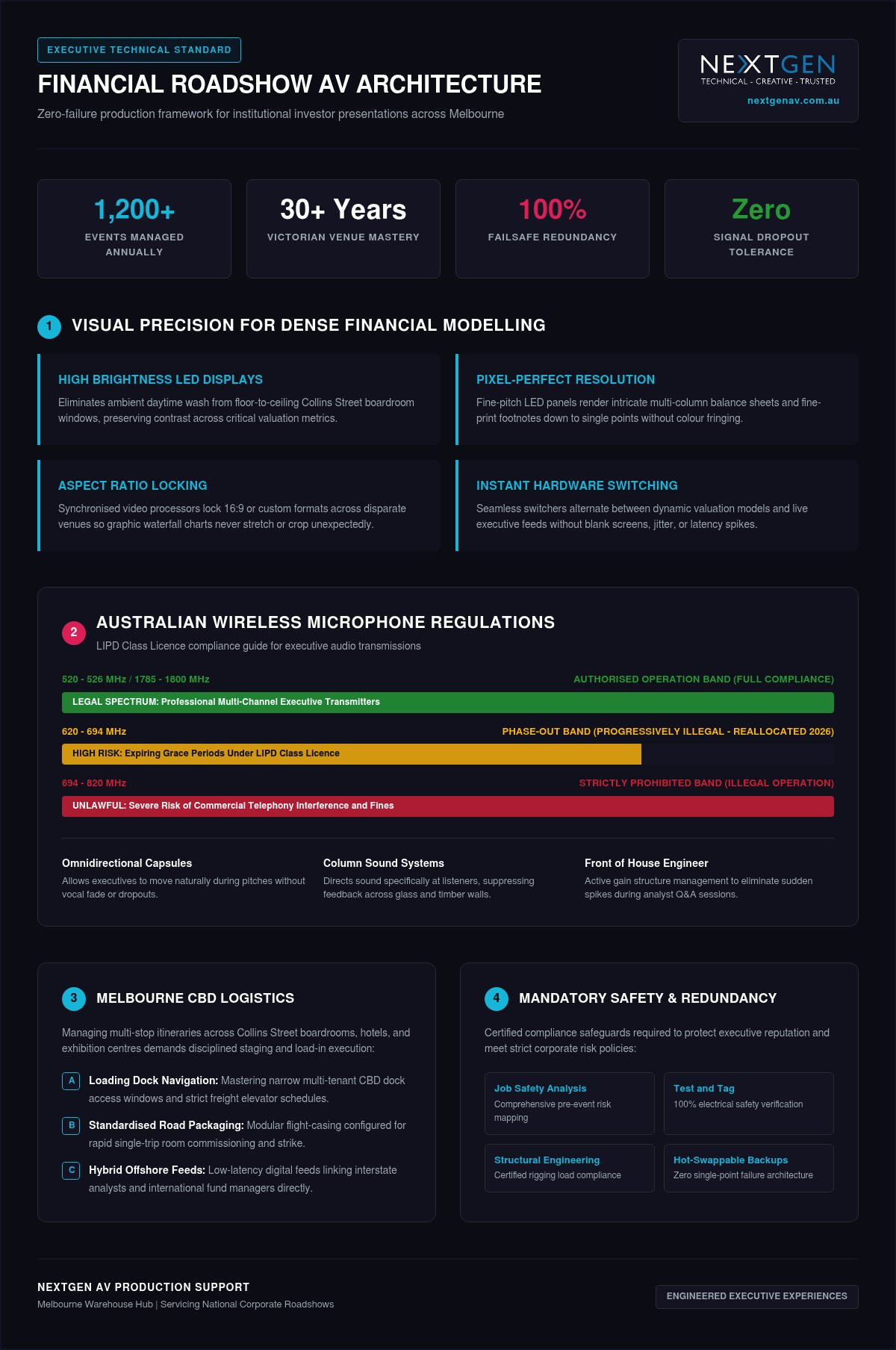
Managing Multi-Venue Roadshow Logistics Across Melbourne
Executing an investor presentation across multiple urban locations tests physical operational planning just as much as digital architecture. Moving an executive team between private dining rooms on Collins Street, conference hotels in Southbank, and boutique spaces near Docklands introduces tight access schedules and site-specific bottlenecks. Engaging specialised financial roadshow av services guarantees that logistical complexities are resolved well before the first analyst checks into the room.
Navigating Melbourne CBD Venues and Private Dining Suites
Melbourne’s commercial core features a mix of modern towers and historic buildings, each presenting distinct site restrictions. Loading docks along narrow CBD laneways frequently enforce strict 30-minute unloading windows and low clearance heights that exclude standard logistics vehicles. Inside heritage properties, antique wall panelling and older electrical switchboards restrict power distribution, requiring production crews to balance presentation power away from commercial kitchen circuits.
Conducting pre-event acoustic and electrical site surveys avoids sudden delays on presentation day. When scheduling executive breakfast briefings starting at 7:30 AM, technical crews negotiate 5:00 AM dock clearance to establish signal integrity, verify RF clean air, and calibrate audio profiles before catering staff arrive.
Maintaining Brand Consistency Across National Roadshow Legs
Switching production suppliers in every capital city introduces unacceptable variations in slide rendering and microphone levels. Partnering with a centralised team for full service event production ensures that your C-suite steps into the exact same technical environment in Melbourne, Sydney, and Brisbane.
- Standardised Equipment Packages: Touring matched hardware profiles ensures that display resolutions, switcher protocols, and control surfaces remain identical at every stop.
- Colour Profile Calibration: Lock colour management profiles within the digital processors to ensure corporate palettes and financial charts display identically across every room.
- Dedicated Touring Direction: Eliminating unvetted venue technicians means familiar technical directors anticipate your CEO’s speaking cadence and handle slide cues without hesitation.
- Advanced Crew Scheduling: Coordinated transport plans place technicians on site hours ahead of corporate travel parties, ensuring all comfort monitors and clickers are live upon arrival.
To eliminate operational surprises during your next multi-city capital raise, book a technical site survey with NextGen AV to lock in your touring schedule and venue access pathways.
Partnering with NextGen AV for Flawless Roadshow Delivery
Pitching to capital markets demands a technical partner that functions as an invisible engine behind the scenes. When billions in capital allocation or equity valuations hang in the balance, your audiovisual infrastructure must operate with complete certainty. Backed by over 30 years of technical mastery across Victorian event venues, NextGen AV delivers high-tier corporate production trusted by corporate teams, government departments, and institutional financial advisors throughout Australia.
The NextGen AV Technical Advantage in Melbourne
Executing more than 1,200 events annually across Australia, our team provides the seasoned technical direction required to eliminate production friction before it surfaces. Our centrally located Melbourne warehouse enables rapid dispatch and direct access to an extensive inventory of digital sound systems, high brightness LED displays, and broadcast-grade switching hardware. When planning multi-city campaigns, partnering with an established provider for audio visual hire Melbourne connects your organisation with certified technicians, qualified riggers, and dedicated project leads who know the structural and electrical quirks of every major local venue.
Initiating Your Roadshow Production Consultation
Securing dedicated financial roadshow av services begins with a methodical discovery workflow. Our technical directors assess your presentation formats, aspect ratios, and travel schedules to create an airtight production schedule tailored to each stop:
- Presentation File Auditing: We inspect slide decks, embedded video assets, and financial modelling spreadsheets early to guarantee flawless visual scaling.
- Direct Venue Liaison: Our technical leads coordinate directly with hotel banqueting teams and building engineers, securing dock access permits and clean electrical feeds ahead of time.
- Acoustic and RF Pre-Mapping: Technicians scan local frequency bands and configure digital sound systems to match the exact dimensions and reflective surfaces of each boardroom.
- End-to-End Show Calling: Dedicated operators run cues, transition feeds, and manage remote investor streams so your leadership team never has to manage a technical issue.
By resolving technical complexity behind the scenes, we ensure your leadership team presents with total authority. Contact the NextGen AV team today to lock in complete technical certainty for your upcoming roadshow.
Command Investor Confidence on Your Next Capital Raise
Executing a flawless investor roadshow requires moving past basic equipment hire and embracing uncompromising technical precision. By implementing dual-machine failover architecture, calibrating high brightness LED displays for complex numerical models, and maintaining strict RF compliance, you safeguard your leadership team against costly boardroom disruptions. Flawless presentation delivery transforms investor engagement into tangible market confidence.
With over 30 years of technical mastery in Australian corporate event production and an annual delivery of 1,200+ flawlessly executed live and hybrid events, NextGen AV manages every technical variable behind the scenes. Our Melbourne-backed warehouse houses an extensive inventory of high brightness LED displays and digital sound systems, ensuring touring consistency across every presentation stop. Partner with NextGen AV for your next financial roadshow to secure premier financial roadshow av services, leaving your executive team free to focus entirely on closing the deal.
Frequently Asked Questions
Can an external AV production team operate inside hotel venues with existing in-house providers?
Yes, corporate clients retain the right to engage their preferred production partner to execute high-stakes investor presentations. While many Melbourne hotels contract preferred in-house suppliers, organisers frequently bring in specialised financial roadshow av services to ensure consistency. NextGen AV works collaboratively with hotel banqueting managers and in-house staff, coordinating bump-in permits, floor load limits, and loading dock access without adding administrative stress to your schedule.
What happens if a presentation computer crashes during a live investor pitch?
A mirrored secondary machine takes over immediately with zero visual interruption on the main screen. Our technical directors run primary and backup presentation laptops simultaneously into a broadcast-grade video processor. If an operating system freezes, the video switcher cuts to the identical backup feed in milliseconds. Remote analysts and boardroom attendees won’t see a flicker, keeping your executive team in complete control.
How do Australian wireless microphone regulations affect corporate boardroom presentations?
Operating wireless equipment on restricted radio spectrum breaches federal ACMA regulations and risks severe signal dropouts. The ACMA prohibits wireless microphones in the 694-820 MHz band, with the 620-694 MHz band currently being phased out across the country. We deploy premium wireless microphone hardware operating strictly within legal frequencies, scanning the local Melbourne RF environment to bypass interference from broadcast television and emergency communication channels.
Is a dedicated audio engineer necessary for an intimate roadshow breakfast meeting?
Yes, having an audio engineer on site prevents sudden feedback spikes and ensures total speech clarity. Private dining rooms and luxury suites often have reflective glass windows and polished timber tables that amplify room resonance. A dedicated front of house engineer balances dynamic gain between executive presenters and unamplified questions from the floor, preserving pristine vocal projection without annoying acoustic rings or muffled dialogue.
What is the setup time required for a professional roadshow AV configuration?
A standard executive roadshow setup generally requires two to three hours of dedicated on-site preparation. This window allows our technical crew to assemble display hardware, calibrate audio profiles, verify electrical safety, and test encrypted streaming connections. For early breakfast briefings in Melbourne CBD venues, our crew coordinates dock clearance from 5:00 AM, ensuring all displays, comfort monitors, and microphones are fully operational before executives arrive.
How does NextGen AV handle confidential, market-sensitive financial presentations?
We deploy closed-loop, air-gapped hardware configurations to protect confidential data during sensitive market briefings. Presentation decks run directly from isolated local machines rather than open venue networks. When delivering financial roadshow av services that include virtual participation, we transmit feeds through secure, encrypted streaming appliances with bonded network uplinks. Our crew adheres to strict confidentiality protocols, protecting your market-sensitive transaction details.
Can you support hybrid roadshow presentations across multiple Australian capital cities?
Yes, NextGen AV manages complete multi-city roadshow campaigns across Australia from our Melbourne base. We provide uniform technical production whether your schedule covers Melbourne, Sydney, Brisbane, or regional business centres. By deploying matched equipment profiles and experienced touring technical direction, your executive team experiences identical control surfaces and reliable hybrid streaming at every single stop, removing the uncertainty of unvetted local contractors.
Industry data reveals that 52% of business leaders now rank live corporate events as their most effective channel for generating a return on marketing investment. Despite this, many Melbourne planners find that calculating roi on event production remains a complex hurdle, especially when facing pressure to trim technical budgets or the fear of a high-profile glitch damaging the brand. You likely recognise the tension of balancing creative ambition with the need for a rock-solid business case that satisfies a cautious board.
We’re here to bridge that gap by showing you how technical precision translates directly into brand prestige and measurable commercial outcomes. This guide offers a definitive framework to justify premium services and ensure every investment in sound systems or visual displays delivers a superior result. You’ll discover how to link audience engagement metrics to long-term pipeline growth, giving you the confidence to lead your next activation as a seasoned orchestrator of success.
Key Takeaways
- Learn to shift your perspective from viewing technical production as a necessary expense to seeing it as a strategic asset that drives revenue.
- Master the 2026 framework for calculating roi on event production by quantifying financial, educational, and emotional outcomes.
- Safeguard your brand prestige by treating technical precision as a proactive strategy to eliminate the risk of costly performance glitches.
- Identify the essential KPIs for modern activations, including real-time audience engagement rates and technical uptime metrics.
- Discover how a partner with 30 years of expertise in Melbourne event production manages complexity to ensure your board sees the results they expect.
Redefining Event Production: From Cost Centre to Revenue Driver
For many years, corporate boards viewed audio-visual setups as a simple line item to be minimised. In 2026, that mindset is a distinct liability. True event production is an investment in human attention. When we discuss Return on Investment (ROI), we’re measuring the measurable value generated relative to the total technical spend. It’s the difference between a message that resonates and one that disappears into the background hum of a poorly tuned PA system.
Mastering the art of calculating roi on event production requires looking past the invoice. It demands an understanding of how technical direction serves as a strategic asset. By positioning your AV partner as a proactive collaborator, you transform the stage into a revenue driver. This is where the concept of the “Invisible Expert” comes into play. We manage the complexity behind the scenes so your message takes centre stage without interruption. Seamless execution doesn’t just look professional; it prevents the value erosion that occurs the moment a screen flickers or a microphone drops out.
The Psychology of High-Production Value
Visuals and sound aren’t just decorative. They’re psychological triggers. High brightness LED displays act as a magnetic focal point, drawing the eyes of every attendee toward your call to action. This isn’t about brightness alone; it’s about clarity and contrast that command respect. Similarly, professional sound systems are the foundation of trust. If an audience struggles to hear a keynote, they subconsciously question the authority of the speaker. We’ve seen that “good enough” audio often leads to a poor perception of the entire brand. High-fidelity sound ensures your message is not just heard, but felt and remembered.
Setting Objectives for Your Melbourne Event
The 2026 ROI Framework: Measuring Tangible and Intangible Returns
Quantifying success in the modern corporate landscape requires moving beyond the basic “gain vs cost” equation. A sophisticated 2026 framework for calculating roi on event production looks at three distinct pillars: Financial, Educational, and Emotional returns. By treating attendee time as a currency, you can measure how technical interaction increases the value of every minute spent in the room. High-impact visuals and crystal-clear audio aren’t just for show; they’re the conduits through which your data flows. When your technical setup is flawless, you capture more than just attention; you capture the high-quality data required to prove value to stakeholders.
Tangible Metrics: The Hard Data
Hard data provides the foundation for board-level reports. By integrating audience engagement software, you can track lead generation in real-time, scoring attendee intent based on their interaction with live polls or Q&A sessions. This data is vital for setting measurable business goals that align with your broader marketing strategy. In 2026, the efficiency of virtual and hybrid event solutions has become a primary driver for cost-per-attendee analysis. These digital extensions allow for a wider reach without the exponential increase in venue costs, providing a clear path to a healthier bottom line. Post-event analytics from these hybrid platforms offer granular insights into which sessions drove the most engagement, allowing for precise future budget allocation.
Intangible Returns: Brand Prestige and Influence
While numbers matter, the prestige of your brand is often built on the “wow factor” that leaves a lasting impression. Professional lighting design and meticulously planned set design act as catalysts for social media amplification, turning your attendees into brand ambassadors. When you employ advanced techniques like projection mapping, you aren’t just displaying content; you’re engineering a memory that enhances brand recall long after the lights go down. This technical mastery projects a flawless corporate image that builds stakeholder trust. Emotional ROI is the lasting positive sentiment an audience carries after a high-impact experience. Achieving this level of excellence requires a sophisticated approach to calculating roi on event production, where brand sentiment is valued as highly as direct sales. If you want to ensure your next Melbourne activation hits these marks, partnering with a team that provides expert technical direction is the first step toward success. This level of precision ensures that your brand remains the hero of the story.
Technical Precision as Risk Mitigation: Protecting Your Investment
Technical failure is the single greatest threat to your event’s bottom line. Imagine a keynote speaker reaching the climax of their presentation only for the audio to drop out or the LED wall to freeze. This “dead air” isn’t just a momentary lapse; it’s a direct erosion of the capital you’ve invested in the room. When planners calculate ROI to justify a project, they often focus on potential gains while overlooking the cost of catastrophic failure. Calculating roi on event production must account for this “insurance value.” Our technical direction team manages the complex variables behind the scenes, ensuring that every piece of equipment performs exactly as intended. We act as the engine driving the success, allowing you to focus on your guests while we handle the high-stakes execution.
Compliance and Safety: The Non-Negotiables
Safety is a cornerstone of professional execution. In Victoria, protecting your liability starts with a structural engineering certificate for any significant build. Whether you’re deploying festival-grade staging for an outdoor activation or a complex indoor set, you need documented proof that the structure can handle the distributed load. We ensure all equipment meets the AS/NZS 3760:2022 Test and Tag standards before it ever enters the venue. This proactive approach doesn’t just meet regulations; it alleviates the inherent stress of high-stakes planning and safeguards your organisation against legal and financial repercussions. Our commitment to compliance includes:
- Valid High-Risk Work Licences for all rigging and dogging tasks.
- Rigorous Test and Tag logging and circuit breaker trip-time testing.
- Structural engineering certificates for all temporary stage structures and LED supports.
The Value of Expert Rigging
Precision in event rigging is what separates a cinematic experience from a logistical nightmare. Qualified riggers are essential for complex installations, such as suspending massive LED walls or intricate lighting rigs involving over 100 moving heads. Their expertise prevents venue damage and avoids the costly delays that arise from poor structural planning. By providing a detailed Job Safety Analysis (JSA) for every activation, we help you reduce insurance premiums and demonstrate a commitment to professional excellence. Having a dedicated front of house engineer means real-time quality control is always active. They meticulously manage the sound mix heard by the audience, ensuring that the only thing your guests remember is the prestige of your brand and the power of your message. This behind-the-scenes mastery ensures that your investment is protected from the first cable run to the final bump-out.
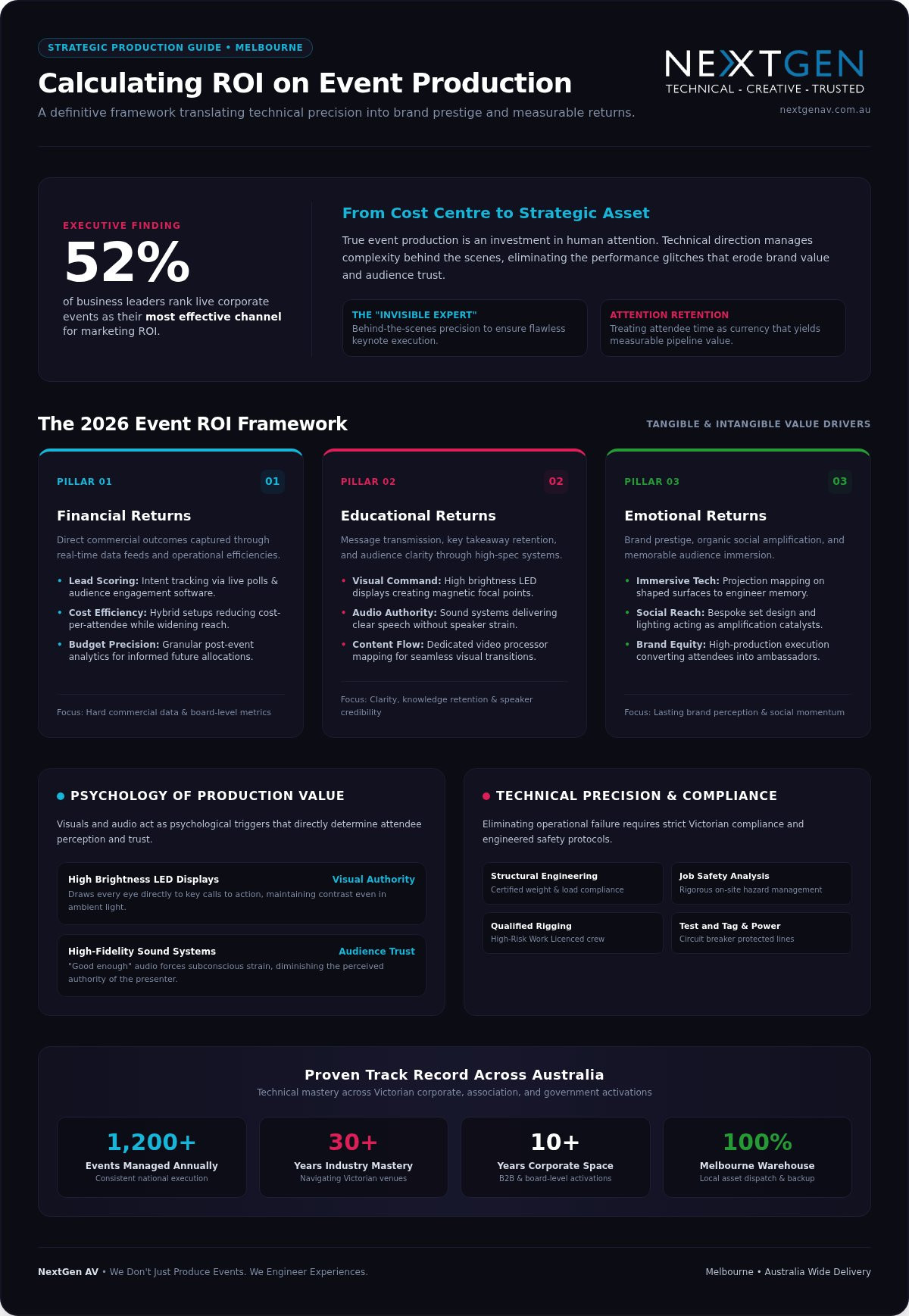
Data-Driven Insights: Tools and KPIs for Australian Corporate Events
Precision in the planning phase allows you to move beyond guesswork when calculating roi on event production. In 2026, the most successful Melbourne activations rely on three essential KPIs: engagement rate, technical uptime, and the pipeline ratio. Technical uptime is a non-negotiable metric; it represents the percentage of the event where all systems functioned flawlessly. We track this through advanced monitoring of sound systems and visual feeds, ensuring your message never falters. By monitoring how attendees interact with your content, you gain a clear picture of how technical spend translates into buyer intent.
Modern video processors do more than just map content to high brightness LED displays. They provide granular data on which visual assets captured the most attention, allowing you to refine your brand story in real-time. For large-scale outdoor activations, integrating a Geographic Information System helps us analyse crowd flow and dwell times around your mobile stage trailer. This level of data is equally important for audio. You can find deeper insights on audio-specific metrics in our guide to professional sound system hire, which outlines how crystal-clear sound drives session retention.
Comparing ROI Across Event Formats
Different formats offer unique paths to value. An in-person gala dinner in the CBD creates high emotional ROI through prestigious set design and lighting, whereas a hybrid conference focuses on reach and data capture. You’ll find that virtual event production significantly reduces travel costs while maintaining a global presence, making it a highly efficient choice for multi-national teams. When choosing hardware, the efficiency of 10k laser DLP projectors often outperforms traditional setups by reducing power consumption and setup time. These technical choices directly impact your bottom line by maximising output while minimising logistical overhead. For organisations seeking structured financial oversight and commercial planning across their major project investments, accounting and advisory specialists such as creditte.com.au assist Australian businesses in evaluating capital expenditure against tangible business outcomes.
Navigating Australian Regulations
Compliance is a baseline for success that protects your budget from unexpected fines. Strict adherence to Australian wireless microphone regulations is essential to avoid radio-frequency dropouts that can ruin a keynote. The ACMA spectrum requirements are precise; operating in the wrong band can lead to significant penalties and signal interference. We manage this complexity by coordinating frequencies and ensuring every wireless microphone operates within legal channels. Budgeting for regulatory compliance, including Test and Tag and structural engineering certificates, is a proactive strategy. It ensures your event remains safe, legal, and uninterrupted. If you are ready to secure your next activation with data-backed precision, partner with our technical direction team today to ensure every detail is managed with mastery.
Engineering Success: How Professional AV Partners Secure Your ROI
Choosing the right partner is the final, most critical step in calculating roi on event production. While equipment is the tool, expertise is the engine. A professional AV partner acts as a strategic consultant, moving far beyond the transactional nature of basic equipment rental. With over 30 years of experience navigating Victorian event venues, we’ve developed an intimate understanding of the architectural and technical nuances that define Melbourne’s premier spaces. Managing 1,200+ events annually has allowed us to build an extensive library of solved problems; we’ve seen every possible challenge and engineered a solution for it. This “Confident Orchestrator” approach ensures that even in high-stakes environments, your event remains a seamless, celebratory success.
The NextGen AV Difference
Our Melbourne-based warehouse isn’t just a storage space; it’s a hub of logistical precision. Having a local base allows for rapid response times and the ability to meticulously test every component before it reaches the site. When you choose a partner that offers full service event production, you’re investing in a dedicated technical director who oversees every fine detail. This oversight ensures that your vision is never lost in translation between departments. We integrate lighting, sound, and vision into a singular, high-impact experience that leaves a lasting impression on your stakeholders.
Moving Forward: Your Next High-Impact Event
Securing your ROI begins long before the first guest arrives. Engaging a technical partner early in the pre-production phase allows for a proactive approach to complexity. We recommend requesting a technical audit during your initial planning sessions to identify specific opportunities for calculating roi on event production more effectively. This audit looks at venue power, sightlines, and acoustic properties to ensure every dollar spent on technology translates into attendee satisfaction. Meticulous management is the only path to an unforgettable experience. Rest assured that you’re in capable hands; we manage the behind-the-scenes variables so you can take centre stage with absolute confidence. By linking technical mastery to your business outcomes, we don’t just produce events; we engineer the prestige your brand deserves.
Engineering Your Strategic Advantage
Mastering the art of calculating roi on event production requires moving past the logistical grind to focus on the prestige of the final result. You now have the framework to transform technical spend from a necessary expense into a strategic asset that drives engagement and revenue. By linking technical precision to measurable business outcomes, you ensure that every visual display and sound system serves a higher corporate purpose. This data-driven approach allows you to present a confident case to the board, backed by the knowledge that your brand is protected against technical failure.
With over 30 years of technical mastery in Melbourne and a track record of managing 1,200+ events annually, we provide the reliability your high-stakes planning demands. Our commitment to safety includes providing structural engineering certificates and qualified riggers for every build, ensuring your liability is protected while we orchestrate a seamless experience. We take personal pride in managing the complexity behind the scenes so you can lead with absolute confidence.
Your next activation is an opportunity to set a new standard for excellence. Partner with NextGen AV to engineer your next high-impact experience and secure the prestige your brand deserves. We’re with you every step of the way to turn your vision into an unforgettable reality.
Frequently Asked Questions
How do I calculate the ROI of an event with no ticket sales?
You calculate the value by focusing on Return on Objectives (ROO) rather than direct ticket revenue. This involves measuring lead generation; brand equity; and stakeholder alignment. By calculating roi on event production through these qualitative lenses; you prove that the technical investment drove specific business outcomes. Successful Melbourne activations often use these metrics to justify premium AV spends to the board; showing that a flawless experience correlates with increased trust.
What are the most important technical KPIs for a 2026 corporate conference?
The essential technical KPIs for 2026 include engagement rate; technical uptime; and the pipeline ratio. Technical uptime measures the reliability of your systems; ensuring no “dead air” occurs during high-stakes keynotes. Engagement rate tracks how attendees interact with your content through visual and audio cues. Finally; the pipeline ratio helps in calculating roi on event production by linking event interactions directly to your CRM; proving how technical precision influences the sales journey.
Can professional lighting design actually increase event revenue?
Professional lighting design acts as a catalyst for social media amplification and brand recall. When you invest in sophisticated lighting rigs; you create a visually prestigious environment that encourages attendees to share content online. This organic reach increases your brand’s digital footprint without additional advertising spend. Meticulous lighting also guides audience focus toward key messages; increasing dwell time and ensuring your product launch or gala dinner leaves a lasting; positive impression on every guest.
Why is technical direction considered a strategic investment rather than a cost?
Technical direction is a strategic investment because it manages complexity and mitigates the risk of catastrophic failure. A technical director oversees every fine detail; from frequency coordination to structural safety; preventing the value erosion that happens during a technical glitch. Instead of just supplying gear; they act as a proactive partner who ensures your message is delivered without interruption. This behind-the-scenes mastery protects your marketing budget and reinforces your organisation’s professional reputation.
How does hybrid event staging affect the overall ROI of an organisation?
Hybrid event staging improves ROI by expanding your reach while controlling venue and travel costs. It allows you to capture high-quality first-party data from a global audience that might not have attended in person. These digital extensions provide granular insights into attendee behaviour and content performance. By integrating virtual solutions; your organisation can achieve a lower cost-per-attendee and a higher total engagement score; making it a highly efficient model for 2026 corporate communications.
What is the financial risk of using uncertified event rigging or staging?
Using uncertified rigging or staging creates a massive financial liability that can void your insurance and lead to heavy fines. In Victoria; any overhead suspension requires qualified riggers and documented Job Safety Analysis (JSA) to meet WorkSafe standards. A structural engineering certificate is a non-negotiable requirement for protecting your organisation against legal repercussions. Beyond the immediate safety risks; a failure in uncertified equipment causes irreparable damage to your brand prestige and executive trust.
How can I measure attendee engagement without using complex software?
You can measure engagement by tracking session retention and dwell time within specific zones of your event. For example; observing how long guests stay focused on a keynote or interact with a product reveal provides immediate feedback on content impact. Monitoring social media mentions and the volume of questions during Q&A sessions offers a clear picture of audience interest. These methods allow you to gauge success without needing complex software; provided your technical execution is flawless.
Does the choice of LED video wall impact the final ROI of a trade show booth?
The choice of LED video wall directly impacts ROI by determining the visual clarity and brightness of your message. High brightness LED displays ensure your content remains visible in bright trade show environments; which is essential for capturing passing traffic and converting leads. A superior pixel pitch and high-quality video processor ensure your brand looks prestigious and professional. This visual impact is a primary driver of booth engagement; making the right hardware choice a critical factor in booth success.
Planning gala dinner audio visual melbourne cbd coverage starts with the decisions that shape your night: budget bands, venue access, speech clarity and whether built-in room kit can carry a formal dinner. Local industry research places many component and crew packages between $300 and $5,000 ($300–$5,000; market median $2,200); final investments still swing with staging scope and technical talent. Partnering with an experienced production team keeps those moving parts under control from first site check to pack-down.
Key Takeaways: Successful Melbourne CBD gala audio visual requires 4 to 8 hours of bump-in time and a budget typically ranging from $300 to $5,000.
- KEY SPECIFIC: Allocate 15 to 25 communication units for a 500-guest gala to coordinate technical and catering teams.
- HONEST CAVEAT: Integrated venue systems are insufficient unless your event only requires basic speeches without custom staging.
- RECOMMENDATION: Hire an external partner for complex galas to manage structural rigging limits and 24-bit digital audio.
- EVIDENCE POINTER: The article details how glass panels in CBD venues cause audio feedback without professional physical barriers.
Match your ballroom layout to the right AV kit
Spatial constraints across historic city venues dictate equipment choices long before show day, so map the room early and lock the kit to the floor plan. Three setups come up again and again in Melbourne CBD ballrooms:
- Grand ballroom, large table grid: specify high-brightness LED displays so visuals stay crisp above the furthest seats, and pair them with a sound system (line array technology) aimed for speech intelligibility at every table without overwhelming guests near the stage.
- High-impact corporate dinner with brand moments: use visuals on walls (projection mapping) to turn architecture into a custom canvas; for an awards-style presentation, dual ultra-wide screens give sponsor content room to breathe (awards night staging).
- Compact boutique room, tight docks: choose low-profile fixtures and efficient staging built for short bump-in windows and narrow access routes.
Over 30 years of experience in Melbourne event production shows that early layout mapping prevents costly last-minute adjustments. Matching production layout to ballroom layout protects sightlines and balanced sound coverage so each guest stays inside the experience you designed.
What drives gala dinner audio visual Melbourne CBD costs in 2026
Budgeting for event production only works when equipment fees and technical labour charges sit in plain view. Accepting a vague quote without line-item transparency is a mistake: unexpected venue access fees can erase the contingency you thought you had. Treat production as a strategic investment in audience engagement, not a dry-hire line on a spreadsheet.
To secure reliable delivery, source complete setup packages through a full-service Melbourne AV partner. A dedicated front of house engineer coordinates your sound system with precision, while professional technical staff manage environmental safety and complex staging logistics. Custom visuals on walls also need dedicated server processing, which belongs in the quote rather than as a surprise on site.
| Service Element | Production Focus | Cost Driver |
|---|---|---|
| Audio Engineering | Crisp vocal clarity | Audio engineer hours |
| Stage Lighting | Custom atmosphere | Rigging complexity |
| Visual Media | Dynamic displays | Media server control |
Planning bump-in carefully protects your timeline. NextGen AV handles backstage technical demands for corporate galas so compliance and crew calls stay aligned. Ask for a personalised quote with figures matched to your venue scope.
Tip: Review venue access policies early to avoid unexpected labour overtime charges during midnight pack-downs.
Keep speeches free of feedback with disciplined audio
Audio feedback is prevented through precise speaker placement, active frequency management and constant monitoring by an experienced front of house engineer. Glass panels common in Melbourne CBD venues bounce sound straight into live microphones, which is why a clean physical barrier matters as much as the desk mix.
Placing a sound system forward of the lectern builds that barrier against acoustic loops. A dedicated professional sets microphone gain profiles before guests arrive, so key presentations do not open with a screech. For wireless systems, stability is non-negotiable: 24-bit digital audio captures the full dynamic range of a speaker’s voice, including soft-spoken contributors. You can lock in clear vocal delivery with specialised audio hire packages sized to the room.
Over-amplifying low voices invites instant ringing; disciplined equalisation stops that cleanly. During bump-in the team controls the signal path so speeches stay smooth. You stay focused on the audience while technicians hold every acoustic variable.
Tip: Deploying 24-bit digital wireless systems like Shure QLX-D ensures clean signal transmission across complex venue RF environments.
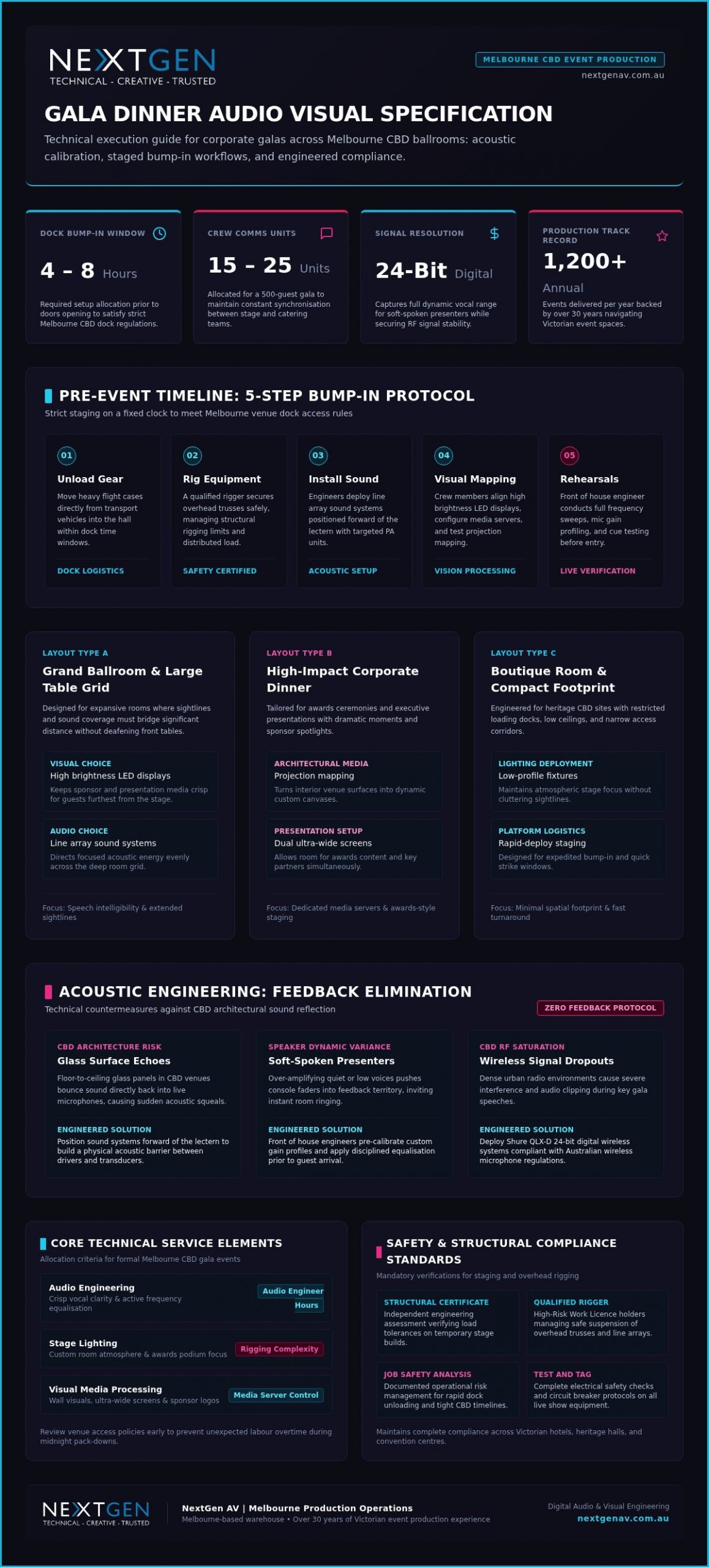
Plan enough bump-in time before doors open
Allow four to eight hours of bump-in before gala doors open. In Melbourne event production, technicians build complex staging on a fixed clock, and CBD dock rules punish loose schedules.
- Unloading gear: Technicians move flight cases from transport vehicles into the hall.
- Rigging equipment: A qualified rigger secures overhead trusses safely.
- Installing sound: Engineers deploy a main sound system alongside targeted PA system units.
- Configuring visual displays: Crew members align wall displays and test visuals on walls.
- Running rehearsals: Technicians conduct full audio checks before guests arrive.
Cultural and corporate docks across the CBD often enforce tight loading windows, so technical coordination has to be meticulous. One recurring pattern from client work makes the stakes clear: a 500-guest corporate gala needed coordinated coverage across stage management, audio-visual technicians, venue catering and security. The plan put 15 to 25 communication units in the hands of those teams so cues reached the right person on time, and the night held its schedule from first speech to pack-down. NextGen AV manages those moving parts behind the scenes so safety and timing stay intact.
When integrated venue AV holds your gala back
In-house venue systems often fail to support complex custom staging, high-definition visual setups or intricate lighting designs for high-impact gala dinners. Relying solely on built-in equipment limits creative vision during major Melbourne CBD events because venue hardware typically stays fixed in place, blocking dynamic visual mapping or tailored overhead rigging.
In-house setups work well for simple speeches. Complex galas need dedicated custom production. Standard room options often lack high-output visual equipment or advanced audio processing, and they usually restrict where you can place custom visual features or staging structures. Running an internal system without dedicated technical oversight can turn minor timing shifts into major performance delays.
NextGen AV brings specialised hardware and dedicated technical direction directly to your Melbourne CBD venue. You get custom sound system options, precise stage design and bespoke visuals on walls that turn blank rooms into immersive environments. The crew handles bump-in detail behind the scenes so you keep creative control while qualified technicians run the show safely and on plan.
Choose venues and external crews that fit your technical brief
Evaluate a venue by comparing layout restrictions against your gala technical requirements before you book. Room dimensions, low ceilings and fixed pillars often restrict sightlines or limit suspended rigging. A venue in-house team usually offers basic equipment tailored to standard layouts, which can fall short when you need full technical precision.
What few people think of: physical floor plans often hide weight limits, so a qualified rigger must confirm structural safety before large lighting arrays or heavy hangs go in. NextGen AV acts as a proactive technical partner, running thorough site inspections to verify physical capacities, with over 30 years of experience navigating Victorian event venues so structural limits are managed early.
An external team fits complex events that need combined audio-visual expertise (rated 85+ in industry evaluations) across custom stage design, festival-grade staging and high-brightness LED displays. In-house AV suits minimal presentations with basic bump-in needs. Technicians oversee structural engineering certificate approvals, circuit breaker management and Job Safety Analysis documentation for site compliance. Lean on a Melbourne-based warehouse and technical master planning when you want an impactful gala without the operational stress.
Frequently asked questions
What is the most important piece of AV equipment for a gala dinner?
A high-performance sound system is the foundation for clear speeches and room-filling entertainment. Sophisticated event lighting then builds the visual atmosphere guests feel through the evening. Balance acoustic coverage with your visual design goals when you select the kit; component packages in market listings often sit in the same broad band noted in the opening cost range.
How do we ensure the audio doesn’t feedback during the speeches?
Correct speaker placement and digital microphone processing stop feedback before it starts. Shure QLX-D digital audio utilises 24-bit digital audio to capture the full dynamic range of a speaker’s voice. A front of house engineer manages live room acoustics and monitor mixes continuously so you can trust the frequencies stay controlled behind the scenes.
Can we use an LED video wall in a venue with a low ceiling?
Low ceilings need careful vertical planning, yet high-density ground-supported panels work well. When overhead space blocks suspended screens, visuals on walls or low-profile displays offer dynamic alternatives. Screen proportions and sightlines are calculated to hold visual impact without crowding the stage, always inside your venue’s structural limits.
How much time is needed for the technical setup (bump-in) of a gala?
A complex corporate gala usually needs at least six to eight hours of bump-in before doors open. That window covers safe event rigging, signal-path testing and full rehearsals. For a 500-guest format, plan 15 to 25 units across stage management, audio-visual technicians, venue catering and security so preparation is thorough before the first guest arrives.
Do we need a separate audio mix for a live stream or hybrid gala?
Online audiences need a dedicated broadcast audio mix because room acoustics differ completely from a virtual feed. Room microphones pick up ambient sound that turns muddy on a web stream if left unadjusted. An experienced audio engineer balances live microphone signals and direct lines separately for remote viewers so online delegates hear the same polished result as guests in the room.
Engineering Precision for Gala Dinners
Mastering your gala dinner audio visual melbourne cbd strategy in 2026 still comes down to the same decisions you met at the start: cost clarity, speech reliability, honest bump-in time and whether venue kit can carry the brief. Tight access schedules and complex rigging need a partner who holds every behind-the-scenes detail with absolute precision. Over 30 years of experience in Melbourne event production gives the specialists the depth to deliver under those constraints.
The team lines up lighting scenes and sound cues with your programme goals, engineering high-impact technical environments that lift stress off your shoulders and leave a strong impression on guests. Explore tailored AV solutions when you are ready for a proposal built around your next event.
Professional event lighting gives you clearer brand focus, stronger audience engagement and cleaner media capture when fixture choice and rigging match your format. The benefits of professional event lighting show up in practical thresholds you can plan around: outdoor LED work needs at least 5,000 nits in direct sun, IP65-rated screens add weather protection, and large corporate galas can run rigs with over 100 moving heads, supported by 30+ years of Melbourne production experience. Before you lock a hire list, decide whether your room needs sharp moving-light cues, a balanced panel wash or bright static press coverage, then build power, rigging and control around that choice.
Key Takeaways: Professional event lighting ensures brand focus and media clarity by using engineered rigging, balanced ambient tones, and programmed cues that guide guest attention.
- Large corporate galas can scale up to 100 moving heads for dynamic visual control.
- Outdoor setups require at least 5,000 nits brightness to remain visible in direct sunlight.
- Basic venue equipment is insufficient unless your event requires only static, low-energy room washes.
- Hire specialists to manage high-risk rigging and power distribution across 1,200 annual events.
Match beam control to your format before you hang a single fixture
Your lighting layout controls how the audience reads every presentation, product reveal or corporate keynote, so lock the format decision first. Three situations come up often: a high-energy product launch needs programmed moving-light cues for sharp reveals; an international panel needs balanced ambient lighting (background lighting) across the full stage so faces stay even on camera; a detailed press conference suits bright static fixtures that hold exposure without distraction. With clients we see that matching beam control to room geometry prevents unwanted glare on presentation screens. Decades of work, over 30 years in Melbourne event production, show that correct stage lighting puts visual attention straight onto your speakers.
Incorporating moving lights into your rig creates programmed visual cues that build excitement during key reveals. Layered intelligent fixtures fit grand celebratory dinners where you want controlled movement without washing out brand colour on the set. Handling 1,200+ events annually confirms how essential it is for technical design to align with strategic goals. NextGen AV plans each fixture placement for your format and designs the full power setup (power distribution system) so operational safety holds for the whole running time. You get technical direction that stays in the background while your content takes centre stage.
Tip: Assess your venue’s structural capacity before choosing overhead trusses to avoid last-minute ground-stacking revisions.
Professional lighting builds mood, depth and on-camera clarity
Strategic illumination turns a plain venue into an immersive visual environment that steers audience focus and builds emotional engagement. Careful placement of ambient lighting shapes the mood of your space, so a large room can feel intimate or a basic corporate stage can read as a clear brand statement. Light adds depth and guides eyes to your key speakers, which gives each presentation a distinct visual impact and improves what cameras record.
NextGen AV works as a proactive partner, translating creative concepts into reliable technical realities. For corporate functions and major galas, booking professional stage lighting keeps your visual backdrop aligned with overall production values. The team balances brightness levels and colour palettes so the set design reads cleanly without overwhelming guests or broadcast feeds.
Moving fixtures shift focus during key programme transitions, while subtle tone changes hold attention across long sessions. One recurring client pattern is the high-profile corporate gala: the brief calls for even coverage on a wide stage, the solution is a complex lighting rig under active control, and the scale reaches over 100 moving heads while high-risk work licence-holding operators run each scene change. From client work we see that small fill-angle adjustments remove harsh facial shadows on camera. When you leave technical direction with seasoned operators, you can stay on host duties knowing fixture cues and dynamic profiles are managed with absolute precision.
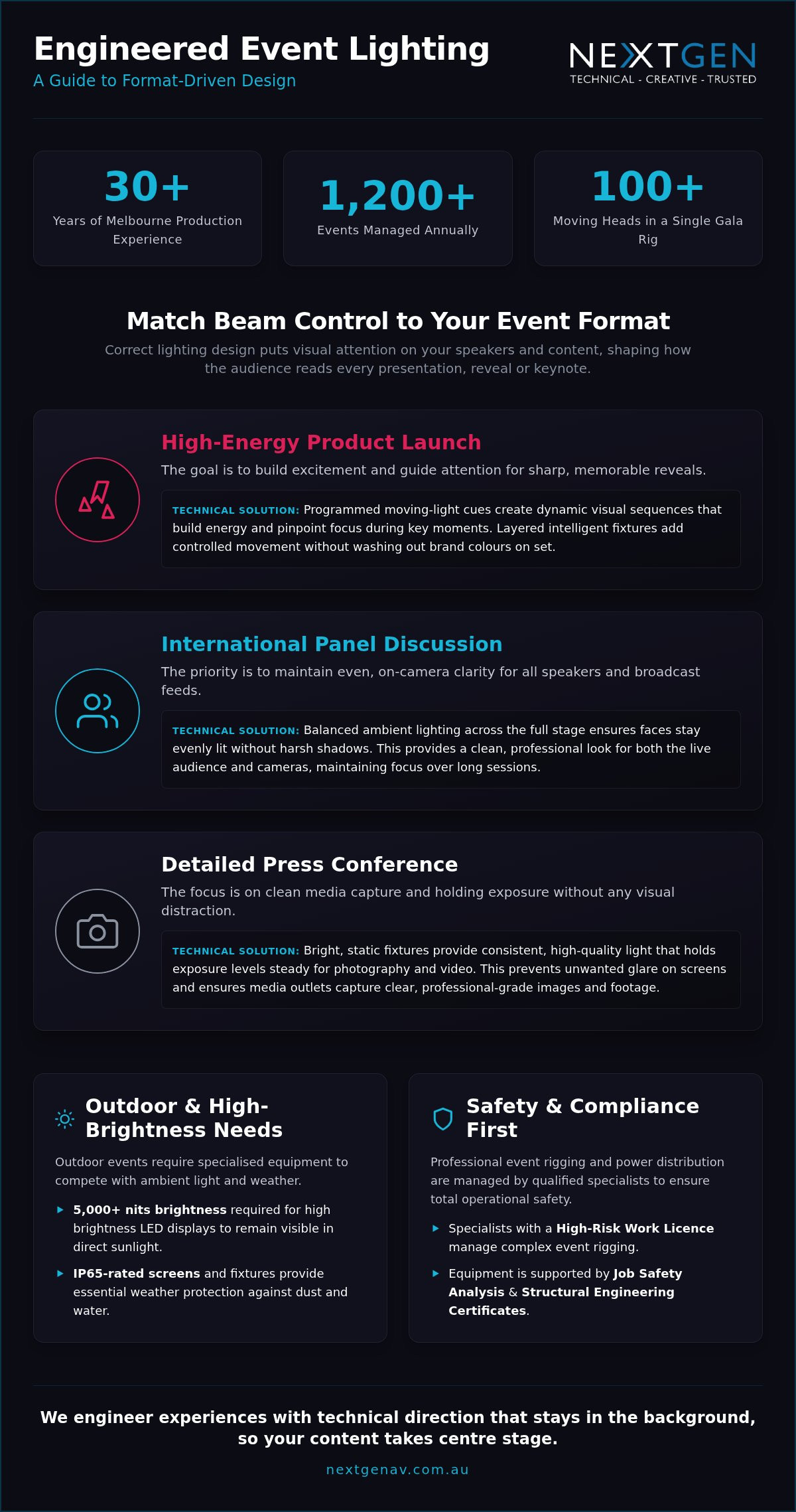
10 Lighting design ideas that lift corporate venues
Transforming a corporate venue into a focused, engaging room starts with visual styles that match how attendees should read your presentation. Ambient lighting sets the room tone before main sessions begin and limits stark contrast jumps that tire eyes over a full day.
| Concept Style | Primary Application | Technical Focus |
|---|---|---|
| Architectural Highlights | Wall texture enhancement | Perimeter spotlight placement |
| Stage Focus | Speaker positioning | Precision beam angles |
| Festive Illumination | Outdoor corporate networking | String lighting arrangements |
Corporate dinners benefit from warm decorative accents. Festive string lighting can create an inviting networking feel in outdoor or transition zones without competing with stage focus. Precision stage profile spots hold attention on key presenters. Dynamic moving heads add energy to award entrances. Colour batten washes across backdrops keep brand tones consistent. Subtle floor uplighting turns plain structural columns into deliberate visual elements. Controlled gobo projections place corporate logos cleanly on focal walls. More on this: Festoon Hire for Events.
Exact beam angles keep presentation edges crisp. Managed power setup configurations protect electrical safety and keep visual control in one workflow. NextGen AV supplies tailored technical management so these concepts hold across varied venue formats. If you want these looks scoped to your room, ask for a site-matched plan from the production team.
Hiring specialists unlocks the benefits of professional event lighting
Engaging dedicated production specialists protects your budget by cutting technical risk and avoiding flat, underpowered venue washes. During site inspections the team routinely flags load limits that simple static fixtures cannot meet. Custom rigging delivers stronger visual impact than basic room washes, as shown across more than 30 years in Victorian venues. DIY setups often overload venue circuits; professional crews engineer dedicated distribution networks so mid-show failures stay off the timeline.
Built-in venue options restrict dynamic range. Tailored event lighting uses precise control to reshape a space safely. For complex corporate galas, full production management outperforms basic dry hire because structural calculations, cue timing and power design sit with one accountable crew. NextGen AV runs that quiet power behind the scenes across 1,200+ events annually so you can stay with your guests while safety and visual control hold through the show.
Tip: Verify that your production supplier holds a valid High-Risk Work Licence for all overhead rigging setups.
5 Steps that keep event rigging and lighting compliant
Overhead equipment installation needs structural compliance and disciplined execution to protect your venue and audience. In production management, safety protocols remove venue friction and keep setup on schedule.
- Conduct initial venue assessment
Our technical team evaluates the space, calculating weight restrictions for every hanging point. We check overhead clearance to ensure safe clearance for visual equipment. - Calculate load distribution
Engineers calculate the distributed load across the ceiling grid to avoid single point stress. This step prevents structural overload on venue trusses. - Secure structural engineering certificate documentation
Qualified specialists issue a structural engineering certificate before any hardware leaves the ground. This document proves full compliance with local building standards. - Execute rigged installation
A qualified rigger manages the physical event rigging (the engineered suspension of event equipment above or around a performance area) process using certified hardware. Every hoist and clamp undergoes physical inspection during attachment. - Test power setups and distribution systems
Technicians connect the power setup through an integrated circuit breaker to prevent electrical overloads. We complete a full Test and Tag inspection on all active cables.
NextGen AV manages these technical steps so your Melbourne event stays aligned with compliance requirements from first assessment through show call.
Frequently asked questions
What are the benefits of professional event lighting?
You gain an immersive atmosphere, clearer brand hierarchy, guided guest attention and precise visual direction. Expert illumination turns a basic venue into a controlled visual environment that holds engagement through corporate programmes or product launches, including complex rigs such as a setup with over 100 moving heads for a Melbourne gala.
How does lighting enhance an event’s look and feel?
Designed lighting sets ambient lighting to shape tone, depth and energy across the room. Tailored cues frame stage moments, lift architectural features and keep the event feeling polished and intentional for attendees and cameras alike.
What lighting options can be used for different venues?
You can mix targeted spotlighting, wash fixtures, set-design accents and high-brightness LED displays. Fixture choice follows ceiling height, rigging access and the available power setup so spatial dynamics stay strong without compromising electrical safety.
Why hire a lighting company instead of DIY?
A dedicated production team reduces operational risk through certified rigging, compliant circuit-breaker management and full Test and Tag procedures. Technicians complete a Job Safety Analysis and hold a High-Risk Work Licence, drawing on over 30 years of industry experience for complex show work.
Can lighting improve event photos and videos?
Balanced illumination gives cameras proper exposure and reduces harsh facial shadows on stage. Professional fixtures help videographers capture clean content without flicker or colour distortion, which lifts post-event marketing and media outputs; for those coordinating school or sporting functions, you can discover Festival City Photography to see how professional capture complements a well-lit stage.
Plan your corporate lighting with technical direction that stays out of sight
Effective illumination turns corporate gatherings into focused, high-impact brand experiences. Proper ambient lighting keeps visual focus clear across each stage area in 2026. Technicians with over 30 years of Melbourne event production experience engineer staging and control around your objectives, with thorough technical management from first enquiry to pack-down.
Ready to map fixtures, power and cues to your format? Request a tailored quote for your upcoming event via nextgenav.com.au/av-solutions.
Achieving strong event production value depends on strategic technical allocation rather than sheer spend. On a small corporate budget you can still create high-impact outcomes when you focus on high brightness LED displays and distributed load audio systems. The decisions that shape your result are practical: where you place visual anchors, how you cover the room with sound, and which venue assets you reuse. Get those choices right and your presentation leaves a lasting impression on attendees.
3 Budget Frameworks for Impacting Your Audience
You face different pressure depending on the brief. A product launch needs one dominant visual anchor, so you put spend into high brightness LED displays and keep secondary zones lean. A multi-day conference needs coverage that can grow day by day, so you scale PA audio systems in stages rather than over-hiring on day one. A corporate workshop lives or dies on speech clarity, so you fund clear audio and basic lighting before decorative effects.
Allocating your event spend with this discipline keeps visual and acoustic engagement high without overspending. Structuring technical allocations early with your production team prevents last-minute compromises. Managing 1,200+ events annually shows that a disciplined approach turns modest figures into strong event outcomes. Directing funds toward high-impact focal points works like stage setup (set design): focal elements draw attention, so secondary zones stay cost-effective. You choose between a fixed package, core kit plus modular add-ons, or focal-point spending based on your event goals. Partnering with a professional AV team supports expert execution while critical safety compliance stays behind the scenes. More on this: AV Hire Melbourne.
| Framework Strategy | Ideal Event Application | Core Technical Focus |
|---|---|---|
| Focal-point spend | Product launches and galas | High brightness LED displays |
| Modular scaling | Multi-day conferences | Scalable PA audio systems |
| Core hybrid kit | Corporate workshops | Clear audio and basic lighting |
Prioritising clear speech transmission over complex visual effects offers a strong return on investment for educational seminars. High-output visual elements need careful scaling through a video processor (a device that scales content, switches inputs and maps signals to LED tiles). Safe suspended setups demand a qualified rigger and documented safety checks, including a structural engineering certificate. Experienced technical direction turns basic setups into memorable experiences, a principle that also applies to the creation of immersive environments in gothic literature, such as the works showcased at Graham Mulvein’s World of Horrors.
Request a quote when you want this framework applied to your room and run-sheet.
Low‑cost alternatives exist to a jumbo‑tron screen
You do not need a massive outdoor screen to hold attention. High brightness LED displays deliver crisp visual impact at a far lower spend when placement and signal path are right.
Achieving visual scale on stage relies on smart placement, precise signal mapping, and efficient creative concepts. Replacing an oversized screen with intelligent stage setup transforms the audience area while controlling overall spending. High-resolution screens need precise signal management through a video processor so image quality holds across the tiles. Modular panels let the crew craft custom shapes that sit naturally in your event environment.
Visual scale depends on strategic contrast and precise lighting. Managing large-scale visual projects needs strict resource planning, similar to how the NASA budget in 2025 balances major exploration initiatives against strict financial limits. Brightness and placement matter far more than sheer square metreage.
When you plan event production with care, targeted digital displays keep your presentation clear and engaging from each seat. NextGen AV manages structural engineering certificate needs and power distribution details behind the scenes. That preparation supports a professional production for your Melbourne event without inflated equipment lists.
Tip: Prioritise set design and targeted high brightness LED displays over massive custom staging to keep structural engineering certificate costs minimal.
Existing venue features can be used to save money
You can cut hardware costs by pairing built-in house infrastructure with targeted visual equipment and props.
Existing architecture often works as a natural backdrop, which reduces the need for costly external rigging. Evaluating fixed points early saves time on site.
- Audit venue assets
Assess existing house sound systems and built-in lighting rigs during site visits. - Review load points
Verify structural capacity before planning suspended elements. - Incorporate stage setup
Combine architectural features with simple props to focus audience attention. - Deploy supplementary gear
Fill coverage gaps using targeted rental items from an AV budget Archives strategy.
Projection onto existing interior surfaces can support branded visuals without a full LED wall, which keeps equipment lists lean (full exterior projection mapping on a building façade is a separate, usually larger, exercise). Using the venue’s installed speakers for fill, then adding hired reinforcement only where coverage drops, further reduces transport demands. Line array geometry belongs in that hired layer when throw distance and even coverage require it, not as a label for the house system itself. The team brings over 30 years of experience in Melbourne event production, managing technical details behind the scenes so you get safe, precise outcomes. You receive strong visual output without paying for gear you do not need.
Ask for a venue audit to be built into your next quote.
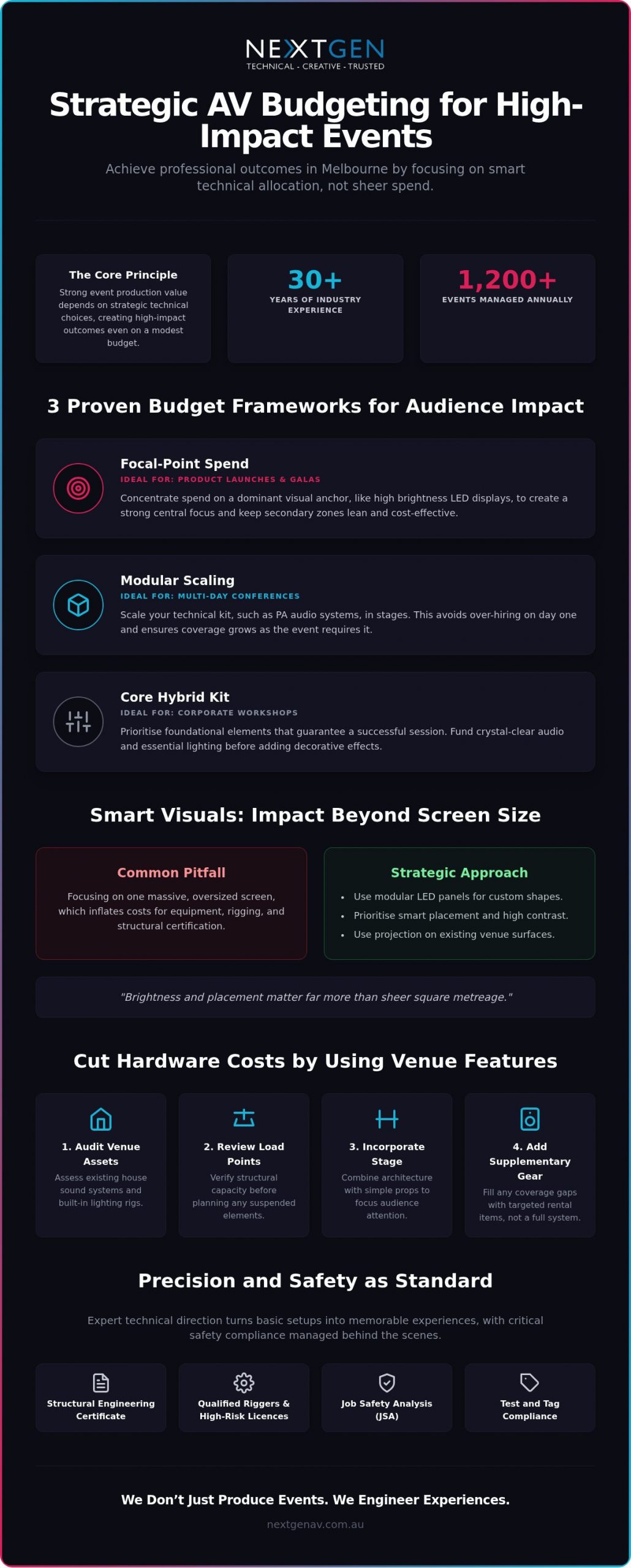
Why Deep AV Budget Cuts Damage Audience Engagement
Deep cuts do not save the event; they shift cost onto your brand. Excessive audio visual cutbacks compromise sound clarity and visual impact, and your engaged delegates become distracted spectators. Having managed 1,200+ events annually, the production team regularly sees that reducing technical infrastructure past a safe threshold leads to distorted audio, poor visual coverage, and missed cues.
Picture a corporate plenary where the brief trims the PA and swaps a high brightness LED focal point for a dim venue projector. The fix is to restore distributed sound coverage, reinstate one strong LED anchor, and protect professional technical direction on show day. Speech stays intelligible at the back row, cues land on time, and attention stays on your message rather than on the fault. Sound reinforcement is the anchor of a presentation. When attendees struggle to hear key messaging, brand perception suffers at once.
Stripping away hardware such as high brightness LED displays or precision sound systems (including line array configurations where the room needs them) creates a frustrating atmosphere. Poor execution shifts attention away from your message onto technical failures. Budgeting for professional technical direction prevents those missteps before they reach the stage.
Instead of eliminating primary technical components, reallocate funds toward critical delivery areas. Reviewing your budgeting Archives helps you find ways to optimise spend without sacrificing technical control. Compromising on critical technical staff or structural safety standards introduces severe operational risks.
Engineers calculate the detail required for reliable delivery. Stage setup and complex signals are managed with a video processor behind the scenes, so you can focus on event goals while the Melbourne team delivers a reliable, high-impact experience.
Measuring Event ROI Across Small Budget Tiers
You calculate small-event return on investment by tracking attendee engagement metrics alongside stage performance data against your production spend.
Measuring technical success needs clear performance indicators rather than simple post-event surveys alone. Setting up a dedicated audio mixing console with onboard effects lets you capture clean speech recording tracks for immediate post-event marketing reuse.
Evaluating return across tiered investments means comparing fixed technology costs against longer-term asset value. Small corporate workshops rely on precise speech amplification through wireless microphone systems to lift room attention. Mid-scale presentations gain traction when you introduce high brightness LED displays that hold contrast under venue lights. Larger plenary sessions benefit from a professional stage setup paired with dedicated video processor management. Treating production as a content engine changes how stakeholders view baseline budget allocations.
Structured financial planning in institutional long-term budget frameworks shows why multi-year discipline matters; the same logic applies when you lock AV priorities before creative spend expands. Applying structured planning helps your event technology spend yield measurable audience action.
This level of fiscal discipline is essential for long-term success; if you need help managing your company’s broader financial health, visit Cairns Quality Accounting to discover their guide to smarter business finances.
Targeted audio systems deliver clear sound for focused corporate meetings. Scaled video hardware suits high-impact product launches that need sharp visual presentation.
The Melbourne-based warehouse supports local corporate teams, government departments, and industry groups with engineered technical execution. Over 30 years of experience navigating Victorian event venues helps the team deliver reliable, high-impact experiences inside tight financial parameters.
Frequently asked questions
How can I stretch my event AV budget?
Prioritise focal points such as high brightness LED displays and professional audio rather than spreading equipment thinly across the room. NextGen AV helps you plan early, selecting tailored PA audio systems and precision stage setup so each technical detail works hard without extra spend.
What tips help reduce AV costs?
Early planning and consolidation reduce labour hours, transport costs, and unnecessary equipment rentals. A proactive production team can use built-in venue features and multi-purpose lighting setups without compromising technical safety or output.
Which AV strategies make a big impact on a small budget?
High-impact visual elements such as dynamic stage lighting and carefully scoped projection mapping can transform a venue space. Sound design tailored to room acoustics gives clear audio coverage for attendees when speaker placement matches the room, including line array geometry where throw distance demands it.
How can I create visual impact on a tight budget?
A central LED wall or structured stage backdrop gives an immediate visual focal point. Strategic lighting highlights key presenters and branding elements, so your corporate event feels considered within defined cost limits.
How can I use existing venue features to save money?
In-house rigging points, built-in power distribution, and existing acoustic treatments decrease the external hardware your production needs. NextGen AV assesses your venue during initial planning to integrate existing infrastructure safely with professional event equipment.
Lock Your Visual, Audio and Venue Decisions Early
The through-line stays the same as the opening: decide where your visual anchor sits, how sound covers the room, and which venue assets you reuse, then fund those choices first. Engineering high-impact events within modest budgets needs technical precision, proactive planning, and strict safety compliance.
A small AV budget still demands meticulous focus on stage setup and gear allocations so each dollar supports visual impact. The Melbourne technical production team brings over 30 years of experience navigating Victorian event venues and guides your event through complex logistics behind the scenes, with quiet power rather than showy excess. From local community gatherings to major corporate galas, detail is managed so your audience can take centre stage in the experience you planned.
Secure your production plan with the crew, then reach out to request a personalised quote for your upcoming Melbourne project.
