
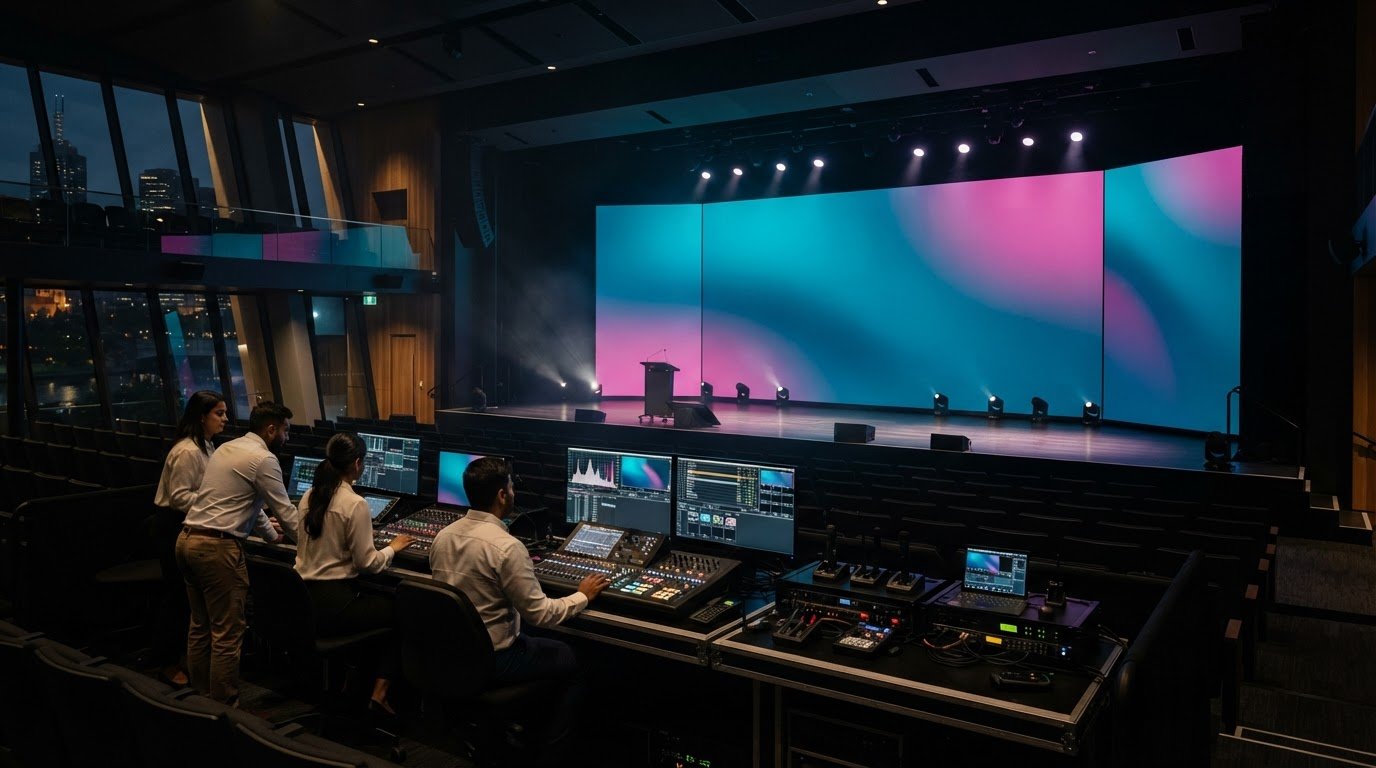
Melbourne Conference Centre AV Services for Events

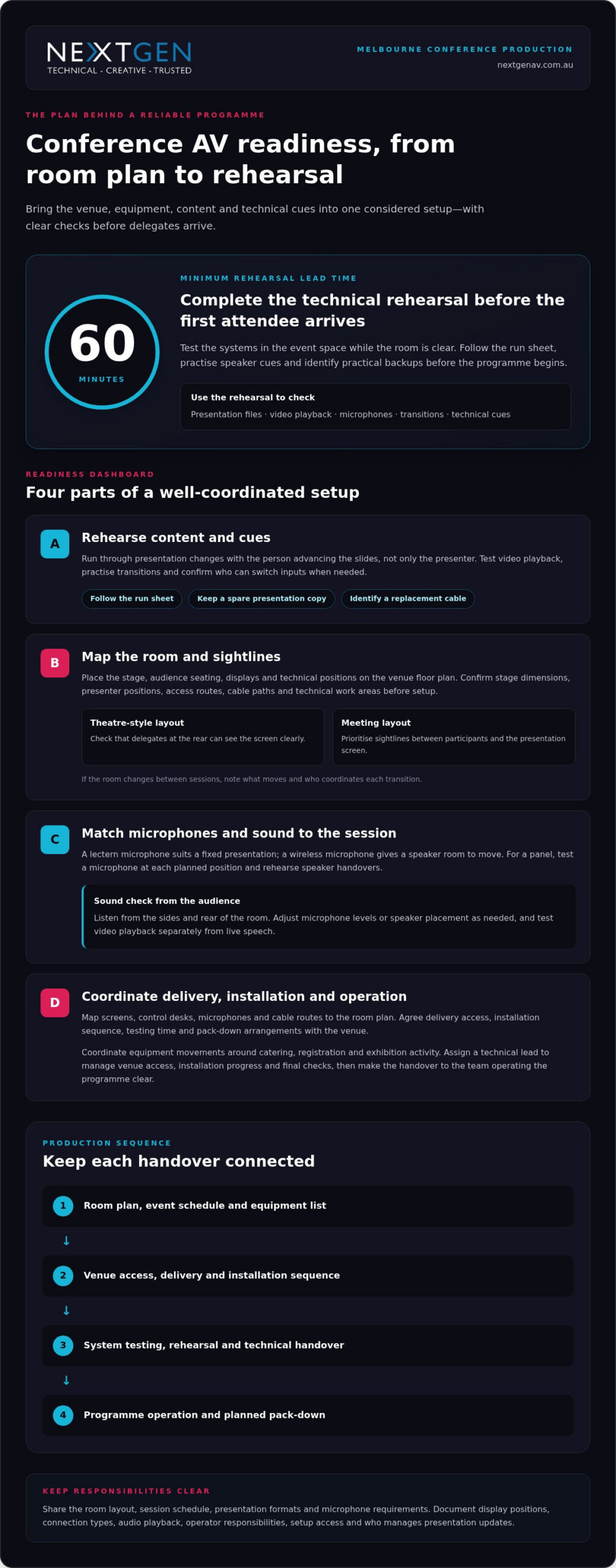
A conference’s AV is only as reliable as the plan behind it. A Melbourne conference centre AV supplier coordinates the equipment, delivery, setup and technical support that bring projection, sound and PA systems together for your event. Schedule a full technical rehearsal at least 60 minutes before the first attendee arrives, so the team can test the systems before the room fills.

You already know that clear presentations and consistent sound shape how delegates experience a conference. But coordinating venue requirements, content, microphones and technical cues can add pressure to an already demanding event plan. The right production approach brings those moving parts together in one considered setup, with technical support to keep the programme on track.

This guide explains what conference AV services can include, how delivery and setup work, and what to consider when planning projection, sound and PA systems in Melbourne. You’ll also learn how technical support fits into an event and how to assess your venue and programme requirements, so you can make informed decisions with the audience experience in mind.

Key Takeaways

  • Map the event programme, venue layout and audience needs before selecting AV equipment, so each technical choice serves a clear purpose.
  • Coordinate delivery, installation and technical direction as one production plan to keep setup organised and transitions smooth.
  • Match projection or LED display choices to the room, content and viewing positions for clear, engaging visuals.
  • Plan microphones, mixing and PA systems around the speakers and audience, with sound checks built into production.
  • Consider how LED Video Walls, professional audio, lighting and staging can work together to create a cohesive conference experience.

Audio-visual equipment and technical support

Conference AV brings visual displays, sound, staging and technical operation into one event plan. Your room, programme and audience determine which equipment and support will work best.

Technical rehearsals and backup equipment

Use a rehearsal to test presentation files, video playback, microphones and transitions in the event space. Follow the run sheet so each speaker can practise their cues. Test the primary signal path and identify practical backups, such as a spare presentation copy or replacement cable. Record who can switch inputs and respond to technical issues during each session.

For a panel discussion, test every microphone from its planned position and rehearse speaker handovers. Check presentation changes with the person advancing the slides, not just the presenter. This can reveal unclear cues before delegates arrive. Keep backup files accessible to the technical operator, and agree how to switch to them without interrupting the session.

Flexible spaces and staging equipment

Room configuration affects sightlines, screen placement and sound coverage. Before choosing equipment, map the stage, audience seating, displays and technical positions onto the venue floor plan. A theatre-style layout, for example, needs clear views from the rear seats. A meeting layout may instead prioritise sightlines between participants and a central presentation screen.

Confirm stage dimensions, presenter positions, access routes and locations for lighting or displays. Include cable paths and technical work areas in the layout rather than leaving them until setup. If the room changes between sessions, note what needs to move and who will coordinate each transition. A precise floor plan helps keep the event space functional and visually coherent.

Conference audio equipment

Conference audio equipment can include microphones, mixing consoles, amplifiers and sound systems. Match the microphone to each session: a lectern microphone suits a fixed presentation, while a wireless microphone allows the speaker to move. A panel may need a microphone for each speaker and a clear handover plan. Test speech from the positions speakers will actually use.

Check how sound reaches delegates at the sides and rear of the room. During rehearsal, listen from audience seats and adjust microphone levels or speaker placement as needed. Test video playback separately from live speech, since each source has different cues. These checks help keep spoken content intelligible without distracting changes in volume.

Technical requirements and hire considerations

Give a Melbourne conference centre AV supplier the room layout, session schedule, presentation formats and microphone requirements. Confirm display positions, connection types, audio playback, operator responsibilities and setup access. These details help align the equipment plan with the venue systems and event programme. Document who is responsible for each technical decision.

Common risks include incompatible connections, unclear responsibilities and rushed setup. List what the production plan covers, who handles each task and how changes will be recorded. For example, document whether the organiser or operator manages presentation updates. Written inclusions and exclusions make scope changes clear before approval and give the event team a useful reference during delivery.

AV delivery, installation and technical support

Delivery and installation planning connects venue access, equipment placement and technical operation. In Melbourne, coordinate these details with the venue team before finalising the event schedule.

AV delivery and installation

Start with the room plan, event schedule and equipment list. Map each item to its position, including screens, control desks, microphones and cable routes. Then agree on delivery access, installation sequence, testing time and pack-down arrangements with the venue. This helps prevent equipment movements from clashing with catering, registration or exhibition activity.

At Melbourne Convention and Exhibition Centre, a full HD platform was designed and installed for the plenary. This shows why installation planning must account for the room’s technical setup, not just the equipment arriving onsite. Assign a technical lead to coordinate venue access, installation progress and final checks. Keep the current schedule and room plan available to the event team.

Melbourne venues can have different room layouts and operating arrangements. At the Melbourne Marriott Hotel, event spaces have modern AV technology, including projection equipment. Build the plan around the selected room and event content rather than assuming every space uses the same configuration. Include a clear handover between installation and operation so the team running the programme knows which systems are ready.

Approved convention centre suppliers

At Melbourne Convention and Exhibition Centre, the in-house AV team is the venue’s AV support point, and the Plenary has sound equipment and projection systems. Treat the venue team as the reference for how external production work will connect with installed systems. Agree on responsibilities, access arrangements and equipment connections as part of the event plan.

There is no single Melbourne-wide AV supplier rule or booking deadline for every venue. Access and scheduling depend on the venue, room, event timetable and installation requirements. Put the delivery window, installation sequence, operating roles and pack-down plan in writing with the venue. Confirm who can access each space, when equipment can arrive and which technical tasks each team will manage.

For an exhibition or a conference across several rooms, coordinate equipment movements with the venue schedule. A named technical lead can track room readiness, resolve handover questions and keep the production plan current. If you need help shaping that plan, event AV planning can connect technical requirements with the event schedule.

Melbourne Convention and Exhibition Centre is surrounded by 10,000 hotel rooms. This setting can help organisers consider accommodation alongside delivery and installation planning, while keeping venue access, equipment movements and technical handovers coordinated.
Melbourne Conference Centre AV Services for Events

Conference projection and sound systems

Projection choices should suit the conference venue, content and audience sightlines. In Melbourne, compare the room’s installed systems with the event’s visual and audio requirements before finalising the production plan.

Match displays to the room

Melbourne Convention and Exhibition Centre has four LED walls around its main foyer. These serve a different purpose from a presentation screen inside a meeting room. Consider whether delegates need to read detailed slides, view video or follow event information from a distance. Let the content and viewing position guide your display choice—for specialised events such as clinical symposia requiring diagnostic-level image accuracy, providers such as synergymedco.com offer dedicated medical display and video distribution systems.

Projectors and screens can suit presentations when controlled lighting and a clear projection surface are available. Check screen position against the stage and seating plan, then make sure sightlines remain clear from the sides and rear. Room lighting also affects image visibility, so plan how lighting cues will change during slides, video and speaker presentations.

Plan projection and content

Before an event at Crown Melbourne’s Palladium, match the presentation format to the venue’s projection setup. Check file types, aspect ratio, playback audio and connection needs with the technical team. Organise presentation files by session and test videos from the device intended for the live programme. This helps catch display or playback issues before delegates enter.

Pullman Melbourne on the Park’s conference spaces have high-definition projectors and sound systems. If your venue has projectors, decide whether one screen gives every seat a clear view or whether the room needs additional displays. Place screens to support the speaker, not compete with the stage. A consistent visual plan helps delegates follow both slides and the live presentation.

Coordinate sound with visuals

Video sound needs to reach the room through the conference audio system, not just the presenter’s laptop speakers. Confirm the playback source, audio connection and operator cue for each video. For a panel, keep speaker microphones clear of the screen and presentation area. This helps delegates follow spoken content and visuals without competing signals.

At Crown Melbourne’s Palladium, the venue has sound systems and projection capabilities. Treat both as parts of one show plan: list each visual cue beside its related audio cue in the run sheet. For example, a product video may need a screen change, playback audio and a lighting adjustment. A technical operator can coordinate these transitions smoothly.

Check the complete signal path

Finish by checking slide text, video playback and audio levels from audience positions. Melbourne conference organisers can use rehearsal to confirm that every screen shows the intended content and spoken material remains clear. This final, joined-up check brings projection and sound together for the audience.

PA systems, mixers and amplifiers

A PA system shapes how speech and playback reach a conference audience. Its design starts with the programme: a keynote, panel and audience discussion each have different demands. Plan speaker positions and microphone handovers before assigning inputs. This helps the operator keep voices distinct and the session moving smoothly.

The mixing console brings those sources together. Give each microphone and playback device a clearly labelled channel, then organise channels in run-sheet order. For a panel, labels such as “chair” and “panellist” are more useful than generic channel numbers. The front-of-house engineer can follow changes more easily.

Set input levels carefully so speakers sound consistent without pushing the system into distortion. Check a wireless microphone for handling noise and level changes as the speaker moves. Keep microphones muted when they’re not in use, especially during transitions. If the console has onboard effects, use them carefully so speech stays natural and clear.

  • Keynote: Set the lectern microphone for a natural speaking level and give the presenter a clear mute and unmute process.
  • Panel: Label each microphone by speaker role and agree who manages handovers.
  • Audience questions: Plan how a microphone reaches the questioner and returns to its holding point.
  • Playback: Give video or walk-on audio a separate channel and a named cue in the run sheet.

Amplifiers support loudspeakers in a PA system, while some loudspeakers have amplification built in. System design and speaker placement should suit the room, not simply produce more volume. Uneven coverage can make speech difficult to follow in some seats. Consider how the stage position, audience layout and room surfaces affect sound.

Lighting cues can affect the sound operator’s view of the stage and timing of audio changes. Include transitions in the run sheet, such as lowering music before a speaker begins or restoring it after a presentation. Clear cues help the audio and lighting teams work in sequence without competing for the audience’s attention.

Before the event, prepare an input list showing each source, its channel label and the person responsible. Keep the latest version with the run sheet, and update it when speakers or session formats change. This gives the operator a reliable reference and helps the PA system support the programme without distracting from it.

Conference and meeting production

Conference production aligns the programme, room layout and technology for delegates onsite and online. In Melbourne, start by defining how speakers, in-room attendees and remote participants will share each session.

There isn’t one fixed AV package for every Melbourne conference, hybrid event or livestream. Build the setup around the format: an in-room meeting may need presentation visuals and microphones, while a hybrid session also needs camera coverage, streaming and a way to manage remote contributions.

Start with the run sheet. Mark each speaker, presentation, video, panel and audience question, then assign a technical cue to each moment. For example, a panel may need microphone handovers and a camera change, while a keynote may require slide playback and a live stream feed. A cue-by-cue plan gives operators a shared reference during delivery.

The Melbourne Convention and Exhibition Centre Plenary can be configured as one theatre accommodating over 5,000 seats. A large audience changes production priorities: stage visibility, sound coverage and camera positions must work together. For a smaller meeting, a more contained layout can keep speakers and visuals prominent without making the room feel impersonal. Match the technical plan to the intended audience experience.

Hybrid production adds a second audience to each session. Plan how remote delegates will hear presenters, view slides and take part in questions. Assign someone to monitor online contributions and pass them to the room moderator. For a streamed panel, rehearse camera framing, speaker handovers and transitions between live discussion and presentation content.

  • Before production: Share the agenda, room plan, speaker order and presentation materials with the technical team.
  • During setup: Test the stream, microphones, slides and camera views in their planned positions.
  • At each transition: Use the run sheet to cue speakers, visual content and remote participation.

Melbourne Town Hall is a heritage-listed venue updated with AV technology. In a venue with distinctive architecture, plan production to respect the room while maintaining practical camera views, clear audio and useful screen positions. Confirm how each session will use the space, then rehearse transitions in the chosen layout.

For meetings with changing formats, build one production plan covering plenary sessions, breakouts and online access. Keep the agenda, operator cues and speaker materials aligned as changes arise. This coordination helps the event run smoothly and gives every participant a clear way to follow the programme.

NextGen AV: LED Video Walls

NextGen AV can bring a conference’s visual direction into focus with LED Video Walls. They suit events where presenters need a strong visual backdrop or key content should remain visible across the room. Shape the display plan around your programme, stage layout and audience sightlines.

Consider the role of each screen before finalising the event design. A clear content hierarchy helps delegates distinguish speaker visuals from supporting information, while coordinated placement keeps the stage composed and purposeful.

Shape the experience from the first cue

Turn your event brief into a production plan: define the audience experience, identify moments that need visual or audio emphasis, and map those decisions to the venue layout. A Melbourne conference centre AV supplier can connect those priorities with the technical direction needed to bring each session together.

NextGen AV provides LED Video Walls, Professional Audio Systems and Lighting Design and Equipment for events. These elements can be coordinated around your content and room design, creating a considered experience rather than a collection of separate technical components.

Bring your event concept, programme and venue details into the conversation, then explore the production approach that best supports your goals. Contact NextGen AV about your event and take the next step towards a polished conference experience.

Frequently Asked Questions

Which conference centres in Melbourne have in-house or preferred AV suppliers?

Melbourne Convention and Exhibition Centre has an in-house AV team. Other Melbourne venues, including the Melbourne Marriott Hotel and Pullman Melbourne on the Park, have AV equipment in their event spaces, but this does not establish whether they have preferred suppliers. When shortlisting venues, compare installed systems and ask how external production teams coordinate with venue technical staff. This helps you choose a space suited to your programme.

What AV equipment and services do Melbourne conference centre suppliers provide?

Conference AV suppliers can coordinate displays, projection, microphones, PA sound, lighting, staging and technical operation. The right combination depends on the event format: a board meeting may need clear presentation visuals and discussion audio, while a product launch could call for a stronger visual focus. For a hybrid programme, include the equipment and technical direction needed to connect in-room speakers with remote participants.

Can event organisers use an external AV supplier at Melbourne conference centres?

External AV arrangements depend on venue policies and event requirements. Melbourne Convention and Exhibition Centre has an in-house AV team, so establish how any external production crew will coordinate with venue systems and staff. Set out responsibilities for equipment connections, room access, installation and operation in the production plan. This gives each team a clear role and supports a coordinated setup.

What are the risks and extra fees when hiring AV for a Melbourne conference venue?

Risks include incompatible connections, unclear responsibilities and rushed setup. Confirm the written scope, task owners, access, installation sequence and pack-down plan; no extra-fee information is provided.

How do Melbourne conference centre AV suppliers compare on service, equipment and pricing?

MCEC has an in-house AV team, and its Plenary has sound equipment and projection systems. Crown Melbourne’s Palladium has sound and projection, while Pullman Melbourne on the Park has high-definition projectors and sound systems; no pricing comparison is available.

A conference’s AV is only as reliable as the plan behind it. A Melbourne conference centre AV supplier coordinates the equipment, delivery, setup and technical support that bring projection, sound and PA systems together for your event. Schedule a full technical rehearsal at least 60 minutes before the first attendee arrives, so the team can test the systems before the room fills.

You already know that clear presentations and consistent sound shape how delegates experience a conference. But coordinating venue requirements, content, microphones and technical cues can add pressure to an already demanding event plan. The right production approach brings those moving parts together in one considered setup, with technical support to keep the programme on track.

This guide explains what conference AV services can include, how delivery and setup work, and what to consider when planning projection, sound and PA systems in Melbourne. You’ll also learn how technical support fits into an event and how to assess your venue and programme requirements, so you can make informed decisions with the audience experience in mind.

Key Takeaways

  • Map the event programme, venue layout and audience needs before selecting AV equipment, so each technical choice serves a clear purpose.
  • Coordinate delivery, installation and technical direction as one production plan to keep setup organised and transitions smooth.
  • Match projection or LED display choices to the room, content and viewing positions for clear, engaging visuals.
  • Plan microphones, mixing and PA systems around the speakers and audience, with sound checks built into production.
  • Consider how LED Video Walls, professional audio, lighting and staging can work together to create a cohesive conference experience.

Audio-visual equipment and technical support

Conference AV brings visual displays, sound, staging and technical operation into one event plan. Your room, programme and audience determine which equipment and support will work best.

Technical rehearsals and backup equipment

Use a rehearsal to test presentation files, video playback, microphones and transitions in the event space. Follow the run sheet so each speaker can practise their cues. Test the primary signal path and identify practical backups, such as a spare presentation copy or replacement cable. Record who can switch inputs and respond to technical issues during each session.

For a panel discussion, test every microphone from its planned position and rehearse speaker handovers. Check presentation changes with the person advancing the slides, not just the presenter. This can reveal unclear cues before delegates arrive. Keep backup files accessible to the technical operator, and agree how to switch to them without interrupting the session.

Flexible spaces and staging equipment

Room configuration affects sightlines, screen placement and sound coverage. Before choosing equipment, map the stage, audience seating, displays and technical positions onto the venue floor plan. A theatre-style layout, for example, needs clear views from the rear seats. A meeting layout may instead prioritise sightlines between participants and a central presentation screen.

Confirm stage dimensions, presenter positions, access routes and locations for lighting or displays. Include cable paths and technical work areas in the layout rather than leaving them until setup. If the room changes between sessions, note what needs to move and who will coordinate each transition. A precise floor plan helps keep the event space functional and visually coherent.

Conference audio equipment

Conference audio equipment can include microphones, mixing consoles, amplifiers and sound systems. Match the microphone to each session: a lectern microphone suits a fixed presentation, while a wireless microphone allows the speaker to move. A panel may need a microphone for each speaker and a clear handover plan. Test speech from the positions speakers will actually use.

Check how sound reaches delegates at the sides and rear of the room. During rehearsal, listen from audience seats and adjust microphone levels or speaker placement as needed. Test video playback separately from live speech, since each source has different cues. These checks help keep spoken content intelligible without distracting changes in volume.

Technical requirements and hire considerations

Give a Melbourne conference centre AV supplier the room layout, session schedule, presentation formats and microphone requirements. Confirm display positions, connection types, audio playback, operator responsibilities and setup access. These details help align the equipment plan with the venue systems and event programme. Document who is responsible for each technical decision.

Common risks include incompatible connections, unclear responsibilities and rushed setup. List what the production plan covers, who handles each task and how changes will be recorded. For example, document whether the organiser or operator manages presentation updates. Written inclusions and exclusions make scope changes clear before approval and give the event team a useful reference during delivery.

AV delivery, installation and technical support

Delivery and installation planning connects venue access, equipment placement and technical operation. In Melbourne, coordinate these details with the venue team before finalising the event schedule.

AV delivery and installation

Start with the room plan, event schedule and equipment list. Map each item to its position, including screens, control desks, microphones and cable routes. Then agree on delivery access, installation sequence, testing time and pack-down arrangements with the venue. This helps prevent equipment movements from clashing with catering, registration or exhibition activity.

At Melbourne Convention and Exhibition Centre, a full HD platform was designed and installed for the plenary. This shows why installation planning must account for the room’s technical setup, not just the equipment arriving onsite. Assign a technical lead to coordinate venue access, installation progress and final checks. Keep the current schedule and room plan available to the event team.

Melbourne venues can have different room layouts and operating arrangements. At the Melbourne Marriott Hotel, event spaces have modern AV technology, including projection equipment. Build the plan around the selected room and event content rather than assuming every space uses the same configuration. Include a clear handover between installation and operation so the team running the programme knows which systems are ready.

Approved convention centre suppliers

At Melbourne Convention and Exhibition Centre, the in-house AV team is the venue’s AV support point, and the Plenary has sound equipment and projection systems. Treat the venue team as the reference for how external production work will connect with installed systems. Agree on responsibilities, access arrangements and equipment connections as part of the event plan.

There is no single Melbourne-wide AV supplier rule or booking deadline for every venue. Access and scheduling depend on the venue, room, event timetable and installation requirements. Put the delivery window, installation sequence, operating roles and pack-down plan in writing with the venue. Confirm who can access each space, when equipment can arrive and which technical tasks each team will manage.

For an exhibition or a conference across several rooms, coordinate equipment movements with the venue schedule. A named technical lead can track room readiness, resolve handover questions and keep the production plan current. If you need help shaping that plan, event AV planning can connect technical requirements with the event schedule.

Melbourne Convention and Exhibition Centre is surrounded by 10,000 hotel rooms. This setting can help organisers consider accommodation alongside delivery and installation planning, while keeping venue access, equipment movements and technical handovers coordinated.

Conference projection and sound systems

Projection choices should suit the conference venue, content and audience sightlines. In Melbourne, compare the room’s installed systems with the event’s visual and audio requirements before finalising the production plan.

Match displays to the room

Melbourne Convention and Exhibition Centre has four LED walls around its main foyer. These serve a different purpose from a presentation screen inside a meeting room. Consider whether delegates need to read detailed slides, view video or follow event information from a distance. Let the content and viewing position guide your display choice.

Projectors and screens can suit presentations when controlled lighting and a clear projection surface are available. Check screen position against the stage and seating plan, then make sure sightlines remain clear from the sides and rear. Room lighting also affects image visibility, so plan how lighting cues will change during slides, video and speaker presentations.

Plan projection and content

Before an event at Crown Melbourne’s Palladium, match the presentation format to the venue’s projection setup. Check file types, aspect ratio, playback audio and connection needs with the technical team. Organise presentation files by session and test videos from the device intended for the live programme. This helps catch display or playback issues before delegates enter.

Pullman Melbourne on the Park’s conference spaces have high-definition projectors and sound systems. If your venue has projectors, decide whether one screen gives every seat a clear view or whether the room needs additional displays. Place screens to support the speaker, not compete with the stage. A consistent visual plan helps delegates follow both slides and the live presentation.

Coordinate sound with visuals

Video sound needs to reach the room through the conference audio system, not just the presenter’s laptop speakers. Confirm the playback source, audio connection and operator cue for each video. For a panel, keep speaker microphones clear of the screen and presentation area. This helps delegates follow spoken content and visuals without competing signals.

At Crown Melbourne’s Palladium, the venue has sound systems and projection capabilities. Treat both as parts of one show plan: list each visual cue beside its related audio cue in the run sheet. For example, a product video may need a screen change, playback audio and a lighting adjustment. A technical operator can coordinate these transitions smoothly.

Check the complete signal path

For each screen, trace the content path from presentation device to display. Confirm the selected input, any switching equipment and which screen receives the signal. Label presentation files and inputs clearly, especially when several speakers share a stage. Test the final configuration in the room, because even a technically correct image may be difficult to read from some seats.

Finish by checking slide text, video playback and audio levels from audience positions. Melbourne conference organisers can use rehearsal to confirm that every screen shows the intended content and spoken material remains clear. This final, joined-up check brings projection and sound together for the audience.

PA systems, mixers and amplifiers

A PA system shapes how speech and playback reach a conference audience. Its design starts with the programme: a keynote, panel and audience discussion each have different demands. Plan speaker positions and microphone handovers before assigning inputs. This helps the operator keep voices distinct and the session moving smoothly.

The mixing console brings those sources together. Give each microphone and playback device a clearly labelled channel, then organise channels in run-sheet order. For a panel, labels such as “chair” and “panellist” are more useful than generic channel numbers. The front-of-house engineer can follow changes more easily.

Set input levels carefully so speakers sound consistent without pushing the system into distortion. Check a wireless microphone for handling noise and level changes as the speaker moves. Keep microphones muted when they’re not in use, especially during transitions. If the console has onboard effects, use them carefully so speech stays natural and clear.

  • Keynote: Set the lectern microphone for a natural speaking level and give the presenter a clear mute and unmute process.
  • Panel: Label each microphone by speaker role and agree who manages handovers.
  • Audience questions: Plan how a microphone reaches the questioner and returns to its holding point.
  • Playback: Give video or walk-on audio a separate channel and a named cue in the run sheet.

Amplifiers support loudspeakers in a PA system, while some loudspeakers have amplification built in. System design and speaker placement should suit the room, not simply produce more volume. Uneven coverage can make speech difficult to follow in some seats. Consider how the stage position, audience layout and room surfaces affect sound.

Lighting cues can affect the sound operator’s view of the stage and timing of audio changes. Include transitions in the run sheet, such as lowering music before a speaker begins or restoring it after a presentation. Clear cues help the audio and lighting teams work in sequence without competing for the audience’s attention.

Before the event, prepare an input list showing each source, its channel label and the person responsible. Keep the latest version with the run sheet, and update it when speakers or session formats change. This gives the operator a reliable reference and helps the PA system support the programme without distracting from it.

Conference and meeting production

Conference production aligns the programme, room layout and technology for delegates onsite and online. In Melbourne, start by defining how speakers, in-room attendees and remote participants will share each session.

There isn’t one fixed AV package for every Melbourne conference, hybrid event or livestream. Build the setup around the format: an in-room meeting may need presentation visuals and microphones, while a hybrid session also needs camera coverage, streaming and a way to manage remote contributions.

Start with the run sheet. Mark each speaker, presentation, video, panel and audience question, then assign a technical cue to each moment. For example, a panel may need microphone handovers and a camera change, while a keynote may require slide playback and a live stream feed. A cue-by-cue plan gives operators a shared reference during delivery.

The Melbourne Convention and Exhibition Centre Plenary can be configured as one theatre accommodating over 5,000 seats. A large audience changes production priorities: stage visibility, sound coverage and camera positions must work together. For a smaller meeting, a more contained layout can keep speakers and visuals prominent without making the room feel impersonal. Match the technical plan to the intended audience experience.

Hybrid production adds a second audience to each session. Plan how remote delegates will hear presenters, view slides and take part in questions. Assign someone to monitor online contributions and pass them to the room moderator. For a streamed panel, rehearse camera framing, speaker handovers and transitions between live discussion and presentation content.

  • Before production: Share the agenda, room plan, speaker order and presentation materials with the technical team.
  • During setup: Test the stream, microphones, slides and camera views in their planned positions.
  • At each transition: Use the run sheet to cue speakers, visual content and remote participation.

Melbourne Town Hall is a heritage-listed venue updated with AV technology. In a venue with distinctive architecture, plan production to respect the room while maintaining practical camera views, clear audio and useful screen positions. Confirm how each session will use the space, then rehearse transitions in the chosen layout.

For meetings with changing formats, build one production plan covering plenary sessions, breakouts and online access. Keep the agenda, operator cues and speaker materials aligned as changes arise. This coordination helps the event run smoothly and gives every participant a clear way to follow the programme.

NextGen AV: LED Video Walls

NextGen AV can bring a conference’s visual direction into focus with LED Video Walls. They suit events where presenters need a strong visual backdrop or key content should remain visible across the room. Shape the display plan around your programme, stage layout and audience sightlines.

Consider the role of each screen before finalising the event design. A clear content hierarchy helps delegates distinguish speaker visuals from supporting information, while coordinated placement keeps the stage composed and purposeful.

Shape the experience from the first cue

Turn your event brief into a production plan: define the audience experience, identify moments that need visual or audio emphasis, and map those decisions to the venue layout. A Melbourne conference centre AV supplier can connect those priorities with the technical direction needed to bring each session together.

NextGen AV provides LED Video Walls, Professional Audio Systems and Lighting Design and Equipment for events. These elements can be coordinated around your content and room design, creating a considered experience rather than a collection of separate technical components.

Bring your event concept, programme and venue details into the conversation, then explore the production approach that best supports your goals. Contact NextGen AV about your event and take the next step towards a polished conference experience.

Frequently Asked Questions

Which conference centres in Melbourne have in-house or preferred AV suppliers?

Melbourne Convention and Exhibition Centre has an in-house AV team. Other Melbourne venues, including the Melbourne Marriott Hotel and Pullman Melbourne on the Park, have AV equipment in their event spaces, but this does not establish whether they have preferred suppliers. When shortlisting venues, compare installed systems and ask how external production teams coordinate with venue technical staff. This helps you choose a space suited to your programme.

What AV equipment and services do Melbourne conference centre suppliers provide?

Conference AV suppliers can coordinate displays, projection, microphones, PA sound, lighting, staging and technical operation. The right combination depends on the event format: a board meeting may need clear presentation visuals and discussion audio, while a product launch could call for a stronger visual focus. For a hybrid programme, include the equipment and technical direction needed to connect in-room speakers with remote participants.

Can event organisers use an external AV supplier at Melbourne conference centres?

External AV arrangements depend on venue policies and event requirements. Melbourne Convention and Exhibition Centre has an in-house AV team, so establish how any external production crew will coordinate with venue systems and staff. Set out responsibilities for equipment connections, room access, installation and operation in the production plan. This gives each team a clear role and supports a coordinated setup.

What are the risks and extra fees when hiring AV for a Melbourne conference venue?

Risks include incompatible connections, unclear responsibilities and rushed setup. Confirm the written scope, task owners, access, installation sequence and pack-down plan; no extra-fee information is provided.

How do Melbourne conference centre AV suppliers compare on service, equipment and pricing?

MCEC has an in-house AV team, and its Plenary has sound equipment and projection systems. Crown Melbourne’s Palladium has sound and projection, while Pullman Melbourne on the Park has high-definition projectors and sound systems; no pricing comparison is available.

Back to Articles

Discover Valuable Insights

Unlock Expert Tips and Advice

Our blog is packed with valuable information to help you stay ahead. Whether you’re looking for expert advice, industry trends, or practical tips, you’ll find everything you need. Reach out today to learn more or get in touch with us for personalised support!

Contact Us

Request A Quote

Make an
Enquiry

Let’s Get Your Event Sorted

Complete the enquiry form with your event date, venue, audience size, event type and budget. Our Melbourne AV team will review your requirements and recommend the right PA, screen, lighting, staging or production setup for your event.

What happens next?


1.We review your event details
Tell us your date, venue, audience size and event type.

2.We recommend the right setup
From PA hire to screens, lighting, staging and full AV production.

3. We come back with clear advice
You’ll receive practical recommendations and a fast quote from our Melbourne team.

Need help urgently?
Call 1300 792 922.

Resource Download

Tell us a bit about yourself to download our resources.

7