
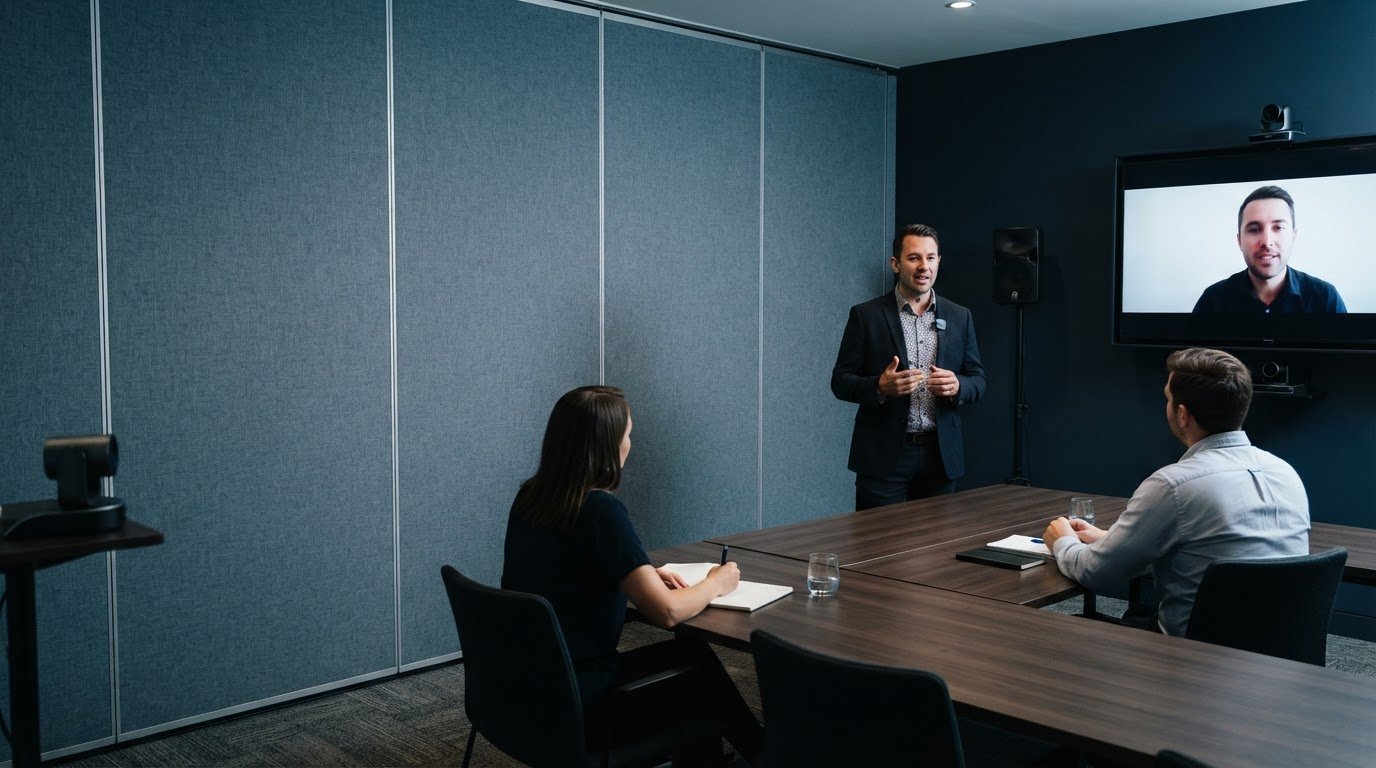
A breakout room can sound right on its own and still disrupt the session next door. Well-planned AV solutions for breakout rooms account for sound spilling through airwall gaps and over partitions, not just the microphones and screens inside each space. The best-case staffing approach is one operator in each room; for simpler sessions, one AV operator can move between rooms. The right coverage depends on session complexity and how quickly technical support may be needed.
Hybrid sessions add another layer: remote participants need clear audio, useful camera coverage and a reliable way to follow shared content. Training spaces bring their own demands, from layouts that suit different activities to systems that can be reset efficiently between sessions. This guide explains how to limit sound leakage, include remote participants and adapt AV to each room’s purpose, as well as what to consider when assigning technicians. With the technical details coordinated behind the scenes, presenters can focus on the session and attendees can stay engaged.
Key Takeaways
- Plan speaker direction and sound levels around neighbouring sessions to help limit spill through airwall gaps and over partitions.
- Design hybrid rooms for clear microphone pickup, camera coverage, two-way audio and reliable content sharing so remote attendees can participate.
- Set up training spaces to suit each activity, with consistent room systems that support efficient changeovers.
- Match technician coverage to session complexity, and arrange in-room support where presenters or attendees need help managing AV.
Sound leakage between breakout rooms
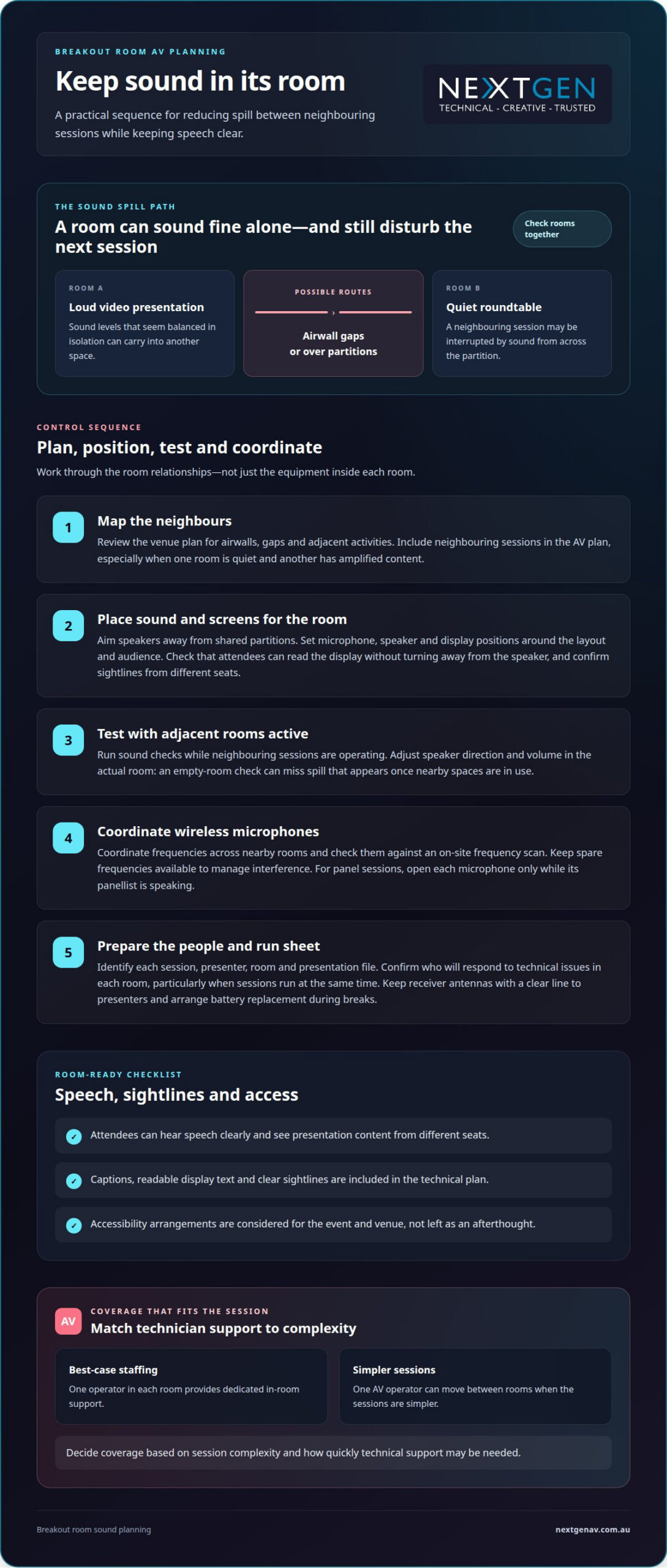
Sound from one breakout room can cross ballroom airwalls through gaps or travel over the partition. A loud video presentation may interrupt a quiet roundtable next door, even when both rooms sound balanced individually. Include neighbouring sessions in the AV plan, then test sound levels while adjacent rooms are operating. This reveals spill that an empty-room sound check can miss.
Plan microphone, speaker and display placement around the room layout and audience positions. Aim speakers away from shared partitions, then set levels during a live test with the neighbouring session running. Place the display where attendees can read presentation content without turning away from the speaker, and check sightlines from different seats. For wireless microphones, coordinate nearby room frequencies and check them against an on-site frequency scan. Keep spare frequencies available to manage interference.
For Australian meeting rooms, plan for attendees to hear speech clearly, see presentation content and follow spoken material in an accessible format. Consider captions, readable display text and clear sightlines as part of the room design. The arrangements depend on the event and venue, so include accessibility needs in the technical plan rather than treating them as an afterthought.
When assessing AV suppliers and installers for an event in Melbourne, look for a process that accounts for room plans, adjacent sessions, microphone coordination and testing. A clear run sheet should identify each session, presenter, room and presentation file. Confirm who will respond to technical issues in each room, especially when sessions run at the same time.
- Review the venue plan for airwalls, gaps and neighbouring activities.
- Test speaker direction and volume while adjacent rooms are active.
- Coordinate wireless microphone frequencies across nearby rooms.
For panel sessions, open each microphone only while its panellist is speaking to limit room noise and feedback. Keep receiver antennas with a clear line to presenters, and assign someone to replace batteries during breaks. Testing these details in the actual room helps contain sound spill while keeping speech clear for attendees.
Hybrid and remote participation
Hybrid sessions need AV plans that let remote participants see, hear and contribute clearly. Effective AV solutions for breakout rooms connect the in-room experience with the online meeting.
Video conferencing systems
Plan camera coverage around who needs to be seen, such as presenters, panellists and participants contributing from the room. A facilitated discussion needs wider coverage than a single-speaker presentation. Remote speakers also need return video so they can see the room and follow the conversation. Match microphone pickup to audience participation, then manage echo between room speakers and microphones. Test cameras, remote connections and two-way audio before attendees arrive.
Wireless presentation systems
Wireless presentation systems let presenters share slides without passing cables between participants. Choose a setup that supports the content and keeps it visible to both the room and remote attendees. Test actual presentation files and connections in advance. A prepared copy on a room computer can provide a fallback if a presenter’s connection fails.
Good AV solutions for breakout rooms also account for moderation and connectivity. Assign someone to manage remote questions and bring online participants into the discussion. Plan for wired internet and backup connectivity; for organisations investing in robust network infrastructure, checking resources such as Cisco switch price Dubai offers helpful benchmarks when budgeting for enterprise networking hardware. Test that shared content appears correctly in the meeting and that room microphones capture audience questions. This helps remote attendees follow the same conversation as people onsite.
- Test camera framing from the remote viewer’s perspective.
- Confirm remote attendees can hear room contributions.
- Rehearse transitions between speakers, slides and questions.
For a coordinated setup, hybrid event production can bring room audio, video and content sharing into one plan.
Multi-purpose training and breakout spaces
Training rooms need AV layouts that adapt to different activities and room configurations. Consistent technical baselines make screens, connections and changeovers easier to manage.
Connections between rooms
To connect breakout rooms with a main meeting room, map the planned audio and visual paths between spaces. The design should account for the venue layout, movable airwalls and each room’s purpose. For example, a main-room presentation may need to appear on breakout screens, while a workshop may need independent content. Clear room assignments and connection labels help operators route the right material to the right audience.
Switching between rooms
Professionals configure switching around the programme: which room receives each presentation, when a shared feed is needed and when rooms operate independently. They test each switching path with the actual presentation content before attendees arrive. A technical operator can then coordinate transitions, reducing the risk of a screen showing the wrong session or a room losing its presentation during a changeover.
Room layouts should match the activity. Classroom seating supports laptops and note-taking; small-group tables suit team exercises; a U-shape favours facilitated discussion. The AV plan should account for these changes, including screen sightlines and lighting that keeps faces and notes visible without washing out projected content.
Similar rooms are easier to reset when they share a baseline for:
- Display connections and presentation aspect ratio.
- Microphone type, speaker setup and presentation remote.
- Cables, adapters, signage and backup procedures.
Before each session, test presentation equipment with the actual slides, laptop, adapters, clicker, video and video sound. Allow time for attendees to move, presenters to change over and technicians to reset equipment. For a gamified exercise, check that on-screen questions are readable and that the host’s microphone and cues for sound or screen changes are ready. These planned checks help each room shift smoothly from training to discussion.
What are the best AV solutions for small and large breakout rooms?
The best setup follows the session format, room size and level of audience participation. A 30-person workshop with frequent contributions needs different audio from a 150-person presentation led by one keynote speaker.
For a small, discussion-led session, plan microphone pickup around where participants speak. A skilled audio engineer can manage wireless microphones, room levels and changes during the discussion. In a properly set-up room without an operator, a podium microphone or wired table microphones may suit a presenter-led session. Check screen readability and sightlines from attendee seats, not only from the lectern.
For a larger presentation, prioritise clear speech throughout the room and legible content from the back rows. The audio plan should reflect presenter movement, installed speakers, video playback and whether attendees will ask questions. A computer in each room avoids most adapter surprises. If the session uses only one visual presentation, an operator may not be needed to switch content.
- Workshop: match microphone pickup to participant discussion and room layout.
- Keynote: focus sound and screen visibility on the full audience.
- Single presentation: prepare the room computer and test the supplied content.
Technician coverage should match the programme’s complexity. Having one operator in each room is the best-case approach for conference sessions. Where staffing needs require a leaner plan, one AV operator can move between rooms, with room hosts knowing how to escalate problems. When several sessions start together, clear responsibility is especially important.
Before attendees enter, test microphones, speakers, displays, laptop inputs, presentation remotes and video sound in each room. Rehearse with the actual slides and allow changeover time for microphone fitting and file cues. For professionally coordinated breakout room AV production, align room requirements, session schedules and technical coverage in one plan.
NextGen AV: Virtual and Hybrid Event Solutions
NextGen AV coordinates Virtual and Hybrid Event Solutions for breakout programmes in Melbourne that need clear communication between in-room and remote participants. Its team aligns technical direction with each session’s format, bringing together Professional Audio Systems, LED Video Walls and Lighting Design and Equipment where they support the audience experience.
Involve NextGen AV during planning when multiple rooms, remote speakers or changing session formats need a unified technical approach. A shared plan can account for venue layouts, content flow and operator coverage, helping presenters move between sessions while remote attendees remain part of the experience.
Contact NextGen AV to discuss the technical requirements for your breakout rooms.
Shape your next event with confidence
Bring the programme, room plan and audience experience into one production conversation. Treat the breakout schedule as part of event design from the outset, so technical direction supports presenters and transitions rather than simply responding on event day. Early alignment gives the production team a clear brief for shaping a coherent experience across your event.
NextGen AV provides LED Video Walls, Professional Audio Systems and Lighting Design and Equipment for event production. Each can support the experience you want to create, from clear content and intelligible speech to lighting suited to the room’s purpose. A coordinated approach to AV solutions for breakout rooms gives your team a considered foundation as sessions and room formats take shape.
Share your event format, venue plans and session requirements when you Contact NextGen AV to discuss technical planning. With the details aligned, you can focus on the conversations and outcomes that make your event matter.
Frequently Asked Questions
Do breakout rooms need their own AV technician?
Not always; technician coverage should reflect the session’s complexity and support needs. A room with a single presentation and simple playback may need less hands-on operation than a panel with audience questions, recordings or hybrid contributions. For simultaneous sessions, assign responsibility for each room’s technical issues in advance, whether through an in-room operator or a clearly coordinated roving technician and room host.
What are the most common breakout room AV mistakes?
Common mistakes include late presentation files, untested presenter laptops and insufficient changeover time. A USB-C port or cable may not carry video, so test a presenter’s laptop with the actual connection and slides. Notification sounds or software updates can also interrupt playback. Collect files centrally, label them by presenter, session and room, and prepare laptops before the event begins.
What should a provider’s breakout room AV checklist include?
A useful checklist covers room assignment, session timing, presenter details and exact presentation file names. It should also record what needs testing, who handles technical issues and which backup files or spare equipment are available. For recorded sessions, include responsibility for collecting footage from each room. If another team is streaming or recording, account for its audio and camera needs during planning.
What AV equipment should a professional specify for a breakout room?
Equipment should suit the session, not simply the room label. A facilitated discussion may need microphones that capture participant contributions, while a keynote presentation places greater emphasis on speech reinforcement and clear content playback. The specification can also include a display, presentation computer, remote, adapters and suitable sound systems. Room dimensions, seating, presenter movement and recording needs shape the final selection.
How can a provider design breakout room AV to be easy to use and manage?
Use a consistent setup across similar rooms, with familiar connections, presentation remotes and backup procedures. Label room equipment and match the instructions to the actual system, so presenters can identify the correct input without interrupting the session. A short rehearsal lets each presenter practise starting slides, playing video and using microphones. Consistent layouts also help technical staff diagnose issues and reset rooms efficiently.
What are common breakout room AV problems, and how can a production team prevent them?
Typical problems include wireless microphone interference, missing video connections, poor remote audio and unavailable presentation files. Coordinate nearby microphone frequencies, test laptops with their actual cables, and rehearse two-way sound for hybrid sessions. Keep backup presentation files and essential spare equipment ready. A named escalation contact for internet issues helps the team respond promptly when connectivity disrupts a remote contribution.
Discover Valuable Insights
Unlock Expert Tips and Advice
Our blog is packed with valuable information to help you stay ahead. Whether you’re looking for expert advice, industry trends, or practical tips, you’ll find everything you need. Reach out today to learn more or get in touch with us for personalised support!