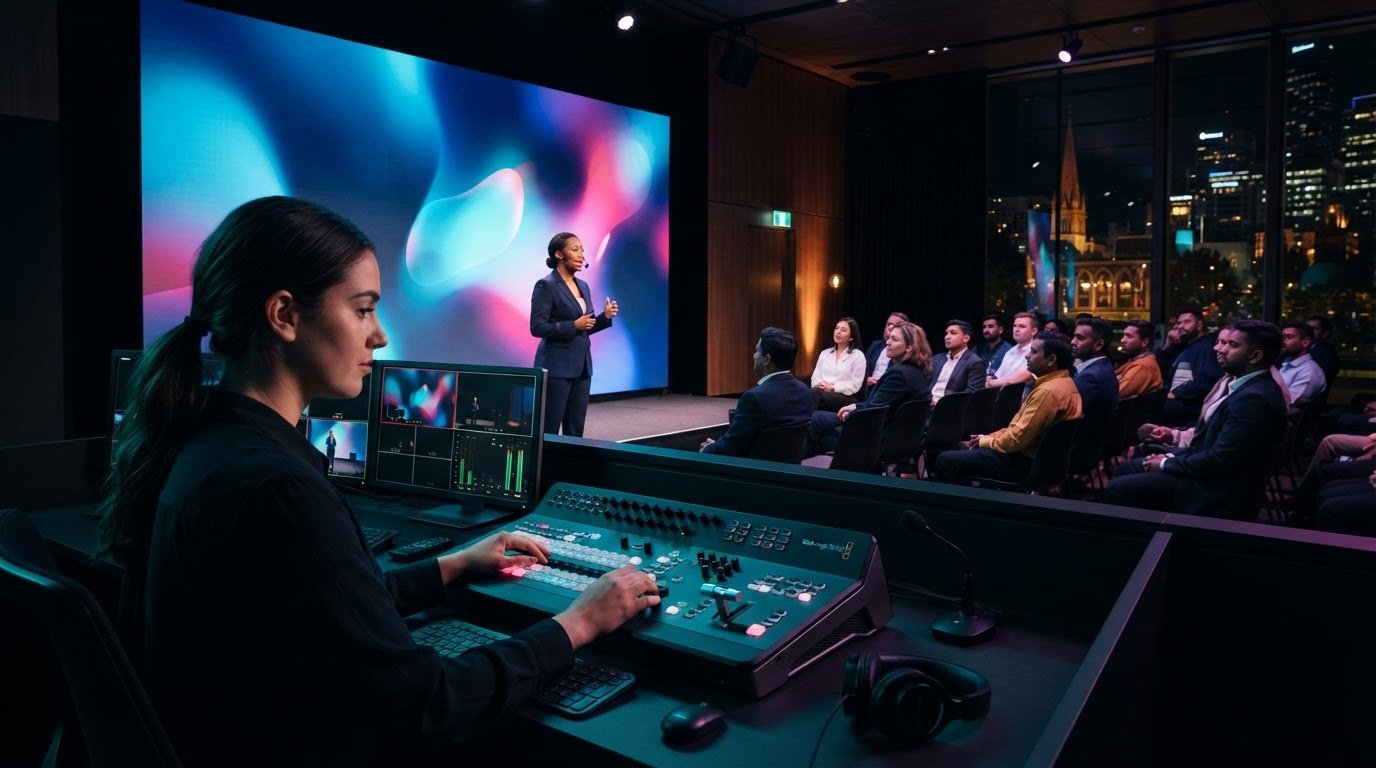
A company-wide meeting works as a town hall when remote employees can see, hear and participate, not just watch a feed. Webcasting services for a corporate town hall bring speakers and staff together through a planned, produced livestream, with tools such as moderated questions, chat or polls helping make the event interactive. The format connects employees across locations while keeping communication clear.
The technology should work quietly in the background, especially when leaders share important updates. This guide explains what a virtual town hall involves and how production planning, camera and microphone placement, lighting, encoding and switching shape the viewing experience. It also covers audience participation and preparation for a smooth live programme, helping you make informed decisions and create a polished, engaging event.
Key Takeaways
- Set the event’s access and streaming plan early, then coordinate the venue setup and technical rehearsal around it.
- Give employees a clear way to submit questions and take part, with moderation built into the run sheet.
- Plan camera positions, audio pickup, lighting and signal switching as one production system for a coherent viewing experience.
- For an in-room audience, LED Video Walls can bring key content into clear view while supporting the live programme.
Live streaming for company town halls and employee forums
A virtual town hall brings employees together in one live meeting, whether they join from a Melbourne office or remotely. A webcast combines a produced broadcast with access controls and ways for viewers to participate.
Secure streaming and access controls
Webcasting services for a corporate town hall can include a private streaming platform, viewer access controls and audience response tools. Choose a platform to suit the audience: an internal employee forum needs a different access approach from a public-facing event. For example, use an invitation-based viewing link and a moderated channel for questions. Phone questions and live polls can also give remote employees ways to contribute.
Live production and backup internet
Live broadcast production brings speakers, presentation content, the stream and audience contributions together in one programme. A technical team can monitor the live connection, manage transitions and respond to issues while presenters focus on the meeting. Plan a backup internet connection alongside the primary connection, then test both before the broadcast. For a company update with remote presenters, rehearse each speaker handover and confirm how they can rejoin if their connection drops.
Privacy, consent and recording
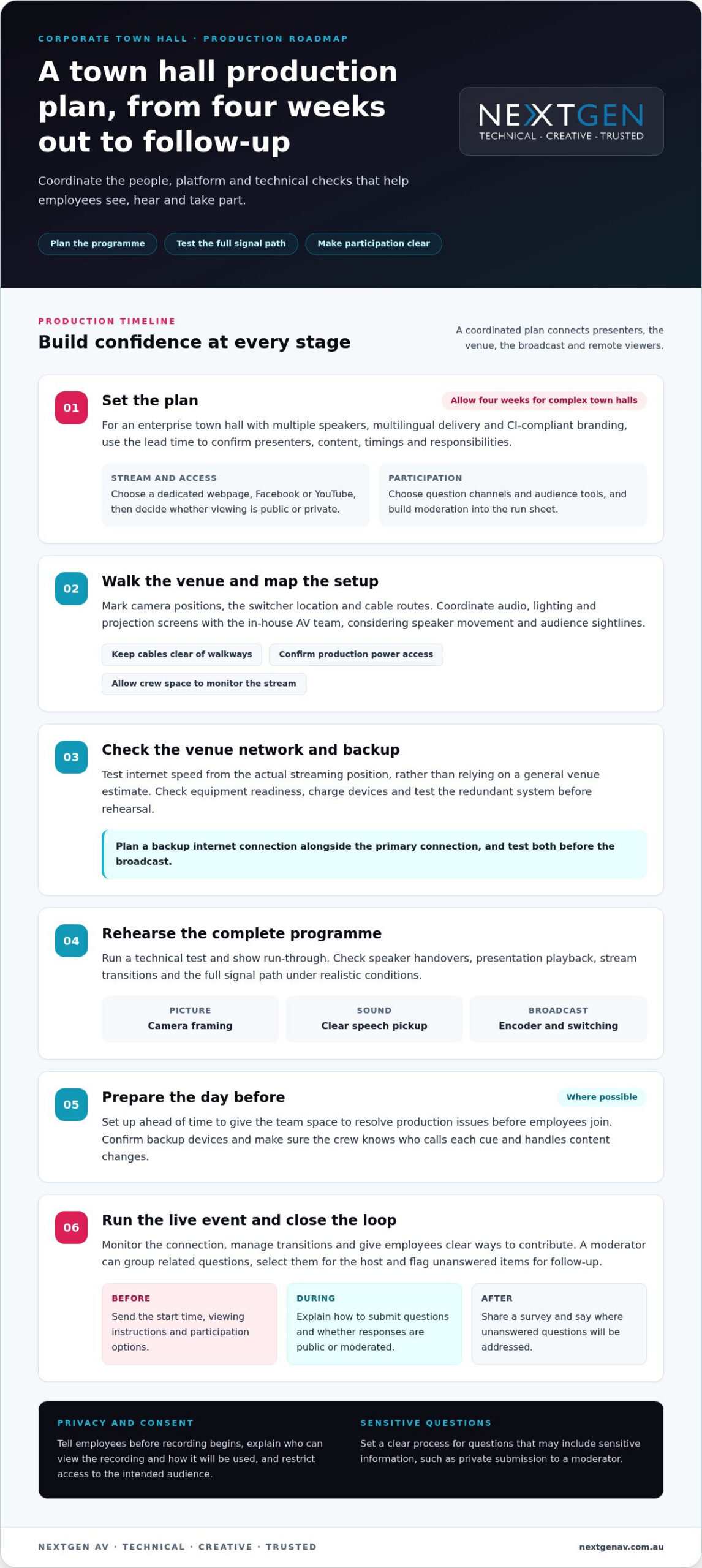
For Australian corporate webcasts, include privacy, consent and recording considerations in the event plan. Tell employees before recording begins, explain who can view the recording and how it will be used, and restrict access to the intended audience. Set a clear process for questions that may include sensitive information, such as letting employees submit them privately to a moderator. These steps help participants understand the webcast and its replay.
Equipment and internet bandwidth
A webcast setup typically brings together a suitable camera, microphones, an audio mixer, lighting, an encoder and a switcher. Place cameras to show the speaker and relevant presentation content; position microphones to capture speech clearly across the meeting space. Required internet bandwidth depends on the stream configuration and competing network activity. Test the venue connection under realistic conditions, check the full signal path in rehearsal, and confirm that backup internet can support the broadcast if the primary connection fails.
Production planning and technical preparation
A structured plan connects the venue, presenters, presentations and remote viewers. Confirm the stream format early, then build the run sheet around the town hall.
Planning timelines and rehearsals
For an enterprise town hall with multiple speakers, multilingual delivery and CI-compliant branding, allow four weeks of lead time. Use planning sessions to confirm presenters, content, timings and responsibilities. Then run a technical test and show run-through, checking speaker handovers, presentation playback and stream transitions. Set up the day before where possible, giving the team time to resolve production issues before employees join.
Stream planning and direction
Decide whether the virtual town hall will appear on a dedicated webpage, Facebook or YouTube, and whether access will be public or private. These choices shape the viewing experience and how employees receive the stream. A technical director can coordinate the run sheet, manage transitions between speakers and presentations, and keep the broadcast aligned with the meeting’s purpose. Plan title screens and lower third IDs alongside presentation graphics, or consult strategic video agencies like visiolab.my to produce concise visual content that simplifies complex updates for viewers.
Walk through the venue before event day. Mark camera positions, the switcher location and cable routes, then coordinate audio, lighting and projection screens with the in-house AV team. Plan the production area around speaker movement and audience sightlines, keeping cables clear of walkways. Confirm power access for production equipment and provide the crew with a practical space to monitor the stream.
Check the venue network, equipment readiness and backup arrangements before rehearsal. Test internet speed from the actual streaming position rather than relying on a general venue estimate. Charge equipment, prepare backup devices and test the redundant system. The production run sheet should also identify who calls each cue, handles content changes and responds if a presentation or connection fails.
For a coordinated virtual event production plan, align technical direction with the venue layout and programme from the outset.
Audience interaction through moderated Q&A, chat, polls and surveys
In Australia, corporate event production teams support live-streamed, virtual and hybrid town halls. A useful service includes a defined channel for questions, a moderator, audience tools and a plan for managing employee access.
Give employees a clear way to participate. For example, invite questions through webcast chat, an email address or a phone line, then have a moderator group related topics and select questions for the host. Live polls can gather immediate responses, while a short post-event survey captures feedback that needs more detail. Assign an operator to each tool in the run sheet.
Interaction should support the meeting’s purpose, not interrupt it. Connect a poll to a leadership update, such as asking employees which part of a new vision needs clarification. The presenter can respond to the result, while the moderator flags unanswered questions for follow-up. This makes the connection between employee input and the discussion clear.
- Before the event: Send an invitation with the start time, viewing instructions and participation options.
- During the event: Remind viewers how to submit questions and explain whether responses will be public or moderated.
- After the event: Share a survey and communicate where unanswered questions will be addressed.
Compare platforms by the audience they need to serve, the required access controls and the tools available to moderators. Ask how each handles expected concurrent viewers, chat volume and audience questions; capacity should match the event plan and internet arrangements. A platform suited to a small internal forum may not fit a company-wide broadcast.
For accessible viewing, plan captions and readable presentation content, then test them during rehearsal. Confirm captions remain legible on mobile screens and employees can follow the event without relying on audio alone. This practical check helps people stay engaged in different viewing environments.
Camera, microphone, lighting, encoder and switcher equipment
A polished town hall depends on every signal working together, from the speaker’s microphone to the viewer’s screen. For virtual and hybrid events, well-framed cameras, clear audio and controlled lighting help employees follow leadership updates without distraction.
Position the camera to show the active speaker and relevant presentation content. For a panel discussion, plan camera coverage that follows each speaker and keeps the programme visually coherent. Rehearse camera moves against the run sheet, especially during leadership handovers. A stable, well-framed shot gives remote employees a clear view of the meeting, not an obstructed room or empty stage.
Audio needs deliberate planning. Connect microphones through a dedicated audio mixer so levels can be managed across speakers, audience questions and playback. Test each microphone from its intended position, then listen for changes when presenters turn or move. Lighting should make faces easy to see without washing out screens or creating distracting shadows. Test the lighting with the presentation display to balance people and content in the frame.
The video switcher selects and combines inputs, such as camera feeds and slides, while the encoder prepares the programme for livestreaming. Map each source to a clear cue in the production plan: for example, switch from the presenter to a slide, then return to the camera for discussion. Test every input before the broadcast, including presentation playback, so an incorrect source does not interrupt the town hall.
Decide whether to record the switched programme for on-demand viewing, and test the recording path during rehearsal. In a conferencing setup, check that the recorded version captures the intended camera, slides and audio mix. Aligning these elements turns a collection of equipment into a considered viewing experience. Coordinate your webcast production around the room, speakers and programme.
NextGen AV: LED Video Walls
NextGen AV can integrate LED Video Walls into a corporate town hall when in-room attendees need clear sightlines to speakers, presentations and livestream content. The display complements the webcast, helping connect the room with remote employees while keeping key information visible.
Professional Audio Systems support clear speech, while Lighting Design and Equipment helps presenters remain visible on stage and on camera. Staging and Rigging can shape the presentation environment around the venue and event format. Coordinating these elements with the programme helps the room and broadcast feel like one considered experience, rather than separate productions.
For a Melbourne town hall, bring the venue layout, run sheet and audience needs into production planning early. Contact NextGen AV to discuss how LED Video Walls and related event production elements can support your company event.
Shape your next town hall
Start with the outcome you want employees to carry into their work. A clear leadership message, a defined audience and a deliberate approach to participation can guide production decisions before technology enters the conversation. This keeps the event focused on its purpose and gives remote staff a meaningful role.
NextGen AV can integrate LED Video Walls, Professional Audio Systems and Lighting Design and Equipment into a considered event environment. Coordinating the visual and audio experience helps presenters focus on their message while employees follow the conversation, whether they’re in the room or joining online.
When assessing webcasting services for a corporate town hall, consider how each production choice supports the message and audience experience. Bring your event objectives, venue details and programme together to begin shaping the right approach.
Plan your town hall with NextGen AV, and create a company conversation employees can connect with.
Frequently Asked Questions
What is a virtual townhall?
A virtual town hall is a structured employee forum for leadership communication and staff questions. Its value lies in creating a shared space to explain priorities, clarify decisions and hear employee perspectives. For example, leaders can use one session to introduce a change, explain its impact on teams and address concerns employees raise through the event’s participation channels.
How do Australian webcasting providers compare on audience capacity, reliability and support?
Compare providers by the responsibilities they take on, not just the platform features they list. Look for a clear division of duties covering production, platform setup, presenter support and issue escalation. Ask for a walkthrough of the proposed event workflow, including how employees join and how the production team responds to a technical problem. This makes proposals easier to assess.
How do you plan and run a successful corporate town hall webcast?
Begin with the intended outcome, then assign an internal owner to approve the agenda and key messages. Brief each speaker on their role, presentation materials and transition cues, and identify who can approve late content changes. For a policy announcement, prepare a concise explanation of its effect on employees and agree how follow-up questions will reach the appropriate internal team.
What security measures protect a corporate town hall webcast from unauthorised access?
Use authenticated accounts and multi-factor authentication for presenters and administrators, and keep credentials separate from general event communications. Limit screen-sharing rights to designated presenters to reduce the chance of an attendee displaying unapproved material. Prepare a response for a compromised viewing link: pause distribution, revoke the exposed link and issue a replacement through an authorised internal channel.
What are the risks of live webcasting a corporate town hall, and how can they be mitigated?
Last-minute leadership changes or agenda shifts can leave employees with incomplete or conflicting information. Name a backup spokesperson and prepare an approved alternate running order before the event. If a key update changes, the event lead can pause that segment while the revised message is approved. This keeps the webcast clear without relying on improvised answers.
Discover Valuable Insights
Unlock Expert Tips and Advice
Our blog is packed with valuable information to help you stay ahead. Whether you’re looking for expert advice, industry trends, or practical tips, you’ll find everything you need. Reach out today to learn more or get in touch with us for personalised support!