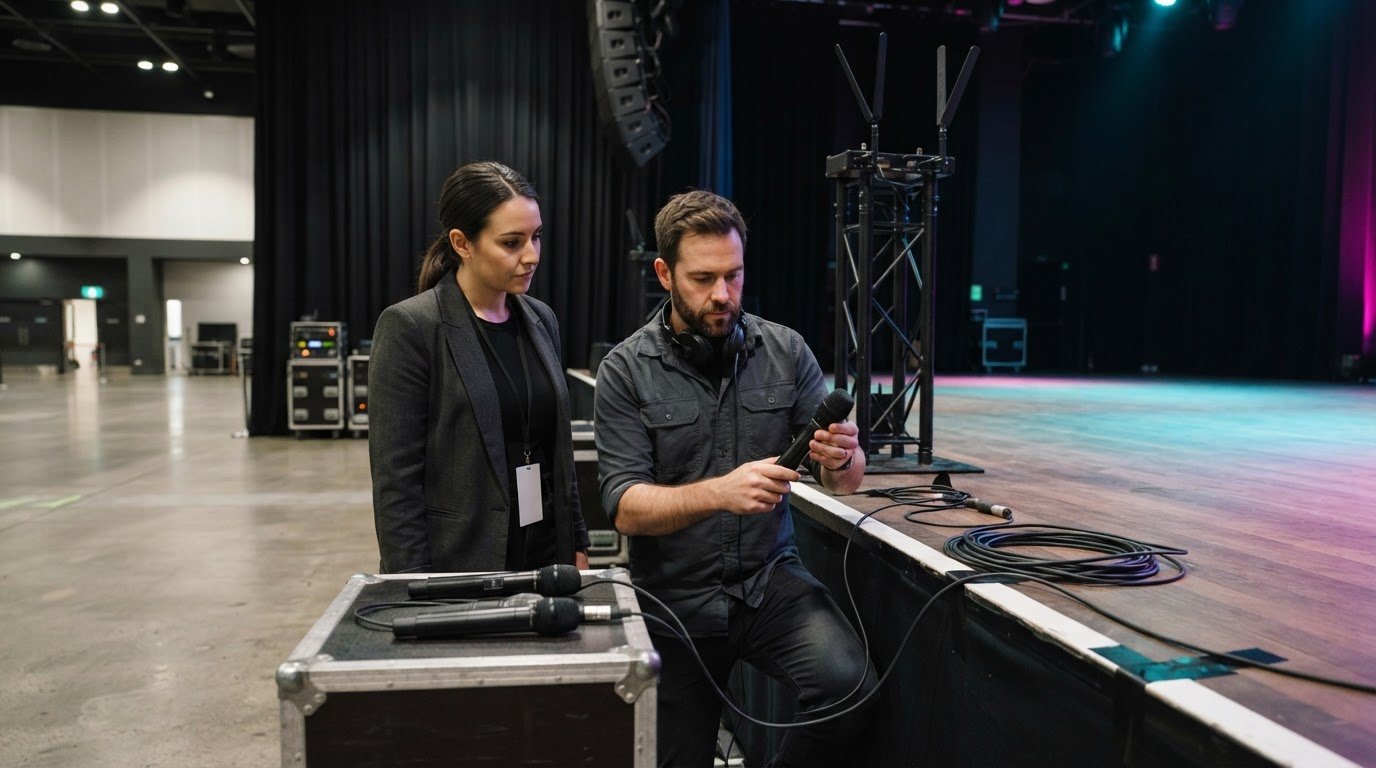
Successful event production for inexperienced planners starts with clear priorities, reliable communication and a detailed run sheet. Build project management, budgeting and negotiation skills, then confirm venue, supplier, guest and schedule arrangements. For corporate, virtual and hybrid events, plan how the team will respond to technology or connectivity problems.
When you’re new to planning, it can feel as though every detail rests on your shoulders. A structured process makes the work manageable: define the event’s goals, assign responsibilities and keep decisions visible to everyone involved.
This guide covers the skills to strengthen, the details to review as plans develop and ways to prepare for AV or connectivity problems. It also explains how production needs change across in-person, virtual and hybrid formats, helping you coordinate the moving parts while keeping the audience experience in focus.
Key Takeaways
- Strengthen organisation, communication and budgeting skills, then use your existing work experience to identify what you can bring to event planning.
- Review venue details, supplier commitments, schedules and responsibilities so every contributor understands their role.
- Plan how the event can continue if technology fails, with backup options suited to the format and audience.
- Match production support to the event’s needs, from staging and sound to lighting and visual content.
1. Project management, marketing and negotiation skills
Start with a clear event goal, then turn it into a schedule, budget and list of responsibilities. Project management means tracking decisions, deadlines and dependencies. For example, a delayed speaker brief can affect a corporate event’s run sheet. Marketing skills help you shape a message for your audience, choose suitable channels and write clear invitations. Negotiation helps you compare proposals, agree on deliverables and keep commitments within budget. Organisation, prioritisation and calm problem-solving support the whole team. These skills are a practical foundation for event production for inexperienced planners.
Formal qualifications aren’t a technical requirement for becoming an event planner. Australian study options include event management degrees or diplomas, as well as courses in public relations, communications, hospitality management, tourism, project management and business. Full-time event-management degrees usually take three years. Choose a course by identifying gaps in your experience, such as budgeting, health and safety or supplier coordination. Customer-facing, administrative, hospitality and sales-support work can also demonstrate transferable skills. These foundations make event production for inexperienced planners easier to organise and manage.
To create a crisis management strategy, list plausible disruptions, assign a decision-maker and record the first action for each scenario. If a speaker is delayed, for example, decide who will update attendees and who will adjust the schedule. Review the plan with those responsible before event day.
Assess event production companies against your brief. Compare each proposed scope, technical plan, communication process and approach to on-site coordination. A full-service production partner can bring staging, sound, lighting and vision together under one coordinated team. Separate vendors may suit a simpler event if you can manage schedules, responsibilities and handovers yourself.
Permits and approvals depend on the event, venue and planned activities. Identify the relevant venue and local authority requirements early, then assign responsibility for securing each permit. As the planner, make sure the approvals required for your event are arranged.
There’s no single booking lead time for production suppliers. Timing depends on the event date, venue access, technical scope and supplier coordination, so start planning as soon as those details take shape. Your brief should state the event goal, audience, format, venue, schedule, technical needs and budget allocation. Use it to assess proposals and manage changes.
2. Double-checking event arrangements and responsibilities
A daily planning routine turns scattered updates into decisions people can act on. Review the schedule, outstanding approvals, supplier messages and changes to guest numbers. Update one shared run sheet, recording an owner and deadline for every open task. For a wedding, confirm the ceremony start, arrival sequence and who will receive vendor deliveries. Clear communication stops small timing changes from cascading into problems.
Event planner responsibilities often include venue liaison, catering, transport, guest communication and supplier coordination. Check the venue against the event plan: review access routes, room layout, guest facilities and spaces needed for planned activities. Assign each arrangement to a named person, including who meets the caterer and directs speakers. Reliable contacts can help resolve gaps, while written responsibilities keep the team aligned.
In a final arrangements review, compare every supplier commitment with the latest schedule. Confirm the date, location, arrival time, service scope and on-site contact in writing. Make sure partners, volunteers and vendors understand their responsibilities, and assign an owner to every outstanding task. For a hybrid event, include speaker handovers and the online audience’s communication channel in the review.
Common mistakes include relying on verbal agreements, overlooking venue details and assuming everyone understands their role. Avoid them by recording decisions, assigning owners and updating the run sheet whenever arrangements change. After each event, note what caused delays and adjust your process before the next corporate function or wedding. This review can build confidence and transferable skills for a career in event planning.
For a virtual or hybrid program, map each handover between the room and online audience, then document who manages each transition. Virtual and hybrid event planning support can help align production planning with those audience handovers.
3. Preparing backup plans for technology failures
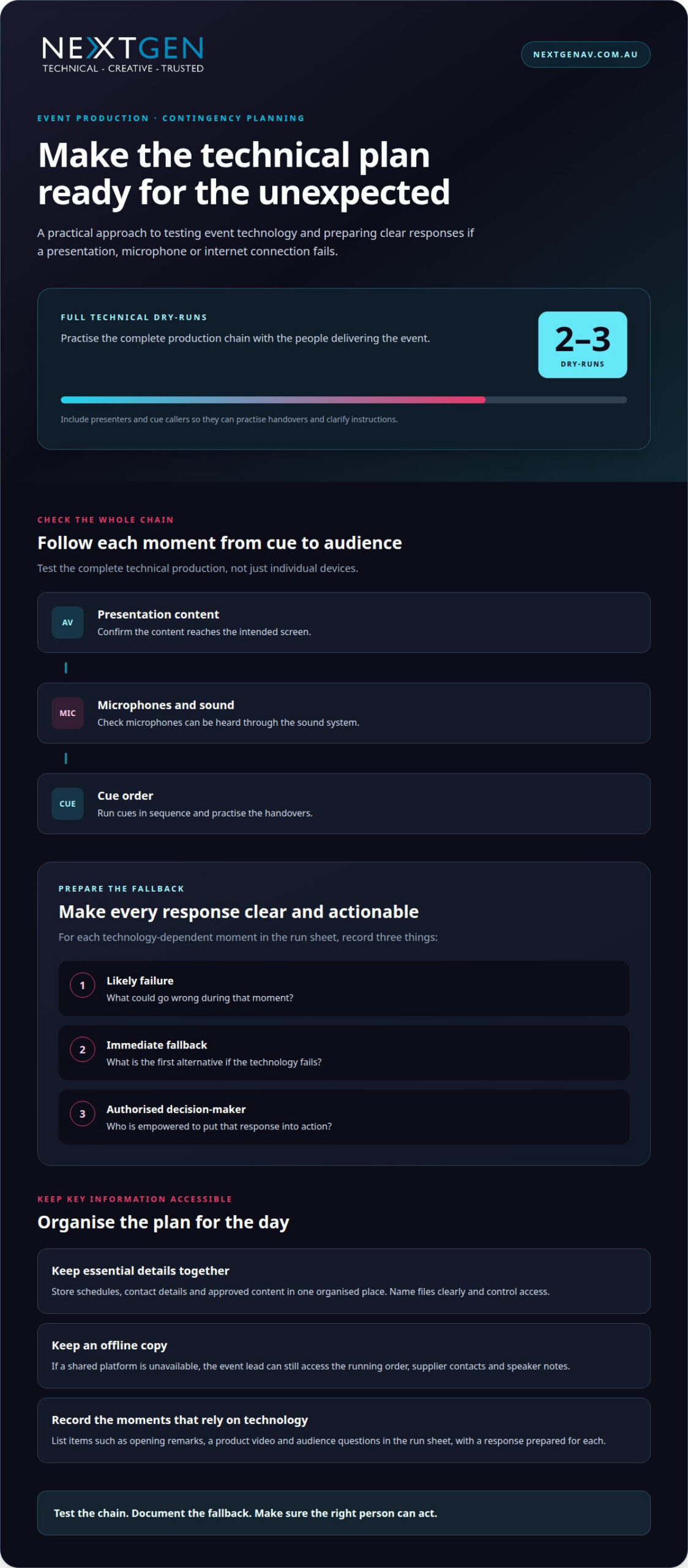
A successful event needs a clear response if a presentation, microphone or internet connection fails. List each technology-dependent moment in the run sheet, such as opening remarks, a product video or audience questions. For each one, record a likely failure, an immediate fallback and the person authorised to act. Planning a response in advance makes event production for inexperienced planners more manageable.
Use event-planning technology to keep schedules, contact details and approved content organised in one place. Name files clearly, control access and keep an offline copy of essential documents. If a shared platform is unavailable, the event lead can still access the running order, supplier contacts and speaker notes. Update the master schedule when changes are approved so everyone works from the same version.
Before event day, test the full technical production chain, not just individual devices. Confirm that presentation content reaches the intended screen, microphones can be heard through the sound system and cues happen in the right order. Organisers should conduct two to three dry-runs with all event technology. Include presenters and cue callers so they can practise handovers and clarify instructions.
Prepare a fallback for each high-impact failure. If a video won’t play, the presenter could continue with prepared talking points. If a remote speaker drops out, the host could move to the next agenda item. For a hybrid event, document how online attendees will receive updates if the stream is interrupted. Rehearse who communicates each change and through which channel.
Technical direction brings equipment, content and show timing together in one operating plan. Map each input, screen, microphone and cue to its purpose, then assign someone to monitor every transition. For event production for inexperienced planners, this helps the team catch mismatches during rehearsal rather than during a key client moment. Pair your schedule knowledge with AV integration expertise to manage problems in a controlled way.
4. What event production services should first-time planners hire?
Start with the parts of the event that shape what guests see and hear. A conference with several speakers may need staging, lighting, sound and vision coordinated as one production. A product launch may depend on a timed reveal, clear presenter audio and visual content that supports the story. Match services to the event format, audience and run sheet instead of hiring equipment without a defined purpose.
Event producers coordinate technical production, including staging, lighting, sound, vision and AV integration. This matters when one cue depends on several systems working together. A speaker’s introduction, for example, might trigger a lighting change, presentation slide and video playback. A production team can map those cues to the schedule, coordinate timing with speakers and vendors, and manage technical transitions on the day.
Choose technical services according to the audience experience. Staging gives presenters a defined focal point, while lighting supports visibility and atmosphere. Sound systems carry speech and other audio through the space; vision supports slides, video and visual messaging. For a hybrid conference, plan for the online audience too, including speaker handovers and how content will appear across in-person and remote formats.
Event planners also arrange non-technical services, such as food, flowers and photography. Keep those responsibilities distinct, but connect their timing to the production schedule. A room change, for instance, affects catering access and equipment placement, while a late speaker can shift programmed cues. Agree on who manages each handover, calls the next cue and shares changes with the wider team. A clearly scoped production plan links each technical service to an event outcome, helping first-time planners manage complexity and deliver a coherent experience.
NextGen AV: LED Video Walls
NextGen AV brings technical production into the planning process when your event’s visuals, sound and timing need to work together. LED Video Walls can provide a clear focal point for conference presentations, product content and live visuals, helping audiences follow the story from across the room.
For a coordinated event environment, Professional Audio Systems support clear speech, while Lighting Design and Equipment shape the atmosphere around key moments. Staging and Rigging create the physical framework for presenters and production elements. Aligning these services with the run sheet connects technical cues to the experience you want guests to have.
Consider production support when your event depends on integrated visuals, audio, lighting or staging, rather than treating each technical element as a separate task. To discuss your event production needs, contact NextGen AV or visit nextgenav.com.au.
Shape the experience from the start
Before adding another production detail, decide what you want people to feel, understand or remember. That intention gives creative choices a clear purpose and helps distinguish essential moments from distractions. For event production for inexperienced planners, it’s a useful way to move from managing tasks to shaping an experience with a coherent point of view.
Turn that intention into a short creative direction for the production team: describe the atmosphere, the audience’s journey and the moments that deserve emphasis. Keep it practical. A product reveal, leadership address and networking session each call for a different pace and focus. With clear direction, technical decisions can support the event’s story instead of competing with it.
Bring your event concept and priorities into a conversation with NextGen AV, then contact the team about your event. A considered first step can make the planning ahead feel purposeful, and help you lead the experience with confidence.
Frequently Asked Questions
So where do you go from here?
Start by turning your event idea into a short production brief. Define the audience, purpose, format, venue and most important moments, then share those priorities with the people planning delivery. For a Melbourne conference, explain whether remote attendees need to participate or simply watch. A clear starting point helps you decide which production details need attention first.
What Does an Event Producer Actually Do?
An event producer connects the creative concept with the technical and operational plan. They coordinate production design, sound, screens, lighting, staging, rigging, content playback and show operation. For a speaker session, that can mean aligning the presentation feed, microphone and lighting cue with the speaker’s entrance. The producer helps each element contribute to one audience experience.
What does an event production company do for inexperienced planners?
An event production company can translate your goals into a technical plan, coordinate production elements and manage delivery on site. NextGen AV provides technical direction and services including Professional Audio Systems, LED Video Walls and Lighting Design and Equipment. This support is useful when your event relies on coordinated technical cues or you need production specialists to manage those details.
What event safety, insurance and risk requirements apply in Australia?
Safety and risk planning should reflect the venue, event activities and site conditions; requirements vary accordingly. Identify potential hazards, set out practical controls, assign responsibility and establish how the team will communicate during an incident. Public liability insurance can protect an event-planning business when working at live events and venues. Clarify insurance responsibilities across the event team.
What questions should inexperienced planners ask event suppliers?
Ask each supplier to define their scope, delivery sequence and handover points in writing. Clarify who coordinates with the venue, installs and tests technical systems, operates them during the event and handles pack-down. For a presentation, confirm how the content reaches the screen and who manages playback. These details reveal gaps between tasks before they affect the run sheet.
Discover Valuable Insights
Unlock Expert Tips and Advice
Our blog is packed with valuable information to help you stay ahead. Whether you’re looking for expert advice, industry trends, or practical tips, you’ll find everything you need. Reach out today to learn more or get in touch with us for personalised support!