Interactive event technology hire for hybrid events across Australia

Interactive event technology hire works best when every tool is planned around the audience journey, venue and live-to-online experience. For hybrid events in Australia, map how people will join, participate and access content, then coordinate the technology, connectivity and technical direction before event day. Short-term hire can support a one-off conference or activation while keeping the experience cohesive.

It’s easy to focus first on the visible technology, but complex venues and hybrid audiences need more than equipment in the room. A strong plan connects in-person participation with the online experience and accounts for the venue layout, content and how each element will work together.

This article explains how to plan interactive technology for hybrid events, assess the demands of complex spaces and shape integrations around your event goals. You’ll also find practical considerations for short-term hire, from the initial concept through to delivery at events across Australia.

Key Takeaways

  • Plan the live and online audience journeys together so participation, content and streaming work as one experience.
  • Map venue layouts, connectivity and technical requirements early, then test interactive content on the hardware used at the event.
  • Make bespoke integrations purposeful by connecting tools such as kiosks, digital signage or attendee interaction to clear event goals.
  • Use short-term hire to tailor technology to a specific event, with logistics and technical coordination considered across Australian locations.
  • Choose the format around the event type, audience participation and venue, rather than assuming one technology suits every crowd.

Hybrid events and live streaming

Interactive screens invite attendees to tap, browse or submit responses. Photo booths capture posed images, VR creates immersive virtual experiences, and event apps put schedules, updates and participation tools on personal devices. Choose each option according to the action you want attendees to take, not just its novelty.

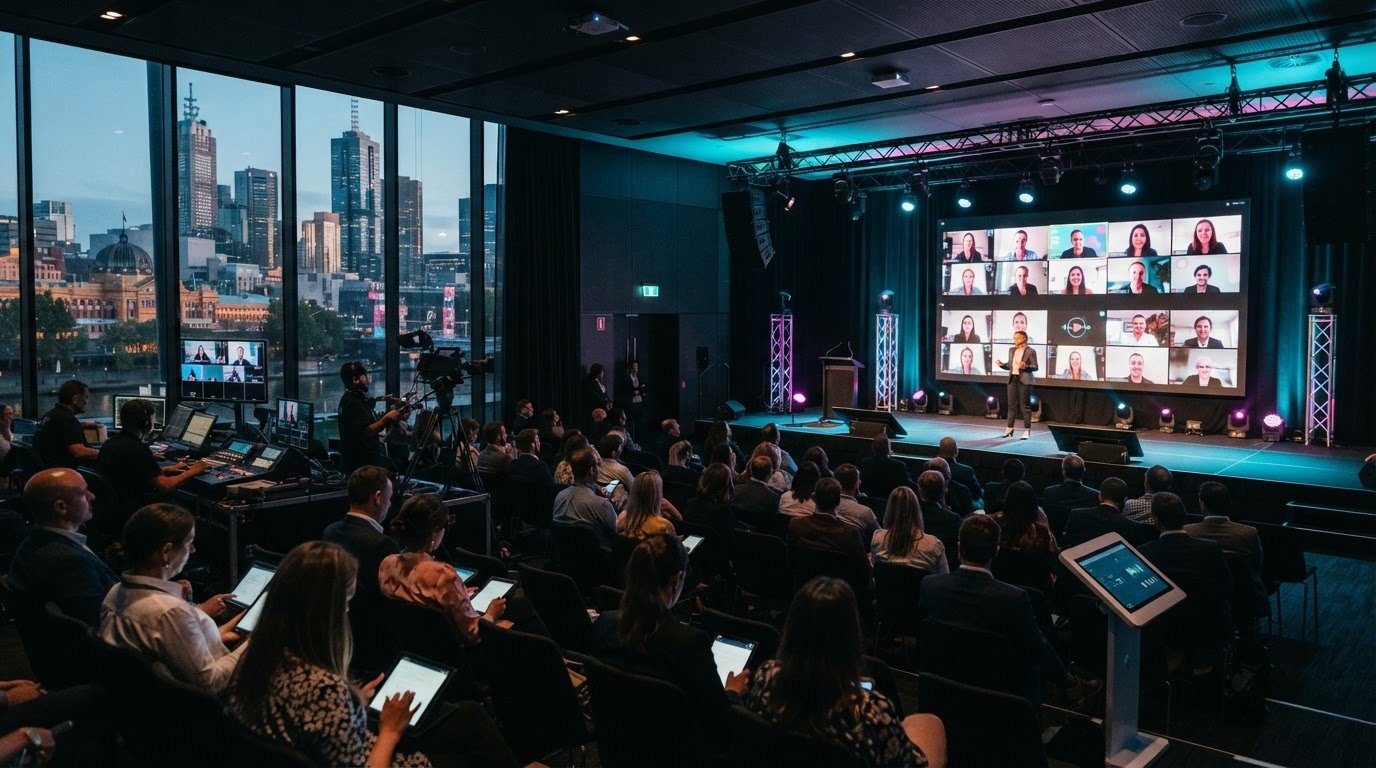
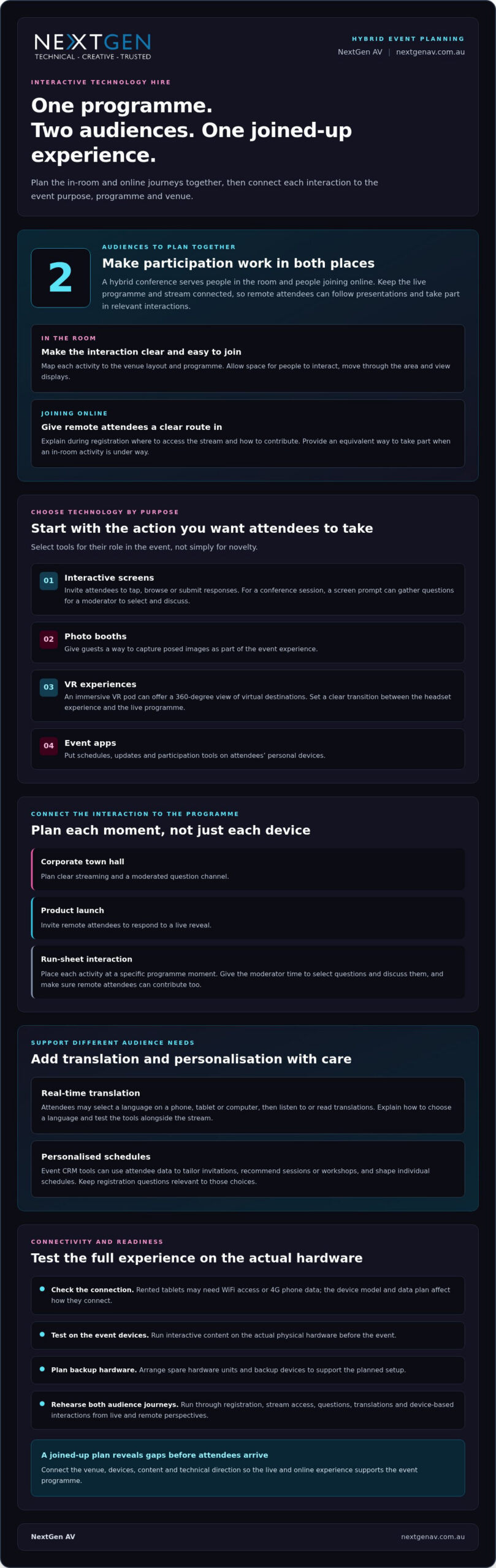
A hybrid conference has two audiences to serve: people in the room and people joining online. Plan the live programme and stream as one experience, so remote attendees can follow presentations and take part in relevant interactions. Make the participation route clear during registration, including where online attendees access the stream and how they can contribute.

Start with the event’s purpose. A corporate town hall may need clear streaming and a moderated question channel, while a product launch might invite remote attendees to respond to a live reveal. Interactive event technology hire from NextGen AV can support either format when the tools are connected to the programme rather than competing with it.

Map each interaction to a moment in the run sheet. For example, use a screen prompt to gather questions during a conference session, then give the moderator time to select and discuss them. Remote attendees should have an equivalent way to contribute, not be left watching an in-room activity they cannot access.

For international or multilingual audiences, event translation tools can let attendees select a language on a phone, tablet or computer, then listen to or read translations in real time. Include language-selection instructions for attendees and test the tools alongside the stream, so translated content fits the viewing experience.

Plan the connection between devices and the venue network. Rented tablets may need WiFi access or 4G phone data; the device model and data plan affect how they connect. Test all interactive content on the actual physical hardware before the event. Order spare hardware units and backup devices from the equipment rental company to support the planned setup.

For VR, consider whether the experience serves the event story. An immersive VR pod can give guests a 360-degree view of virtual destinations, offering a different kind of participation from a screen-based poll or app. Set a clear transition between the headset experience and the live programme, especially when attendees also need to follow streamed content.

Finally, rehearse both audience journeys. Run through registration, stream access, questions, translations and device-based interactions from the live and remote perspectives. This exposes integration gaps before attendees arrive and gives the production team a clear conference plan.

Technology planning for complex event environments

At a multi-room Melbourne conference, screens, power, network access and audience movement need a coordinated plan. Map each interaction to the venue layout and programme before finalising the technical design.

Permits, insurance and privacy safeguards

Permits and insurance depend on the venue, event activity and equipment setup. Establish who approves displays, temporary structures, cabling and public-area installations before production begins. An activation in a shared foyer, for example, may need different permissions from a session in a booked conference room.

If registration or interactive tools collect attendee information, explain what is collected and why. Limit access to people who need the information, and set a clear process for handling and deleting it. Make sure surveys, photo uploads and event apps explain their data use clearly.

Booking lead time

Book once the venue, event format and key programme requirements are defined. Planning time depends on the number of spaces, integration work, equipment requirements and whether content needs to be built or adapted. A straightforward display setup differs from a multi-room experience with custom interactions.

Early planning also gives the team time to coordinate venue access, power and network arrangements. Share the event schedule, floor plan and audience journey together, so production decisions support the programme rather than disrupt it. Set a process for changes to content or room layouts.

Supplier checks before booking

Before booking, assess how the supplier will deliver the complete technical setup, not just provide individual devices. Discuss the venue, audience flow, content formats, network needs and integration with registration or event software. Agree on clear responsibilities for the organiser, venue and production team.

Confirm how testing will work with the actual screens, devices and software used at the event. A useful plan identifies setup access, rehearsal timing, technical support during live sessions and the response process if an interaction fails. Review the signal path and equipment locations against the venue floor plan.

Venue requirements vary with the experience. A touchscreen in an exhibition area needs space for interaction and movement, while a live display also needs power and a clear viewing position. Check setup access routes, cable paths, network coverage and whether the venue supports the planned connections.

For complex spaces, create a venue checklist before finalising the technical design. Include room dimensions, ceiling restrictions, available power, internet access, loading arrangements and sightlines. Note where attendees will queue, pause or move between activities. These details affect equipment placement and help keep the programme flowing.

During the site inspection, walk the attendee route from registration to each interactive point. Test network coverage where devices will operate, and identify areas where noise or competing displays could affect engagement. A practical walkthrough turns a floor plan into a delivery plan, with responsibilities and technical decisions clearly aligned.

Bespoke event technology integration

An interactive event technology hire package can bring together displays or devices, event software, content and technical coordination. Its components depend on the audience journey and the systems the event needs to connect.

Start with a clear purpose for each interaction. At a conference, a touchscreen kiosk might provide session updates, maps, surveys, games or contests. Put the most useful action within easy reach and make the prompt clear enough for attendees to respond without lengthy instructions.

Interactive digital signage can display event information and venue maps, as well as social media content created by attendees. Plan the content flow before the event: decide what appears, who manages updates and how the display supports nearby sessions. This keeps the screen useful rather than competing with the programme.

Chatbots can answer attendee questions and recommend experiences based on preferences. For example, a chatbot could direct a delegate to a relevant workshop after they ask about a topic. Keep the interaction responsive, with a clear route to essential information when a question falls outside its planned answers.

Contactless self-check-in can let attendees register using smartphones, QR codes or mobile apps. RFID-enabled badges or wristbands can support contact exchange and track attendance or engagement. These tools work best when registration, access points and attendee instructions follow one consistent process.

Build integration around the event’s actual systems and audience flow. Before committing to a design, map each connection:

  • Identify the attendee action, such as checking in, finding a room or answering a poll.
  • Match that action to a kiosk, screen, chatbot, app or RFID interaction.
  • Define how information moves between the event registration system and the interaction.
  • Assign responsibility for content updates, moderation and attendee support.

Mapping connections helps expose gaps early. If a touchscreen survey feeds into a conference discussion, for instance, confirm who reviews the responses and how the presenter receives them. Keep the screen prompt, data flow and session timing aligned, so the technology supports the moment instead of interrupting it.

Test the complete attendee journey, not just each device in isolation. Run through a sample registration, scan a QR code, submit a survey response and view the result on the intended display. Check that instructions make sense to a first-time user and that handovers between tools feel seamless.

For a bespoke experience, integration is the organising layer that connects individual tools into a coherent event journey. A well-designed combination gives attendees clear ways to participate while helping organisers manage information and activity effectively.
Interactive event technology hire for hybrid events across Australia

Short-term hire across Australia

Short-term event hire can support a single exhibition, conference or product launch without making the technology a permanent venue fixture. Plan delivery, venue access, setup, live support and pack-down as connected parts of the event schedule.

Delivery and pack-down

Agree who transports equipment, coordinates venue access and completes pack-down. For an interstate event, align delivery timing with the venue’s loading arrangements and the organiser’s access window. Confirm which items need to be delivered and where they should go, so the exhibition floor or presentation space is ready for installation.

Pack-down needs a defined handover, too. The team responsible should know when the event finishes, which areas need clearing and how equipment will leave the venue. A virtual event setup, for example, may have different pack-down timing from an exhibition installation that remains in place until the final attendee leaves.

Setup and technical support

Setup involves more than placing equipment. A coordinated team connects the planned technology, checks it is working and aligns it with the room layout and event schedule. For a presentation, this can include testing the content path from the presenter’s device to the display before doors open.

Agree who provides technical support during the event and how requests reach them. A named point of contact helps the organiser respond quickly if a presentation changes or an interactive element needs attention. Technical direction can coordinate these moving parts behind the scenes and keep the programme on track.

For short-term hire across Australia, provide the event location, dates, venue access details and required operating period during planning. These details shape transport, crew scheduling and setup windows. A Melbourne conference and an interstate exhibition may have different delivery routes and venue procedures, so the plan should reflect the actual location.

Then match the technology to the event’s purpose. A touchscreen activity at an exhibition needs room for attendees to approach and participate; a virtual presentation needs a clear connection between the speaker, content and audience experience. Plan the operation around the activity, rather than treating every hire as a simple drop-off.

Before event day, coordinate the run sheet with the installation and support schedule. Mark when equipment must be ready, when presentations will be tested and when venue access needs to be cleared. This connects technical milestones with speaker rehearsals, registration and attendee arrival.

Short-term hire works best when responsibilities are clear from delivery through pack-down. Put the equipment scope, setup arrangements, support contact and collection plan into one production schedule. This gives organisers and venue teams a shared reference, whether the event is a local conference or a travelling exhibition.

What event types and audience sizes suit interactive event technology?

Interactive technology can suit a Melbourne conference, product launch, exhibition or community festival. The best fit depends less on audience size than on what attendees will do, where they’ll gather and how quickly each activity needs to flow.

At a conference, audience polling or question submission can involve delegates without changing the session format. A product launch might use an interactive screen to reveal information as guests explore a new offer. At an exhibition, touchscreen activities can encourage visitors to pause, learn and take part on a busy floor.

Smaller gatherings can make interaction feel personal. A corporate workshop might use a shared screen for group input, while a gala could invite guests to play a game between formalities. For a larger audience, multiple access points can reduce crowding around one activity, while a prominent display helps people across the room follow what’s happening.

Choose the format based on movement and participation. A photo booth suits guests who can visit individually or in small groups; a live poll can involve people seated throughout a room. A VR experience asks each attendee to take a turn with a headset, while an event app lets participants use their own devices. Match the format to the pace and layout of the event.

For an event with a competitive element, organisers can offer prizes for the highest gaming scores and consolation prizes for the lowest scores. This can give guests a reason to return to the activity. Set out the rules clearly, and decide how scores will be recorded and announced during the programme.

Virtual and hybrid formats can extend an experience beyond the physical venue. At a Melbourne product launch, for example, remote attendees could watch a live presentation and take part in a poll alongside guests in the room. Plan the interaction so both groups can respond, rather than leaving online participants as passive viewers.

Before selecting a format, consider these factors:

  • Audience flow: Will attendees stay seated, circulate or queue for an activity?
  • Participation: Does the experience suit one person, a group or the whole room?
  • Access: Can people joining virtually participate alongside the in-person audience?
  • Timing: Does each interaction fit naturally between sessions or presentations?

These questions help match the technology to the event, whether it’s an intimate workshop or a large conference. Plan interactive event technology for your event around its audience, format and venue.

NextGen AV: LED Video Walls

NextGen AV helps planners bring interactive event concepts to life with LED Video Walls, supported by Professional Audio Systems, Lighting Design and Equipment, and Staging and Rigging. These elements can work together to frame presentations, support audience engagement and give a hybrid event a clear visual focus.

Turn to the team when a conference, launch or exhibition needs technology coordinated around its venue, programme and audience journey. A considered production plan connects visual design with practical delivery, helping each moment feel deliberate rather than pieced together.

Contact NextGen AV to discuss the technical direction for your event.

Shape the next event experience

Your next event can make technology a deliberate part of the audience experience, not a collection of separate activities. Start by defining the moment you want attendees to remember, then align the creative concept with the venue, programme and production plan. This gives your team a clear brief for planning interactive event technology hire, whether you’re developing a hybrid conference or an in-person launch.

NextGen AV can bring LED Video Screens, Professional Audio Systems and Lighting Hire together to support a cohesive event environment. The right combination depends on your content, space and audience journey, with technical coordination shaping how each element works in the room.

Share your event vision and production requirements with the team to discuss a considered approach. Contact NextGen AV about your event and take the next step towards an experience your audience will remember.

Frequently Asked Questions

How Can Event Planners Use It?

Give attendees a defined role through interactive technology, then decide how you’ll assess its success. For example, set an objective around participation, feedback or content discovery, and assign someone to review the results. A clear purpose helps organisers choose useful interactions and explain their value to stakeholders after the event, without letting technology distract from the programme.

How Much Does It Cost?

The right setup depends on the event format, venue, audience needs and production scope. Start by defining the outcome you want, then identify the technical elements needed to achieve it. A single interaction may need a different setup from an event-wide experience. A clear brief helps establish the scale and responsibilities involved before decisions are made.

What interactive event technology can be hired in Australia?

Australian event technology hire can include audience-facing hardware, engagement platforms, display systems and technical production support. The best combination depends on whether the event needs a standalone interaction or a coordinated production environment. For a Melbourne event, describe the intended attendee experience and how it fits the programme. This helps shape a practical technical scope without selecting tools in isolation.

How much does it cost to hire interactive event technology in Australia?

For an Australian event, define the dates, venue, access arrangements, operating period and level of technical involvement required. These details clarify the scope and help align the setup with the event schedule. Include whether the technology needs to travel between locations or support a changing programme. A precise brief makes planning more straightforward and helps avoid mismatched requirements.

Which Australian companies hire out interactive event technology?

NextGen AV is a Melbourne-based event production company serving events across Australia. It’s a practical option for organisers who need technical planning connected to the wider event experience, rather than an isolated equipment handover. When preparing an enquiry, outline the event format, venue and intended audience experience. That gives the production conversation a clear starting point and keeps the focus on your event’s needs.

Interactive event technology hire works best when every tool is planned around the audience journey, venue and live-to-online experience. For hybrid events in Australia, map how people will join, participate and access content, then coordinate the technology, connectivity and technical direction before event day. Short-term hire can support a one-off conference or activation while keeping the experience cohesive.

It’s easy to focus first on the visible technology, but complex venues and hybrid audiences need more than equipment in the room. A strong plan connects in-person participation with the online experience and accounts for the venue layout, content and how each element will work together.

This article explains how to plan interactive technology for hybrid events, assess the demands of complex spaces and shape integrations around your event goals. You’ll also find practical considerations for short-term hire, from the initial concept through to delivery at events across Australia.

Key Takeaways

  • Plan the live and online audience journeys together so participation, content and streaming work as one experience.
  • Map venue layouts, connectivity and technical requirements early, then test interactive content on the hardware used at the event.
  • Make bespoke integrations purposeful by connecting tools such as kiosks, digital signage or attendee interaction to clear event goals.
  • Use short-term hire to tailor technology to a specific event, with logistics and technical coordination considered across Australian locations.
  • Choose the format around the event type, audience participation and venue, rather than assuming one technology suits every crowd.

Hybrid events and live streaming

Interactive screens invite attendees to tap, browse or submit responses. Photo booths capture posed images, VR creates immersive virtual experiences, and event apps put schedules, updates and participation tools on personal devices. Choose each option according to the action you want attendees to take, not just its novelty.

A hybrid conference has two audiences to serve: people in the room and people joining online. Plan the live programme and stream as one experience, so remote attendees can follow presentations and take part in relevant interactions. Make the participation route clear during registration, including where online attendees access the stream and how they can contribute.

Start with the event’s purpose. A corporate town hall may need clear streaming and a moderated question channel, while a product launch might invite remote attendees to respond to a live reveal. Interactive event technology hire from NextGen AV can support either format when the tools are connected to the programme rather than competing with it.

Map each interaction to a moment in the run sheet. For example, use a screen prompt to gather questions during a conference session, then give the moderator time to select and discuss them. Remote attendees should have an equivalent way to contribute, not be left watching an in-room activity they cannot access.

For international or multilingual audiences, event translation tools can let attendees select a language on a phone, tablet or computer, then listen to or read translations in real time. Include language-selection instructions for attendees and test the tools alongside the stream, so translated content fits the viewing experience.

Personalisation can start before event day. Event CRM tools can use attendee data to tailor invitations, recommend sessions or workshops, and shape individual schedules. Keep registration questions relevant to those choices: useful data can guide recommendations, while unnecessary questions add friction.

Plan the connection between devices and the venue network. Rented tablets may need WiFi access or 4G phone data; the device model and data plan affect how they connect. Test all interactive content on the actual physical hardware before the event. Order spare hardware units and backup devices from the equipment rental company to support the planned setup.

For VR, consider whether the experience serves the event story. An immersive VR pod can give guests a 360-degree view of virtual destinations, offering a different kind of participation from a screen-based poll or app. Set a clear transition between the headset experience and the live programme, especially when attendees also need to follow streamed content.

Finally, rehearse both audience journeys. Run through registration, stream access, questions, translations and device-based interactions from the live and remote perspectives. This exposes integration gaps before attendees arrive and gives the production team a clear conference plan.

Technology planning for complex event environments

At a multi-room Melbourne conference, screens, power, network access and audience movement need a coordinated plan. Map each interaction to the venue layout and programme before finalising the technical design.

Permits, insurance and privacy safeguards

Permits and insurance depend on the venue, event activity and equipment setup. Establish who approves displays, temporary structures, cabling and public-area installations before production begins. An activation in a shared foyer, for example, may need different permissions from a session in a booked conference room.

If registration or interactive tools collect attendee information, explain what is collected and why. Limit access to people who need the information, and set a clear process for handling and deleting it. Make sure surveys, photo uploads and event apps explain their data use clearly.

Booking lead time

Book once the venue, event format and key programme requirements are defined. Planning time depends on the number of spaces, integration work, equipment requirements and whether content needs to be built or adapted. A straightforward display setup differs from a multi-room experience with custom interactions.

Early planning also gives the team time to coordinate venue access, power and network arrangements. Share the event schedule, floor plan and audience journey together, so production decisions support the programme rather than disrupt it. Set a process for changes to content or room layouts.

Supplier checks before booking

Before booking, assess how the supplier will deliver the complete technical setup, not just provide individual devices. Discuss the venue, audience flow, content formats, network needs and integration with registration or event software. Agree on clear responsibilities for the organiser, venue and production team.

Confirm how testing will work with the actual screens, devices and software used at the event. A useful plan identifies setup access, rehearsal timing, technical support during live sessions and the response process if an interaction fails. Review the signal path and equipment locations against the venue floor plan.

Venue requirements vary with the experience. A touchscreen in an exhibition area needs space for interaction and movement, while a live display also needs power and a clear viewing position. Check setup access routes, cable paths, network coverage and whether the venue supports the planned connections.

For complex spaces, create a venue checklist before finalising the technical design. Include room dimensions, ceiling restrictions, available power, internet access, loading arrangements and sightlines. Note where attendees will queue, pause or move between activities. These details affect equipment placement and help keep the programme flowing.

During the site inspection, walk the attendee route from registration to each interactive point. Test network coverage where devices will operate, and identify areas where noise or competing displays could affect engagement. A practical walkthrough turns a floor plan into a delivery plan, with responsibilities and technical decisions clearly aligned.

Bespoke event technology integration

An interactive event technology hire package can bring together displays or devices, event software, content and technical coordination. Its components depend on the audience journey and the systems the event needs to connect.

Start with a clear purpose for each interaction. At a conference, a touchscreen kiosk might provide session updates, maps, surveys, games or contests. Put the most useful action within easy reach and make the prompt clear enough for attendees to respond without lengthy instructions.

Interactive digital signage can display event information and venue maps, as well as social media content created by attendees. Plan the content flow before the event: decide what appears, who manages updates and how the display supports nearby sessions. This keeps the screen useful rather than competing with the programme.

Chatbots can answer attendee questions and recommend experiences based on preferences. For example, a chatbot could direct a delegate to a relevant workshop after they ask about a topic. Keep the interaction responsive, with a clear route to essential information when a question falls outside its planned answers.

Contactless self-check-in can let attendees register using smartphones, QR codes or mobile apps. RFID-enabled badges or wristbands can support contact exchange and track attendance or engagement. These tools work best when registration, access points and attendee instructions follow one consistent process.

Build integration around the event’s actual systems and audience flow. Before committing to a design, map each connection:

  • Identify the attendee action, such as checking in, finding a room or answering a poll.
  • Match that action to a kiosk, screen, chatbot, app or RFID interaction.
  • Define how information moves between the event registration system and the interaction.
  • Assign responsibility for content updates, moderation and attendee support.

Mapping connections helps expose gaps early. If a touchscreen survey feeds into a conference discussion, for instance, confirm who reviews the responses and how the presenter receives them. Keep the screen prompt, data flow and session timing aligned, so the technology supports the moment instead of interrupting it.

Test the complete attendee journey, not just each device in isolation. Run through a sample registration, scan a QR code, submit a survey response and view the result on the intended display. Check that instructions make sense to a first-time user and that handovers between tools feel seamless.

For a bespoke experience, integration is the organising layer that connects individual tools into a coherent event journey. A well-designed combination gives attendees clear ways to participate while helping organisers manage information and activity effectively.

Short-term hire across Australia

Short-term event hire can support a single exhibition, conference or product launch without making the technology a permanent venue fixture. Plan delivery, venue access, setup, live support and pack-down as connected parts of the event schedule.

Delivery and pack-down

Agree who transports equipment, coordinates venue access and completes pack-down. For an interstate event, align delivery timing with the venue’s loading arrangements and the organiser’s access window. Confirm which items need to be delivered and where they should go, so the exhibition floor or presentation space is ready for installation.

Pack-down needs a defined handover, too. The team responsible should know when the event finishes, which areas need clearing and how equipment will leave the venue. A virtual event setup, for example, may have different pack-down timing from an exhibition installation that remains in place until the final attendee leaves.

Setup and technical support

Setup involves more than placing equipment. A coordinated team connects the planned technology, checks it is working and aligns it with the room layout and event schedule. For a presentation, this can include testing the content path from the presenter’s device to the display before doors open.

Agree who provides technical support during the event and how requests reach them. A named point of contact helps the organiser respond quickly if a presentation changes or an interactive element needs attention. Technical direction can coordinate these moving parts behind the scenes and keep the programme on track.

For short-term hire across Australia, provide the event location, dates, venue access details and required operating period during planning. These details shape transport, crew scheduling and setup windows. A Melbourne conference and an interstate exhibition may have different delivery routes and venue procedures, so the plan should reflect the actual location.

Then match the technology to the event’s purpose. A touchscreen activity at an exhibition needs room for attendees to approach and participate; a virtual presentation needs a clear connection between the speaker, content and audience experience. Plan the operation around the activity, rather than treating every hire as a simple drop-off.

Before event day, coordinate the run sheet with the installation and support schedule. Mark when equipment must be ready, when presentations will be tested and when venue access needs to be cleared. This connects technical milestones with speaker rehearsals, registration and attendee arrival.

Short-term hire works best when responsibilities are clear from delivery through pack-down. Put the equipment scope, setup arrangements, support contact and collection plan into one production schedule. This gives organisers and venue teams a shared reference, whether the event is a local conference or a travelling exhibition.

What event types and audience sizes suit interactive event technology?

Interactive technology can suit a Melbourne conference, product launch, exhibition or community festival. The best fit depends less on audience size than on what attendees will do, where they’ll gather and how quickly each activity needs to flow.

At a conference, audience polling or question submission can involve delegates without changing the session format. A product launch might use an interactive screen to reveal information as guests explore a new offer. At an exhibition, touchscreen activities can encourage visitors to pause, learn and take part on a busy floor.

Smaller gatherings can make interaction feel personal. A corporate workshop might use a shared screen for group input, while a gala could invite guests to play a game between formalities. For a larger audience, multiple access points can reduce crowding around one activity, while a prominent display helps people across the room follow what’s happening.

Choose the format based on movement and participation. A photo booth suits guests who can visit individually or in small groups; a live poll can involve people seated throughout a room. A VR experience asks each attendee to take a turn with a headset, while an event app lets participants use their own devices. Match the format to the pace and layout of the event.

For an event with a competitive element, organisers can offer prizes for the highest gaming scores and consolation prizes for the lowest scores. This can give guests a reason to return to the activity. Set out the rules clearly, and decide how scores will be recorded and announced during the programme.

Virtual and hybrid formats can extend an experience beyond the physical venue. At a Melbourne product launch, for example, remote attendees could watch a live presentation and take part in a poll alongside guests in the room. Plan the interaction so both groups can respond, rather than leaving online participants as passive viewers.

Before selecting a format, consider these factors:

  • Audience flow: Will attendees stay seated, circulate or queue for an activity?
  • Participation: Does the experience suit one person, a group or the whole room?
  • Access: Can people joining virtually participate alongside the in-person audience?
  • Timing: Does each interaction fit naturally between sessions or presentations?

These questions help match the technology to the event, whether it’s an intimate workshop or a large conference. Plan interactive event technology for your event around its audience, format and venue.

NextGen AV: LED Video Walls

NextGen AV helps planners bring interactive event concepts to life with LED Video Walls, supported by Professional Audio Systems, Lighting Design and Equipment, and Staging and Rigging. These elements can work together to frame presentations, support audience engagement and give a hybrid event a clear visual focus.

Turn to the team when a conference, launch or exhibition needs technology coordinated around its venue, programme and audience journey. A considered production plan connects visual design with practical delivery, helping each moment feel deliberate rather than pieced together.

Contact NextGen AV to discuss the technical direction for your event.

Shape the next event experience

Your next event can make technology a deliberate part of the audience experience, not a collection of separate activities. Start by defining the moment you want attendees to remember, then align the creative concept with the venue, programme and production plan. This gives your team a clear brief for planning interactive event technology hire, whether you’re developing a hybrid conference or an in-person launch.

NextGen AV can bring LED Video Screens, Professional Audio Systems and Lighting Hire together to support a cohesive event environment. The right combination depends on your content, space and audience journey, with technical coordination shaping how each element works in the room.

Share your event vision and production requirements with the team to discuss a considered approach. Contact NextGen AV about your event and take the next step towards an experience your audience will remember.

Frequently Asked Questions

How Can Event Planners Use It?

Give attendees a defined role through interactive technology, then decide how you’ll assess its success. For example, set an objective around participation, feedback or content discovery, and assign someone to review the results. A clear purpose helps organisers choose useful interactions and explain their value to stakeholders after the event, without letting technology distract from the programme.

How Much Does It Cost?

The right setup depends on the event format, venue, audience needs and production scope. Start by defining the outcome you want, then identify the technical elements needed to achieve it. A single interaction may need a different setup from an event-wide experience. A clear brief helps establish the scale and responsibilities involved before decisions are made.

What interactive event technology can be hired in Australia?

Australian event technology hire can include audience-facing hardware, engagement platforms, display systems and technical production support. The best combination depends on whether the event needs a standalone interaction or a coordinated production environment. For a Melbourne event, describe the intended attendee experience and how it fits the programme. This helps shape a practical technical scope without selecting tools in isolation.

How much does it cost to hire interactive event technology in Australia?

For an Australian event, define the dates, venue, access arrangements, operating period and level of technical involvement required. These details clarify the scope and help align the setup with the event schedule. Include whether the technology needs to travel between locations or support a changing programme. A precise brief makes planning more straightforward and helps avoid mismatched requirements.

Which Australian companies hire out interactive event technology?

NextGen AV is a Melbourne-based event production company serving events across Australia. It’s a practical option for organisers who need technical planning connected to the wider event experience, rather than an isolated equipment handover. When preparing an enquiry, outline the event format, venue and intended audience experience. That gives the production conversation a clear starting point and keeps the focus on your event’s needs.

Back to Articles

Discover Valuable Insights

Unlock Expert Tips and Advice

Our blog is packed with valuable information to help you stay ahead. Whether you’re looking for expert advice, industry trends, or practical tips, you’ll find everything you need. Reach out today to learn more or get in touch with us for personalised support!

Contact Us

Request A Quote

Make an
Enquiry

Let’s Get Your Event Sorted

Complete the enquiry form with your event date, venue, audience size, event type and budget. Our Melbourne AV team will review your requirements and recommend the right PA, screen, lighting, staging or production setup for your event.

What happens next?


1.We review your event details
Tell us your date, venue, audience size and event type.

2.We recommend the right setup
From PA hire to screens, lighting, staging and full AV production.

3. We come back with clear advice
You’ll receive practical recommendations and a fast quote from our Melbourne team.

Need help urgently?
Call 1300 792 922.

Resource Download

Tell us a bit about yourself to download our resources.

7