
What if your video wall did more than display a logo, carrying your brand story through every moment of the event? A considered approach to event video wall hire melbourne connects arrivals, presentations and closing moments with visuals that feel purposeful and recognisable.
Striking screens can draw attention. The challenge is making every visual fit the programme, suit the venue and support the audience experience without technical demands pulling focus from the event. NextGen AV brings creative planning and precise technical direction together, so your production runs smoothly behind the scenes while your brand takes centre stage.
This guide covers how to plan video wall content around key audience moments, choose a display format for your event and venue, and coordinate the technical details for a polished result. With more than 30 years of event industry experience, our Melbourne team has managed synchronised content across three modular walls at a CBD outdoor activation. That production expertise helps make the screen a cohesive part of the brand experience.
Key Takeaways
- Define what your video wall needs to achieve, then shape its content around the audience journey and key moments in your programme.
- Use a consistent visual identity across welcome slides, speaker support and event milestones to keep your brand recognisable.
- Choose a screen layout that suits the venue, viewing conditions and content. Consider how pixel pitch affects image detail at the audience’s viewing distance.
- Plan approvals, content checks, technical testing and pack-down as part of a coordinated production sequence, not as last-minute tasks.
- For event video wall hire melbourne, align display choices and technical direction with your event goals, audience and venue requirements.
How event video walls can make your Melbourne brand more memorable
A video wall earns attention through more than scale. Its value comes from how deliberately it serves your brand and the people attending: a clear welcome, a message that helps the audience follow the programme, or a visual moment that brings everyone’s focus together. Without a clear purpose, even a large display can feel like decoration rather than part of the event.
A branded event video experience is a planned sequence of visuals that expresses a recognisable brand identity while guiding the audience through key moments. A video wall combines display panels to create a larger visual surface, but branding-led use depends on the story and timing of what appears on it. That distinction matters for event video wall hire melbourne: the screen should serve the event, not compete with it.
Start with the audience journey
Map the guest experience from arrival through to departure. Identify when a screen can orient people, reinforce a message or heighten a shared moment. Then make each appearance relevant to the audience’s role and the programme.
For example, guests arriving at a conference may need a clear welcome and context for the day. During a presentation, the display can reinforce the speaker’s key message; at a milestone, it can bring the room’s attention to a shared moment. These uses work best when content changes with the programme rather than repeating a brand mark without purpose.
Set one clear brand objective
Before developing visuals, decide what impression the event should leave. Is the priority to explain a new initiative, welcome delegates into a cohesive experience or mark a company milestone? A central objective gives brand, content and production teams a practical standard for deciding what belongs on screen.
Translate brand values into a small set of visual themes and messages. A sense of precision might call for uncluttered layouts and concise copy; a celebratory event may give milestone content greater prominence. Keep the identity consistent while adapting each asset to its role and moment.
Melbourne venues and event settings vary, so shape the plan around the actual space, audience and programme rather than relying on a generic template. Consider:
- What guests need to know at each stage.
- Which message deserves the strongest visual emphasis.
- How the screen can support the event atmosphere without distracting from speakers or activity.
Use these decisions to assess every proposed visual. If it doesn’t inform, welcome, reinforce or celebrate something meaningful for the audience, refine it or leave it out. That discipline turns a screen into a coherent part of the brand experience.
Plan event video content around your brand story and Melbourne programme
A strong content plan gives every visual a place in the programme, from the first holding slide to the final milestone. Instead of assembling a playlist of attractive assets, map a sequence that carries the brand story while helping guests understand what’s happening. These event branding strategies work best when creative choices and production planning move together.
Use this five-step workflow to turn the brief into a practical screen plan:
- Set the objective. Define the central impression or message the event should leave with its audience.
- Map audience moments. Match visuals to programme cues, such as doors opening, a speaker taking the stage or a milestone announcement.
- Develop the content. Select approved brand assets and decide which messages guests should absorb or act on.
- Plan the display layout. Shape each asset for the screen format and how it will be viewed in the venue.
- Rehearse technically. Test playback in sequence, check content against programme cues and resolve issues before guests arrive.
Build a content sequence, not a playlist
Assign every visual a purpose, playback moment and responsible content owner. A holding slide can set the atmosphere, while information guests need to read should be easy to follow and shown for long enough. Plan transitions around changes in the programme, so the screen moves from welcome to speaker support to milestone content with intention, not abruptly.
A simple content schedule makes the moving parts visible. Record each asset’s owner, version, playback cue and approval status. Name files consistently so the approved version is easy to identify. Set approval points before technical rehearsal, giving brand and production teams time to resolve changes before event day.
Keep visual identity consistent
Carry approved colour, typography, imagery and message hierarchy across holding slides, speaker support and milestone moments. Adapt layouts to their different purposes while retaining a recognisable identity. Keep essential text concise and legible at the audience’s viewing distance and within the screen layout. A design intended for a close-up slide may not read well across a large display.
Coordinate screen visuals with set design and other event elements, including stage backdrops and lighting. This helps the display feel integrated into the room rather than like an isolated surface. Content and screen design must work together: brand consistency depends on planned content as much as on the screen itself.
For event video wall hire melbourne, build content approvals and playback cues into the production plan early. NextGen AV can coordinate technical direction around the sequence, giving your brand team room to focus on the story while the production details are managed behind the scenes. Plan your event video production around the moments that matter.
Choose an event video wall format that supports the brand experience
The right screen layout makes content clear to the audience and supports the event’s purpose. A central presentation display, a wider visual backdrop and several coordinated walls each create a different experience. Choose a format by considering what guests need to see, where they’ll be viewing from, the room’s ambient light and the venue’s practical constraints.
Pixel pitch describes the spacing between LED pixels. It affects how detailed content appears at a given viewing distance, so consider the audience’s position and the material you plan to display before choosing a display solution. Close-up product imagery and fine text place different demands on a screen than bold graphics viewed from further away.
Match screen layout to the event moment
A single focal display can give a presentation or central announcement a clear visual anchor. Multiple modular walls can extend the experience across a larger environment, provided the content is designed for each surface and the audience can see it from relevant positions. For example, a product launch might use a central screen for the reveal while surrounding displays carry complementary imagery. This keeps the main moment prominent without leaving the wider space visually disconnected.
Use this comparison to focus the format decision on audience need, rather than screen size alone:
- One central message: A single focal display can prioritise a speaker, announcement or key visual. Plan clear sightlines and keep essential content readable from audience positions.
- Information guests must follow: Presentation support or event instructions need a layout that gives text and graphics enough space. Consider viewing distance and how long guests have to read them.
- Brand presence across a larger area: Multiple modular walls can carry coordinated content in different parts of an environment. Plan how each surface relates to the others and how guests will encounter them.
Balance creative ambition with technical conditions
Start with the venue plan and audience sightlines. Check likely viewing positions, ambient light, screen placement and how the display relates to staging and other event elements. These conditions shape the layout and content, helping ensure a striking visual remains useful from across the room.
A video processor scales content, switches inputs and maps signals to LED tiles. This technical layer helps fit the signal to the display configuration. Rehearsal checks that the intended content appears correctly across the screen layout. Include these checks in production planning so technical direction supports the experience without becoming a distraction.
Screen support also belongs in the event’s safety planning. Coordinate the display configuration with staging and rigging plans, and address structural documentation where relevant. A structural engineering certificate is documented evidence that a structure has been independently assessed for compliance and safety. For event video wall hire melbourne, aligning creative choices with venue conditions and technical planning helps deliver a polished, considered result.

Coordinate event video, staging and production for a seamless Melbourne delivery
A polished event depends on more than a screen working on its own. Video, staging, lighting and sound systems need to support the same programme, and organisers, brand teams and production technicians need clear responsibilities for each decision. Bring these conversations into pre-production so the technical plan serves the audience experience instead of competing with it.
Bring creative and technical teams together early
Start with a shared briefing that covers the event objective, approved brand assets, programme, venue information and intended screen moments. The production team can use these details to plan display placement, sightlines, staging requirements and technical workflows. Early coordination helps identify practical constraints while there’s still time to shape the creative approach.
Set clear responsibilities for content supply, approval and playback. Brand teams should know which assets need approval and when; production technicians need a final, clearly labelled version and the cue for each playback moment. Organisers can keep the programme and stakeholders aligned, while the technical team manages signal flow and event-day operation.
Video also needs to sit naturally within the room. Coordinate screen placement and content with set design, stage arrangements and lighting, so the display remains visible without distracting from speakers or other activity. Consider how stage and lighting hire can support a joined-up visual environment, rather than treating each production element as a separate decision.
Rehearse the moments that matter
Before doors open, test content playback, screen transitions and signal routing in the intended sequence. Check presentations and key brand moments, not just a single test image. A planned rehearsal gives the team a chance to catch incorrect versions, confirm that cues align with the programme and resolve technical issues before they reach the audience.
Use a clear production sequence:
- Brief and plan: Review the programme, venue information, content needs and event build.
- Coordinate: Confirm asset owners, approval points, final versions and playback cues.
- Check and test: Review content, screen transitions, signal routing and integration with staging, lighting and audio.
- Operate and pack down: Manage playback during the event, then coordinate safe pack-down once production concludes.
Live programmes can change. On-site technical direction gives the production team a clear point of coordination for adjustments, helping manage revised cues or timing while protecting the flow of the event. Safety planning remains part of the production process, including consideration of screen support and relevant structural documentation.
For a practical overview of display decisions, the LED video wall planning guide complements this coordination process. With event video wall hire melbourne, NextGen AV brings planning, technical direction, on-site management and pack-down together. Plan your Melbourne event video production with a team that manages the moving parts behind the scenes.
Deliver event video wall hire in Melbourne with NextGen AV
A successful video wall experience brings creative intent and precise production planning together. NextGen AV works with organisers and brand teams to shape a display plan around the event objective, coordinate technical direction and manage live delivery. With a Melbourne-based warehouse and practical experience across Victorian venues, the team can account for the venue context as the plan develops, connecting screen content with the audience experience.
From brand brief to live screen
Start with the impression you want guests to take away. Share your event objectives, audience, programme and venue details so the production team can shape how the display supports the experience. Content timing, screen placement and technical workflows can then be planned around the event, rather than treated as separate decisions.
Venue conditions influence how that plan comes together. Audience sightlines, the event environment and the programme all inform screen operation and content presentation. On-site management coordinates playback with live cues, keeping production details in capable hands while your team focuses on guests and the event itself.
Plan your Melbourne event with a production partner
To set the direction, share your event format, venue context, audience and the brand impression you want to create. These details give organisers, brand teams and technicians a common reference for decisions about content, timing and production requirements.
Coordinated production aligns creative assets, screen layout, staging, technical direction and live operation. The full-service event production guide offers further context for planning these elements as one connected experience.
With event video wall hire melbourne, NextGen AV brings planning, technical direction and on-site management together, so the visuals support your brand and programme. Share your event objective, audience and venue context to start shaping a production plan around the experience you want to create.
Plan your Melbourne event video wall with NextGen AV.
Give your next event a defining moment
Before the production plan takes shape, choose one moment you want guests to remember: a reveal, a message that reframes the conversation or a shared celebration. Let that moment guide the creative brief. It gives your team a clear reference point for deciding what the screen should communicate and how the audience should experience it.
From there, the production conversation can turn that intention into practical decisions about content, screen layout, playback cues and technical coordination. That’s where event video wall hire melbourne becomes part of a considered brand experience, not simply a display choice. A well-planned screen helps your message arrive at the right moment and in the right context, while technical direction keeps attention on the event itself.
Plan your Melbourne event video wall with NextGen AV and take the next step towards a production shaped around your brand’s story. Your audience’s next defining moment starts with a clear idea.
Frequently Asked Questions
How can a video wall improve event branding?
A video wall can make your brand easier to recognise by giving key messages a prominent place in the event environment. For a product launch, it might frame the reveal with approved imagery and a concise statement of what’s new. The impact comes from connecting the display to the event’s purpose, so guests associate the visual moment with the message rather than remembering a screen that had no clear role.
What content should you show on an event video wall?
How do you keep event video content consistent with brand guidelines?
Use current, approved brand assets as the source for screen content, including the correct logo files, colours, typefaces and image treatments. Share the relevant guidelines with everyone preparing or approving visuals, then check each asset against them before it enters the playback schedule. A final review should catch outdated campaign material, inconsistent logo versions and text that becomes difficult to read in the planned display format.
How do you choose the right video wall layout for an event?
Begin with what the audience must see and where they’ll be positioned. A presentation-led event may need one central display that keeps speaker content in focus, while a large brand environment may suit several coordinated surfaces. Consider the room’s shape, audience sightlines, ambient light and the content’s level of detail together. The event video wall hire melbourne plan should follow those practical conditions, not screen size alone.
Can a video wall display different content across multiple screens?
Yes, a multi-screen setup can be planned to show matching, coordinated or distinct visuals, depending on the intended experience and signal routing. For example, one display might carry a live presentation while another holds event information. A video processor can scale content, switch inputs and map signals to LED tiles. Confirm the content plan and playback cues in advance so each screen supports the programme rather than competing for attention.
What should be included in an event video wall production plan?
Include the event schedule, venue details, screen placement, content list, asset owners, approval points and playback cues. The plan should also cover technical checks, signal routing, coordination with staging and sound systems, and how the display will be operated during the event. Record relevant safety and structural planning alongside production tasks, then account for pack-down. A clear plan gives organisers and technicians a shared reference as the event takes shape.
How does video wall hire work for an event in Melbourne?
For an event in Melbourne, the process starts with the brief: share the event format, venue, audience and what you want the display to achieve. NextGen AV combines LED video walls with planning, technical direction, on-site management and pack-down, aligning production with the programme and venue context. This keeps equipment, content and operation connected, giving your team a clear production partner from preparation through to event delivery.
A polished corporate presentation is built before the first slide appears. Planning corporate presentation av hire melbourne around your message, audience and run sheet helps every technical choice serve a clear purpose, from intelligible audio to visuals that hold attention.
You already know how much is riding on the event: presenters need to feel confident, content must display as intended, and technical issues shouldn’t pull focus from the message. Coordinating speakers, venue access and timings can add pressure, especially when the room’s AV needs aren’t yet clear.
This guide explains how to shape a presentation-led AV plan for a Melbourne event, so the room, technology and production schedule work together. You’ll learn how to plan sound systems, screens, staging and technical direction around your audience and content, rather than treating each element as a separate hire decision.
With more than 30 years of experience across Victorian venues, NextGen AV manages the technical detail from planning through live delivery and pack-down. The aim is simple: give presenters a steady platform, keep the audience connected and let your team focus on delivering the event.
Key Takeaways
- Start with the presentation format, venue and audience to shape an AV plan around what attendees need to see, hear and follow.
- Match sound, display and staging choices to the content instead of relying on a standard equipment package.
- For corporate presentation av hire melbourne, plan beyond the equipment list by coordinating content, cues, operators and event timing.
- Use a clear organiser workflow to align the event brief, presenters, venue access and production schedule.
- See how technical direction and on-site management bring production details together from planning through pack-down.
Why corporate presentation AV hire in Melbourne shapes the audience experience
Your presentation may contain a sharp strategy, an important announcement or a product story worth remembering. But if people at the back can’t hear the speaker, a key slide is difficult to read or a changeover breaks the presenter’s flow, the technology becomes a distraction instead of support. The task is to make the message easy to see, hear and follow, while keeping the event moving with confidence.
Presentation AV is the coordinated use of sound, visuals, lighting and technical delivery to support a live event’s message. It brings the room, content and production cues into one considered plan. For a broader overview of audiovisual technology, the key principle is that audio and visual elements work together. At a corporate event, careful coordination helps attendees follow the speaker instead of working around the setup.
Start with the presentation outcome
Begin by identifying the event’s centrepiece: a keynote, conference session, internal briefing or product presentation. Then define what the audience should understand or remember. That outcome guides decisions about what must be clear on screen, how speech should carry across the room and whether lighting needs to support a speaker or a visual reveal.
Separate essential requirements from enhancements. Clear speech, legible content and smooth transitions are foundational. Additional lighting effects or scenic elements can add impact, but they should reinforce the presentation, not compete with it. For example, a product reveal may call for a deliberate lighting cue, while a data-heavy briefing needs screen content that remains easy to follow.
Plan for the room and audience
Room shape, seating position and sightlines all affect how people experience a presentation. A screen that works from the front may be obscured from the sides; a presenter who moves across the stage needs consistent visibility and sound coverage. Ambient light and the venue layout also influence how clearly slides appear and how evenly speech reaches attendees.
Melbourne venues each bring their own spaces and practical conditions. With more than 30 years of experience navigating Victorian event venues, NextGen AV plans with the room in view, aligning the setup with audience positions, presenter movement and the event format.
That is why corporate presentation av hire melbourne should begin with the experience you want attendees to have, not a standard equipment list. Give every technical choice a clear job: carry the speaker’s voice, make essential content readable or support a well-timed moment. When those elements are aligned, technology recedes into the background and the message takes centre stage.
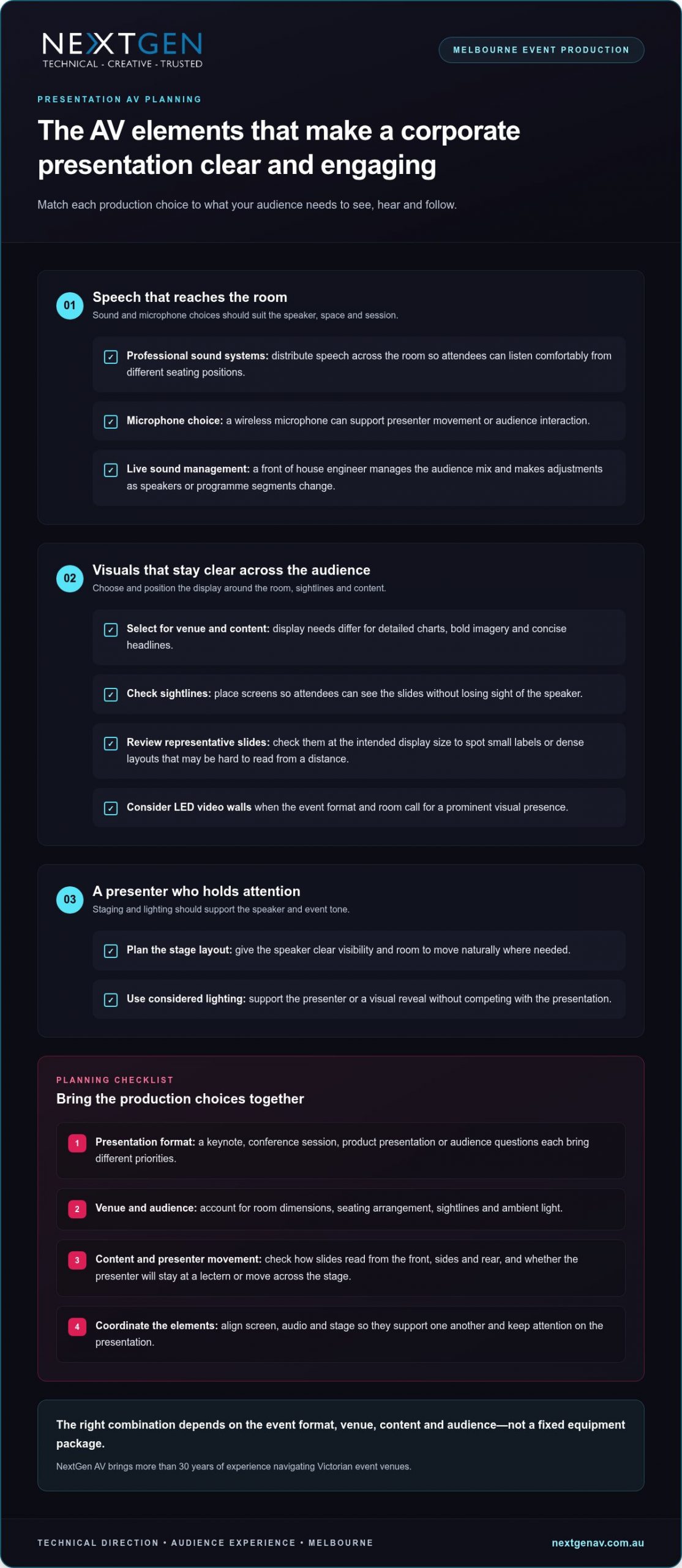
The AV elements that make a corporate presentation clear and engaging
Choose each AV element for the job it needs to do. A keynote built around a speaker and a few slides has different priorities from a product presentation with multiple content changes or audience questions. For corporate presentation av hire melbourne, the right combination depends on the event format, venue, content and audience, not a fixed equipment package.
| Presentation need | AV element | Audience benefit |
|---|---|---|
| Speech reaches the room | Professional sound systems and a suitable microphone | Attendees can follow the speaker without straining to hear. |
| Slides and visuals read clearly | Display selected for the venue and content | Key information stays visible across the audience. |
| Presenter holds attention | Staging and considered lighting | The speaker is easy to see, with a setting that supports the event tone. |
This table is a starting point, not a specification. Room dimensions, seating arrangement, ambient light, presentation format and content all shape the production plan. For instance, compare the visibility of a representative slide from the front, sides and rear of the room, and consider whether the presenter will remain at a lectern or move across the stage. NextGen AV coordinates the screen, audio and stage so they support one another and keep attention on the presentation.
Match sound and microphones to speakers
Professional sound systems distribute speech across the room so attendees can listen comfortably from different seating positions. A wireless microphone can give a presenter freedom to move or support audience interaction. Microphone choice and placement should suit the speaker, the room and the session format.
During the event, a front of house engineer manages the sound mix heard by the audience. Live adjustments help maintain clear, consistent speech as speakers change or the programme moves between segments.
Choose screens and staging for the message
LED video walls can give presentation content a prominent visual presence when the event format and room call for them. Screen placement should account for sightlines, so attendees can see slides without losing sight of the speaker. Content matters too: a presentation built around detailed charts has different viewing needs from one using bold imagery or concise headlines. Review representative slides at the intended display size to catch small labels or dense layouts that may be hard to read from a distance.
Staging and set design shape how the presenter appears in the room. A layout that gives the speaker clear visibility and a natural place to present supports confidence, while lighting can keep attention on the stage without making visuals harder to read.
These decisions work best as one production plan, with technical direction connecting the content, operators and live cues. Melbourne corporate AV production brings those choices together around the presentation, helping your team keep the focus on the message.
Why presentation AV needs more than equipment hire
A list of microphones, screens and lights describes what’s in the room, but not how the presentation will run. Equipment alone can’t coordinate a late slide change, cue a speaker’s entrance or keep a session on sequence. The production plan needs to connect those moving parts, with assigned operators and a shared understanding of what the audience should experience.
Technical direction is the link between an event’s intent and the AV decisions and live cues that bring it to the room. It translates the brief into an operating plan, coordinates production teams and helps presenters understand how the technology will support their delivery. For corporate presentation av hire melbourne, this joined-up approach puts clear responsibility and communication alongside the equipment plan.
- An equipment list records what needs to be supplied.
- An integrated plan connects content, presenters, cues, operators and the audience experience.
- Live technical direction keeps those elements aligned as the programme unfolds.
Coordinate content, cues and presenters
Slide changes, speaker handovers, video playback and microphone adjustments should follow a shared run of show. For example, a presenter transition can identify who is speaking next, what content appears and which production cue supports the change. When presenters and crew receive the same sequence in advance, they can prepare for their part and reduce uncertainty on event day.
That preparation also creates a clear route for updates. If presentation content changes, the organiser and production team can communicate the revision and its effect on the sequence, rather than leaving the operator to guess during a live session. NextGen AV’s technical direction connects those planning details to on-site delivery, with decisions tied to the event brief.
Keep the technical plan precise and safe
Production planning should account for safe installation as well as smooth delivery. A Job Safety Analysis helps structure attention around tasks and their risks; power planning can include a circuit breaker where appropriate. Test and Tag supports checks of electrical equipment. These considerations belong in preparation, not as an afterthought during setup.
Where event rigging is part of the production, a qualified rigger and the relevant High-Risk Work Licence are important considerations. If an engineered structure is involved, a structural engineering certificate may form part of the project documentation. The requirements depend on the work and structure, so the technical plan should bring the relevant details together before delivery.
With an integrated plan, your team can focus on presenters and attendees while technical decisions, cues and setup are coordinated behind the scenes. NextGen AV technical direction brings that production oversight to corporate presentations, from planning through live delivery.
How to prepare for corporate presentation AV in Melbourne
A well-prepared production starts with useful information, not assumptions about a standard setup. Share the event format, content and run of show early. This gives the production team a clear basis for planning, while project-specific decisions about sound, displays, staging and technical delivery are managed as part of the production.
Brief the production team early
Bring the essential details together before plans are locked in: event purpose, audience profile, presentation format and venue information. Include Melbourne venue access windows, room layout and event timings in the early conversation. These details help the production team understand the practical conditions, coordinate setup and shape an AV plan around how the event will run.
- Set the brief. Describe the event objective, audience and format, whether it’s a keynote, briefing, conference session or product presentation. Note what attendees need to take away so production decisions support that outcome.
- Map the venue. Share the venue and room details, audience arrangement, access windows and known setup constraints. Flag the planned stage position and presenter movement so the production team can account for them in the technical setup.
- Outline the programme. Provide event timings, speaker numbers, session order and key moments that need cues, such as video playback, a speaker handover or audience interaction. A clear sequence helps align production activity with the agenda.
- Gather presentation needs. Identify content types, slide requirements and any planned audience participation. Name who is coordinating files and who can approve or communicate changes, so updates have a clear path.
- Align the run of show. Bring presenters and event stakeholders onto the same sequence of introductions, content changes and transitions. Share updates as the programme develops, rather than relying on last-minute verbal instructions.
Prepare presenters and content
Presentation files and speaker changes should follow the agreed running order. Give presenters a chance to become familiar with the stage and microphone before doors open, and allow time for a technical check in the event schedule. This helps speakers understand the setup and gives the crew an opportunity to work through planned cues.
- Run a technical check. Coordinate the check with the production team and presenters. Review the content and transitions in sequence, and clarify how any changes will be relayed during the event.
- Close out the event. Include pack-down and venue access arrangements in the production schedule, so equipment removal follows the event timing and site requirements.
For corporate presentation av hire melbourne, a clear brief and coordinated preparation turn a complex setup into a manageable process. Plan your Melbourne presentation AV with NextGen AV, from the first production conversation through to pack-down.
How NextGen AV delivers corporate presentation production in Melbourne
A successful presentation needs more than a collection of technical elements. NextGen AV works as a production partner, bringing technical direction, planning and on-site management together so the AV supports your purpose and presenters can stay focused on their audience. With more than 10 years in corporate events and over 30 years of industry experience, the team guides each project from the initial brief through live delivery and pack-down.
From event brief to live delivery
Planning begins with your objectives, presentation format and venue information. NextGen AV uses that context to develop a coordinated technical plan, aligning the production with the room and run of show. Each element has a clear role: professional audio carries the speakers, LED video walls present content when they suit the format, and lighting or staging supports presenter visibility and the event atmosphere.
As the event approaches, the production team coordinates the technical details and prepares for on-site delivery. During the presentation, technical management keeps operation aligned with the agreed sequence, including speaker transitions and content cues. The crew then manages pack-down as part of the production, so responsibility doesn’t stop when the final slide appears.
- Technical direction connects event objectives with production decisions and the live sequence.
- Planning brings venue details, content needs and presentation timing into one coordinated approach.
- On-site management supports delivery in line with the run of show and agreed cues.
- Pack-down completes the production process after the event.
Plan your Melbourne presentation with confidence
Local knowledge makes planning specific to the event. NextGen AV operates from a Melbourne-based warehouse and brings experience across Victorian venues, while also delivering events throughout Australia. That combination supports a venue-aware approach for Melbourne organisers and a production partner for teams presenting in other locations.
Corporate presentation AV hire in Melbourne can be tailored to the content, audience and event format, rather than built around a generic package. Share your presentation goals, venue information and run of show, and NextGen AV will shape the technical plan around what the audience needs to experience. For broader production planning, the full-service event production guide can help you consider how technical delivery fits into the wider event.
Ready to plan your presentation? Discuss your event goals with NextGen AV and start shaping a coordinated production plan for your Melbourne event.
Put your presentation message first
Your next planning decision can be simple: identify the one idea you want attendees to carry with them after the event. Let that priority guide the atmosphere, pacing and production choices, so each detail strengthens the experience rather than pulling focus from the message.
A useful brief doesn’t need to answer every technical question. For corporate presentation av hire melbourne, make your priorities clear: what the audience needs to understand, what the presenters need to deliver with confidence and which moments deserve particular attention. From there, NextGen AV can shape the technical approach around your goals and keep planning focused.
That clarity also gives your internal team room to concentrate on the people and purpose behind the event. With an experienced production team managing the technical detail, you can approach the day with confidence and give presenters space to connect with the audience.
Plan your Melbourne corporate presentation with NextGen AV and start shaping an event that puts your message in the spotlight. A clear first conversation can set the whole production in motion.
Frequently Asked Questions
What AV equipment is needed for a corporate presentation?
The right AV setup depends on what attendees need to take in and how the presentation is delivered. A speaker-led briefing may centre on voice reinforcement, while a session with demonstrations may call for displays that carry changing content. Microphones, staging and technical operation can also form part of the solution. Map each proposed element to a specific audience or presenter need, rather than adding equipment without a clear purpose.
How do I plan AV for a corporate presentation in Melbourne?
Give the production team a working brief that includes the event objective, venue, audience, presenters and running order. Add useful planning material, such as a room plan, a sample slide deck and notes on content that needs to appear on screen. For a Melbourne event, venue experience helps interpret the room details. Name an organiser who can approve changes, so decisions don’t get caught between stakeholders.
Do corporate presentations need a front of house engineer?
A front of house engineer shapes the audience-facing audio mix during the live programme. Their involvement is especially useful for sessions with several presenters, changing microphone handovers or audience questions, as sound needs can shift as the session progresses. The production plan determines the right technical support for the event. Agree in advance how cue changes will reach the engineer and who can communicate adjustments from the organiser’s team.
Are LED video walls suitable for corporate presentations?
LED video walls can suit a presentation where large-format visuals play a central role, such as a product reveal or a sequence of bold campaign images. The choice should account for the room, audience viewing positions and the material being displayed. For slide-heavy content, review a representative slide at the intended display scale so small labels or dense charts don’t undermine readability. The LED video wall planning guide offers more on display considerations.
What should presenters prepare before an AV rehearsal?
Presenters can make rehearsal more useful by checking that their files are the approved versions, media plays as intended and slide changes match the spoken delivery. Prepare a short cue script for moments such as a video start, demonstration or handover, and note any audience participation. This gives the presenter and crew specific details to work through together. Confirm one person is responsible for passing on final content amendments.
Can one AV team manage sound, screens and staging for a corporate presentation?
NextGen AV coordinates the elements required for a presentation, with the scope shaped by the event brief. A practical advantage is having a clear communication path for changes: the organiser can nominate who approves a revised slide or altered speaker order, while the production lead distributes the update to the relevant crew. This reduces conflicting instructions and keeps technical decisions connected to the programme.
How far in advance should I organise presentation AV?
There’s no single lead time that suits every presentation; the right planning window depends on the venue, scale, content and production requirements. Start the production conversation as the event format takes shape, then build key planning milestones into the organiser’s schedule. These might include confirming the room plan, agreeing the running order and circulating approved presentation files. Share changes promptly so the production plan can keep pace.
An awards night is remembered for the moment a winner’s name is announced, not the scramble behind the curtain. The right awards night av solutions coordinate each announcement, walk-on and award reveal so guests can focus on the people being recognised. When sound, screens, lighting and stage activity work together, every moment feels polished and purposeful.
A successful ceremony needs more than impressive visuals. Presenters need clear cues, recipients need a confident route to the stage, and guests need to hear and see each key moment. A technical hitch can draw attention away from the people the event is designed to celebrate.
This guide explains how to shape audio, LED video walls, lighting, staging and technical direction around your ceremony, from planning through live operation and pack-down. With NextGen AV’s Melbourne event production experience managing the detail behind the scenes, you can help presenters and recipients feel ready to take centre stage.
Key Takeaways
- Well-planned awards night av solutions coordinate audio, screens, lighting and stage cues around the ceremony’s key recognition moments.
- Match sound and screen content to speeches, acceptance remarks and walk-ons so guests can follow every announcement.
- Assess your Melbourne venue’s sightlines, stage position and audience zones before deciding where screens and production areas should go.
- Bring the run sheet and technical cues into one production plan, connecting presenters, recipients and content from start to finish.
- Professional technical direction and on-site operation manage complexity behind the scenes, keeping attention on the people being celebrated.
Awards night AV solutions: what makes the ceremony feel seamless?
Awards-night AV production coordinates sound, visuals, lighting, staging and live technical operation to make a ceremony clear, engaging and well paced. Each element supports the same story: guests hear the announcement, see the nominee or recipient, and understand what happens next. Strong awards night av solutions make that coordination feel effortless, keeping attention on the people being recognised rather than the equipment behind the moment.
The details matter because an awards ceremony changes pace throughout the evening. Arrival calls for a welcoming atmosphere and useful visual information. During dinner, sound should remain comfortable and allow guests to talk. Presentations call for focused attention, clear speech and well-timed cues. After the final award, lighting and sound can signal the next part of the event and help guests follow the transition.
Which moments need the most technical attention?
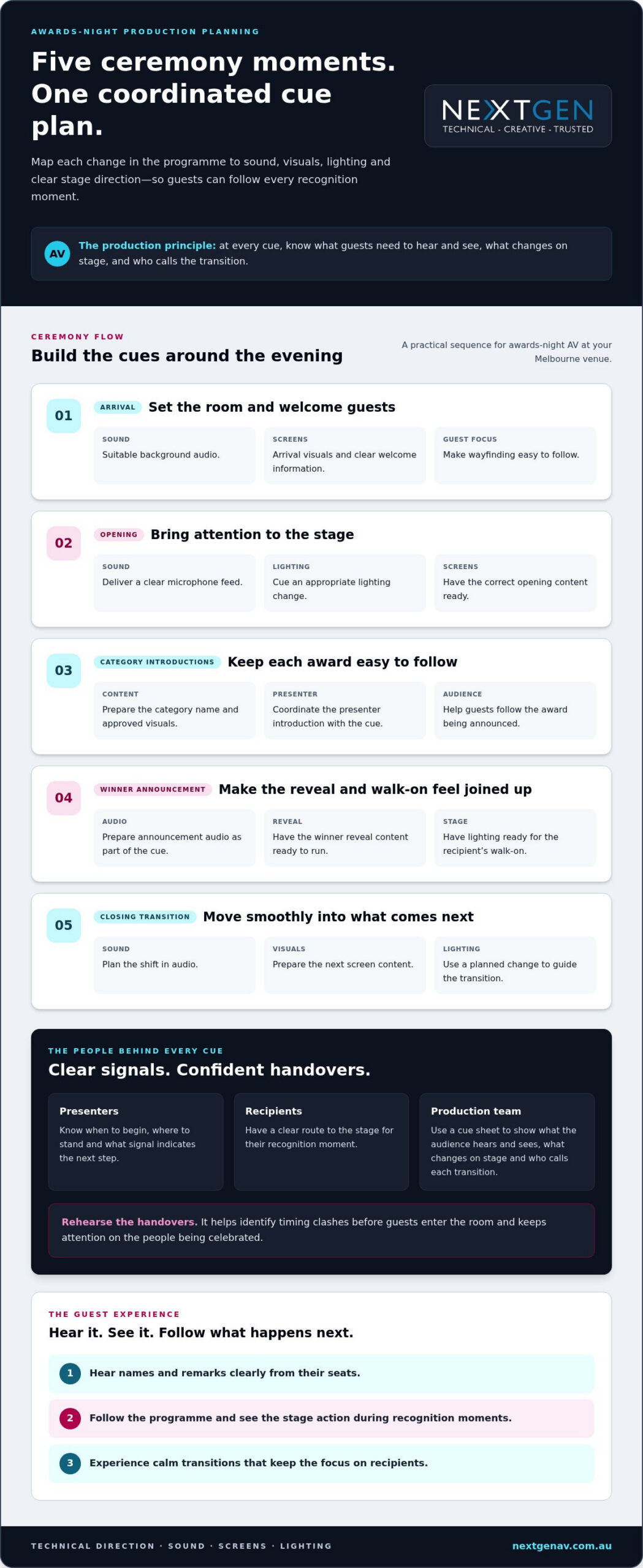
Map each change in the programme to a cue instead of treating the run sheet as a list of speeches. A cue sheet should show what the audience needs to hear and see, what changes on stage, and who is responsible for calling each transition. This gives presenters and recipients clear signals, so they can concentrate on their part in the ceremony.
- Guest arrival: Set the room with suitable background audio and arrival visuals. Keep welcome and wayfinding information easy to follow.
- Opening remarks: Direct attention to the stage with a clear microphone feed, an appropriate lighting change and the correct opening content on screen.
- Category introductions: Coordinate the category name, presenter introduction and approved visuals so guests can follow the award being announced.
- Winner announcements: Prepare the announcement audio and reveal content as a single cue, with stage lighting ready for the recipient’s walk-on.
- Closing transitions: Plan a shift in audio, visuals and lighting to move cleanly from the final presentation to the next event moment.
Technical direction connects those cues to the people delivering them. Presenters should know when to begin, where to stand and what signal indicates the next step. Recipients need a clear route to the stage. Rehearsing handovers helps identify timing clashes before guests enter the room.
What should guests experience?
Guests should be able to hear names and remarks from their seats, follow the programme without guessing, and see the stage action during recognition moments. Screen content can reinforce a category or identify a recipient, while considered lighting keeps the stage visible without making every transition a distraction.
That balance is the craft of audiovisual technology: sound and visuals work together, with a clear purpose for each. Keep cues consistent, content legible and transitions calm. The result feels celebratory and assured, with AV shaping the atmosphere while recipients remain at the centre of the ceremony.
How sound, screens and lighting shape awards-night moments
Sound, screens and lighting each carry a different part of the ceremony. Their impact comes from working as one production: clear speech makes announcements meaningful, prepared visuals help guests follow each category, and lighting directs attention without competing with people on stage. Start with a practical question: what does the audience need to hear, see or feel at this moment?
Every AV element should serve a defined audience need or ceremony moment, from hearing a winner’s name clearly to seeing their recognition across the room. That principle keeps creative choices purposeful and helps the production feel polished rather than overcomplicated.
Sound systems that keep every announcement clear
Plan audio around the people speaking and the guests listening. Choose presenter microphones to suit how each host moves and speaks, and make sure acceptance remarks remain audible as recipients step on stage. Playback cues for walk-on music also need clear timing, with a controlled start and finish that supports the transition instead of cutting across speech.
A front of house engineer manages the sound mix heard by guests, balancing speech and music as the programme unfolds. Plan wireless microphone use around who needs a microphone, where they will use it and how handovers will work. Recording those details in advance helps presenters stay composed and keeps the audience connected to each announcement.
LED screens and lighting that focus attention
LED screens can carry event visuals, category names, nominee information and approved presentation content. As specialist AV integrators like ETA Visual demonstrate with custom LED display solutions, matching display resolution and brightness to the venue ensures every graphic remains sharp and legible. Organise each item against the run sheet so the right content is ready for the right cue. Use legible layouts and consistent visual styling, especially when guests are seated at different angles across the venue.
Lighting completes the focus. A planned cue can draw attention to the presenter, hold the stage during an announcement, then guide the room towards a recipient’s walk-on. Transitions can shift the atmosphere between dinner and the awards without distracting guests with unnecessary effects. The creative design should frame each recognition moment, not compete with it.
Screen planning starts with the audience and the room. Position, scale and content all affect whether guests can follow what is happening. For more detail on planning screens for an event, read this guide to LED video walls for events.
NextGen AV coordinates professional audio, LED video walls, lighting design and technical direction as one production. With the technical details managed behind the scenes, presenters can focus on the room and recipients can take centre stage.
How to assess awards-night AV for your Melbourne venue
The room is part of the production plan. Before selecting awards night av solutions, assess how guests will enter, dine, watch presentations and move through the venue. A screen that works for the front tables may be difficult to see from a side zone. A stage position that looks impressive on a floor plan may leave some guests with an obstructed view. Map the audience experience before finalising the technical design.
Match the production plan to the room
Start with the venue layout: room shape, seating arrangement, stage position and sightlines between guests, presenters and screens. Note where guests will sit during dinner and whether tables or columns could block their view. Identify suitable production areas for control positions, staging and equipment, then plan placement and operation around the space.
Melbourne venues each bring practical considerations. NextGen AV draws on over 30 years of experience navigating Victorian event venues to shape production around the room, rather than force the same layout into every space. A site-specific plan helps align the stage, screens and audience zones before the ceremony begins.
Review content as well as layout. Confirm the format of category graphics, names and presentation material, then plan screen positions for visibility throughout the room. Consider how the sound plan will support speech across the seating layout, and how lighting can focus attention on the stage without disrupting the atmosphere.
| Event need | Planning considerations |
|---|---|
| Clear announcements | Plan sound system coverage and microphone use around the room and programme. |
| Visible recognition | Position screens for audience sightlines and prepare readable category and recipient content. |
| Focused presentations | Coordinate lighting cues with presenter positions, stage activity and transitions. |
| Safe, practical staging | Fit the stage and production areas to the venue layout and the event’s operating needs. |
Choose a production partner, not just equipment
A venue-specific plan connects creative intent with technical direction and live operation. During pre-production, the team reviews the room layout, content requirements and run sheet, then coordinates how sound, screens, lighting and staging work together. On site, the crew operates to that plan while you focus on guests and event delivery.
NextGen AV manages production from planning and technical direction through on-site operation and pack-down. For broader guidance on coordinating these elements, read full-service event production. Aligning the room and production team helps the technical plan support the ceremony without competing with it.
Build an awards-night AV plan around the run sheet
A run sheet becomes a production plan when every programme moment connects to a person, a cue and a technical responsibility. For reliable awards night av solutions, start with what the ceremony needs to achieve, then map how presenters, recipients, approved content and crew will move through the evening. This gives everyone a shared reference and makes changes easier to manage during the live event.
Turn the programme into a cue sheet
Give each cue a clear trigger and owner. Record who speaks, what content appears, which audio or lighting change is needed, and how stage activity moves into the next moment. Use this briefing sequence to prepare organisers and production teams together:
- Set the objectives. Confirm the event’s tone, key recognition moments and the guest experience you want to create.
- Review the run sheet. Identify speakers, award categories, walk-ons, winner reveals, acceptance remarks and closing transitions. Note timing dependencies and planned changes.
- Build the cue sheet. Pair each moment with its screen content, audio playback, microphone handover and lighting cue. Name the person who calls or responds to each cue.
- Coordinate presenters and recipients. Brief them on entrances, stage positions, microphone use and the signals that guide their next step, so no one has to guess in front of the room.
- Rehearse and refine. Walk through key transitions with the relevant crew and participants. Adjust timing or handovers where the sequence is unclear.
A cue sheet works best when it stays practical. Use consistent cue names, keep the latest version accessible to the people who need it, and communicate approved changes to the production team. Rehearsal tests the handovers, while clear cue ownership helps operators respond confidently if the programme shifts.
Coordinate crew, equipment and safety
Technical direction brings sound, screens, lighting, staging and crew responsibilities into one plan. It also connects production choices to safe working practices. Include a Job Safety Analysis in preparation where applicable, and plan equipment placement, access and crew tasks around the venue and stage design. Where the work calls for them, assign qualified riggers and personnel holding the relevant High-Risk Work Licence.
For staging or structures that need independent assessment, include the structural engineering certificate in the production documentation. Consider the distributed load, meaning how weight is spread across a wider structural area rather than concentrated at one point. Test and Tag also belongs in equipment readiness planning. Include these checks alongside cue planning, not as an afterthought when the crew is ready to build.
NextGen AV coordinates pre-production, technical direction and on-site operation so organisers can stay focused on guests and recipients. Read more about planning your awards-night production with NextGen AV and bringing the run sheet, creative intent and technical details into one coordinated brief.
Deliver a polished awards night with NextGen AV
A memorable awards night reflects the people and achievements it celebrates. Creative intent gives the ceremony its identity; precise timing and dependable live operation let that identity come through without distraction. NextGen AV works as a production partner, shaping an experience that feels distinctive to your event while keeping the recognition itself in focus.
What an experienced production partner manages
A production partner translates your event’s creative direction into a cohesive live experience. That means considering how atmosphere, visual content and stage presentation support the tone you want, while keeping the most meaningful moments clear for guests. When those decisions form part of one production vision, technology feels intentional rather than like a series of separate effects.
NextGen AV brings more than 10 years in the corporate event space and over 30 years of industry experience to this work. The team takes ownership of technical complexity and helps protect the feel of the evening, so your attention stays with guests, presenters and recipients.
Melbourne experience, Australian event capability
With a Melbourne-based warehouse and experience delivering events throughout Australia, NextGen AV supports event organisers locally and across the country. Its past work illustrates the team’s production capability, although these projects were not awards nights. At a Melbourne gala, the team managed a lighting rig involving over 100 moving heads. For a CBD outdoor activation, it coordinated synchronised content across three modular walls.
That experience reflects the creative and technical care that can help an awards night feel polished and true to its purpose. Your ceremony has its own story to tell, and its production should reflect that.
Explore awards-night AV production with NextGen AV and see how a coordinated team can keep the people being celebrated at the centre of the event.
Set the stage for recognition
Your awards night deserves a production plan shaped around the people and achievements at its heart. Start by setting clear priorities: what should guests feel as they arrive, which moments deserve the strongest focus, and how should the evening move from one part of the programme to the next? Those decisions give your awards night AV solutions a purpose beyond presentation, helping technology support the significance of the occasion.
Bring your vision, venue details and programme together early, and the production team can shape a considered approach around them. NextGen AV combines creative thinking with precise technical planning, so you can hand over the complexity while staying connected to the experience you want guests to remember. The result is an evening designed to feel cohesive, assured and worthy of its recipients.
Plan your awards-night production with NextGen AV to bring your event vision and technical requirements into one coordinated plan. Your recipients are ready for their moment. Let’s make it count.
Frequently Asked Questions
What AV equipment is needed for an awards night?
The AV setup depends on the ceremony format. It may also need playback computers, signal distribution and an operator control position. These supporting elements help manage approved content and keep technical controls accessible during the event. Share whether presentations include video, how many speakers are involved and whether the programme includes a post-awards segment, so the plan covers the full evening.
How do you plan AV cues for an awards ceremony?
Use one approved version of the programme and content as the reference for production planning. Give each cue a consistent label and record changes in one place, so presenters and operators are not working from conflicting versions. Before the event, confirm who can approve late edits and how those edits will reach the technical team. This change-control process helps prevent outdated names, graphics or running orders from reaching the audience.
How can LED screens improve an awards night?
LED screens can make recognition more personal by pairing a recipient’s name with an approved portrait, organisation or project image. Give your design team final spellings and image files early, and keep layouts consistent across categories so guests can quickly understand what they are seeing. Review text at the intended display size, not only on a laptop. This helps keep key details readable for guests seated further from the screen.
What sound system is suitable for an awards night?
A suitable system is selected around the room’s acoustics and the balance between speeches, music and dining. Hard surfaces can make speech less distinct, while background conversation can affect how clearly guests hear announcements. A soundcheck with a speaker at the lectern and music at the planned level helps identify issues before doors open. Share priority speeches or performances with the audio team so the mix suits the programme.
How does lighting affect an awards ceremony?
Lighting also shapes how recipients appear in event photographs and video. Discuss planned camera positions and award-photo moments with the production team, then consider how the stage will look from those angles as well as from guest seating. Managing glare and keeping faces clearly visible supports both the in-room experience and the record of the evening. A considered lighting approach helps each recipient’s moment feel polished on stage and on screen.
Can one AV production team manage sound, screens and lighting?
Yes. A single production team can manage these elements through a shared plan and clear communication. For organisers, that means programme changes can go through an agreed production lead rather than being relayed separately to several technical contacts. Confirm decision-making responsibilities and how updates will be communicated before event day. That clarity helps the team respond consistently if timing or approved content changes.
What should Melbourne event organisers consider when planning awards-night AV?
For a Melbourne event, gather the venue’s current technical information before the production briefing. Useful details include access and loading arrangements, available power information, venue requirements for rigging, and the time allowed for setup and pack-down. Share the latest floor plan and nominate a venue contact for operational questions. These details help the production team build a plan around the venue’s practical conditions rather than assumptions.
The right rigging partner turns a creative concept into safe overhead architecture. For Melbourne event organisers, that means more than suspending lights or LED walls: equipment loads, venue requirements, qualified crew and bump-in sequencing all need to work together. This guide to stage rigging services melbourne event teams can rely on explains how careful planning supports both the production and the people beneath it.
You can create a striking stage while keeping structural safety, venue approvals and specialised rigging requirements in view. Certain rigging tasks require a High-Risk Work Licence under Victoria’s Occupational Health and Safety Regulations 2017, overseen by WorkSafe Victoria. NextGen AV’s Melbourne-based team brings more than 30 years of industry experience, coordinating rigging, LED walls and lighting through technical direction as part of one integrated production.
Here, you’ll learn how to plan flown elements, prepare safety documentation and navigate venue requirements while keeping creative design and compliance aligned. From the initial concept to the final checks, precision behind the scenes helps your event take centre stage with confidence.
Key Takeaways
- See how event rigging supports structural planning and the visual impact of your Melbourne production.
- Learn how trusses, motors and hardware work together to suspend event elements with precision.
- Understand how load calculations, relevant standards and engineering input contribute to a considered rigging plan.
- Use venue information and early coordination with in-house teams to prepare for a smoother bump-in.
- Explore how stage rigging services melbourne can integrate rigging with lighting, LED walls and technical direction.
The Critical Role of Stage Rigging in Melbourne Event Production
Professional stage rigging is more than suspending speakers above an audience. It is the planned positioning and support of event equipment, designed around the venue, the production brief and the people using the space. A flown lighting fixture, audio system or LED wall needs suitable support, considered placement and coordinated installation. Those decisions shape what the audience sees and hears while helping the production team work safely behind the scenes.
Rigging is also the invisible architecture of a compelling event. Trussing can define a stage, frame a screen or support layered lighting positions. Carefully placed flown elements add depth and focus. For example, an LED wall can form the visual centrepiece, with lighting positioned to complement its content rather than obscure it. The rigging plan links these creative choices to practical constraints, including the venue’s infrastructure and how loads are distributed.
The same principles apply across theatrical, arena and corporate productions. Entertainment Rigging Principles provides background on the discipline. At a Melbourne conference or gala, careful suspension and coordination help create a polished audience experience. NextGen AV brings rigging, LED walls and lighting together through technical direction, so the production feels like one considered design rather than a series of separate installations.
Safety and Compliance: The Non-Negotiables
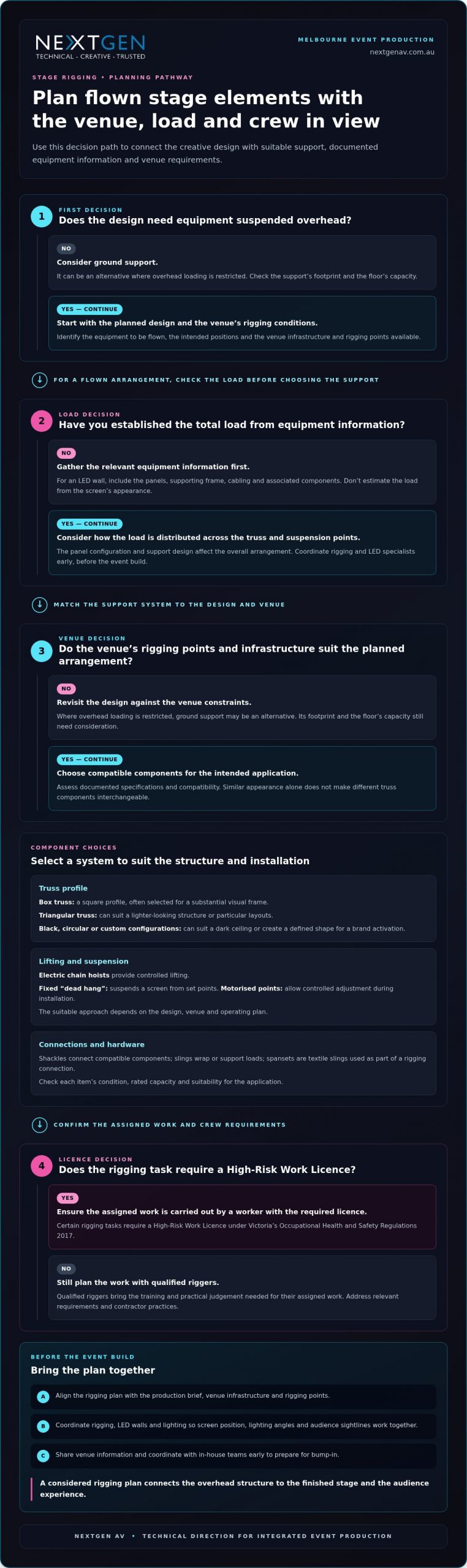
In Victoria, event organisers need to manage contractor practices and make sure relevant requirements are addressed. WorkSafe Victoria enforces the Occupational Health and Safety Regulations 2017, under which certain rigging tasks require a High-Risk Work Licence. There is a difference between hanging an item and engineered rigging: the latter considers how equipment is supported, positioned and secured within the overall plan. Qualified riggers bring the training and practical judgement needed to carry out their assigned work carefully.
Creative Freedom Through Flown Elements
Flown equipment can free up floor space, support audience movement and keep sightlines clearer. Suspending audio or visual elements can also help the team position them around the stage design, instead of placing stands and equipment where they interrupt the room. Layered trussing can support distinct lighting zones and visual frames, creating an immersive setting without crowding the stage. The design must still suit the venue and its rigging points.
Precise coordination makes a complex production feel effortless to guests. NextGen AV’s Melbourne team integrates rigging with LED wall specialists and lighting designers, aligning technical requirements with the intended look and audience experience. With stage rigging services melbourne productions can rely on, the creative vision has a carefully planned structure behind it, from the overhead design to the finished room.
Essential Rigging Components: Truss, Motors, and Hardware
Truss, lifting equipment and connecting hardware form a support system, not a collection of interchangeable parts. Aluminium trussing creates a framework for lighting, audio and visual elements. Motors or fixed suspension points position that framework above the event floor. Each component needs to suit the intended design, the equipment it supports and the venue’s rigging conditions.
Truss profiles vary in shape and application. Box truss has a square profile and is often selected when a design calls for a substantial visual frame. Triangular truss can suit lighter-looking structures or particular layouts. Black truss can recede against a dark ceiling, while circular or custom configurations create a defined shape for a brand activation. Global and Eurotruss systems should be assessed using their documented specifications and component compatibility. Similar appearance alone does not make components interchangeable.
Trussing and Lifting Systems
Electric chain hoists provide controlled lifting, while the motor arrangement affects how a structure is raised and held in position. A fixed “dead hang” suspends a screen from set points; motorised points allow controlled adjustment during installation. The suitable approach depends on the design, venue and operating plan. Ground support can be an alternative where overhead loading is restricted, but its footprint and the floor’s capacity still need consideration.
Shackles connect compatible components, slings wrap or support loads, and spansets are textile slings used as part of a rigging connection. Check their condition, rated capacity and suitability for the application. The US reference OSHA Rigging Safety Standards addresses equipment in its jurisdiction. It does not replace Victorian requirements or project-specific engineering.
Planning for LED Video Walls
LED panels, their supporting frame, cabling and associated components all contribute to the suspended load. Establish the total using relevant equipment information, then consider how it is distributed across the truss and suspension points. Never estimate from the screen’s appearance: the panel configuration and support design affect the overall arrangement. A technical director can coordinate rigging and LED specialists early, aligning screen dimensions, sightlines and support requirements before the event build.
That integration matters in practice. A screen’s position affects truss layout, lighting angles and the audience’s view, so decisions made in isolation can undermine the finished stage. Explore how LED video walls for events fit into a production plan, then coordinate their support with the wider design. For stage rigging services melbourne organisers need to bring these elements together, NextGen AV’s technical direction connects structural planning with the audience-facing result.
Match Components to the Venue
Before selecting a system, map the equipment, intended positions and available support points. Where ceiling loading is limited, ground-supported structures may help shape the design, provided floor capacity and circulation space are considered. Early coordination lets the rigging plan support the creative brief without leaving critical decisions until bump-in.
Navigating Safety Standards and Load Calculations in Victoria
For a Melbourne event, safety planning becomes practical when the rigging design can be reviewed alongside the equipment schedule and venue information. AS 1418.17 is relevant to the design and use of lifting equipment. The technical team should identify which standards apply to the specific equipment and operation, rather than treating a reference to one standard as blanket approval. For a complex design, a structural engineer can assess the proposed arrangement and provide project-specific documentation.
Make sure design decisions are supported by clear information. Keep the current equipment schedule, venue details and rigging drawings together. If the screen size, lighting positions or production layout changes, pass the update to the technical director before issuing the plan for installation. This creates a traceable design process and gives the production team time to resolve issues before the build.
Load Calculations for Event Planners
Give your AV partner accurate equipment details, including models or specifications where available, quantities, planned positions and any movement during the event. Have the proposed loads at each support point assessed against the venue’s documented limits. For example, moving a screen from centre stage to one side can change how forces reach the supporting structure, even if the equipment list stays the same. Do not add items on site without a technical review.
Moving elements and outdoor installations need particular attention during design. The responsible technical team should account for how equipment will operate, assess site exposure and consider applicable wind conditions for temporary outdoor structures. The plan should set out how changes in conditions or production requirements will be handled, rather than relying on assumptions made during the initial design.
WorkSafe Victoria and Event Compliance
Build project records around the actual scope of work. Depending on the task and site, these may include a Job Safety Analysis, a Safe Work Method Statement where high-risk construction work applies, equipment inspection records and engineered drawings. Keep document versions clear, record design changes and make sure the crew has the current information. This document control connects planning decisions with on-site execution.
Address insurance arrangements through the event’s contracting and production planning. Define who is responsible for each part of the work, how changes are escalated and which records are shared with the venue. Clear ownership reduces uncertainty when multiple teams contribute to the build and gives organisers a reliable view of how the work will be managed.
Victoria University’s Event Production Management in Melbourne offers broader context on coordinating production components. For a rigging plan, the practical goal is to connect engineering review, accurate equipment information and controlled document updates. This helps the event design progress clearly from pre-production through to installation.
Planning Your Rigging Strategy: From Site Inspection to Bump-in
A rigging plan should take shape well before equipment arrives at the venue. A site inspection helps the technical team understand the room, access routes and production requirements, then build a plan around actual conditions. Melbourne venues vary widely: a purpose-built convention space such as MCEC and a heritage setting such as Melbourne Town Hall each have distinct layouts, access arrangements and operational considerations. Plan for the venue you have booked, not a generic room diagram.
During the inspection, map how equipment will travel from the loading area to the event space. Check loading dock access, lift dimensions, travel distances, storage areas and the routes crew will use during bump-in. These details can shape the installation sequence and affect how smoothly suppliers work together. Establish how the venue’s in-house technical team operates, including any exclusive rigging arrangements, then agree how the external production crew will coordinate with them.
Map the Venue Early
A useful site review records stage dimensions, access constraints, ceiling and support information supplied by the venue, and proposed positions for flown equipment. It should also capture practical details such as restricted corridors, shared loading areas and spaces that must stay clear for guests or venue operations. Keep approval responsibilities visible in the project schedule. Assign someone to track venue submissions and responses so design decisions do not stall while teams wait for information.
Coordinate the Production Plan
Pre-production drawings help the team visualise the rigging plot and identify clashes before installation. A 3D CAD view can bring truss positions, lighting, audio and LED screens together, making it easier to refine sightlines, cable routes and working space. Drawings should reflect the selected venue and current equipment plan. NextGen AV’s technical direction connects these elements, while clear version control helps every team work from the latest design.
Rigging is often among the first overhead work installed because lighting, audio and video elements may depend on it. It can also be among the last systems removed, after suspended equipment has been lowered and cleared. Build that sequence into the wider bump-in and bump-out schedule. Riggers, lighting crew and audio technicians should coordinate work zones, installation order and handovers, so one team’s progress does not block another’s access or create avoidable delays.
For outdoor or temporary structures, include the relevant approval pathway and supporting documentation in the project schedule. Requirements depend on the structure and site, so keep communication open with the venue and relevant approval contacts as plans develop. Stage rigging services melbourne event organisers can rely on should connect the site review, drawings, approvals and production schedule from the outset. This joined-up approach helps protect the creative vision from late changes and gives each crew member a clear role on site.
Bring your venue requirements and production concept together with NextGen AV’s Melbourne rigging and production team, coordinating technical details before bump-in.
Partnering with NextGen AV for Seamless Rigging and Production
Rigging works best when it is planned as part of the production, not added as a separate task after the stage design is settled. NextGen AV coordinates staging and rigging with lighting, professional audio and LED video walls, aligning technical decisions so every element supports the event’s intended look and audience experience. With extensive experience across Melbourne venues, the team brings practical knowledge to complex corporate productions and manages the details behind the scenes.
The “Invisible Expert” approach gives your production a clear technical lead while guests experience a confident, cohesive event rather than the logistics behind it. A technical director can connect the creative brief to the rigging plot, identify constraints early and coordinate the specialists responsible for each part of the build. That joined-up direction helps avoid clashes between the stage design, lighting positions and visual content.
One Coordinated Production Team
A single production partner can bring rigging, lighting and sound into the same planning conversation. That matters when a design includes flown fixtures, a large screen and a stage layout that needs to preserve sightlines. NextGen AV’s stage and lighting solutions connect structural decisions with the atmosphere you want to create, giving your brand a considered presence in the room.
Coordination also supports clearer decisions when venue conditions shape the design. If access, rigging points or the room layout affect the original concept, a production partner can bring the right technical specialists together to assess options and update the plan. You are not left to reconcile separate equipment schedules alone; the production details are managed as one connected project.
Built Around Your Event
A corporate gala and a product launch have different demands. A gala may call for layered lighting and a strong stage focal point; a launch may need screen content and lighting cues to work in a precise sequence. NextGen AV develops rigging plots around the event brief, venue and production elements, then coordinates the on-site work through bump-in and pack-down. The result is a plan shaped for your event, not a generic arrangement.
Safety and precision remain central throughout delivery. Clear technical direction helps the crew follow an agreed plan, communicate changes and keep rigging aligned with the wider production. That gives organisers more headspace to focus on presenters, guests and the experience they want people to remember.
If you are planning an event, speak with NextGen AV’s Melbourne team about your rigging and production brief. With stage rigging services melbourne organisers can integrate into a wider production, your concept has experienced technical partners from planning through to pack-down.
Shape the Event You Envision
Your rigging plan can do more than support the production; it can help define the atmosphere your guests remember. Bring technical planning into the creative process early, and your event design has room to develop around the venue, programme and moments you want to make stand out. That is the advantage of treating stage rigging services melbourne as part of the whole event experience, not a last-minute installation detail.
With NextGen AV, rigging is planned alongside lighting, audio and visual production, so your concept and practical requirements progress together. Focus on the message, the guests and the occasion, knowing experienced technical direction is managing the details.
Enquire about professional stage rigging services in Melbourne and take the next step towards a production designed with precision and purpose. Your vision deserves a team that helps it take shape with confidence.
Frequently Asked Questions
Do I need a permit for stage rigging in a Melbourne venue?
Permit requirements depend on the event structure and where it is being installed. Start by distinguishing formal approvals from a venue’s own technical approval process, as these can involve different teams and documents. For a Melbourne event, include approval responsibilities in the production schedule and have the organiser, venue and technical director work from the same event plan. This helps address approval requirements before the design is finalised.
How much does rigging typically cost for a corporate event?
A corporate rigging setup is scoped around the event brief rather than a standard package. Begin by defining what the audience needs to see and hear, such as a central LED screen, a clear stage view or a particular lighting look. NextGen AV’s technical team can translate that brief into a rigging and production plan, helping you understand the work involved and make informed decisions about the event design.
Can I use the venue’s in-house rigging services with NextGen AV?
Yes, NextGen AV coordinates production planning with a venue’s in-house rigging team. Establish one current version of the event plan, including the latest stage layout, screen positions and production schedule. This gives venue and production teams a shared reference as details develop, helping prevent outdated drawings or conflicting schedules from disrupting preparation.
What is the difference between basic trussing and engineered rigging?
Basic trussing describes a structural component, while engineered rigging refers to the planned scope around its use. For event planning, clarify whether the design covers only the truss or also the connected equipment, installation sequence and technical oversight. A clearly defined scope makes it easier to coordinate production responsibilities and understand how the proposed structure supports the event design.
How far in advance should I book rigging services for my event?
Start planning as soon as you have a likely venue and an initial event concept. That gives the technical team time to shape the design alongside your programme, stage layout and production schedule. If key details are still evolving, share the current brief and flag what may change. Early collaboration helps the rigging plan develop with the event instead of being added after other decisions are settled.
What safety documentation should I expect from a rigging provider?
Expect project records to match the final agreed design and clearly identify the version being used on site. If the stage layout or production equipment changes, the relevant drawings and records should be reviewed and updated as needed. For organisers, the practical check is consistency: documents shared with the venue and production crew should reflect the same installation plan.
Are there weight limits for hanging LED walls in Melbourne hotels?
Hotel rigging limits are specific to the property and may differ between rooms in the same building. Do not apply a ballroom’s information automatically to a smaller function room. For a Melbourne hotel event, use the documentation for the exact room and event date, and make sure the planned screen arrangement is assessed against that venue information before finalising production layouts.
What happens if my venue doesn’t have rigging points in the ceiling?
The event design can be adapted to the room rather than relying on a ceiling-mounted screen position. Options may include adjusting the screen location or incorporating it into a ground-level stage layout, with sightlines and audience movement considered as part of the revised design. NextGen AV coordinates these decisions with the wider production plan so the visual focus remains clear and practical for guests.
One overlooked cable run, suspended load or schedule change can put a polished production under pressure. A risk assessment for event AV gives your team a clear way to identify hazards, assign controls and keep decisions connected as plans evolve. With venues, suppliers and production timelines to coordinate, it’s understandable to worry that a technical risk or ownership gap could be missed.
This guide shows you how to build an AV-focused assessment from early planning through live operation and bump-out. You’ll learn what to consider across staging, event rigging, electrical equipment, sound systems, screens, access and changing site conditions, then turn those findings into practical controls with named owners and review points. NextGen AV brings technical direction and more than 30 years of industry experience to event production, helping teams manage complexity behind the scenes. The result is a clearer process for keeping people safer and delivering a seamless audience experience.
Key Takeaways
- A risk assessment for event av works best as a live process, with clear steps for identifying hazards, selecting controls and reviewing changes.
- Match controls to the production setup: indoor conferences, outdoor activations and staging or rigging each bring different considerations.
- Set named owners for key controls so crew, venue and suppliers know who is responsible before the event goes live.
- Use an event-day check to confirm plans are current, the crew is briefed and essential documentation is in place.
- See how technical direction can connect production planning and live operation to support a safer, seamless audience experience.
Why an event AV risk assessment matters before production begins
AV decisions shape more than the look and sound of an event. Equipment placement, cable paths, lighting positions and stage layouts can affect crew during setup, presenters moving on stage, attendees using access routes and the venue’s operation. A risk assessment for event av makes those connections visible early, while there’s still time to adjust the production plan rather than respond under pressure on event day.
It’s a documented review of the hazards linked to the production, the risks they may create, the controls selected and the people responsible for those controls. A hazard is a potential source of harm; risk considers how likely harm is and what its consequences could be. This distinction is central to the wider risk assessment process, and helps a team move from simply listing equipment to deciding what action each hazard calls for.
An AV assessment focuses on technical production, but it should connect with the organiser’s whole-event assessment. For example, a cable route may be an AV setup detail and an access concern for the wider event plan. When both assessments share relevant information, the team can coordinate controls across production, venue operations and the audience experience.
Plans also need to stay live. A room change, revised schedule, equipment substitution or altered production layout can introduce new hazards or make existing controls less effective. Review the assessment when these details change, and make sure the people affected understand any updated responsibilities.
What does an AV risk assessment cover?
Set the assessment around the actual production and venue. Depending on the design, it may cover sound systems, lighting, LED displays, cabling, staging and event rigging. Consider where equipment will be placed, how crew will access work areas, and how the setup interacts with presenters and attendees. A Melbourne venue’s layout and operating arrangements can make the relevant details different from one production to the next.
Record each hazard separately from its likelihood and potential consequence, then document the chosen control and its owner. This keeps the assessment practical: the team can see not only what could cause harm, but what will be done about it.
Who needs to be part of the process?
Bring together the event organiser, venue contact, production lead and relevant technical specialists. Each sees a different part of the picture: the organiser understands the programme, the venue contact knows site arrangements, and technical specialists can assess production-specific hazards.
Assign a named person to each control rather than relying on general team awareness. Clear ownership gives crew a direct point of reference during setup and live operation, helping changes and concerns reach the right person without confusion.
How to assess event AV hazards from planning through pack-down
A risk assessment for event AV should follow the production from the first venue plan to the final equipment load-out. Keep the process practical and repeatable: define the scope, identify hazards, assess risk, select controls, assign owners and review. Start with the venue, audience, programme, equipment plan, access routes and schedule. These details shape how technical work fits around people and venue operations.
For each item, record what controls are already in place, what further action is needed, who is accountable and when the control will be checked. The UK Health and Safety Executive’s event guide describes planning across stages such as setup and breakdown; its outline of duties as an event organiser is a useful reference, but Australian events should be assessed against requirements that apply locally.
Identify hazards across each production phase
At planning stage, consider venue constraints, audience layout, access, power requirements and the run sheet. During setup and pack-down, assess equipment movement, work areas, cable routes and event rigging. For live operation, account for programme changes, equipment performance and audience movement. A cable route that is clear during setup, for instance, may need another check once audience areas are in use.
Turn findings into active controls
Choose controls that address the specific hazard and can be followed in the actual event environment. Name who implements each control, who checks it and who communicates changes to affected crew. Set review triggers for a venue change, revised layout, weather exposure or programme update. Brief relevant crew before work starts, then revisit the assessment when a change could alter the risk or the effectiveness of a control.
Keep the process moving
Use this sequence to guide the review:
- Define scope: identify the event areas, production phases and AV activities covered.
- Identify hazards: review the venue, audience, equipment and work activities phase by phase.
- Assess risk: consider how harm could occur and its potential consequence.
- Select controls: note existing measures and any additional action required.
- Assign and review: name an owner and review point for each action, then update the record when plans change.
Clear technical direction can connect those actions across planning, setup and live operation. Explore how NextGen AV event production brings production planning and technical delivery together, so the team can manage changes with precision through to pack-down.
Compare AV risks and controls across common event setups
The right control depends on the room, production design and people moving through the space. An indoor conference, outdoor activation and staged production can use similar AV, but their hazards and control owners won’t necessarily be the same. This comparison helps you tailor your risk assessment for event av to the setup, while keeping clear sound, visible content and orderly audience movement in view.
| Setup | Example hazard | Potential consequence | Example control | Responsible role |
|---|---|---|---|---|
| Indoor conference | Cables cross a presenter or attendee access route | Someone trips, or movement around the room is disrupted | Plan cable routes away from walkways; secure and check them before doors open | Production lead, with the venue contact coordinating room access |
| Outdoor activation | Weather exposure affects equipment or the planned operating area | Equipment operation or audience movement may be affected | Document a weather response plan suited to the site and review it as conditions or the layout change | Event organiser, with the production lead managing AV-related actions |
| Staging or event rigging | Stage structure or suspended equipment is unsuitable for the planned production | People may be exposed to harm, and the event may be interrupted | Assess the structure and suspended equipment for the specific design; involve a qualified rigger where relevant and use a structural engineering certificate where applicable | Production lead and relevant technical specialist |
Sound, screens and power
For sound systems, assess equipment placement, cable runs and power arrangements against the venue plan. Poor placement or unclear cabling can create hazards while also compromising intelligible sound. For LED displays, consider sightlines, visibility from audience areas and signal paths, so content reaches the screen as intended without creating avoidable obstacles in production areas. Related planning considerations are covered in this LED video wall planning guide.
Use applicable technical standards and limits that have been checked for the specific work and context. AVIXA standards provide a reference point for professional AV practice; don’t assume a threshold applies without verifying the relevant standard and its scope.
Staging, rigging and outdoor conditions
Review structures, suspended equipment, access around work areas and how production activity interacts with other event operations. A structural engineering certificate or qualified rigger may be relevant depending on the structure and rigging work involved. Outdoor productions also need a documented response plan for relevant weather exposure, with controls and responsibilities clear to the team.
For further production context, see the stage and lighting hire guide. Treat each setup on its own merits: precise technical planning supports a safer working environment and a more assured experience for the audience.
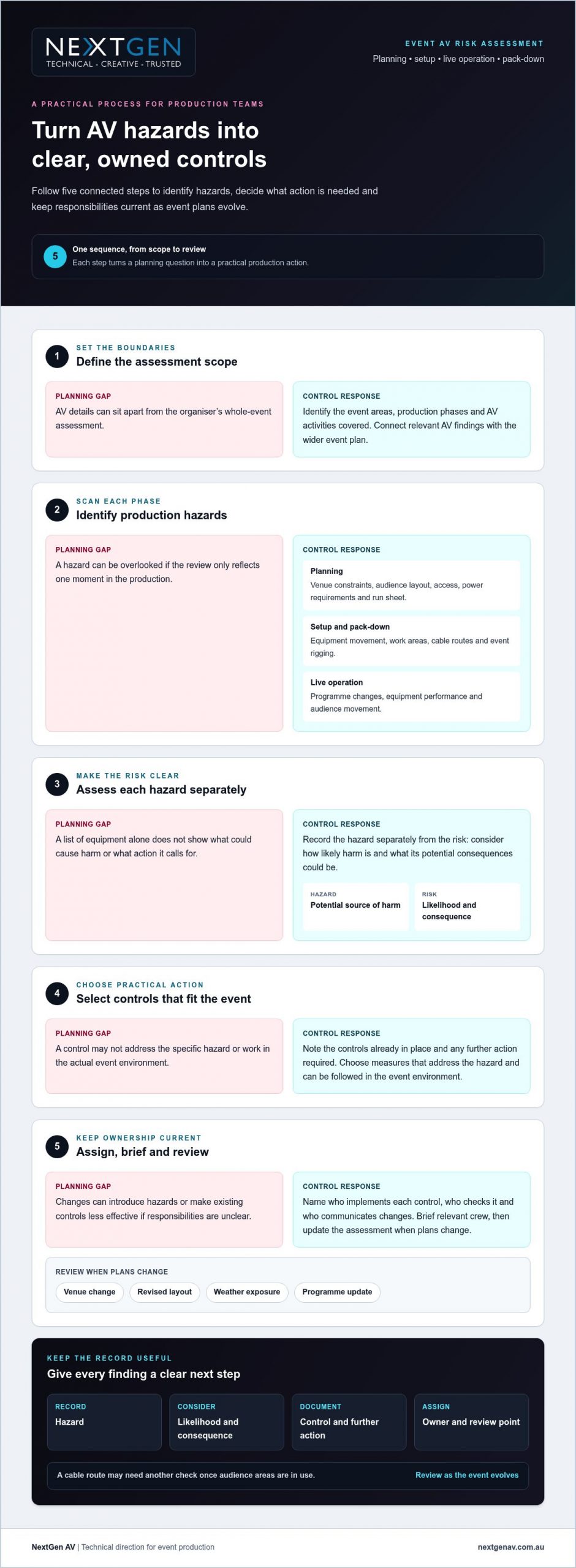
Use this event AV risk assessment checklist on event day
A risk assessment for event av is most useful when the team can act on it at the venue. Treat this event-day check as a working control point, not paperwork to file away. Confirm what’s changed, who owns each action and how the team will respond if a control isn’t in place. That clarity supports a composed setup and a seamless experience for presenters and attendees.
Before crew access and setup
Before work begins, make sure the crew has the current production plan, relevant venue information and assessment. Brief everyone on work areas, communication channels and how to report a change or concern. Record any outstanding actions, identify who will resolve them and communicate the decision before setup proceeds.
- Plans: Check the production layout and schedule against the venue’s current arrangements.
- Responsibilities: Confirm control owners and who to notify if an action can’t be completed as planned.
- Equipment: Inspect relevant equipment and cabling for visible damage or issues that need attention before use.
- Work areas: Check cable management and keep access routes clear for crew and attendees.
- Documentation: Have relevant assessment records and production documents available to the team.
Before doors open and during the event
Before attendees enter, verify that planned controls are in place and ownership remains clear. Check that access routes are unobstructed and that technical arrangements still match the approved layout. For sound planning, review the professional sound system hire guide alongside the production plan, so audio decisions support clear communication in the room.
Keep the assessment active during the programme. A revised running order, relocated equipment or changed site condition can affect an existing control. Pause to review material changes with the relevant leads, agree any new action and brief the crew who need to know.
- Show-time review: Confirm what has changed and whether controls still suit the setup.
- Open actions: Check unresolved items, the person responsible and the agreed next step.
- Escalation: Ensure crew know the agreed contacts for raising a concern or seeking a decision.
- Follow-up: Record incidents, near misses and actions using the event’s agreed process.
A disciplined check keeps technical details connected to the audience experience, from intelligible sound to clear movement through the venue. Plan your event AV production with NextGen AV, with technical direction guiding the details from setup through live operation.
How NextGen AV manages risk as part of event production
Managing AV risk takes more than supplying equipment. It takes coordinated decisions about the production design, venue conditions, crew responsibilities and live programme. NextGen AV works as a production partner, using technical direction to connect those moving parts from planning through setup, live operation and pack-down. That gives you a clear line between the controls in the assessment and the experience your audience sees and hears.
Technical planning behind the scenes
Planning starts with the event’s objectives and conditions: the venue, schedule, audience, access, staging and the AV requirements that bring the experience to life. A risk assessment for event av helps make technical considerations part of production planning, rather than a separate document disconnected from the show. Equipment choices, work areas and crew coordination can then be shaped around the specific event.
With more than 30 years of industry experience and a Melbourne base, NextGen AV brings practical knowledge of Victorian event production to projects in Melbourne and across Australia. The team’s work includes planning, technical direction, setup, live operation and pack-down, helping clients coordinate production requirements as details develop.
From assessment to confident delivery
Technical direction helps keep controls, owners and production changes aligned. As plans evolve, the production lead can coordinate relevant updates with the crew and venue contact, so the team understands what has changed and who is responsible for the next action. This joined-up approach helps technical precision support a composed show, with clear sound, visible content and a smooth experience for attendees.
Safety measures are matched to the work and event. Depending on the production, relevant planning may include a Job Safety Analysis, Test and Tag, or the involvement of a qualified rigger for applicable rigging work. NextGen AV’s safety-related capabilities also include a structural engineering certificate and High-Risk Work Licence. These are considered in context, rather than treated as a blanket checklist for every event.
From corporate events to community productions, NextGen AV delivers events throughout Australia, bringing planning and technical delivery together behind the scenes. You stay connected to decisions, responsibilities and production changes, while the technical team works to keep each detail in step with the event.
Planning an event in Melbourne or elsewhere in Australia? Discuss your event production requirements with NextGen AV and take the next step towards a carefully coordinated AV plan.
Bring your production plan together
A safer production starts with an AV assessment that reflects the actual venue, setup and audience. Identify hazards across planning, live operation and bump-out, match controls to each risk, and give every action a clear owner. Keep the process active: when plans or site conditions change, review the controls and brief the people affected.
NextGen AV brings over 30 years of industry experience, a Melbourne-based warehouse and experience delivering events throughout Australia. Technical planning may draw on capabilities such as Job Safety Analysis, Test and Tag and qualified riggers, selected to suit the work and production. With the right technical direction, your risk assessment for event av becomes part of a coordinated production plan, helping manage complexity behind the scenes while your audience enjoys a seamless event.
Plan your next event with NextGen AV and take the next step towards a carefully coordinated production. Your team can focus on delivering the moment, with the technical details guided by experienced hands.
Frequently Asked Questions
What should a risk assessment for event AV include?
A risk assessment for event AV should record the production scope, venue, audience, equipment and hazards during setup, live operation and pack-down. Include relevant elements such as sound systems, screens, cabling, staging and event rigging. For each hazard, document the assessed risk, controls already in place, further actions, accountable owners and review points. Tailor the assessment to the specific production and venue rather than relying on a generic template.
Who is responsible for an event AV risk assessment?
Responsibility should be clearly assigned across the event and production teams. The organiser, venue representative, production lead and relevant technical specialists can contribute information and coordinate controls, according to their roles in the event. Name an owner for each action, and make sure the team knows who to tell about changes or unresolved issues. Clear ownership helps prevent important controls from being lost between planning, setup and live operation.
How do you assess AV risks at an event?
Use a repeatable sequence: define the scope, identify hazards, assess likelihood and potential consequence, select controls, assign owners and review. Consider hazards during planning, setup, live operation and pack-down, using the actual venue and production details. Reassess when a significant change to the venue, schedule, equipment or production plan could affect a hazard or control. This keeps the assessment aligned with the event as it develops.
What are common AV hazards at events?
Potential AV hazards include cables across access routes, moving equipment during setup, unsuitable power arrangements, staging concerns, suspended equipment and changing site conditions. These examples won’t apply to every event. A hazard is something with the potential to cause harm; risk considers the likelihood and possible consequence. For a Melbourne venue, assess the real room layout, production plan and audience movement rather than assuming a standard setup.
When should an event AV risk assessment be reviewed?
Review the assessment during planning and before relevant work begins, then revisit it when circumstances change. A revised room layout, equipment substitution, schedule update or changed site condition may affect existing controls. Record updates, identify who owns any new actions and share the current version with the people implementing those controls. Set review points around meaningful production milestones and changes, rather than relying on an arbitrary fixed interval.
Does an AV risk assessment replace the event safety plan?
No. An AV assessment focuses on hazards connected with technical production, while broader event safety arrangements consider the event as a whole. The documents should connect where risks overlap, such as when production cabling affects attendee access. Coordinate relevant information between the organiser, venue and production team. For Melbourne events, verify any statements about specific legal or compliance requirements against current official Victorian guidance for the circumstances.
The presenter is ready, the room is full, and the microphone cuts out. In that moment, finding the right event av technician hire melbourne support is about more than getting equipment working again. It’s about protecting the programme and keeping the audience connected.
Urgent availability, arrival arrangements and the level of support provided aren’t always clear until you ask. An operator, a fault-finding technician and a production partner have different responsibilities, so confirm the scope before you commit.
This guide explains how to assess an urgent AV support request, match technical expertise to your event setup and clarify escalation arrangements. You’ll find practical questions to ask about audio, LED video walls, lighting, staging and technical direction, including who will make decisions on site if a fault affects the running order.
With more than 30 years of industry experience, NextGen AV provides end-to-end event solutions from Melbourne, including equipment hire, technical direction and on-site management. Clear planning and responsibilities help put technical decisions in capable hands, so you can focus on delivering the event.
Key Takeaways
- Before arranging event AV technician hire in Melbourne, clarify whether you need equipment-only hire, an operator or managed technical support.
- Match the technician’s experience to your event format and AV systems, then confirm who will attend and how technical issues will be escalated.
- Compare the agreed scope, system familiarity, confirmed availability and on-site responsibilities rather than relying on a general promise of help.
- Give the provider a concise briefing: describe the fault, affected system, when it began and how it could affect the programme.
- NextGen AV’s technical direction and on-site management can help connect production decisions with the audience experience.
What does event AV technician hire in Melbourne actually cover?
Event AV technician support is skilled help to plan, operate or troubleshoot the technology your event relies on. That may mean preparing professional audio systems for a conference, managing LED video walls for a product launch or investigating a fault during a live programme. The right support helps presenters stay confident, audiences follow what’s happening and the running order stay on track. For a grounding in the term, audiovisual (AV) technology describes the mix of sound and visual components used in settings such as live events.
With event av technician hire melbourne, clarify the scope before you commit. Equipment-only hire supplies technology but doesn’t necessarily include someone to operate or troubleshoot it. An operator runs specified equipment; a technician may also diagnose faults, depending on their experience and agreed role. Full event production brings broader planning and coordination around the event’s technical requirements.
Technician, operator or production partner?
An operator might mix audio or run presentation playback, while a technician’s role may also include tracing a failed signal and identifying a practical fix. These responsibilities can overlap, so ask exactly what the person attending will manage. Technical direction coordinates people, systems and show requirements, linking technical decisions to the programme. If audio, lighting, screens and staging need to work together, a production partner may be better placed to manage those connections than an equipment-only supplier.
For urgent support, confirm availability, arrival arrangements and escalation contacts directly with the provider. Don’t assume short-notice attendance or a particular response time is included.
Which event AV systems may need support?
Match the support to the systems in your event plan and the fault’s potential effect on attendees. Technicians don’t all have the same experience across every system, so confirm relevant capabilities and responsibilities.
- Professional sound systems and microphones: Clear speech helps delegates understand presentations and keeps questions audible.
- Lighting: Well-managed event lighting supports visibility on stage and helps transitions feel deliberate.
- LED video walls: Reliable visuals keep key information, speaker content and brand material visible to the room.
- Staging and rigging: Confirm how structures and equipment placement will be planned and who is responsible for the work.
For example, a presentation fault may affect both the content on an LED video wall and the timing of a speaker’s entrance. Ask whether the technician can assess the relevant signal path and equipment, and who will coordinate decisions if more than one area is affected. Clear scope gives you a more dependable plan and lets your team focus on the audience experience.
How to assess an event AV technician’s technical capability
A technician’s experience is most useful when it matches the work in front of them. For event av technician hire melbourne, assess the event format, the systems in use and the faults most likely to disrupt the programme. A conference with presentation playback and audience microphones calls for different practical experience from a production involving complex lighting, LED video walls and staging.
Years in the industry provide context, but they don’t confirm a precise fit. Ask for examples of comparable events and how the proposed technician’s experience relates to your requirements. NextGen AV has more than 30 years of industry experience; confirm who will attend your event and what they’ll be responsible for.
Questions that reveal practical experience
Ask direct questions that show how the technician approaches live conditions. For example: “Have you supported this type of event and these systems?” and “How would you investigate this fault, and who would you escalate it to?” The answers should make responsibilities and decision-making clear before the room is live.
- Which comparable corporate, community or conference environments have you worked in?
- Are you familiar with the specific sound, lighting or video systems at our event?
- Who will attend, what can they operate or diagnose, and who makes decisions if the fault affects multiple systems?
A technician experienced with professional audio may not have the same depth of knowledge in LED video walls or lighting control. Match the person’s stated capabilities to the systems and likely failure points in your brief.
Safety evidence and technical responsibility
Safety documentation should relate to the actual work, not appear as a generic credential list. If the plan includes a structure or event rigging, ask whether a structural engineering certificate is relevant and what documentation applies. Confirm whether a qualified rigger or High-Risk Work Licence is needed for the specific tasks, rather than assuming every event setup requires the same credentials.
Ask which Job Safety Analysis applies to the work and how Test and Tag records relate to the equipment being supplied. These checks help clarify who is responsible for each technical and safety matter before setup begins. They also give you a clearer basis for coordinating with your venue and event team.
Assess the production partner as well as the individual. NextGen AV provides technical direction and on-site management. Review its event production and technical support when deciding whether that broader coordination suits your brief.
What to compare when hiring urgent event AV support in Melbourne
Urgent support isn’t one standard service. Compare what the provider will supply, who will be responsible on site and how they’ll respond if an issue affects the programme. This makes event av technician hire melbourne easier to assess against your event’s format, technical risks and timing.
| Support option | What to confirm | Best suited to |
|---|---|---|
| Equipment-only hire | Which equipment is supplied, who sets it up and who troubleshoots faults? | Events with an experienced team already assigned to operate the systems. |
| Operator booking | Which equipment the operator will run and whether fault diagnosis is included. | A defined operating role, such as managing presentation playback or audio. |
| Managed technical production | Who coordinates connected systems, technical decisions and escalation. | Events where sound, lighting, screens and staging need to work together. |
Check that the provider’s experience matches your event. For a presentation, prioritise clear speech, playback checks and presenter support. A conference may need coordinated microphones, screens, cues and smooth programme transitions. For an outdoor activation, ask how the team will account for site conditions, display requirements and contingency planning.
Compare the details
Ask whether one team can coordinate the sound, lighting and screen requirements, or whether separate providers need to align. Melbourne venue familiarity can be useful, but don’t assume it. Ask whether the team knows your venue and what venue-specific information they need to plan the work.
Confirm urgent availability and response arrangements directly. Ask who will attend, when they can arrive, how to contact them and who makes decisions if the fault affects several systems. A Melbourne base may be relevant to planning, but it doesn’t confirm a particular dispatch time or availability.
Put the scope in writing
Before confirming, document the agreed responsibilities for:
- Arrival and setup, including who connects and checks each system.
- Operation during the event and any troubleshooting included.
- Escalation contacts and what falls outside the technician’s scope.
- Pack-down and handover responsibilities.
Clear boundaries prevent gaps between the equipment supplier, operator, venue and event organiser. If you’re planning connected technical requirements, you can discuss your event AV support requirements with NextGen AV.
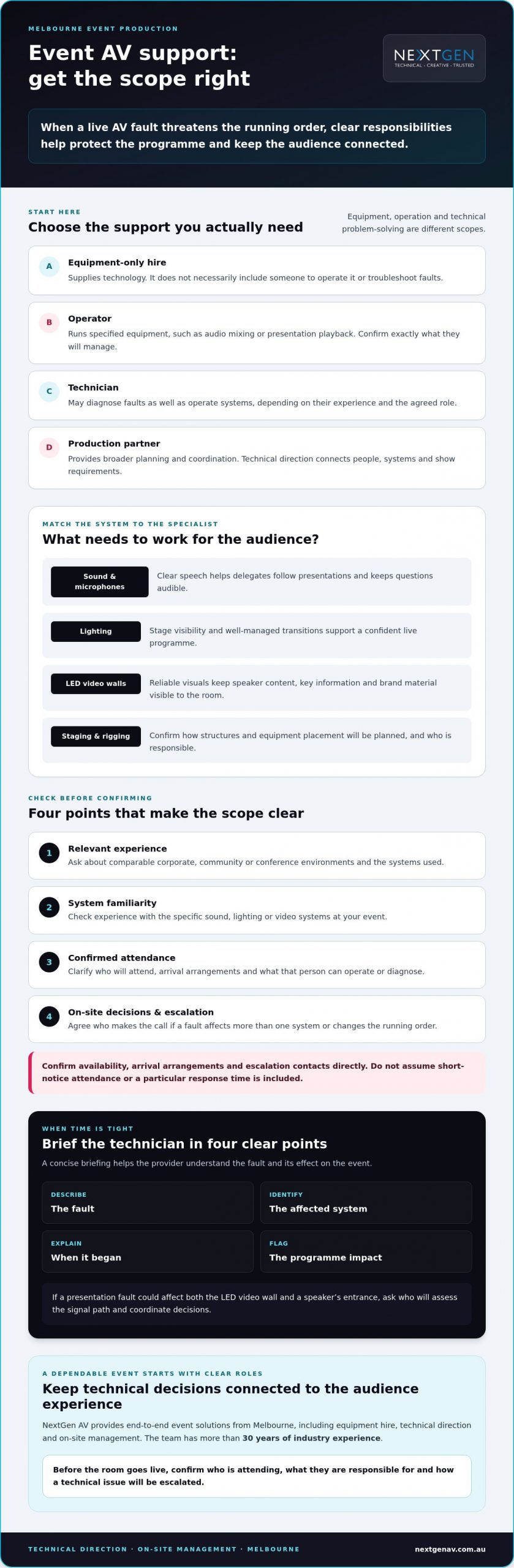
How to brief an event AV technician when time is tight
A clear first briefing helps a provider assess whether they can support your event and what information they need. For event av technician hire melbourne, lead with the fault and its effect on the programme, then give the practical details needed to confirm availability, scope and next steps. Share what you know; don’t delay the call to investigate equipment yourself.
Prepare the key details
Use this order for the first conversation. Short, accurate answers help the provider understand the issue and its urgency.
- Event and venue: State the event format, venue name, room or activation location, access instructions and schedule.
- Fault: Describe the symptom in plain language, which system is affected and when the issue began. For example, say whether a microphone has stopped producing sound or presentation playback is no longer appearing on screen.
- Programme impact: Explain what’s happening now and which upcoming moment is affected, such as a speaker presentation, audience questions or a scheduled screen cue.
- AV setup: Identify the affected microphones, professional sound systems, LED screens, lighting or playback equipment. Share known equipment details, signal-flow notes or photographs if you already have them and can provide them safely.
- On-site contact: Give the name and contact details of the person who can meet the technician, coordinate venue access and answer questions.
Also explain the audience needs and key programme moments. A provider can assess a fault more accurately when they know whether clear speech, a visual presentation or a lighting cue is central to the next part of the event.
Agree the escalation plan
Before relying on support, ask the provider to confirm availability, who will attend, what they’ll manage and what happens next. Clarify arrival and access arrangements, the agreed scope, how to escalate an issue beyond that scope, and who will make technical decisions on site. Confirm availability and response arrangements directly rather than assuming them.
Agree who will update presenters, venue staff and the event team if a technical decision affects the running order. Prioritise the elements that keep the programme moving, such as restoring presenter audio or switching to an agreed alternative if screen content is unavailable. A named decision-maker and a clear communication path reduce crossed instructions under pressure.
For support planning that accounts for your technical brief and event context, speak with NextGen AV about your Melbourne event.
Why partner with NextGen AV for Melbourne event tech support
Choosing support is about more than finding someone who can operate equipment. You need a team that understands how technical decisions affect the audience, the programme and the people delivering it. NextGen AV combines event planning, technical direction and on-site management to help organisers coordinate the moving parts behind a polished event.
A production partner beyond equipment hire
NextGen AV provides audio-visual production and equipment hire for corporate and community events, with event solutions available across Australia. Its team brings more than 30 years of industry experience. That background can help inform practical questions about your event format, technical setup and the coordination required on site.
NextGen AV’s Melbourne base is one consideration when discussing equipment and logistics. It doesn’t confirm technician availability or a response time, so check those details for your specific request. Technical direction can connect audio, lighting, LED video walls and staging requirements, while on-site management helps keep responsibilities clear as the programme unfolds. This gives you a production team to coordinate technical details while you focus on presenters and guests.
For event av technician hire melbourne, the value of a production partner is this wider view. The right support considers not just an individual fault, but how resolving it affects the next cue, speaker or audience interaction. Agree the role and scope in advance so the technical team can work in step with your event team.
Confirm the right next step
Share your event date, Melbourne venue, technical issue or production brief, and the systems involved. Ask NextGen AV to confirm current availability, relevant capability, who would attend and the responsibilities included. Clarify escalation arrangements directly, particularly if the request is urgent or short notice. This gives both sides a clear basis for deciding whether the support fits your event.
With the scope understood, you can move forward with greater confidence and keep attention where it belongs: on a seamless experience for your audience. Plan your event AV support with NextGen AV.
Put your event in capable hands
Reliable AV support starts with a clear match between the technician’s skills, your event systems and the risks to the programme. Confirm who will attend, what they’ll manage, whether they’re available and how escalation will work before you rely on support. A precise brief helps the provider assess the issue and agree on practical next steps.
For event av technician hire melbourne, NextGen AV brings more than 30 years of industry experience and provides technical direction and on-site management. If your event involves rigging, structures or electrical equipment, confirm which credentials, safety documents and responsibilities apply to the specific work and agreed scope.
Share your event date, venue, AV setup and support needs to discuss fit and current availability. Discuss your Melbourne event AV requirements with NextGen AV, and take the next step towards a smoothly delivered event with your audience and programme at the centre.
Frequently Asked Questions
Can I hire an event AV technician at short notice in Melbourne?
Short-notice support may be possible, but availability depends on the event date, Melbourne venue, required skills and provider’s schedule. Give the provider a concise brief covering the fault, affected systems, venue access and programme deadline. Ask them to confirm whether they can attend, when, what they’ll manage and how escalation works before you rely on support. Don’t assume emergency call-outs or a particular response time are available.
What does an event AV technician do during a live event?
An event AV technician may set up, operate, monitor or troubleshoot agreed systems during a live event. This could include microphones and sound systems, lighting, screens or playback equipment. Responsibilities depend on the booking and event plan, so confirm which systems they’ll manage before the event starts. Also agree who directs technical decisions and how issues will be escalated, so the team can respond clearly if a fault affects the programme.
Should I hire an AV technician or an event production company?
Choose a technician for a defined operational or troubleshooting requirement; consider a production partner when planning, technical direction, equipment and on-site management need to work together. The right fit depends on how many systems connect and how complex the event is. For example, a single audio support role may have a narrower scope than coordinating conference microphones, screen cues and programme transitions. Ask the provider to set out responsibilities rather than assume every production task is included.
What information should I give an AV technician when reporting a fault?
Share the Melbourne venue, event timing, symptoms, affected system and when the issue began. Explain the programme impact, including what needs to happen next, such as restoring a presenter’s microphone before a speech. Provide equipment details, signal notes or photographs if available and safe to share. Name an on-site contact who can coordinate access and decisions. This briefing helps the provider assess technical fit and confirm whether they can assist.
How do I check an event AV technician’s safety credentials?
Ask which credentials and safety documents apply to the specific work, structure and equipment at your event. Depending on the agreed scope, this may include a structural engineering certificate, Job Safety Analysis, a qualified rigger, a High-Risk Work Licence or Test and Tag records. Don’t assume every item applies to every task. Ask the provider to explain what evidence is relevant and who is responsible for the associated work.
Can a technician support sound, lighting and LED screens at the same event?
Some production teams can coordinate multiple systems, but capability depends on the crew assigned and the agreed scope. Confirm who is responsible for professional audio, lighting and LED screens, how show cues will be coordinated, and whether specialist operators are required. Share the programme and technical setup early so the provider can assess the support needed. Clear responsibilities help connected systems work in step and keep transitions smooth for the audience.
What should an event AV support booking confirm?
Confirm the event date and venue, the technician’s responsibilities, systems covered, access and setup arrangements, operating period, escalation contact and pack-down scope. Ask the provider to document confirmed availability and any limits to the service. Clarify who will make technical decisions and who to contact if a fault falls outside the agreed work. Written responsibilities help prevent assumptions, especially since equipment hire alone doesn’t necessarily include operation or troubleshooting.
What if runway lighting could make every fabric, silhouette and movement read clearly while shaping the mood of the whole show? Fashion show runway lighting Melbourne productions need to do more than create drama: the design must help garments appear clear to the audience and account for camera views.
If you’re balancing creative impact with venue limits, rigging, power and a tightly timed runway schedule, early coordination matters. Lighting, staging and technical direction need to work together so the collection stays in focus and the production runs smoothly.
This guide explains how to plan lighting around garments, models, camera positions and the venue, along with practical details that help organise the production. NextGen AV provides lighting design, staging, rigging and technical direction for Melbourne events. Its team can support planning from pre-production through on-site management and pack-down, helping you coordinate the technical details behind the runway.
Key Takeaways
- Plan runway lighting as part of the overall production, aligning the collection, models, audience experience and schedule.
- Consider how lighting direction and garment texture affect what audiences see, and confirm photography and video needs with the production team.
- Choose between clean, garment-led illumination and a more atmospheric look by weighing the collection’s identity, runway scale and camera views.
- For fashion show runway lighting melbourne, confirm venue access, rigging information, runway layout and production timing early.
- Look for a production partner who coordinates lighting design, technical direction, safety planning and on-site delivery, not just equipment supply.
Why runway lighting in Melbourne shapes the whole fashion show
Runway lighting has to serve the collection, models, audience and event schedule at the same time. It’s not simply a matter of aiming lights at a catwalk. A useful plan considers what each look needs to communicate, where people will be watching from, and how lighting cues fit the running order.
The purpose of runway lighting is to make garments and model movement clear while creating an atmosphere that supports the collection. When the design reflects both the visual brief and the practical needs of the production, the runway feels connected to the rest of the event.
For organisers planning fashion show runway lighting in Melbourne, start by defining the experience the collection should create. A clear brief gives the production team direction for design decisions and helps balance creative ambition with the venue’s conditions.
What does fashion show runway lighting in Melbourne need to achieve?
Four goals need to work together: garment visibility, confident model movement, audience sightlines and the intended mood. A lighting angle that brings out the texture of a structured fabric may affect how a flowing or reflective material appears. Share the collection’s colours, materials and creative direction early so the lighting plan responds to the clothes rather than relying on a generic look.
Runway lighting also has a different job from ambient light around the event space. General room lighting helps people move around and orient themselves; focused runway lighting directs attention to each look. The stage lighting techniques overview offers background on principles that can inform a production, but the final design should respond to the show’s specific brief.
Why does a Melbourne venue change the plan?
Every room has its own layout and infrastructure. Ceiling height, available rigging positions, audience arrangement and production access can all affect where lighting can go and how the runway should be arranged. Confirm these details with the venue early, including any event-specific restrictions. Don’t assume a setup used at another venue will work in your space.
Access and timing matter, too. The production plan needs to account for when the team can enter, install and check the setup alongside the event schedule. Give your lighting team the intended runway layout and confirmed venue information so lighting design, staging, rigging and technical direction can be coordinated before show day. Early alignment helps keep the focus on the collection and audience experience.
How runway lighting brings garments, movement and camera views together
Lighting direction affects how fabric appears as a model moves. Front lighting can help reveal colour and detail, while side lighting can bring out texture and create dimension. The right balance depends on the garments, runway route and audience view. Reflective, textured and dark fabrics each bring different considerations, so share collection references, colours and material details during pre-production.
A runway lighting plan needs creative intent and camera awareness so the collection reads clearly in the room and in captured images. Photography and video can respond differently to lighting than a live audience does. Confirm camera positions, capture plans and any live-streaming needs with the production team, then review representative garments under the proposed lighting during a rehearsal or test if available. Advice on perfect fashion show lighting also highlights the value of considering models, garments and the runway as one visual composition.
How do colour and fabric affect the lighting brief?
Bring creative references into the technical conversation early. Dark garments may need careful attention to retain visible detail, while reflective material can respond strongly to the direction and character of light. Treat these as design factors to test, not outcomes to assume. Reviewing sample looks under the planned conditions gives the team a chance to assess how colour, texture and movement appear before the show.
How should lighting support models and cameras?
Map the full runway route, including model entrances and exits, stopping positions and photographer locations. This helps the lighting team consider how each look will appear as models approach, turn and pause, rather than designing for only one audience angle. Share the map with the lighting designer and camera team so their requirements can be coordinated.
Lighting cues should follow the agreed running order and be coordinated with the show caller or stage manager. Transitions can then support the pace of the show rather than compete with it. For broader context on how staging and lighting work together, see this stage and lighting hire guide.
For fashion show runway lighting in Melbourne, align the creative brief, garment tests, camera positions and cue sequence before production day. If you’re shaping the technical plan, talk with NextGen AV about runway lighting design as part of your production planning.
Runway lighting options in Melbourne: match the design to the show
The right lighting approach starts with the collection, not a preset effect. Clean, garment-led illumination keeps attention on colour, cut and detail. A more atmospheric design can make a show feel more dramatic, but effects should support the clothes rather than compete with them. For fashion show runway lighting in Melbourne, weigh the creative direction against runway scale, audience positions and photography or video plans before settling on a look.
Should the runway feel editorial, dramatic or understated?
Use references from the collection and event brief to describe the intended mood. Editorial and understated looks may call for a restrained approach that lets the garments lead; a more expressive design can shape the atmosphere and create a stronger visual frame. Neither approach is automatically better. First confirm garment visibility, sightlines and camera needs, then decide where effects add meaning and where they might distract.
The table below connects common event priorities with design considerations. Use it as a briefing prompt, not a fixed technical prescription.
| Event priority | Lighting-design consideration |
|---|---|
| Garments take centre stage | Prioritise clear, consistent visibility and keep effects secondary to the collection. |
| A distinctive mood | Use atmosphere to reinforce the creative brief while preserving clear views of each look. |
| Photography or video | Share camera positions and capture plans early so the design considers both the room and the lens. |
| A compact or unusual runway layout | Review audience positions and the route before deciding how the lighting should cover the space. |
When should lighting integrate with staging and sound?
Coordinate lighting positions with runway dimensions and stage layout from the outset. Changes to the route or staging can affect sightlines and the areas the lighting needs to cover. Align the creative plan with the production layout before finalising cues. This joined-up planning helps the technical team manage the details without pulling focus from the show.
Sound systems and lighting cues also need to follow the agreed show sequence, particularly when music sets the pace for model entrances. Coordinate cue timing with the show caller or stage manager, and share audio requirements with the production team. For related planning, see this professional sound system hire guide. If visual content is part of the concept, decide how it will complement the runway rather than compete with the collection.
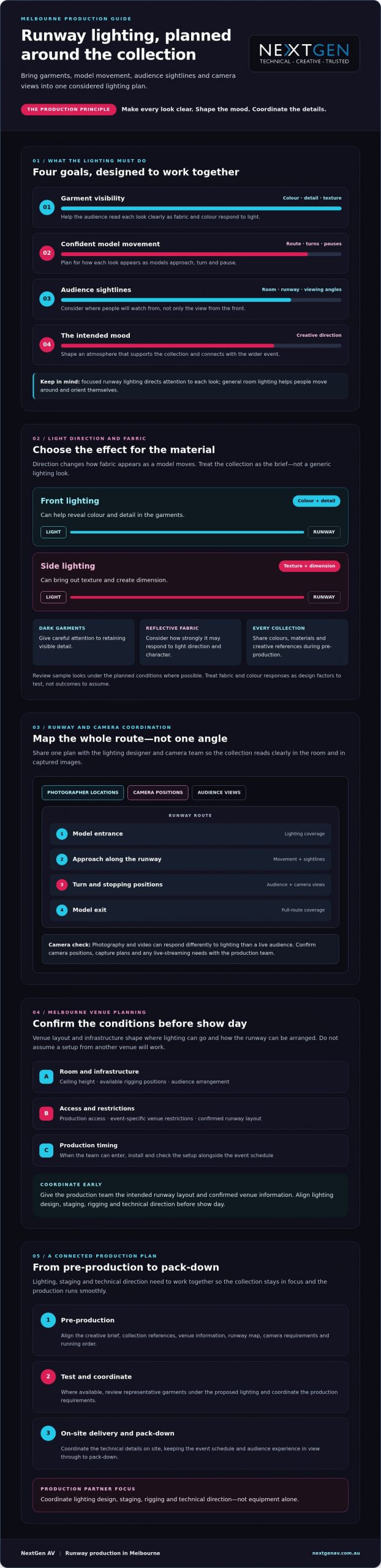
Plan Melbourne runway lighting with venue, rigging and safety in mind
A well-designed runway also needs a practical production plan. For fashion show runway lighting in Melbourne, establish the creative brief, confirm venue details, coordinate lighting with the runway and staging, plan technical delivery, then rehearse before doors open. This sequence gives the production team a chance to resolve constraints before they affect the event schedule.
- Establish the brief: Define the collection’s visual direction, runway route and audience experience.
- Confirm the venue: Check access, schedule, available plans, power, ceiling details and rigging information.
- Coordinate the design: Align lighting positions with the runway layout, staging and camera views.
- Plan and rehearse: Confirm production responsibilities, cue timing and the rehearsal plan with the relevant teams.
What should organisers confirm with the venue?
Ask the venue for current information about access, available rigging points, power and its event approval process. Confirm who will provide the venue plans and who reviews or approves the proposed production design. These checks are venue-specific, not universal requirements for Melbourne events, so get the details directly from the venue rather than relying on assumptions.
Share the intended runway layout and schedule with the production team. A clear plan helps them assess how the room’s infrastructure and access arrangements affect lighting positions, staging and installation timing.
How should rigging and safety be planned?
Where the design calls for suspended lighting or other equipment, consider rigging as part of the overall production plan. The venue and qualified production personnel can confirm what the proposed setup involves and which people, checks and documents are relevant to that specific work. Safety planning should reflect the actual venue, equipment and scope rather than relying on a generic checklist.
Clarify responsibilities with the venue and production team, including who reviews the proposed setup and what checks or documentation apply. Requirements depend on the event and venue, so confirm the relevant details during planning. Coordinating lighting, staging, rigging and technical direction early helps keep responsibilities clear and supports an organised rehearsal and show-day schedule.
Bring the creative brief and venue information together with a production team that can manage the technical details. Discuss Melbourne event production with NextGen AV to plan runway lighting around your venue, schedule and staging requirements.
Choose a Melbourne end-to-end runway lighting partner
Fashion show runway lighting in Melbourne calls for more than a lighting concept or equipment list. Choose a partner who can connect the creative brief with technical direction, safety planning and on-site coordination, so production details support the show rather than becoming another task for your team to manage.
A supplier focused only on equipment may not coordinate how lighting fits with staging, rigging, venue requirements and the running order. An end-to-end production partner should explain what they’ll manage and where other teams need to be involved. Check that the proposed scope covers the stages you need, from pre-production and technical planning through installation, operation and pack-down where included.
What should a runway lighting partner manage?
Establish clear points of contact for your event, venue and creative teams. Ask who will coordinate production details, how lighting cues will be agreed, and how cue changes or schedule adjustments will be communicated on show day. These arrangements help everyone work from the same plan, particularly when a change to timing or runway layout affects more than one production element.
Before appointing a partner, check that their approach addresses:
- Lighting design shaped around the collection, runway and audience experience.
- Technical direction that connects lighting with staging, rigging and the event schedule.
- Project-specific safety planning coordinated with the venue and relevant production personnel.
- On-site roles, communication and cue management, with installation and pack-down responsibilities clearly scoped.
What experience and evidence should you ask for?
Request examples relevant to fashion or live events, then clarify what each project involved. The size of a lighting rig alone doesn’t explain the brief, venue or production responsibilities, so ask how an example relates to your event. Look for evidence that the proposed team can coordinate the design and practical details required for your show.
Also ask how technical direction, rigging and safety planning would apply to your proposed production. NextGen AV brings more than 30 years of industry experience. That’s useful context for planning, not a guarantee of a particular result. Confirm which personnel, documents and checks are relevant to your event’s specific scope.
With the right partner, creative intent and production planning stay connected from the first brief to show day. Plan your Melbourne fashion show with NextGen AV and discuss the lighting design, staging, rigging and technical direction your runway requires.
Bring your runway vision to life
Strong fashion show runway lighting in Melbourne connects the collection, model movement and audience experience in one considered design. A useful plan also accounts for camera views, venue conditions, rigging, safety and show timing, so creative ambition is matched by practical technical planning.
Choose a production partner who coordinates lighting design, staging, rigging and technical direction rather than focusing only on equipment. NextGen AV provides event production and equipment hire, with a team that handles pre-production planning, on-site management and pack-down. Its Melbourne-based team can help coordinate the technical details around your runway and venue.
With the production details planned behind the scenes, you can focus on the collection and the moment it meets the audience. Plan your Melbourne runway production with NextGen AV and discuss the lighting design, staging, rigging and technical direction your show requires.
Frequently Asked Questions
How do you light a fashion show runway so garments look clear?
Start with the collection, then plan light direction and coverage around its colours, materials and the audience’s view. Dark, reflective or textured garments may need particular consideration because they can appear differently under different lighting. Share garment references with the lighting team and, if a rehearsal or test is available, review representative looks under the proposed setup. This gives the team a chance to assess visibility before show time without assuming one look suits every collection.
What lighting is used for a fashion show runway?
A runway design may combine focused front lighting to reveal garments, side lighting to bring out shape and texture, and back lighting to separate models from the background. The balance depends on the collection, room layout and intended mood. Some shows favour clear, restrained illumination; others add more atmosphere. The lighting designer should develop the approach from your brief and venue details rather than selecting effects before the visual priorities are clear.
Can runway lighting work for both the audience and photographers?
Yes, if the plan accounts for both the live view and camera positions. Share photographer locations, video coverage and any streaming requirements with the production team early, as lighting that feels effective in the room may appear different on camera. Map sightlines along the runway, including model entrances, turns and stopping positions. Where possible, review representative garments during a rehearsal or test to check how the planned look translates to images.
How do I plan runway lighting for a Melbourne venue?
Planning fashion show runway lighting in Melbourne starts with a clear creative brief and early venue checks. Confirm access and production timing, request current venue plans, and ask about available rigging positions, power and the venue’s approval process. Share the intended runway layout with your production team so they can coordinate lighting, staging and technical direction around the actual room. Venue conditions and processes vary, so verify details with your chosen venue.
What should I ask a runway lighting company before booking?
Ask who will lead design and technical direction, what the proposed scope includes, and how the team will coordinate with your venue and creative contacts. Clarify whether installation, operation and pack-down are included, and who manages cue changes and show-day communication. Request relevant fashion or live-event examples, then confirm what each example involved. A clear answer should connect the creative approach with the practical production responsibilities for your event.
Does runway lighting need to be coordinated with staging and sound?
Yes. Runway dimensions and stage layout influence lighting positions and audience sightlines, while music and model entrances affect cue timing. Coordinate the lighting plan with staging and sound systems, and make sure the show caller or stage manager has the agreed running order and cue information. Early communication helps the teams manage transitions together, so the technical elements support the show’s pace rather than interrupting it.
What safety information should be confirmed before event rigging?
Confirm the venue’s rigging information and approval process, then ask qualified production personnel to assess what the proposed setup requires. Clarify who is responsible for the work and which safety documents, equipment checks and credentials apply to the specific event. Requirements vary with the venue and production, so confirm the relevant details rather than assuming every check or document applies.
For hybrid conference production melbourne, the best starting point is not the platform with the longest feature list. It’s the audience journey: how people onsite and online will watch, participate and connect. A platform may offer plenty of functions, but if they don’t support your event plan, they can add complexity without improving engagement.
Look beyond streaming quality. Remote attendees need a practical way to take part, and your team needs clear coordination between the platform, venue AV and live production. A structured evaluation can help you make those decisions before the technical plan is locked in.
This guide explains how to compare platform capabilities with your audience needs, session format and production requirements. You’ll learn what to confirm with platform providers, what to check during Melbourne venue scoping, and how technical direction can connect the online experience with the room. NextGen AV provides end-to-end event production and equipment hire, including planning, technical direction and on-site management, to help bring those elements together.
Key Takeaways
- Start with the audience journey, then shortlist platforms that fit your conference format and participation needs.
- Compare meeting-style, webinar-style and event-platform approaches against session flow, interaction and production integration.
- For hybrid conference production melbourne, assess the platform alongside venue AV, camera coverage, audio and presenter cues.
- Document your requirements and confirm platform features, integrations and accessibility tools directly with the provider.
- Clarify technical responsibilities early so your production team can connect platform decisions with live delivery in Melbourne.
Hybrid conference production in Melbourne starts with the audience journey
Hybrid conference production in Melbourne brings the in-room event and the live remote experience together, so both audiences can follow the programme and participate. The platform is important, but it’s one part of a wider production plan. A format that works for a small, conversational meeting may not suit a conference with multiple sessions or different kinds of interaction. Start by defining what each audience needs to do, then assess platform functions against that journey.
A Hybrid event brings in-person and remote participation together. For a conference, that connection needs to be planned rather than assumed. Choose a hybrid conference platform based on the functions it needs to provide for each audience. Confirm features, integrations and accessibility tools directly with the provider, then check that they fit your event format and production workflow.
Map the experience for both audiences
List what onsite attendees, remote attendees, speakers and moderators need at each stage. Consider registration and joining, how people will follow sessions and ask questions, and whether post-session access is part of the plan. A video meeting format may suit direct conversation, while a conference-focused experience may better support a scheduled programme. Compare the actual functions on offer instead of relying on the format label.
Plan how presenters will acknowledge questions from the room and online. A moderator can manage the flow, select questions and cue speakers, rather than asking presenters to monitor competing channels while delivering their session. Confirm that the platform supports the participation approach you intend to use.
Separate the platform from the production system
The platform carries the remote experience, but it doesn’t manage every part of the live event. Camera coverage shapes what remote attendees see, while sound systems and microphones help them hear presenters. Lighting supports visibility on camera, and the stream connects the room to the online audience. Confirm the venue’s connectivity, room layout and technical requirements during event scoping.
Involve the people planning and delivering onsite AV and technical direction in platform selection. Early coordination clarifies how cameras, audio, lighting, screen content and presenter cues will work together, and who is responsible for each part of the workflow. For a broader look at production planning, see our guide to hybrid event services in Australia. NextGen AV’s Melbourne-based team provides professional audio, lighting, LED video walls, staging and technical direction, helping align platform decisions with the practical needs of the room.
Compare hybrid conference platforms by the experience they support
Compare platforms against your programme, not just their feature lists. A meeting-style tool may suit a discussion-led session, while a webinar-style format may fit a presentation with managed audience participation. An event platform may support a broader programme, but you’ll still need to verify its specific functions with the provider. The right platform is the one that meets your event’s confirmed requirements.
| Approach | Event format | Audience interaction | Session flow | Production integration |
|---|---|---|---|---|
| Meeting-style | Consider for panel discussions or direct conversation. | Check how attendees can speak, submit questions or participate. | Confirm how speakers and moderators move between sessions. | Test how the platform fits the planned audio and video workflow. |
| Webinar-style | Consider for presentations with a more managed audience experience. | Verify available question and engagement functions. | Check how presenters, moderators and sessions are controlled. | Confirm how the stream and content connect with onsite production. |
| Event platform | Assess for conferences with multiple sessions or tracks. | Verify the functions needed for remote participation. | Check navigation between sessions and any planned follow-up. | Confirm integrations and technical requirements with the provider. |
Match format to sessions
Map the programme before shortlisting platforms. A panel discussion, a presentation followed by questions, and simultaneous tracks place different demands on speakers, moderators and remote participants. Consider how people will enter each session, how questions will reach the stage, and who will guide transitions. Don’t assume every conference needs the same level of interaction or platform complexity. Select functions that support the sessions you’re actually running.
Test interaction and access
Walk through the attendee journey, from invitation and login to live participation. If you plan to use audience engagement software for polls or questions, confirm those functions, moderation controls and required integrations directly with the platform provider. Verify recording options and access controls too, rather than assuming they’re included. For broader delivery considerations, read our guide to full-service event production.
For hybrid conference production melbourne, platform testing should be part of the production plan, including how session content and audience interaction will be managed onsite and online. If you’re aligning platform decisions with onsite AV and technical direction, explore NextGen AV’s event production services.
Will the platform alone deliver a seamless hybrid conference?
No. A platform can carry the online experience, but it can’t manage every onsite production requirement. Remote viewers rely on what the room sends them: clear presenter audio, useful camera framing, readable screen content and well-timed cues. If a presenter is difficult to hear or the camera misses a key moment, platform features alone won’t fix the experience.
That’s why hybrid conference production melbourne needs a coordinated plan for the platform and the production system. Agree early how the room, speakers and remote audience will connect, then assign responsibility for each part of delivery.
Connect the room to the remote audience
Plan audio for online listeners as well as people in the room. The sound system and microphones need to capture presenter speech clearly for the stream, while camera framing should help remote attendees follow the speaker, panel or relevant activity. Discuss room audio requirements with your production team, and see our guide to professional sound system hire for more on how audio shapes the audience experience.
Coordinate screen content as well. Where event displays are part of the setup, a video processor can manage content signals for those displays. Confirm how slides, playback and other planned visuals will appear both in the venue and on the stream, so remote attendees can follow the same key information.
Plan for ownership and failure points
Make responsibilities explicit across the organiser, platform provider, venue and production team. Name who handles platform administration, monitors the stream, supports speakers, and coordinates venue connectivity and room access. Confirm each responsibility with the relevant party instead of assuming it sits with another team.
- Organiser: Own the run sheet, speaker information and decisions about recording and post-event access.
- Platform provider: Confirm platform functions, access controls, recording options and relevant integrations.
- Venue: Confirm connectivity, room layout and available technical information during event scoping.
- Production team: Coordinate onsite audio, cameras, screen content and presenter cues with the agreed workflow.
Rehearse hand-offs and agree how teams will communicate if a connection, presentation file or speaker cue doesn’t go to plan. Set out who to contact and how an issue will be escalated, without assuming every problem can be prevented. Before selecting a platform, confirm who receives recordings, how content will be handed over and what post-event access is expected. A background technical production reference can support planning, but your event requirements and assigned responsibilities should guide the final workflow. For help aligning onsite AV and technical direction, learn about NextGen AV’s production services.
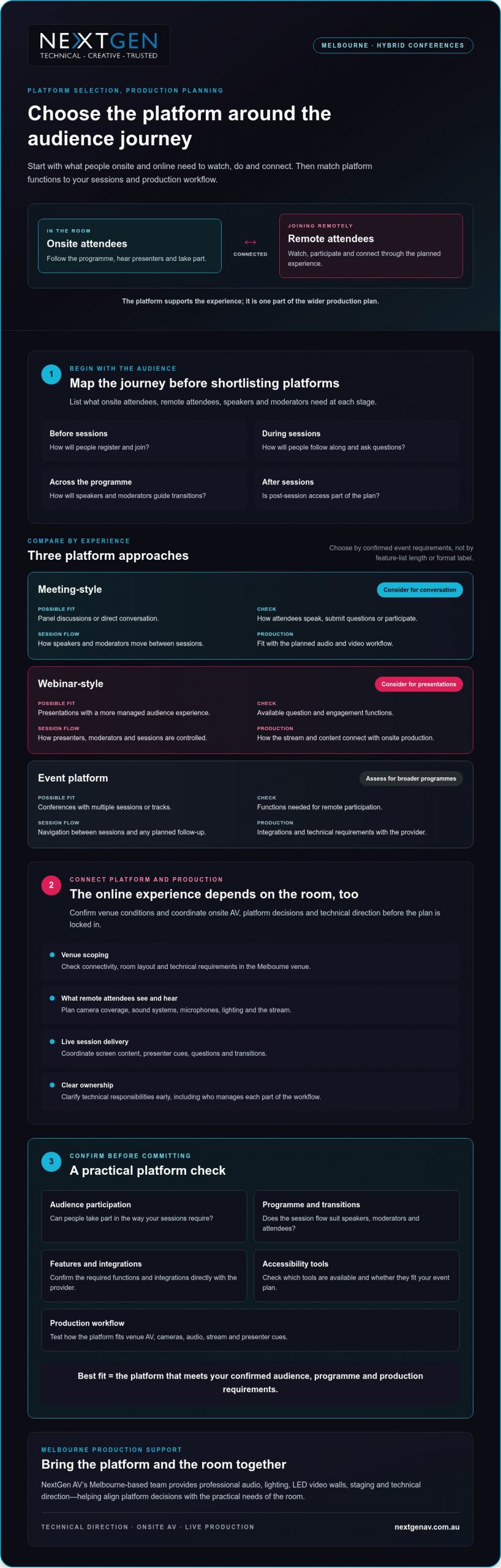
Use this Melbourne hybrid conference platform selection checklist
A clear selection process keeps platform decisions connected to the event you’re producing. For hybrid conference production melbourne, assess the attendee journey, platform functions and onsite technical workflow together, then confirm who owns each part of delivery.
Build a requirements brief before comparing providers
Start with a written brief. Record who will attend, how sessions will run, what remote participants need to do and what content they’ll see. Separate essential requirements from optional functions so a long feature list doesn’t distract from what the conference needs.
- Document the audience and programme. List onsite and remote audience groups, session formats, speakers, moderators, panel discussions, tracks and question periods.
- Define participation and content. Note planned polls, questions, presentations, video playback, recording or post-event access. Confirm directly with each provider which platform functions support these requirements.
- Map the production workflow. Identify how the platform needs to connect with onsite sound systems, screens and cameras. Confirm requirements with the production team and platform provider, including how presenters and content will move through the programme.
- Scope the Melbourne venue. Ask the venue team to confirm room layout, access arrangements, connectivity and relevant technical requirements. Share these details with production leads so the proposed workflow fits the room.
Validate the workflow before event day
A provider’s feature list isn’t a substitute for testing your planned event. Arrange a technical rehearsal with presenters, moderators and relevant production leads. Use it to check attendee access, content playback, speaker transitions and the audience interactions you intend to run.
- 5. Test the full sequence. Rehearse a representative session from joining through to questions and transitions. Check that the platform workflow and onsite production elements work together as intended.
- 6. Assign ownership. Name who administers the platform, supports speakers, monitors the stream and coordinates onsite production. Agree how issues will be communicated and escalated during rehearsal and live sessions.
- 7. Make the selection. Compare providers against the requirements brief, note any gaps, and verify outstanding features, integrations and access needs directly before confirming your choice.
In short: document requirements, check compatibility, rehearse the workflow and assign clear ownership. This gives your team a practical basis for selecting a platform and coordinating its role in the live event. If you’re planning a Melbourne conference, review NextGen AV’s hybrid production services.
Choose a Melbourne partner to bring the platform to life
A platform demonstration can confirm what the software does. It can’t show how well the platform will connect with your venue, speakers, event content and onsite AV. For hybrid conference production melbourne, assess whether the production partner can bring those moving parts into one coordinated plan, with clear responsibilities from preparation through to pack-down.
Assess experience beyond the platform demonstration
Ask how the team will coordinate platform requirements with room audio, cameras, screens and presenter cues. Clarify who leads technical direction, supports rehearsals, manages live operation and handles pack-down. Clear answers help you see whether the partner is planning for the audience experience, not simply supplying equipment.
NextGen AV is based in Melbourne and provides event production and equipment hire across Australia. Its services include professional audio systems, lighting design and equipment, LED video walls, staging and rigging, virtual and hybrid event solutions, and technical direction. Discuss your specific venue requirements during event scoping.
Look for a partner who raises dependencies early. Platform functions may need to align with the session schedule, content hand-offs and production workflow. Ask how decisions will be documented, how responsibilities will be shared between the organiser, venue, platform provider and production team, and how changes will be communicated before event day.
Turn your shortlist into an event-ready plan
Prepare a concise brief before your first production discussion. Include the event date, format, audience mix, venue and session outline, along with known platform requirements and content needs. This gives the production team a useful starting point to identify what needs confirmation, which decisions depend on others, and who owns each action.
Use the discussion to clarify how planning, setup, technical direction, live operation and pack-down fit together. Ask what information is still needed from the venue or platform provider, and how the agreed workflow will be checked before the conference. Early coordination keeps responsibilities visible and helps create a more connected experience for presenters and attendees.
NextGen AV can bring virtual and hybrid event solutions together with professional audio, lighting, LED video walls, staging and technical direction. Plan your hybrid conference production with NextGen AV by sharing your brief and aligning the platform with the live event from the outset.
Bring your hybrid conference plan together
The right platform fits your audience, programme and production workflow, not simply your preferred feature list. Confirm its functions with the provider, then test how it connects with the venue, onsite AV and remote attendee experience. Clear ownership and a technical rehearsal help your team prepare for live delivery.
For hybrid conference production melbourne, a production partner can connect platform decisions with the practical needs of the room. NextGen AV provides planning, technical direction, live operation and event AV, with a Melbourne base and event services across Australia.
Share your event format, audience mix, venue and session outline to start shaping a coordinated plan. Discuss your hybrid conference production with NextGen AV and plan for a connected experience for presenters and attendees, onsite and online.
Frequently Asked Questions
Is a dedicated platform necessary for a hybrid conference?
No, a dedicated conference platform isn’t necessary for every hybrid event. A meeting platform may suit a smaller or simpler programme, while a conference-focused platform may better support structured sessions or planned attendee interaction. Base the decision on your audience, event format and production requirements. Confirm current features with the provider, then check how the platform will connect with your in-room AV and live production workflow.
How do you choose a platform for a hybrid conference?
Start by documenting who will attend, how sessions will run and what participants need to do. Compare shortlisted platforms against those requirements, including access, interaction, content and production integration. Ask providers to confirm relevant functions rather than assuming they’re included. Before finalising the event plan, rehearse the complete workflow with speakers and production leads to check that the platform and onsite AV support the experience you’ve planned.
Can one platform serve both in-person and remote conference attendees?
A platform can support remote participation, but it can’t manage the entire in-room experience by itself. Onsite attendees rely on the venue’s AV, staging and event flow, while online viewers need clear audio, useful camera coverage and well-timed content. Plan how presenters, questions and session content will connect across both audiences. Confirm platform capabilities with the provider and assign responsibility for the online and onsite parts of delivery.
What equipment is needed for hybrid conference production?
The equipment depends on your room, event format and chosen platform workflow. A production plan may include sound systems, microphones, cameras, displays, lighting and equipment to deliver the online programme. Select these as part of a connected system, not as isolated items. During planning, confirm venue conditions, platform requirements and presenter needs with the production team so the setup supports clear communication for both audiences.
How do you test a hybrid conference platform before the event?
Rehearse the planned workflow with presenters, moderators and production leads. Check attendee access, content playback, speaker transitions and any planned audience interaction, such as questions or polls. Confirm who monitors the platform and onsite production, and agree how issues will be communicated and escalated. Make the rehearsal reflect the event format as closely as practical, so the team can identify gaps and clarify responsibilities before live delivery.
Why use a Melbourne production partner for a hybrid conference?
A Melbourne production partner can help coordinate venue planning, onsite AV and production responsibilities for a local event. When comparing teams, ask about technical direction, rehearsal planning, live operation and how they’ll work with your platform provider and other stakeholders. For hybrid conference production melbourne, look for a partner who connects platform decisions with the room’s production requirements, rather than treating AV as a separate equipment list.
When should a hybrid conference platform be selected?
Select a platform after defining the audience journey and session requirements, but early enough to coordinate it with production planning. This gives your team time to verify features with the provider, check the workflow against venue requirements and arrange a technical rehearsal. Confirm timing and dependencies with the platform provider, venue and production team. Early coordination helps clarify responsibilities before the event plan is locked in.
What if the room and the screen felt like one meeting, rather than two separate audiences? Knowing how to run a seamless hybrid meeting starts with treating every attendee as part of the same experience. Clear audio, a view of the people speaking and a genuine chance to contribute matter just as much online as they do in the room. When these basics fail, remote participants can lose the thread, while organisers get pulled away from facilitating to fix technical issues.
You can avoid many disruptions with careful preparation and active facilitation. This guide explains how to plan the room and technology, test audio and visuals, set clear participation expectations and keep the discussion inclusive from start to finish. You’ll also see when professional technical direction can take pressure off your team. NextGen AV provides audio-visual production and equipment hire from Melbourne, including professional sound systems, lighting, LED video walls, staging and hybrid event solutions. Considered planning and production support can help keep the technology working in the background, so you can focus on the meeting and the people in it.
Key Takeaways
- Start with a shared meeting purpose and plan for equal access to discussion, visuals and questions.
- Set outcomes, attendance and meeting roles before choosing the room layout and AV approach.
- Match microphones, camera views and presentation setup to the meeting format and room.
- To learn how to run a seamless hybrid meeting, test the platform and AV from a remote attendee’s perspective before you begin.
- Review participation and technical issues afterwards, and consider technical direction when room or production needs become more complex.
Start with one shared purpose for your hybrid meeting
A hybrid meeting brings in-room and remote participants into one shared discussion. But connecting a video call is only the starting point. If people joining online can’t hear a question, see the presenter or follow how the room responds, they’re connected technically but excluded from parts of the conversation.
A seamless hybrid meeting gives every participant a clear view of the discussion and a meaningful way to contribute, wherever they’re joining from. That takes more than a platform: it calls for a clear purpose, deliberate room planning and facilitation that keeps both audiences in view. For background on the systems behind the experience, read about videoconferencing technology.
Start by matching the production approach to the meeting. A routine team discussion may need a straightforward room layout and a clear process for taking turns. A larger hybrid event, with presenters moving around, several visual elements or audience interaction, needs more considered AV planning and technical direction. For meetings in Melbourne, confirm venue-specific details early, since the room layout, available equipment and access can affect the setup.
What makes a hybrid meeting feel seamless?
Participants in the room and online should be able to hear each speaker, see the presenter and relevant materials, and understand when they can respond. Clear speaking turns help prevent people talking over one another. A visible presenter and an agreed way to signal questions help remote attendees follow the room. The aim is shared attention, not simply a live connection.
Set the meeting outcome before choosing the setup
Decide what the meeting must achieve before arranging chairs or selecting AV. Is the group sharing information, discussing an issue or reaching a decision? The answer shapes how people need to interact and what the facilitator must keep track of. Identify who will attend in person, who will join remotely and who will guide the discussion.
- For information-sharing: plan clear presentation visibility and a way to ask questions.
- For discussion: establish speaking turns so remote and in-room voices are heard.
- For a decision: explain how options will be considered and how the outcome will be confirmed.
This purpose-first approach is the foundation of how to run a seamless hybrid meeting. The steps that follow build on it: set outcomes, design the room, test the setup, facilitate in real time, then follow up with decisions and action owners.
Plan the room, people and AV before meeting day
Once the meeting outcome is clear, map the people and production around it. A room that works for a small discussion may not suit a presenter-led session with remote questions, screen content and movement across a stage. Planning these details early helps prevent avoidable changes on the day and gives every participant a clearer view of the conversation.
- Confirm the outcome and attendance: note what the meeting needs to achieve, who will be in the room and who will join remotely.
- Assign the roles: name the meeting chair, a facilitator to track online contributions, and someone to manage the platform and presentation handovers.
- Match the room to the agenda: consider seating, presenter movement, sightlines and how attendees will ask questions or take part in a decision.
- Confirm the AV plan: discuss sound systems, microphones, cameras, screens and presentation connections with the venue or AV team.
Assign clear roles before the call begins
The chair can lead the agenda while a facilitator watches for raised hands, questions and signs that remote participants have been missed. A separate platform operator can manage presentation sharing and handovers, allowing the chair to stay focused on the discussion. For larger or technically complex meetings, a front of house engineer can manage the audience sound mix, while a technical director coordinates the production plan.
Plan the room around clear communication
Microphone placement should support clear speech from the people who need to contribute, not just the main presenter. Check that remote participants can see both the presenter and the relevant presentation content, and that people in the room can follow remote contributions. Seating should support the agenda: a discussion needs visible faces and clear speaking turns, while a presenter-led session needs unobstructed views of the speaker and screen.
Confirm venue access, power, connectivity and equipment requirements directly with the venue before the event. If room conditions or sightlines are uncertain, arrange a walkthrough or a technical conversation to confirm the plan. For a Melbourne meeting, include these checks in the venue conversation rather than assuming every space has the same facilities.
For a broader production plan, explore hybrid event services. If the meeting calls for more than a straightforward room setup, NextGen AV’s technical direction and hybrid event solutions can help coordinate the AV around the participant experience, so you can focus on leading the meeting.
Make audio, video and presentations work for both audiences
The right AV setup depends on how the meeting will run. A small discussion needs clear speech and a camera view that captures the people contributing. A presenter-led session needs the speaker and slides to remain visible to both audiences. In a larger room, sound coverage, screen placement and camera framing need closer coordination so participants aren’t left trying to follow incomplete views or unclear audio.
Clear audio is what lets remote participants follow the conversation and take part, not just watch it. The room’s microphones and sound systems need to capture questions and responses as well as the main presenter. If only the presenter can be heard, the online audience misses the exchange that gives a discussion its meaning.
Choose sound that carries every contribution
A wireless microphone may suit a presenter who moves around the room, while a seated discussion calls for a plan that captures contributions from different positions. Decide how in-room attendees will ask questions: will a microphone be passed around, or will the facilitator repeat each question clearly for online participants? Ask an audio specialist to assess the room and recommend sound systems for the audience and meeting format.
Room acoustics, speaker positions and microphone placement all affect what remote attendees hear. A considered audio plan helps make speech intelligible without asking online participants to guess who is talking. For more guidance on planning event audio, see the professional sound system hire guide.
Keep presenters and shared content visible
Frame cameras so remote attendees can identify the active speaker and follow changes in the discussion. If the presenter moves, check whether the camera view still works; if several people contribute, consider how the online audience will see them. Place room screens where attendees can read presentation content without losing sight of the speaker, and check that slides remain legible in the online meeting as well.
An LED display can support visibility in a larger room, but it isn’t automatically the right choice for every meeting. Consider the room’s scale, the content being shown and the viewing conditions. The goal is a clear, balanced view for both audiences, not more equipment for its own sake.
These decisions are central to how to run a seamless hybrid meeting: match the audio and visuals to the way people will participate. If you’d like technical guidance for your room and audience, NextGen AV’s professional audio systems and hybrid event solutions can help shape the production plan around a clear participant experience.
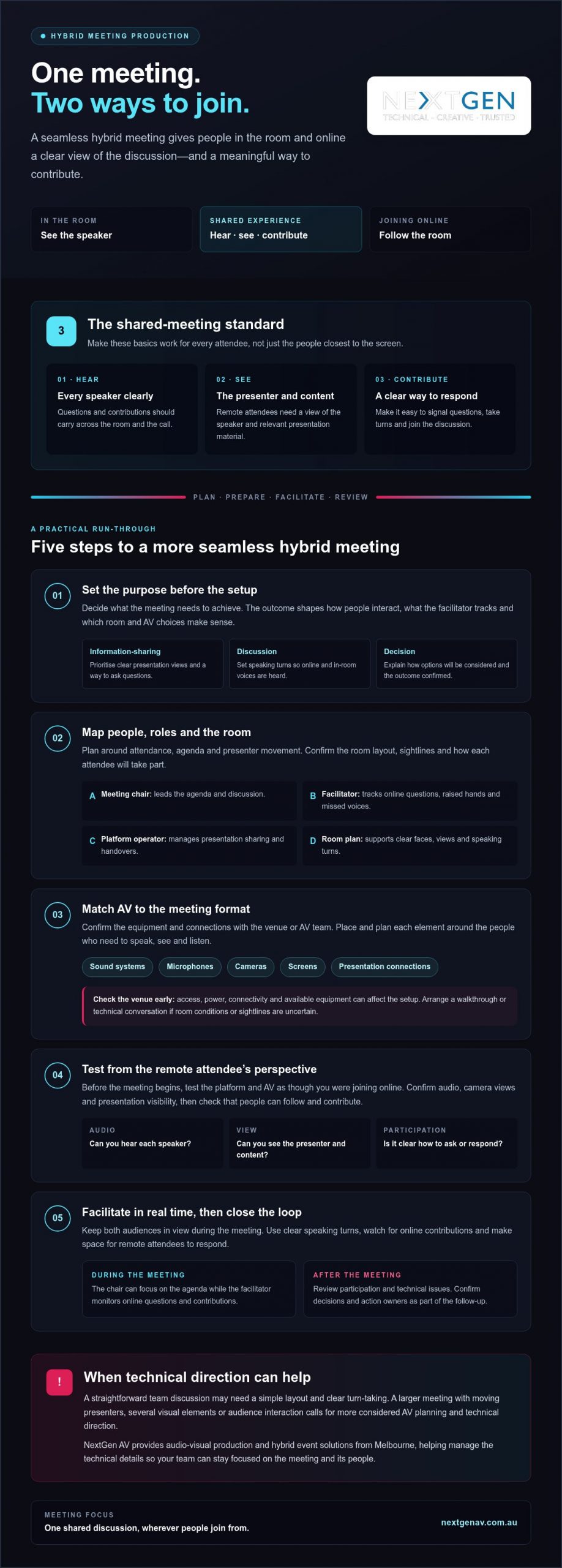
Test the setup and facilitate the meeting in real time
A planned setup still needs a live rehearsal. Test the full signal path before attendees arrive, then check the meeting from the perspective of someone joining remotely. A microphone can sound clear in the room but still be too quiet or unclear online, so don’t rely on the in-room view alone.
Run a practical rehearsal
Work through each part of the meeting in the order it will happen. Confirm platform access, test each microphone, check camera views, share the presentation and listen to the room sound through the online connection. Rehearse presenter handovers too, and confirm who will handle questions and technical changes while the meeting is under way.
- Check access: confirm the meeting link opens and remote attendees can join.
- Test speech and sound: speak from each planned position and check what the remote audience hears.
- Review camera views: make sure the active speaker is visible and remains in frame when moving.
- Share presentation content: confirm slides appear correctly online and on the room display.
- Practise handovers: run through speaker changes and question management.
Invite a remote colleague to join from their own device and report what they can hear and see. Ask them to confirm that speech is clear, slides are readable and the presenter is visible. This perspective check can reveal issues that aren’t apparent from the meeting room.
Keep remote participants in the conversation
Open by explaining how everyone can contribute. For example: “Please use the raise-hand function or add your question in the chat. We’ll pause between topics to bring in online questions, and I’ll repeat questions from the room so everyone can hear them.” Adapt the wording to the platform and participation methods you’ve confirmed.
During the discussion, pause between topics so the facilitator can check for online questions and responses. If someone in the room asks a question, repeat it clearly before answering when remote attendees may not have heard it. Small facilitation cues keep the conversation connected and give online participants a clear opening to speak.
If a technical issue interrupts the discussion, pause rather than talking over the problem. The facilitator can explain what’s happening, while the person managing the platform checks the issue. If the connection can’t be restored promptly, use a backup communication method agreed before the meeting, such as a phone call, and confirm how participants will rejoin or receive missed information.
Knowing how to run a seamless hybrid meeting means preparing both the technical response and the human one. For coordinated event production support, read the audio-visual hire guide, or discuss hybrid event solutions and technical direction with NextGen AV.
Close the loop and know when production support helps
The meeting isn’t finished when the call ends. A short review helps turn decisions into action and makes the next hybrid session easier to plan. Use your organisation’s usual process to record outcomes, responsibilities and next steps, then check whether the experience worked for people joining from both locations.
Turn meeting outcomes into clear follow-up
Ask participants whether they could hear speakers, see the presenter and presentation content, and contribute without difficulty. Record recurring AV issues, such as questions being hard to hear online or slides being difficult to read, so they can be addressed in the next setup. Assign an owner to each action and confirm how progress will be followed up through your established meeting process.
This review closes the loop between production and purpose. If remote participants couldn’t follow a discussion or had limited chances to speak, adjust the facilitation plan as well as the technical setup. A clear record helps distinguish a one-off problem from something that needs attention before the next meeting.
Recognise when an AV production partner can help
A straightforward meeting in a familiar room, with one presenter and simple screen sharing, may only need a basic setup and a focused test. Technical direction becomes more valuable when the venue, audience or presentation format adds coordination demands, such as multiple speakers, presenter movement, staging or several display requirements. The aim is to keep production working behind the scenes while the meeting stays focused.
A production partner can help coordinate sound, displays, staging and presenter transitions as one plan, rather than leaving the organiser to manage each technical detail during the meeting. For broader event requirements, see the full-service event production guide.
For Melbourne organisers, NextGen AV’s Melbourne base offers a local point of contact for discussing venue and production requirements. The company also provides event solutions across Australia. Share the details of the space, agenda and participant experience when planning a more complex hybrid meeting, so the technical approach can be matched to the event.
Make your next hybrid meeting count
Knowing how to run a seamless hybrid meeting comes down to planning one shared experience. Set a clear purpose, match the room and AV to the agenda, then test the setup from a remote participant’s perspective. During the meeting, make space for both in-room and online contributions. Afterwards, capture decisions, action owners and any technical issues to address next time.
A simple meeting may need only a focused setup and a careful test. More involved rooms, presentations or transitions can call for technical direction to keep production coordinated while you lead the conversation. NextGen AV offers professional audio systems, lighting, LED video walls, staging and technical direction, with hybrid event solutions for more involved requirements.
Discuss your hybrid meeting requirements with NextGen AV and plan the technical details around the people and outcomes that matter. With the right preparation and support, you can create a confident, inclusive meeting experience for everyone.
Frequently Asked Questions
How do you run a seamless hybrid meeting?
To run a seamless hybrid meeting, agree on the outcome, attendee roles and ways to contribute before choosing the setup. Arrange the room so speakers can be heard and shared content can be seen, then test platform access, microphones, camera views and presentation sharing from both sides. During the meeting, invite remote input, pause for questions and assign someone to manage technical issues. Review feedback and actions afterwards.
What equipment do you need for a hybrid meeting?
The equipment you need depends on the room, audience and agenda. A meeting may require a platform-enabled computer, microphones, a camera, room sound and a display for shared content. Larger or more complex spaces can need additional audio-visual planning. Confirm what the venue provides and test the complete setup with someone joining remotely. Choose equipment to suit the actual room and participant experience, rather than selecting items by category alone.
How can remote participants feel included in a hybrid meeting?
Give remote attendees clear ways to ask questions and take turns, and assign a facilitator to monitor their contributions. Check they can hear room speakers and see the presenter and relevant content. Pause after questions to allow online responses, and repeat in-room contributions if they weren’t clear through the connection. Keep side conversations from becoming the main discussion. Inclusion depends on deliberate facilitation as well as technology.
Why is audio important in a hybrid meeting?
Remote attendees rely on transmitted room audio to follow speakers and know when to contribute. If microphones miss questions or speech is difficult to understand, online participants can lose the thread of the discussion. Test the sound from a remote participant’s device, including questions from around the room. If the venue or meeting format makes it difficult to cover the audience clearly, ask an audio specialist to assess the room and sound systems.
How do you test a hybrid meeting before it starts?
Rehearse the meeting sequence before attendees join. Check platform access, each microphone, room sound, camera framing, presentation sharing and speaker transitions. Ask someone joining remotely to confirm what they can hear and see, including whether slides are readable. Confirm who will manage technical changes and participant questions, then resolve any issues before the meeting begins. Include venue-specific checks if access, connectivity or available equipment needs confirmation.
Can one person manage a hybrid meeting and its technology?
One person may manage a simple meeting, but chairing the discussion while monitoring platform controls, remote questions and room AV can divide their attention. Assigning a facilitator or technical support role helps keep the conversation moving while issues are handled. For a larger meeting, a complex venue or several presentation handovers, clarify responsibilities and production needs in advance. This lets the chair focus on the meeting outcome and participants.
What should a hybrid meeting run sheet include?
A hybrid meeting run sheet should include the objective, agenda, presenter order, start and finish times, participant roles and planned interaction points. Note when slides or other content will be shared, who will manage remote questions and who will handle technical changes. Include pre-start tests and any venue coordination required. Keep the document clear enough for the chair, facilitator and technical support team to follow together throughout the meeting.
When should you use professional AV support for a hybrid meeting?
Consider professional AV support when room acoustics, audience size, staging, multiple presenters or technical handovers make the setup difficult to manage alongside the agenda. A production team can help plan and coordinate audio-visual requirements and support the live meeting. Discuss the venue, format, content and participant experience early so the plan fits the event. For Melbourne meetings, NextGen AV can provide professional audio systems, technical direction and hybrid event solutions to support production planning.
What if the best conference audio choice is the one your audience barely notices? At a Melbourne event, silent audio can support concurrent sessions or limit sound spill between presentations, but it works best when the format, audience and production plan align. If you’re assessing silent conference headphone rental melbourne, the question isn’t simply which headphones to hire. It’s how the audio experience will serve your programme, from the first session to the final Q&A.
It’s reasonable to want clear sound and a dependable setup without adding another live-event concern. The right choice depends on your session format, audience needs and venue, as well as how silent audio compares with a conventional sound system. Equipment compatibility, frequency compliance, testing and on-site technical support also deserve attention before you confirm a hire.
This guide compares silent audio options and sets out the details to check, so you can plan with confidence. NextGen AV brings more than 30 years of industry experience and a Melbourne-based team to event audio planning and technical direction. Silent conference headphones aren’t confirmed in the supplied service information, so verify availability, equipment options and support before making them part of your plan.
Key Takeaways
- Match silent audio to your programme and audience, especially when individual listening could support the session format.
- Map speakers, audio sources, mixing and audience movement before choosing equipment, so the full event audio plan works as one system.
- When comparing silent conference headphone rental melbourne options, check confirmed equipment, setup and technical support alongside your event requirements.
- Use a pre-event checklist to coordinate venue access, room layout, delegate flow, testing and equipment handover.
- Choose a production partner for technical direction and event planning, and confirm headphone availability and support before building them into your plan.
Silent conference headphone hire in Melbourne: when does it suit an event?
Silent audio can give a conference more control over what delegates hear, particularly when a programme includes simultaneous content or a venue has competing sound. It isn’t automatically the best fit: the session format, room and audience all matter. If you’re researching silent conference headphone rental melbourne, start with the experience you want delegates to have, then assess which audio approach supports it.
What is silent conference audio?
Silent conference audio sends session sound to delegates through headphones, rather than relying solely on speakers to fill the room. The room may feel quieter, while each listener hears the programme through their own headset. Equipment design and features vary by provider, so don’t assume every system offers multiple channels or lets each delegate change settings independently.
The underlying idea of sending audio wirelessly to headphones is also used in silent discos. For background on how silent conference headphones work, this reference explains the related listening format; confirm the specific functions of any conference system with its provider.
Which Melbourne events may benefit?
Consider silent listening when delegates need to focus on different presentations in a shared space, or when multilingual programme streams need to be managed alongside one another. It may also help where adjacent sessions, exhibition activity or other competing sound could make clear listening difficult. These are planning opportunities, not automatic benefits: the room layout, content schedule and equipment capability must work together.
Delegate comfort deserves equal attention. Wearing headphones may not suit everyone, and hearing, sensory or other access needs should inform the format. Ask how delegates will receive the content, what alternatives are available and whether the proposed equipment is suitable for the audience. Don’t treat headphones as hearing protection.
In a quiet plenary, keynote or panel discussion, a properly planned sound system may be the more natural choice. Shared room audio supports a collective experience, lets delegates listen without wearing headphones and can simplify movement between sessions. A conference may also combine approaches, using room speakers for shared sessions and individual listening where the programme calls for it.
For a Melbourne venue, check the actual room and event conditions before deciding. Confirm with the venue how the layout, neighbouring activity and access arrangements affect the plan; don’t assume a format suits a space based on its name or location alone. The strongest choice is the one that keeps content clear, comfortable and accessible for your audience.
How silent conference headphones fit into a complete event audio plan
Headphones are one part of the audio design, not a standalone decision. Before comparing silent conference headphone rental melbourne options, map the programme, presenters, sound sources and delegate movement. This lets your production team establish what needs to be heard, where it needs to be heard and how headphone listening will sit alongside any room sound.
Match the audio setup to the programme
Build an audio schedule that accounts for each session and transition. Note keynote speakers, panels, workshops, wireless microphone use, video playback, remote contributors and planned audience participation such as questions from the floor. Mark any concurrent presentations and identify where delegates move between rooms or listening formats. These details shape the audio plan and help prevent missed cues or unclear handovers.
Where the event also uses room speakers, a front of house engineer can manage the audience-facing mix. The headphone feed and room sound may need separate consideration, depending on the system and session design. Confirm who is mixing and monitoring each audio path, and how presenters, playback and audience questions will reach the intended listeners.
Confirm equipment and compatibility
Separate the event’s confirmed requirements from features a provider still needs to verify. Ask for written confirmation of the headphone type, signal method, available controls and compatibility with the planned microphones, playback devices and sound systems. Don’t assume that a headphone system connects directly to every source or supports independent channel selection. The signal flow should be explained against your actual programme, not just a generic equipment list.
Include operational details in the plan. Confirm who manages charging or battery changes, how equipment is cleaned between users, how headphones are issued and collected, and what happens if a unit or signal fails. Clarify whether setup, testing and on-site operation are included. These are provider-specific arrangements, so get the answers before locking in the run sheet.
A rehearsal and signal check give the team time to trace each audio path, catch compatibility issues and confirm that presenters and delegates can hear the right content before the room fills. Test the full sequence, including microphone handovers, playback, questions and transitions between sessions. A carefully planned technical direction process keeps the audience experience clear while the production team manages complexity behind the scenes.
For a Melbourne event, NextGen AV can help you shape the wider audio plan through event audio planning and technical direction. Confirm headphone availability and the specific support required before making that equipment part of your event brief.
Compare silent headphone hire options before choosing a Melbourne provider
A useful comparison looks beyond the headset. For silent conference headphone rental melbourne, assess how each provider’s confirmed equipment and support fit your programme, venue and audience. The details below are questions to take to providers, not assumed features of any particular system.
What should a rental comparison include?
Ask providers to confirm requirements in writing. Record the information you can verify, and leave unknown specifications as questions rather than filling gaps with assumptions.
| Comparison area | What to confirm | Why it matters |
|---|---|---|
| Equipment and capacity | Confirmed headset quantities, channel arrangements, signal method and compatibility requirements. | Checks whether the proposed setup aligns with delegate numbers and the session plan. |
| Technical setup | Who connects the audio sources, configures the system and tests the complete signal path? | Clarifies how microphones, playback and any room sound will work together. |
| Event support | Whether delivery, setup, testing, on-site operation and pack-down are included, and who is responsible for each task. | Prevents gaps in the run sheet and clarifies the level of production support. |
| Changes and faults | How faults, replacement equipment and late programme changes are handled. | Shows how the plan can respond if the schedule or equipment needs change. |
| Delegate logistics | How headphones are issued, collected, cleaned and managed between sessions. | Helps organisers plan attendee flow and equipment handover. |
Headphones can add practical steps, including distribution, collection and equipment management. Weigh those tasks against the audience need: if concurrent sessions or competing sound make focused listening a priority, the logistics may support a clearer experience. If delegates need to move between sessions, include those transitions in the plan rather than treating equipment handover as an afterthought.
When might conventional sound systems be the better fit?
Shared room audio may better support a keynote, panel or discussion where audience connection and participation matter. It can also suit a layout where delegates need to hear one common programme without managing individual equipment. Consider the venue’s acoustics, room arrangement and audience access needs before deciding; neither format is right for every brief.
Compare the complete service approach, not a list of equipment alone. A clear provider response should connect confirmed capabilities, technical responsibilities and event requirements. NextGen AV provides professional audio systems and technical direction, but silent conference headphones are not confirmed in its supplied service information. Verify availability and the scope of support before including them in your Melbourne event plan.
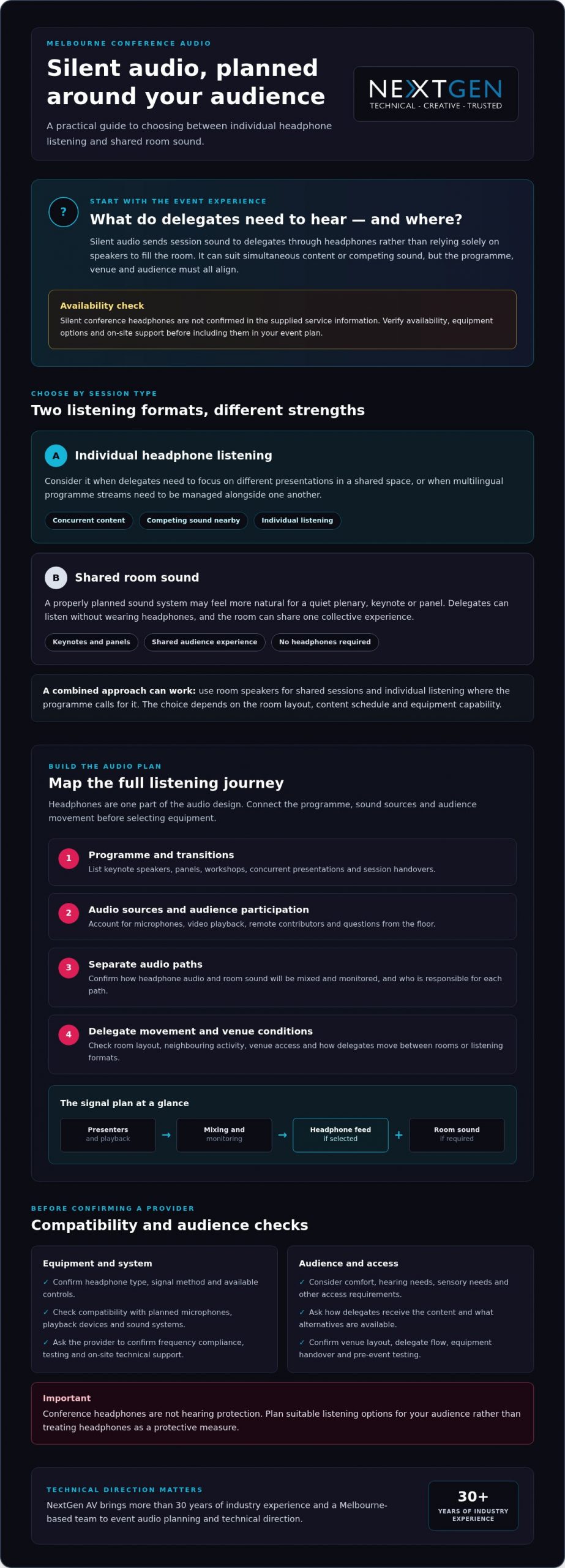
Plan silent conference headphone hire in Melbourne with a pre-event checklist
A clear run sheet turns a complex audio plan into coordinated tasks. For silent conference headphone rental melbourne, agree on venue access, equipment responsibilities, delegate flow and contingency arrangements with your provider and event team. Put timings and ownership in writing, particularly when several people are handling setup, distribution and technical support.
Use this sequence to carry the plan from the initial brief through to equipment return:
- Set the brief. Share expected delegate numbers, session formats, presenters, playback sources and programme timings. Note concurrent sessions, planned audience participation and any access needs that may affect the listening format.
- Confirm the venue plan. Check access windows, room layout, power and storage arrangements with the venue and event team. Map where equipment will be set up, where delegates will collect and return it, and how people will move between sessions.
- Assign responsibilities. Identify who is responsible for delivery, setup, testing, delegate instructions, distribution, collection and pack-down. Confirm what support is included and who to contact if a fault or programme change arises.
- Verify the system. Ask the provider to confirm headphone quantities, signal method, channel arrangements and compatibility with the actual microphones and playback equipment. Record any unconfirmed details as questions to resolve before the event.
- Test the full programme. Schedule a technical check in the event space before delegates arrive. Use the planned microphones and playback, test listening areas, and walk through presenter handovers, session transitions and any channel changes. Agree who responds to issues and what contingency steps are available.
- Close out and return. Confirm collection timing, equipment handover and the person responsible for checking all items are ready for return. Include these tasks in the event schedule so they don’t compete with attendee departure or venue pack-down.
For wider audio planning, consult a professional sound system hire guide alongside your headphone requirements. The two formats may need to work together, so check how shared room audio, microphones and individual listening will fit the programme. A documented test and clear handover plan help the production team respond precisely while delegates stay focused on the event.
NextGen AV provides professional audio systems and technical direction, but silent conference headphone availability isn’t confirmed in the supplied service information. Discuss your Melbourne event audio plan and confirm headphone availability, setup and support before adding them to your brief.
Work with NextGen AV on a seamless Melbourne conference audio experience
A well-run conference depends on more than a list of equipment. Audio needs to support the programme, the venue and the way delegates take part, while technical direction keeps each element working together. NextGen AV approaches event production as a technical partnership, helping organisers plan the details behind the scenes so attention stays on the event itself.
Production expertise behind the scenes
NextGen AV brings more than 30 years of industry experience to event planning and technical execution. The team delivers events across Australia and operates from a Melbourne-based warehouse, supporting local event requirements with professional audio systems and technical direction.
That experience can help you coordinate audio with the wider production plan, from presenter inputs and room sound to the timing of session changes. For a conference with a demanding programme, clear technical direction helps the production team understand responsibilities and manage moving parts with precision. The result is a more considered experience for delegates and greater confidence for organisers.
Take the next step with your event brief
If you’re exploring silent conference headphone rental melbourne, treat equipment availability as something to confirm, not assume. Silent conference headphones aren’t confirmed in NextGen AV’s supplied service information. The team can discuss your brief and confirm whether the requested equipment and support are available for your event.
To make that conversation useful, share your event date, venue, audience size and session format. Include any concurrent presentations, multilingual requirements, planned audience participation or existing sound systems. Ask the team to confirm headphone availability, equipment options and the scope of setup, testing and on-site support. For wider production requirements, the audio visual hire Melbourne guide can also help you consider how audio fits alongside other event technology.
NextGen AV works with corporate teams, associations, government departments and event organisers, bringing technical planning and production experience to each brief. You’ll have a clearer view of what the event needs and which details still require confirmation before the plan is finalised.
Discuss your Melbourne conference audio requirements with NextGen AV and outline the audience experience you want to create.
Plan your next Melbourne conference with confidence
The right audio format starts with your programme and audience, not a piece of equipment. Decide whether delegates need shared room sound or individual listening, then check how the chosen setup will connect with microphones, playback and session changes. A clear brief, written responsibilities and a full technical test help keep delivery on track.
If you’re considering silent conference headphone rental melbourne, confirm availability, equipment options and the scope of setup and support before including headphones in your plan. NextGen AV’s team brings more than 30 years of industry experience, a Melbourne-based warehouse and event delivery experience across Australia. With professional audio production support and technical direction, the team can help you plan the wider event audio requirements while confirming what’s available for your brief.
Share your event date, venue, audience size and session format to begin a focused conversation. Discuss your Melbourne conference audio requirements and take the next step towards a clear, well-coordinated audience experience.
Frequently Asked Questions
What are silent conference headphones used for?
Silent conference headphones let delegates listen to event audio through headphones instead of relying only on room speakers. Organisers may consider them for concurrent presentations, multilingual sessions or spaces where sound from nearby activity could interfere with listening. The format can help direct attention to a particular session, but capabilities vary by system. Confirm channel arrangements and listener controls with the provider rather than assuming every delegate can select or adjust audio independently.
Can silent headphones work for a corporate conference?
Yes, silent headphones can suit a corporate conference when the programme and audience benefit from individual listening. They may be useful for simultaneous workshops or separate language streams, provided the system fits the venue and session plan. Consider delegate comfort, access needs, equipment handover and how questions or presenter audio will reach listeners. For a keynote or discussion built around shared interaction, room sound may create a more natural experience.
How do I choose a silent headphone rental provider in Melbourne?
Choose a Melbourne provider by comparing confirmed equipment and the complete support plan, not just the headphone description. Ask about available quantities, channel arrangements, signal method and compatibility with your microphones and playback. Clarify who handles setup, testing, on-site operation, faults, replacements and collection. For silent conference headphone rental melbourne, request written answers to outstanding questions so you can match the service to your venue, programme and delegate requirements.
Do silent conference headphones need to be tested before an event?
Yes, test the system before delegates arrive. A technical check with the actual microphones, playback sources and listening areas can reveal connection or coverage issues while there’s still time to address them. Rehearse presenter handovers, session transitions and any channel changes in the planned room layout. Confirm who monitors the system and responds to faults during the event, then include the testing time and responsibilities in the production schedule.
Are silent headphones better than a conference sound system?
Neither option is universally better; the right choice depends on the event brief. Headphones may suit concurrent sessions or situations where individual listening helps separate audio. A conference sound system can support shared attention, audience participation and a more connected keynote or panel experience. Consider room acoustics, layout, delegate movement and access needs, then decide whether one format or a planned combination best serves each part of the programme.
Does NextGen AV offer silent conference headphone rental in Melbourne?
Silent conference headphone availability isn’t confirmed in NextGen AV’s supplied service information, so ask the team to verify it before planning around headphones. NextGen AV provides professional audio systems and technical direction, with more than 30 years of industry experience, a Melbourne-based warehouse and event delivery experience across Australia. The team can discuss your audio brief and confirm whether the requested equipment and support are available for your event.
What information should I give a supplier when enquiring about silent headphone hire?
Share your event date, Melbourne venue, expected audience size, room layout and session format. Include presenter and playback sources, concurrent sessions, language requirements, audience participation and any access considerations. Explain your preferred setup and ask the supplier to confirm equipment quantities, channel options, compatibility, testing, on-site support and return arrangements. This gives the provider the context to assess the request and identify details that need confirmation before you finalise the production plan.
A single flickering LED tile or a sudden burst of audio feedback can instantly shatter the prestige of a high-stakes corporate gala. In an era where the Australian event management market has reached a staggering USD $20.7 billion, the pressure to deliver a technically perfect experience is immense. You feel the weight of these expectations every time you review a complex quote. It’s exhausting to manage multiple technical vendors while worrying about hidden costs or the structural safety of a lighting rig. Finding the best audio visual companies in victoria is about more than just hiring equipment. It’s about securing a proactive partner who treats technical execution as a dedicated craft.
We understand that you want your technology to be invisible so your message can take centre stage. This guide will show you how to vet and select premier AV partners to ensure your 2026 event is both technically flawless and visually prestigious. We’ll examine the essential criteria for professional production, from navigating strict Victorian safety regulations to identifying the technical mastery required for seamless sound, vision, and lighting. By the end, you’ll have a clear roadmap to achieving a spectacular result that impresses every stakeholder.
Key Takeaways
- Understand how the 2026 Victorian event market demands immersive technology and why technical reliability is the foundation of brand prestige.
- Learn to identify the best audio visual companies in victoria by evaluating inventory depth, real-time troubleshooting skills, and strict compliance with local safety standards.
- Discover the specific technical requirements for different event types, from crystal-clear audio at corporate AGMs to cinematic LED backdrops for high-impact galas.
- Master the logistical nuances of Victorian venues, including managing tight Melbourne CBD bump-in windows and the technical hurdles of regional hubs like Geelong or Bendigo.
- Recognise the value of a proactive technical partner who manages complex rigging and staging behind the scenes, allowing you to focus entirely on your event’s vision.
The 2026 Victorian Event Landscape: Why Your AV Choice is Critical
Victoria’s major events calendar continues to set global benchmarks, establishing Melbourne as a premier destination for high-profile gatherings. Audiences attending corporate conferences or high-stakes product launches now expect immersive experiences that captivate them instantly. Because audiovisual (AV) is electronic media that directly shapes human emotion and engagement, standard equipment configurations no longer suffice. A single technical glitch, such as a flickering conference LED screen or an unexpected burst of audio feedback, can instantly dismantle months of meticulous planning. This high-stakes environment means selecting from the best audio visual companies in victoria is a critical decision that directly impacts your brand’s prestige.
The Shift from Equipment Rental to Technical Orchestration
Modern event planners are actively moving away from the stress of managing multiple technical vendors. Relying on basic dry hire, where a supplier simply drops off equipment, leaves your production vulnerable to critical integration failures on site. You don’t just need gear; you require comprehensive technical orchestration. A dedicated technical director acts as the proactive engine behind the scenes, unifying sound systems, event lighting, and high brightness LED displays into a single, synchronized execution. With recent advancements like AI-driven audio optimization becoming the baseline for professional production, you need an elite partner who treats production as a dedicated craft rather than a transactional rental service.
The High Stakes of Victorian Corporate and Government Events
Corporate, association, and government sectors in Melbourne demand absolute precision and flawless compliance. Victorian venues enforce stringent safety standards, meaning your production partner must handle complex compliance logistics like structural engineering certificates, High-Risk Work Licences, and Job Safety Analyses seamlessly behind the scenes. When you partner with seasoned veterans who possess over 30 years of experience navigating Victorian event venues, you eliminate the logistical friction that frequently derails less experienced operators. Flawless technical execution reflects directly on your organisation’s reputation. Rest assured that your event is in capable hands, allowing you to move past the logistical grind and focus entirely on delivering a high-impact experience.
The Gold Standard: 5 Criteria for Top AV Companies
Identifying the best audio visual companies in victoria requires looking past glossy brochures and focusing on technical precision. You need a framework that separates basic equipment hire from true technical excellence. In 2026, the gold standard is defined by five critical pillars: inventory depth, technical mastery, meticulous pre-production, absolute compliance, and proactive partnership. These elements ensure your event follows industry recognized best practices, transforming a simple presentation into a prestigious brand experience that stakeholders won’t forget.
Assessing Inventory and Technology Mastery
Inventory quality isn’t just about having the latest gear; it’s about rigorous maintenance and specific performance capabilities. For 2026, broadcast-quality LED walls must feature a fine pixel pitch and high refresh rates to prevent on-camera flickering during live streams or recordings. Professional sound systems must offer multi-zone coverage to ensure every attendee hears a consistent mix, regardless of their seat. Don’t be afraid to ask about equipment redundancy. The most reliable partners always have on-site backups for critical components like video processors and mixing consoles to ensure the show continues no matter what.
Vetting the Human Element: Technical Direction and Crew
Even the most sophisticated lighting rig is useless without an expert at the helm. The lead technician is the engine of your event, managing the front of house sound and complex visual cues under high pressure. In Victoria, you should look for a dedicated project manager who understands local logistics, such as the strict bump-in windows of Melbourne CBD venues. This human element is what prevents technical failure and ensures your vision is realised without compromise. When the crew takes personal pride in seamless execution, you’re free to focus on your guests.
Safety and compliance are equally vital when evaluating a partner’s technical mastery. In Victoria, any rigger performing work on concert stages must hold a High-Risk Work Licence issued by WorkSafe Victoria. All crew members entering an event site must possess a valid construction induction card, commonly known as a white card. Verified companies will proactively provide a structural engineering certificate for staging and a detailed Job Safety Analysis before a single cable is laid. This level of precision protects your organisation from liability and ensures a safe environment for everyone involved.
Choosing a partner who anticipates these needs before they become problems is the hallmark of elite production. If you’re ready to move past the stress of logistics, exploring integrated technical direction solutions is the first step toward a flawless event. By prioritising proactive problem-solvers over simple order-takers, you ensure your event remains technically flawless from the first sound check to the final pack-down.
Top Categories of AV Excellence: Finding Your Niche Specialist
Not every technical partner is equipped to handle every environment. The best audio visual companies in victoria differentiate themselves by mastering specific niches, from the sterile precision of an AGM to the cinematic energy of a gala dinner. Selecting a specialist who understands the unique pressure points of your category ensures that the technology serves your objectives rather than complicating them. Whether you are launching a new automotive model or hosting a government forum, your choice of partner must reflect the specific technical demands of the space.
Best for High-Stakes Corporate Productions
Corporate conferences and AGMs demand a zero-failure approach to communication. Your message must reach every attendee, whether they are in the front row of a Melbourne ballroom or joining virtually from another continent. This level of reliability requires a sophisticated professional sound system hire strategy that prioritises keynote clarity and eliminates dead zones. In these environments, technical direction becomes the cornerstone of success. It’s the difference between a series of disconnected slides and a cohesive brand experience that flows effortlessly. A dedicated technical director manages the complex interplay between audience engagement software and live streaming feeds, ensuring your presentation remains uninterrupted. Rest assured that when the audio is engineered for precision, your stakeholders can focus entirely on the vision.
Specialists in Immersive Visual Environments
Gala dinners and awards nights require a complete transformation of space to evoke prestige. Creative lighting design can turn a standard Victorian hotel ballroom into a cinematic environment, using texture and colour to guide the audience’s focus. Integrating high-resolution LED video walls creates those high-impact “wow” moments that capture attention and look spectacular on social media. Beyond the visuals, the structural integrity of your environment is paramount. Elite partners provide festival-grade staging and engineered rigging to ensure that every suspended light and screen meets Victorian safety standards. This behind-the-scenes mastery allows the prestige of the final result to take centre stage.
Trade shows and exhibitions demand a different kind of mastery. It’s about high-traffic visibility and seamless screen integration that survives a rigorous three-day schedule. For outdoor community events, the best audio visual companies in victoria deploy weather-rated equipment and large-scale PA systems that maintain audio fidelity against wind and ambient noise. This ensures that even in regional hubs, your production standards remain uncompromising and your audience stays engaged from start to finish.
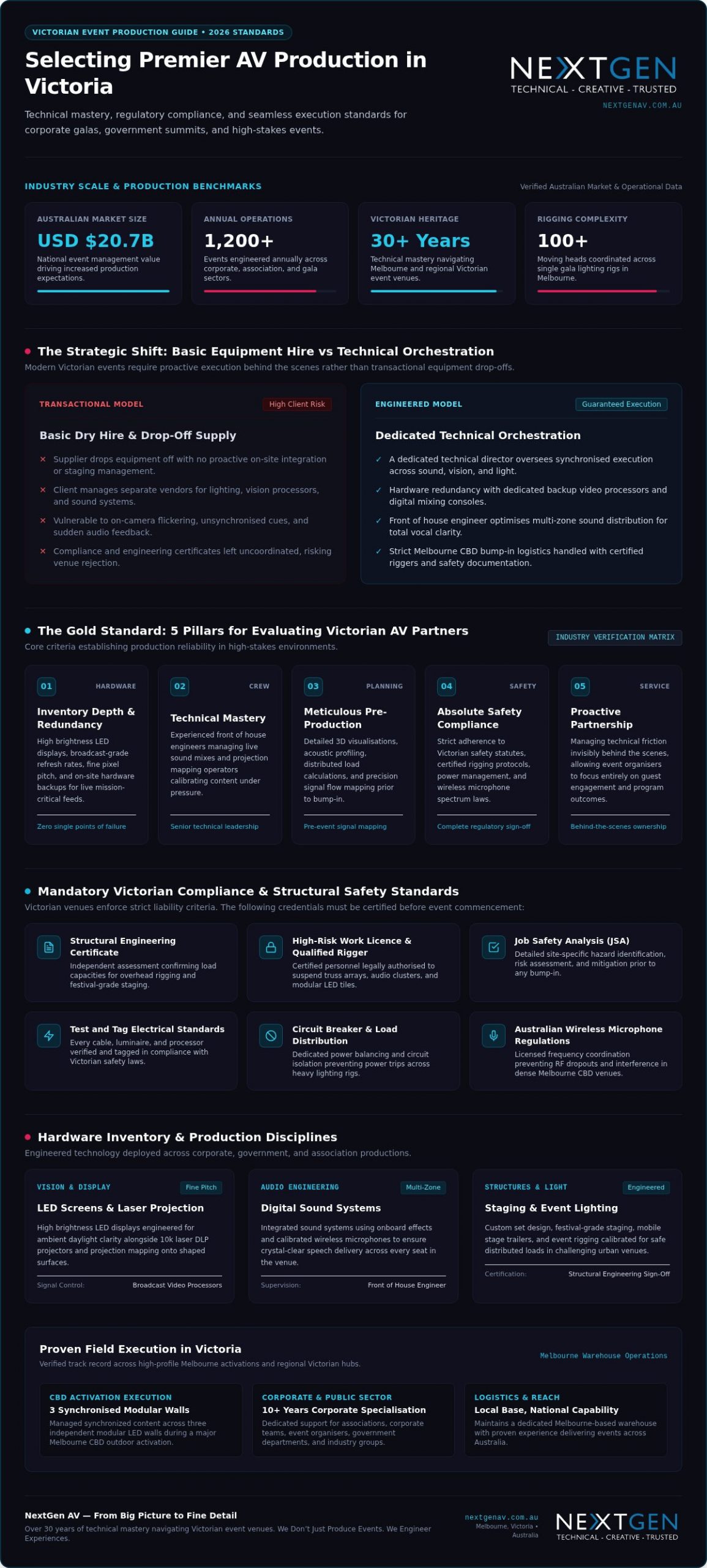
Navigating Victorian Venues: Local Logistics and Technical Hurdles
Execution is dictated by the environment. The best audio visual companies in victoria prove their worth not in the warehouse, but in the loading docks of the CBD and the paddocks of regional hubs. Navigating these spaces requires a proactive partner who understands that a heritage ballroom in the Mornington Peninsula has vastly different power constraints than a purpose-built plenary. Technical mastery involves anticipating these site-specific hurdles long before the first truck arrives, ensuring that the venue’s architecture enhances your event rather than hindering it.
Melbourne CBD and MCEC Logistics
Managing the Melbourne Convention and Exhibition Centre (MCEC) or high-rise CBD ballrooms involves a complex dance of timing. Strict bump-in and pack-down windows mean there’s no room for error. You need a team that coordinates seamlessly with venue-contracted providers to ensure full service event production that respects the venue’s technical specifications. A deep understanding of Melbourne’s traffic and parking constraints prevents delays that could otherwise derail your schedule. This includes managing heavy vehicle access to loading docks and ensuring all crew members are briefed on the specific entry protocols of each precinct.
Regional Victoria: Technical Execution Beyond the City
When your event moves to Geelong, Bendigo, or Ballarat, the logistical stakes change. Working far from a main warehouse requires absolute equipment reliability and a provider with a genuine Victoria-wide service footprint. Regional outdoor locations introduce variables like unpredictable wind loads for staging and unstable power connectivity. Proactive technical direction involves bringing redundant power sources and ensuring all festival-grade staging is secured with the correct ballast and structural engineering certificates. We also account for connectivity hurdles, deploying dedicated satellite or high-gain cellular arrays to ensure your live stream remains stable even in remote areas of the Mornington Peninsula.
Heritage venues present a unique challenge. Delicate architecture and limited power circuits require a light touch and technical mastery. Selecting from the best audio visual companies in victoria means choosing a team that ensures every cable run is discreet and every lighting rig is safely suspended without compromising the venue’s integrity. By strictly adhering to WorkSafe Victoria regulations for event rigging and staging, we protect your brand from liability. Our team handles the Job Safety Analysis and High-Risk Work Licences so you can focus entirely on your vision. If you’re planning a complex activation, you can enquire about our Victorian venue expertise to ensure a flawless execution.
Partnering for Success: NextGen AV Leads Victoria in 2026
True technical orchestration requires a partner who treats live production as a dedicated craft. With over 30 years of experience in Melbourne event production, NextGen AV has engineered solutions for the most prestigious corporate, government, and association gatherings across the state. We don’t just supply gear from a warehouse; we manage the complete technical lifecycle from pre-production CAD drawings to the final pack-down. Our philosophy centers on absorbing the complex logistical stress of staging, rigging, and compliance so that you can remain focused on your event’s core message and your stakeholders.
The NextGen AV Advantage: Mastery and Precision
Our technical directors act as the invisible engine behind your success, working meticulously to ensure a seamless front-of-house execution. We have heavily invested in 2026-standard elite inventory, including high brightness LED displays and AI-integrated audio processing systems that eliminate environmental noise. This commitment to precision is why major corporate teams and government departments trust us with their high-stakes reputation. Having supported everything from complex CBD outdoor activations to massive Melbourne galas involving over 100 moving heads, our seasoned crew possesses the technical mastery required to handle high-pressure live environments without a single glitch.
Start Your Journey to a Flawless Event
Securing a flawless execution begins long before the live audience arrives at the venue. Engaging a professional AV consultation during your early planning stages allows us to map out technical specifications, power distribution loads, and frequency coordination requirements. This proactive approach eliminates hidden costs and ensures your production complies fully with WorkSafe Victoria standards from day one. Whether your project requires a massive conference LED screen setup or a tailored corporate layout, we customize every solution to deliver an unforgettable audience experience.
Your event deserves a technical execution that elevates your brand and leaves a lasting impression on every attendee. For comprehensive solutions tailored to your unique audio visual hire Melbourne requirements, partner with an elite team that takes personal pride in perfection. You can enquire with NextGen AV for your next Victorian event to experience how we translate complex technical logistics into absolute brand prestige.
Elevate Your Vision with Technical Mastery
In 2026, the success of your event hinges on more than just equipment. It requires a partner who understands that technical execution is a dedicated craft. By prioritising inventory depth and rigorous safety compliance, you ensure your brand remains prestigious and protected. Navigating the unique logistical hurdles of Victorian venues demands a team with deep local expertise and a proactive approach to technical direction. As you evaluate the best audio visual companies in victoria, look for a partner that takes personal pride in seamless execution.
NextGen AV brings over 30 years of flawless Victorian event execution to your project. As a preferred partner for major Australian government and corporate bodies, we specialise in Red Dot-standard production and high-resolution LED technology. We meticulously manage the complex logistics behind the scenes so you can focus entirely on your guests. Rest assured that your event is in capable hands, as we engineer an experience that leaves a lasting impression.
Partner with Victoria’s elite AV orchestrators at NextGen AV to transform your next activation into an unforgettable experience. Your vision deserves nothing less than perfection.
Frequently Asked Questions
What is the difference between AV equipment hire and full-service event production?
AV equipment hire is the simple rental of hardware like speakers or screens, often requiring you to manage the setup. Full-service event production is a comprehensive technical orchestration that includes pre-production planning, technical direction, and on-site management. This approach ensures all components like LED video walls and sound systems work in perfect synchronisation. It shifts the technical risk from the organiser to the production partner, ensuring a flawless result.
How much does it cost to hire a professional AV company in Melbourne for a corporate event?
Professional AV costs in Melbourne vary significantly based on venue size, technical complexity, and the duration of your event. Rather than focusing on a single figure, planners should consider the value of technical mastery and risk mitigation. Factors that influence the final quote include high-resolution LED requirements, the number of technical crew needed, and whether you require custom festival-grade staging or rigging. Always request a detailed breakdown to avoid hidden costs.
Do I need to hire a technical director for my conference in Victoria?
A technical director is essential for conferences involving multiple speakers, live streaming, or complex visual transitions. They act as the central orchestrator, managing the front of house engineer and visual cues to ensure a seamless flow. Without this single point of contact, you risk technical silos where sound and vision don’t align. The best audio visual companies in victoria provide this expertise to maintain the prestige of your brand throughout the event.
Can Victorian AV companies handle events in regional areas like Geelong or Ballarat?
Elite production partners maintain a Victoria-wide service footprint, frequently delivering high-impact events in Geelong, Ballarat, and Bendigo. These regional activations require meticulous logistical planning to ensure equipment reliability far from the main warehouse. We account for regional variables such as local power constraints and weather-rated gear for outdoor community festivals. This ensures that your production standards remain uncompromising, regardless of the geographic location within the state.
What are the most common AV mistakes to avoid at high-stakes events?
The most frequent errors include inadequate power distribution, failing to coordinate wireless microphone frequencies, and underestimating bump-in times. Many planners also overlook the importance of equipment redundancy for critical systems like a video processor. Choosing from the best audio visual companies in victoria helps you avoid these pitfalls through proactive site visits and detailed Job Safety Analyses. This technical precision prevents glitches like audio feedback or flickering LED tiles from disrupting your presentation.
How far in advance should I book an AV company for a major Victorian event?
For major corporate galas or large-scale conferences, you should ideally engage a technical partner six to twelve months in advance. This lead time is critical for securing high-demand elite inventory and allowing for thorough pre-production, including CAD drawings and structural engineering assessments. Early booking also ensures that technical directors can collaborate with your team to integrate audience engagement software and creative lighting concepts into the event’s core design.
What technical certifications should a Victorian AV crew hold?
A professional Victorian crew must hold several legal certifications to ensure safety and compliance. Any staff performing event rigging or operating boom-type platforms must possess a High-Risk Work Licence issued by WorkSafe Victoria. Additionally, all workers on an event site must hold a valid construction induction card, or white card. Verified partners will also provide a structural engineering certificate for staging to confirm the structure meets Australian safety standards for a distributed load.
Does NextGen AV provide on-site technical support during the entire event?
NextGen AV provides dedicated, end-to-end technical support from the initial bump-in until the final pack-down is complete. Our team includes technical directors and specialist engineers who remain on-site to manage every cue and troubleshoot in real-time. This proactive presence ensures that your technology remains invisible, allowing you to focus on your vision while we handle the technical precision required for a flawless, high-impact event experience.
Knowing how to improve audience engagement with AV means deploying purpose-built visual and acoustic technology, such as IP65-rated LED screens outputting over 5,000 nits for outdoor visibility. Professional AV production uses engineered signal routing and calibrated sound reinforcement to keep attendee focus steady through complex corporate events. You secure crystal-clear execution by partnering with technical specialists who manage detail behind the scenes.
Key Takeaways: Improve audience engagement with AV by deploying high-brightness 5,000-nit LED screens and calibrated line array audio to eliminate visual fatigue and acoustic dead zones.
- Deploy 5,000-nit IP65-rated LED screens for outdoor events to maintain visibility against harsh sunlight.
- Use high-end projection mapping in a ballroom plenary to provide immersive acoustic coverage.
- Use a dedicated video processor for complex corporate events to eliminate focus-breaking visual input lag.
- The article confirms that venue-native gear often lacks the processing power for custom aspect ratios.
Matching AV Tech to Your Event Scope
Your venue size and light conditions decide which hardware will hold attention, so match the kit before you lock the run sheet. In a boardroom workshop, high brightness LED displays keep punchy contrast under ambient light. In a ballroom plenary, projection mapping and PA audio systems give immersive acoustic coverage. For an outdoor activation, modular LED display walls protect weather-resilient visibility. Aligning visual hardware with your venue footprint raises participant interaction because the picture stays readable and the sound stays even.
The Customer Engagement Wikipedia entry (2025) notes that cognitive and emotional participation connects directly to tailored consumer experiences. Selecting proportionate hardware prevents visual fatigue and preserves focus.
| Event Environment | Essential Hardware | Primary Objective |
|---|---|---|
| Boardroom & Workshop | High brightness LED displays | Crisp clarity in daylight |
| Ballroom & Plenary | Projection mapping & PA audio systems | Immersive acoustic coverage |
| Outdoor Activation | Modular LED display walls | Weather-resilient visibility |
For experiential activations, partnering with experienced Brand Agencies turns complex technical designs into impactful consumer touchpoints. Behind the scenes, NextGen AV handles these complicated environments so your presentation runs cleanly.
Choosing dynamic visual displays over static backdrops works best for live product launches, because static signage limits audience attention. A tailored system setup fits the room the way a custom suit fits the wearer: precision tailoring supports clearer sightlines and stronger message recall. Your technical setup stays protected with qualified riggers and Job Safety Analysis procedures, so the room stays in capable hands.
What is Audience Engagement?
Audience engagement is a measurable cognitive and sensory connection between your attendees and the presentation. Basic setups rely on simple visual output, whereas professional conference AV production activates multiple senses to keep participants focused.
True immersion happens when technology operates without distraction. Crisp audio delivery via PA audio systems ensures every word reaches the back row clearly. Vibrant visuals from high brightness LED displays hold viewer attention under intense lighting. When you work with NextGen to integrate audience engagement software, passive listeners transform into active participants. More on this: AV Hire Melbourne.
Visual impact needs precision. Advanced visual processing via a video processor scales content, switches inputs, and maps signals to modular panels. That prevents input lag or washed-out graphics that break concentration. Professional stage rental creates clear sightlines, elevating key speakers physically and visually above the floor.
High-end production delivers pristine sound distribution and vivid imagery that commands respect, rather than relying on simple consumer hardware. If you think basic equipment saves money, weigh the hidden cost of a disengaged room: meticulous technical execution holds participant focus from open to close.
Why is Audience Engagement Important?
Engaged attendees retain key messages and stay connected to your event content. High audience focus drives stronger outcomes for corporate activations, product launches, and industry conferences.
When delegates lose concentration, your message slips away. Bright indoor ambient light or harsh outdoor sunlight washes out standard visual displays and causes rapid eye fatigue. Selecting high brightness LED displays keeps visual content crisp, vibrant, and fully visible in high-ambient environments, so delegates stay with the presentation for longer.
Picking improper visual equipment causes attendees to strain their eyes and drop focus within minutes. Engineered visual hardware pulls delegate attention back to the content you need them to see.
To deliver precise visual displays for Melbourne events, NextGen AV handles technical complexity from behind the scenes. Careful event production planning ensures your equipment setup matches your specific venue environment without unnecessary overhead, so execution stays reliable and impact stays high.
Tip: Always spec high brightness LED displays capable of 5,000 nits for daytime outdoor activations to prevent visual fatigue.
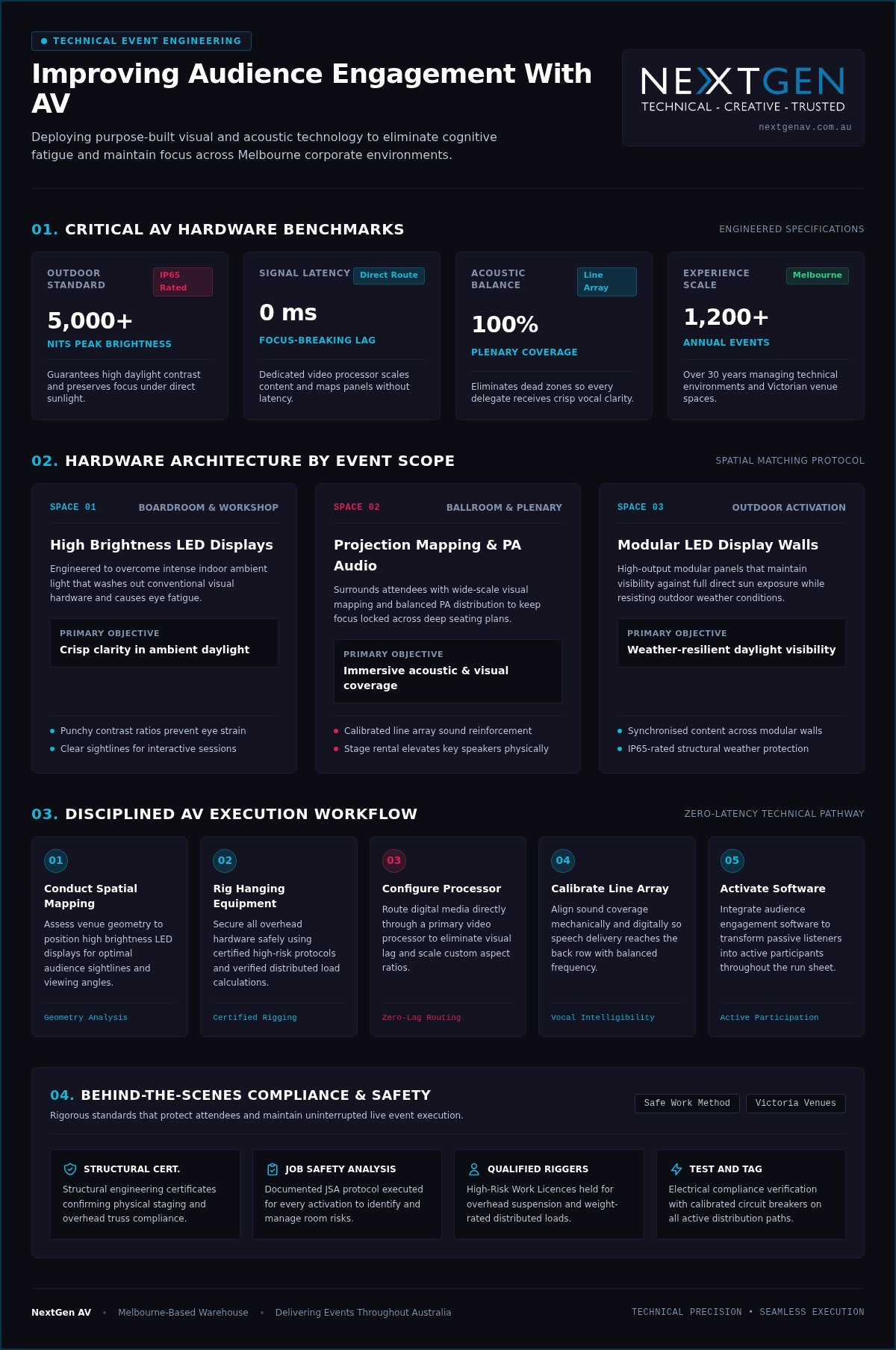
5 Technical Steps on How to Improve Audience Engagement with AV
Precise signal routing and disciplined hardware workflows stop technical glitches from breaking focus. Visual delay erodes audience trust fast, so a zero-latency AV backbone matters for sustained participation. Each dynamic visual element needs deliberate technical direction.
- Conduct spatial mapping
Assess the venue geometry to position high brightness LED displays for optimal viewing angles. - Rig hanging equipment
Secure all overhead hardware safely using certified high-risk protocols for structural event rigging. - Configure the video processor
Route all digital media inputs directly through primary control hardware to eliminate visual lag. - Calibrate line array technology
Align speaker setup elements across the room to maintain clear acoustic coverage. - Manage wireless transmission
Scan the local frequency spectrum to lock in clear channels under strict Australian wireless microphone regulations.
This preparation puts your message in front of each attendee with clear picture and sound. Expert Melbourne event production services handle these complex signal paths behind the scenes, turning venue infrastructure into one active communication hub. The NextGen AV crew manages each technical variable so your presentation keeps focus, and precision dynamic control helps the room feel immersed.
Measuring ROI on Interactive Event Tech
Live participation metrics show whether interactive technology is earning its place on the budget line.
You measure success by analysing post-session response rates, duration of attendee focus, and direct digital inquiries. Evaluating those figures turns raw interaction into actionable business intelligence. Basic audience engagement software gives a quick pulse reading; detailed data collection builds a fuller digital profile of how the room responded.
When you track response rates alongside audience feedback, you see which topics resonated with your delegates. High-performance visual displays keep crowds on key messages longer, and high brightness LED displays help turn passive viewing into active participation.
Pair real-time polling platforms with high-definition conference LED screens when you want sharper impact. Audience engagement software suits interactive keynotes; high brightness LED displays fit large exhibition spaces that need wide visual reach. For events requiring bespoke digital platforms or tailored attendee applications beyond off-the-shelf tools, custom software developers like 4mation build purpose-fit solutions that feed real-time participant interaction directly into your visual displays.
After more than 30 years of technical work across 1,200+ events a year, the pattern is consistent: when the full technical setup is engineered behind the scenes, data capture runs clean and the brand moment lands. NextGen AV helps you capture meaningful analytics while the room still feels memorable. Ask for a personalised quote so we can shape a strategy tied to measurable returns.
When In-House AV Equipment Falls Short
In-house venue gear often fails during complex presentations because basic hardware cannot manage custom visual displays or heavy signal routing. Built-in sound systems (line array technology) might cover background speeches, yet they lack the processing power required for clear, dynamic presentation audio across large spaces.
Venue-native gear frequently lacks dedicated hardware processing to run custom aspect ratios without distorting your visual content. Relying on standard kit is like using a push mower on a golf course: standard monitors lack high brightness LED displays that punch through ambient light, domestic switchers lack a dedicated video processor to map multiple feeds without dropping signals, and standard wireless microphone setups struggle without active frequency coordination to prevent dropped audio.
When your event demands faultless execution, venue-native setups create immediate failure points. Dedicated technical direction keeps each signal path solid. NextGen AV builds custom production architecture around your room layout so technical execution stays sharp, reliable, and low-stress.
Frequently asked questions
What is audience engagement?
Audience engagement is the active mental, physical, or emotional participation of attendees during your event. You raise that participation through live polling, dynamic visual displays, and responsive audio systems. NextGen AV engineers immersive rooms across Melbourne by integrating high brightness LED displays with interactive conference technology.
Why is audience engagement important?
Strong engagement helps your message stick and supports a clearer return on the event spend. Focused attendees interact more deeply with sponsors, join Q&A sessions, and form firmer brand connections. Secure event rigging (hanging equipment) and precise audio coverage hold attention without technical noise in the way.
What are examples of audience engagement?
Examples include live audience Q&A sessions, real-time polling software, interactive workshops, and dynamic visual presentations. You can also use projecting on buildings (projection mapping) to turn architectural surfaces into captivating visual displays. Tailored venue engineering and sound systems make those formats practical on show day.
How can I improve audience engagement?
Combine responsive audience software with clear visual and audio production. Deploying line array technology (speaker setup) means each delegate hears each word across the venue. Professional technical direction holds those elements steady behind the scenes.
Which AV choices lift engagement at corporate events?
Match hardware to the room: high brightness LED displays for ambient light, a video processor for clean switching and mapping, and calibrated PA or line array coverage so speech stays intelligible. Add audience engagement software when you want live polling and measurable response data tied to the content on screen.
Streamline Your Next Production
How to improve audience engagement with AV still comes down to precise technical execution and qualified direction. Dynamic visuals, crisp acoustic performance, and strategic content flow keep attendees connected across the agenda. In 2026, corporate planners need reliable systems that run without technical friction. The NextGen AV team manages complex signal paths behind the scenes so display systems and stage lighting operate with absolute precision. High-impact production rests on meticulous preparation, accurate sound distribution, and high-contrast visuals cut to your venue layout.
Ready to reshape the room experience? You can plan your event production with NextGen today and review technical requirements with the production specialists.
